00196608-01_AI_Stationaere_Kamera_Typ33_36_de_en.pdf - 第109页
Installation Moving COT Insert with X Tables General Preparations Stationary Camera Typ e 33/36 Stationäre Kamera Typ 33/36 109 3.1.1.4 Moving the COT Insert ► On both sides of the COT insert you will find a black cap (1…
Installation
General Preparations Moving COT Insert with X Tables
108 Stationary Camera Type 33/36 Stationäre Kamera Typ 33/36
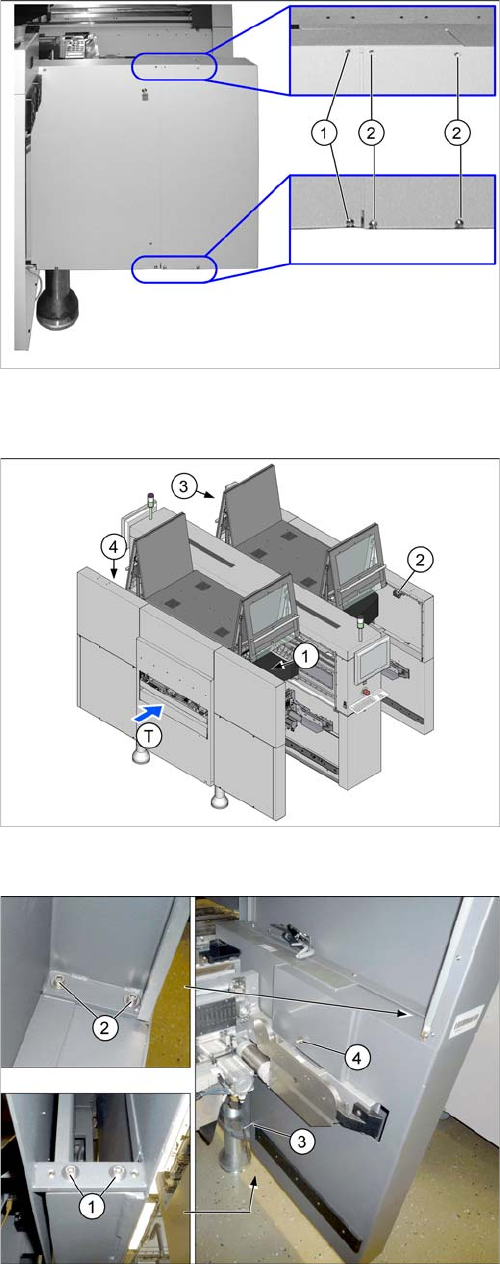
3.1.1.3 Dismantling the Lower Side Cover (SX4)
► Loosen the two screws (1), in order to pull out the side
cover.
► Loosen the four screws (2) fastening the side cover
and remove these. Hold the side cover while you are
removing the screws.
Position of protective switches on the placement machine
1. Protective cover switch, location 1
2. Protective cover switch, location 2
3. Protective cover switch, location 3
4. Protective cover switch, location 4
T = PCB direction of transport
► To do this, loosen the 6 screws fastening the side
cover in the order (1) to (4) and remove these. While
unscrewing, always hold on to the side cover, to pre-
vent it falling off.
Installation
Moving COT Insert with X Tables General Preparations
Stationary Camera Type 33/36 Stationäre Kamera Typ 33/36 109
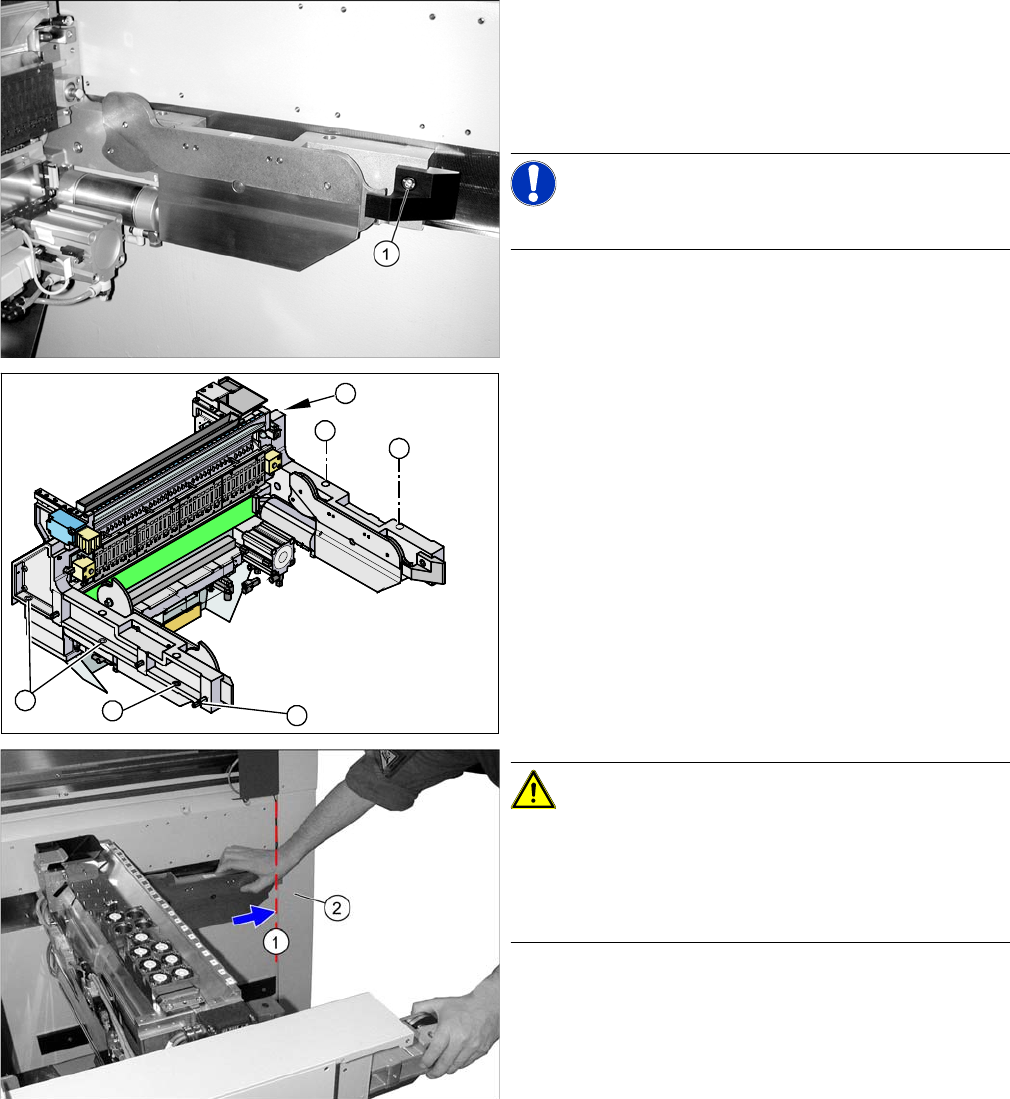
3.1.1.4 Moving the COT Insert
► On both sides of the COT insert you will find a black
cap (1). Remove the cap to the inside of the machine,
if you need to access the fitting screw behind it. To do
this, simply loosen the screw fastening the cap and
take off the cap.
NOTICE!
The cap on the outer side need not be removed.
► Mark the mounting position of the COT insert.
► Loosen the five screws (1) fastening the COT insert.
► Loosen the fitting screw (2) on the inside of the ma-
chine.
CAUTION!
The cover of the power supply (2) must be closed.
If the cover of the power supply is not closed there is a
risk that the COT insert will fall out when moved..
Close the cover of the power supply.
► Pull out the COT insert carefully until it touches the
protective door of the power supply (1).
1
1
1
1
2
1
Installation
Installation on X Series and D3 Machines Installation Position X Series and D3
110 Stationary Camera Type 33/36 Stationäre Kamera Typ 33/36
3.2 Installation on X Series and D3 Machines
Required installation kits:
See"2.3 Scope of Delivery" [ ➙ 102]
Installation kit: stationary camera type 33 for CPP head fitted in X series [00119782-xx]
The stationary camera (type 33) is already included in the HRK for TwinHead used in X series machines.
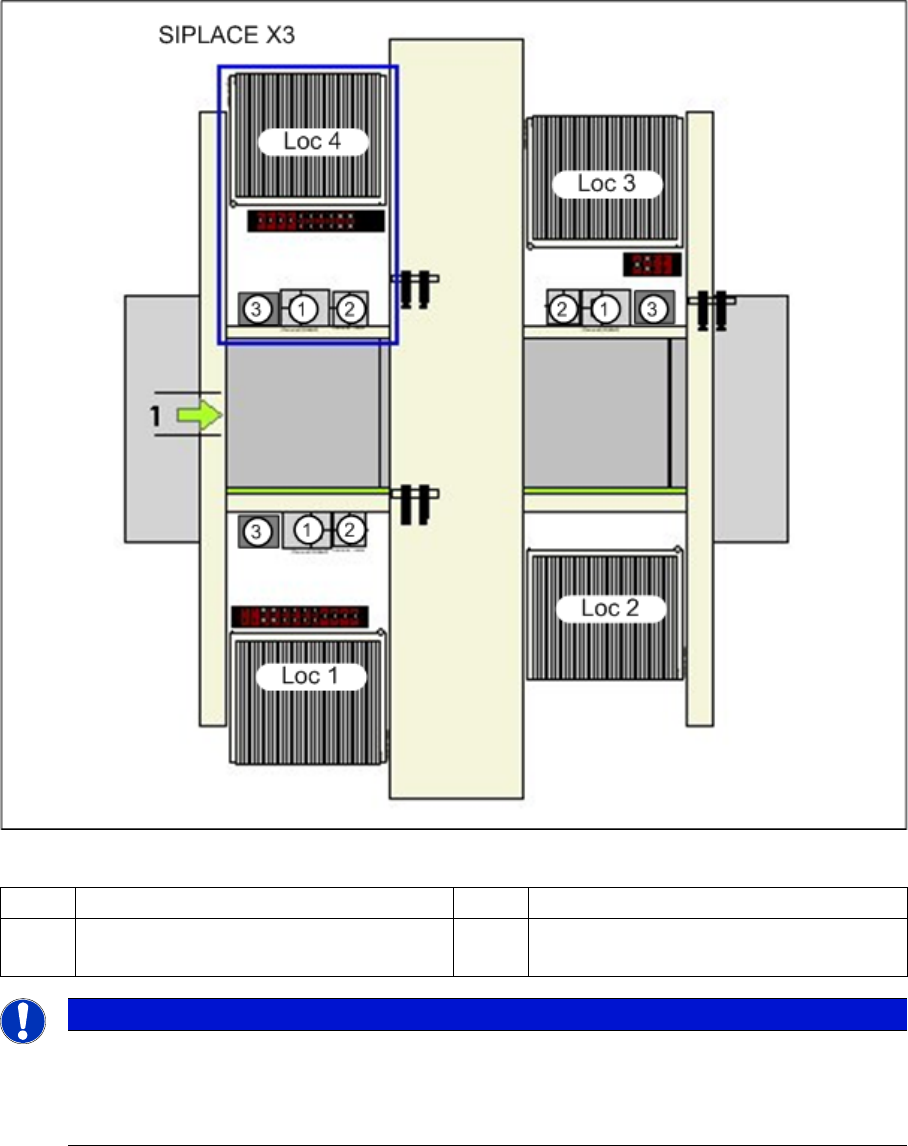
3.2.1 Installation Position X Series and D3
Installation position of cameras (using example of X3)
1 IC camera, type 33 3 Component reject bin
2 FC camera or 3D coplan Loc 1-
4
Location 1 - 4
NOTICE
TwinHead
The FC camera and the 3D coplan module are only possible together with a TwinHead. Only
one of these options can be fitted at this installation position, meaning that either the FC camera
or the 3D coplan module can be used.