00196608-01_AI_Stationaere_Kamera_Typ33_36_de_en.pdf - 第115页
Installation Electrical Connections Installation on X Series and D3 Machines Stationary Camera Typ e 33/36 Stationäre Kamera Typ 33/36 115 See also 3. 2.3.3 Conn ecting the H otlink Cable to t he Compute r Unit [ ➙ 1…
Installation
Installation on X Series and D3 Machines Electrical Connections
114 Stationary Camera Type 33/36 Stationäre Kamera Typ 33/36
3.2.3 Electrical Connections
If you are retrofitting a TwinHead or CPP head, you can continue directly with section "3.2.3.2 Type 33
Cameras From FS03" [ ➙ 119] to fit this.
The following section describes the electrical installation for all camera versions which can be installed
in X series and D3 machines. This is also helpful for replacement of spare parts.
When retrofitting a camera using a retrofitting kit [00119782-xx], always use the latest version of the
camera (currently version 05, status 08/2011).
See also
4.2 Camera Coding and Connections [ ➙ 155]
4 Appendix [ ➙ 153]
3.2.3.1 Cameras Type 33 with FS01 or FS02 (X Series Only Up To B325)
NOTICE
Changing the machine wiring
There are differences in the component camera wiring (stationary, P&P, type 33, 55x45 digital
[03016339-xx]). One key change was made between versions FS03 and FS04. We therefore
do not recommend combining versions up until and including FS03 and from FS04 in the same
placement area and do not describe this type of combination in this manual.
NOTICE
VCU
These cameras can only be operated in conjunction with the Vision Control Unit (VCU) and in
SIPLACE X series machines with a serial number lower than B326. In these machines, the op-
eration of 4 stationary cameras or of two identical stationary cameras in one placement area is
not possible (e.g. FC/FC or IC/IC).
NOTICE
D series
The type 33 stationary camera in versions FS01 and FS02 can not be used in D series ma-
chines.
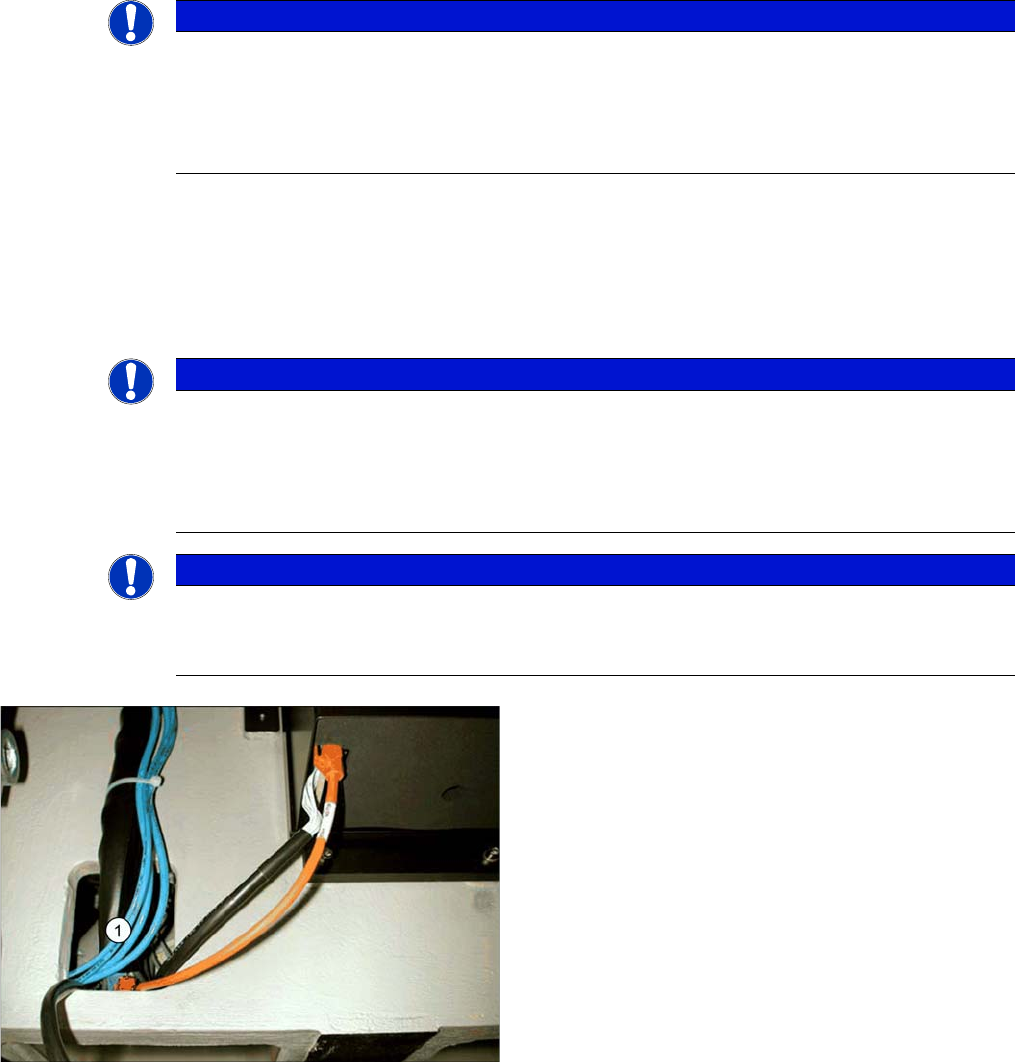
Connection cable for stationary cameras
► Pull the three connection cables for the IC camera
through the opening (1) and out of the machine
frame.
Installation
Electrical Connections Installation on X Series and D3 Machines
Stationary Camera Type 33/36 Stationäre Kamera Typ 33/36 115
See also
3.2.3.3 Connecting the Hotlink Cable to the Computer Unit [ ➙ 123]
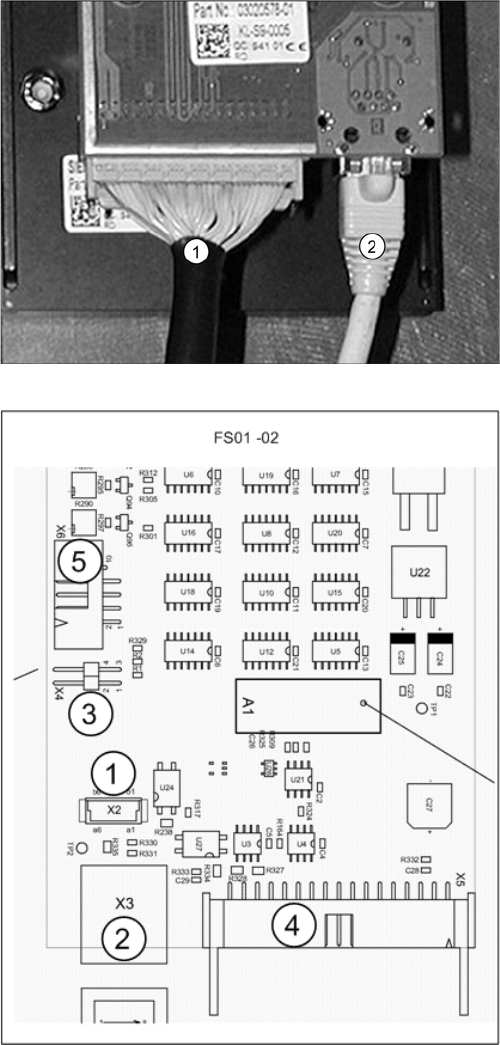
Camera (FS02)
1. X5: Vision cable 34-pin, from IC camera to Vision
Control Unit, stationary
2. X3: Cable from camera bus to computer unit
► Connect the cable (1) to the camera. This creates the
connection to the Vision Control Unit, stationary.
► Connect the cable (2) to the camera. This creates the
connection to the computer unit. Continue by reading
the following section: "3.2.3.3 Connecting the Hotlink
Cable to the Computer Unit" [ ➙ 123]
For more information, refer to the circuit diagrams:
"4.4.1.1 Camera Up To FS02" [ ➙ 159]
Vision LED driver board SST20 (up to FS02)
1. X2: Not relevant
2. X3: Cable from camera bus to computer unit
3. X4: Jumper must be connected
4. X5: Vision cable 34-pin, from IC camera
[03003439-xx] to Vision Control Unit, stationary
5. X3: Not relevant
Installation
Installation on X Series and D3 Machines Electrical Connections
116 Stationary Camera Type 33/36 Stationäre Kamera Typ 33/36
Connection to the Vision Control Unit Stationary Up To Serial Number B325 and IC Camera FS01 and
FS02
NOTICE
Observe the machine serial number and camera FS number.
Observe this section for X series machines up to serial number B325 and IC cameras with FS01
or FS02.
NOTICE
CPP and VCU
The Vision Control Unit (VCU) does not support CPP heads. CPP heads and the corresponding
stationary cameras are therefore only possible from machine serial number B326.
► In this case, read the corresponding assembly instructions for information about further re-
strictions.
NOTICE
TQM module
The TQM module [03003536-xx] is not part of the camera delivery package and will need to be
ordered separately if required.
NOTICE
Control Unit 1 Vision, Stationary [00363961-xx]
The "Control Unit 1 Vision, Stationary" [00363961-xx] is part of the "Reconfig. parts kit parts kit
for X series/TwinHead" [03041487-xx].
VCU
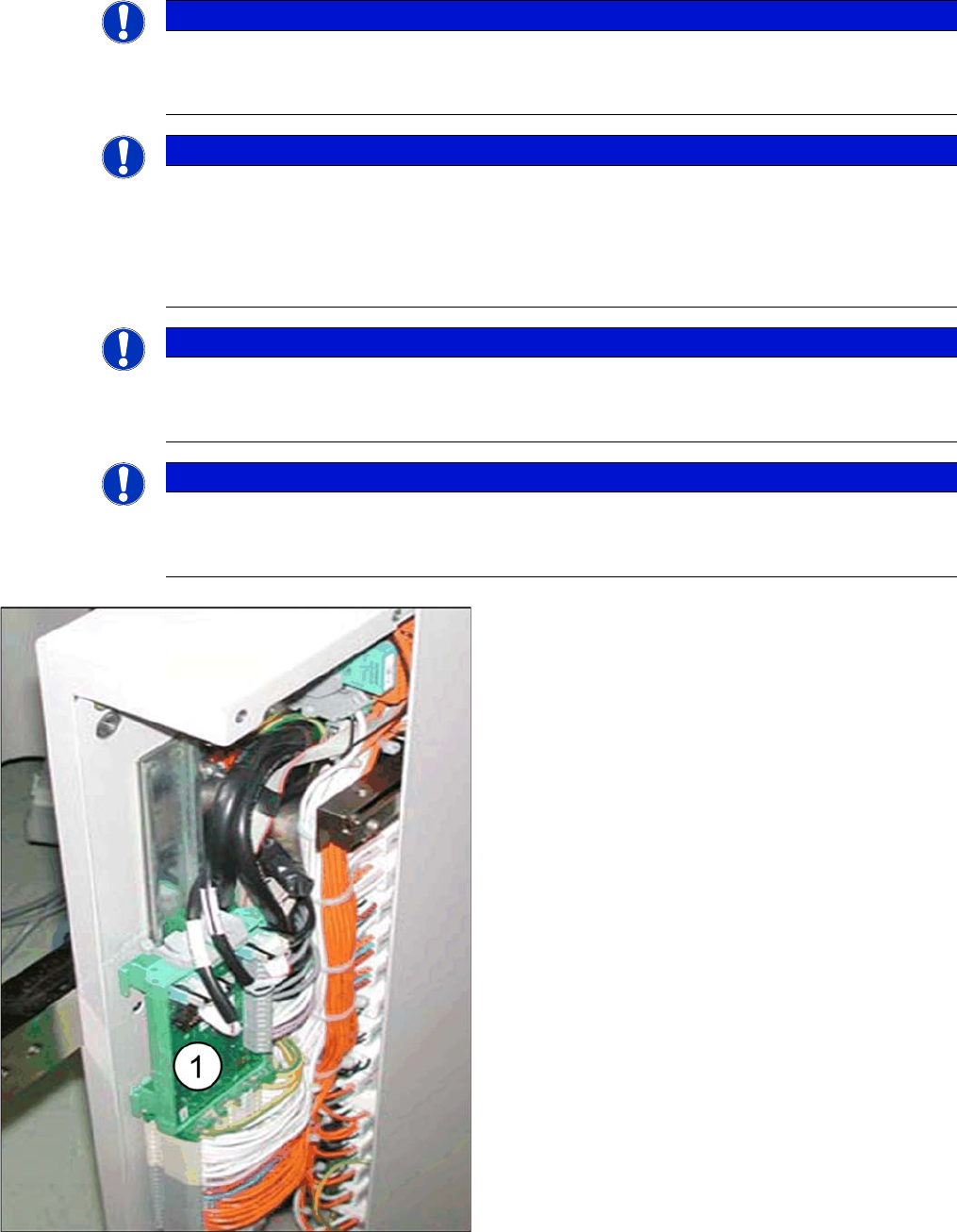
► Connect the TQM module to the "Control Unit 1 Vi-
sion, Stationary" [00363961-xx] board.
► Fit the "Control Unit 1 Vision, Stationary" [00363961-
xx] with the connected "TQM167 SIPLACE embed-
ded module" [03003536-xx] in the relevant slot (1).
▪ The VCU for PA1 is located in the subdistributor (lo-
cation 4).
▪ The VCU for PA2 is located in the main distributor (lo-
cation 2).