00198599-02_AI_Vacuumpump_X-Series-S-from-Hxxxx_DE_EN.pdf - 第151页
3 Installation 3.5 Installing the vacuum pump Assembly Instructions / Montageanleitung SIPLACE X-Series S (from/ab Hxxxx) Option Vacuum Pump 02/2021 151 Detailed circuit diagram vacuum pump (old) Fig.43: Detailed circui…
3 Installation
3.5 Installing the vacuum pump
150 Assembly Instructions / Montageanleitung SIPLACE X-Series S (from/ab Hxxxx) Option Vacuum Pump 02/2021
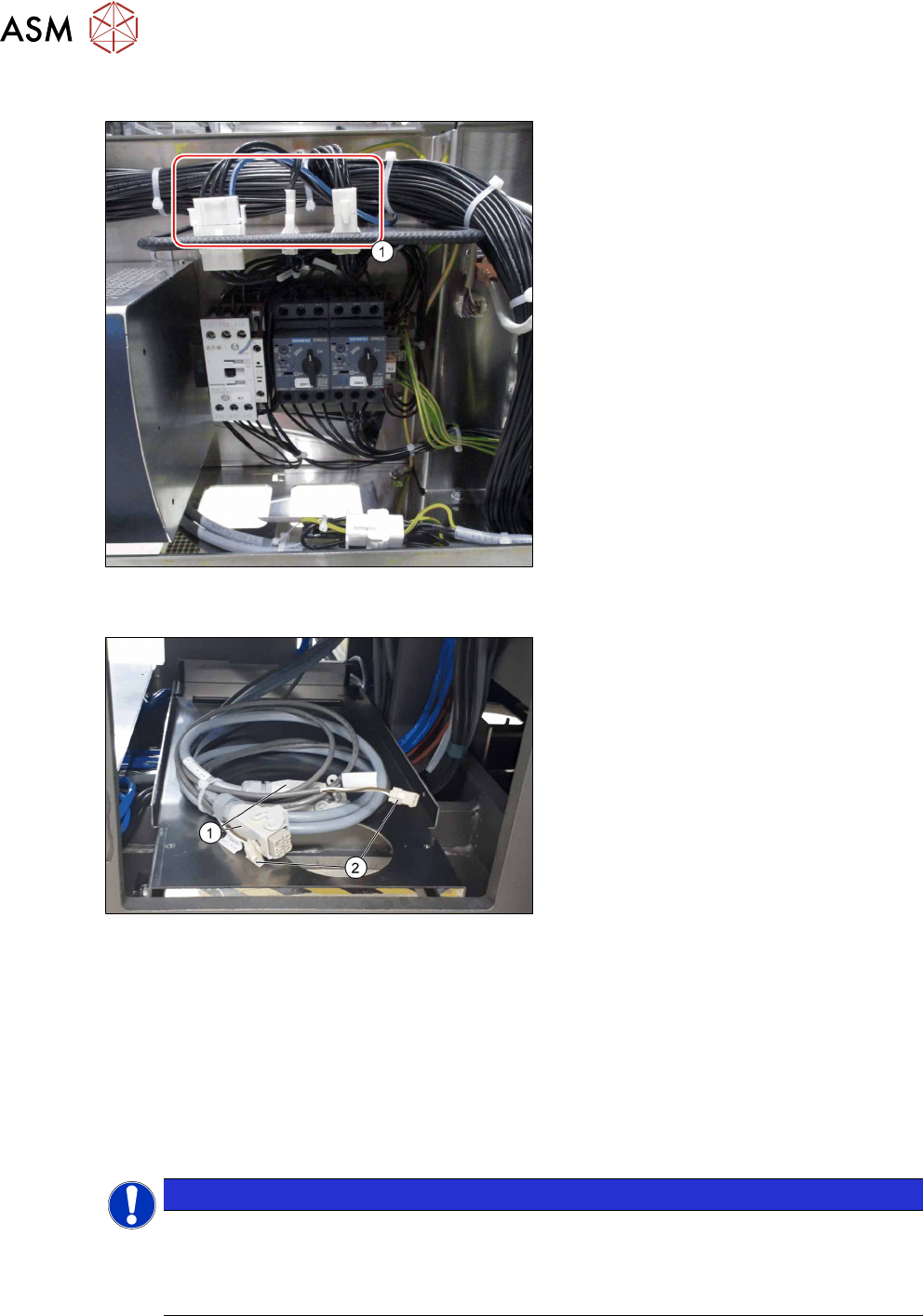
3.5.4 Running the supply cable
Fig.41: Vacuum pump control (example of version for new
vacuum pump shown)
1. Vacuum pump cable connections on
the vacuum pump control in the power
supply
Fig.42: Supply cable at location 2
1. Pump cable (one or two, depending on
how many pumps are fitted)
2. Fan cable
► Run the following connections of the power cable [03114819‑xx] for vacuum pump1 (PA1) to
location4 (see below):
– W1 X4qr
– W3 X1FANVP1
► Run the following connections of the power cable [03114819‑xx] for vacuum pump2 (PA2) to
location1 (see below):
– W2 X5qr
– W4 X1FANVP2
NOTICE
Bridging plug
If only one vacuum pump is connected, a bridging plug must be plugged onto the other
cable for the vacuum pump.
► Bridging plug vacuum pump connection [03055299‑xx]
3 Installation
3.5 Installing the vacuum pump
Assembly Instructions / Montageanleitung SIPLACE X-Series S (from/ab Hxxxx) Option Vacuum Pump 02/2021 151
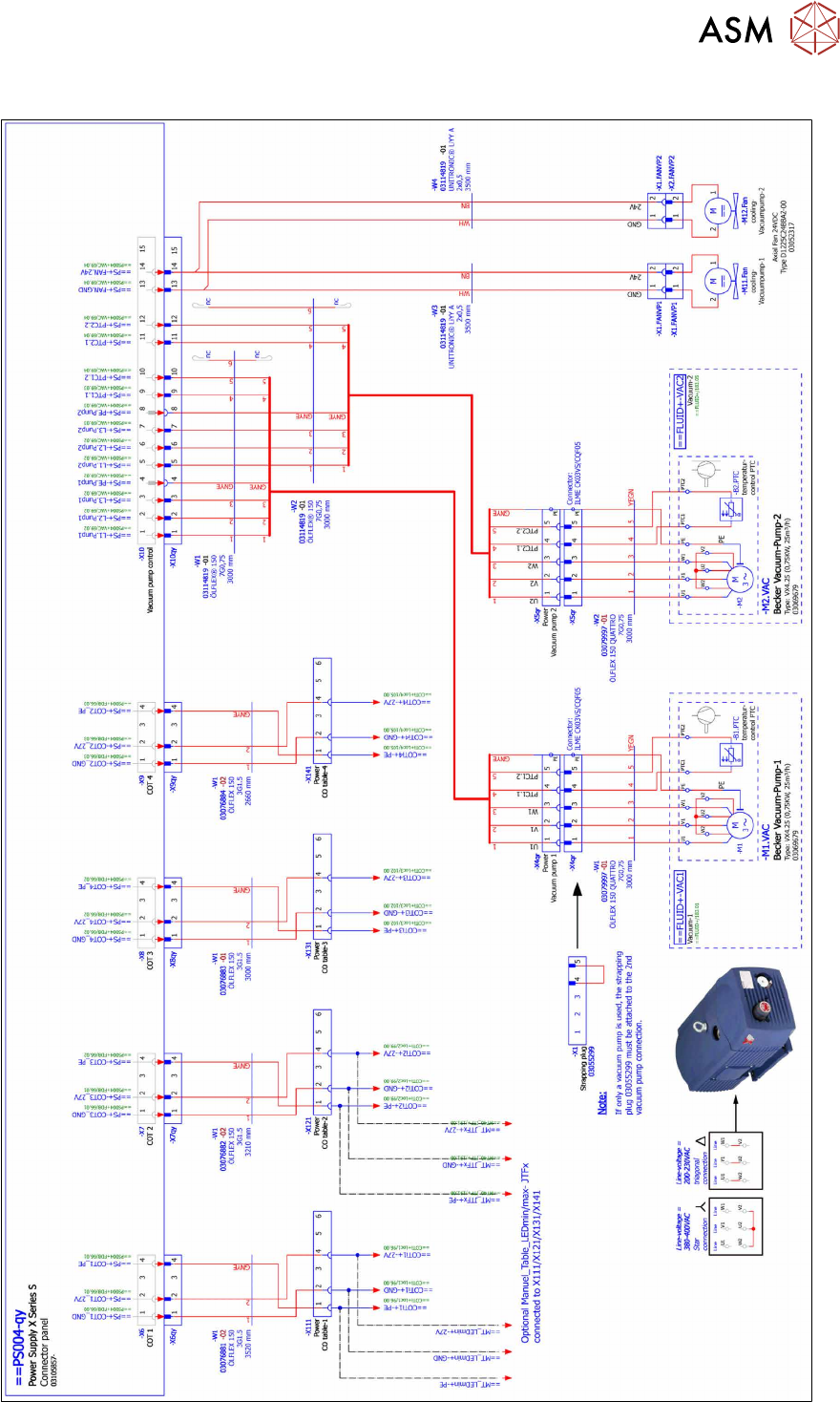
Detailed circuit diagram vacuum pump (old)
Fig.43: Detailed circuit diagram vacuum pump (old)
3 Installation
3.5 Installing the vacuum pump
152 Assembly Instructions / Montageanleitung SIPLACE X-Series S (from/ab Hxxxx) Option Vacuum Pump 02/2021
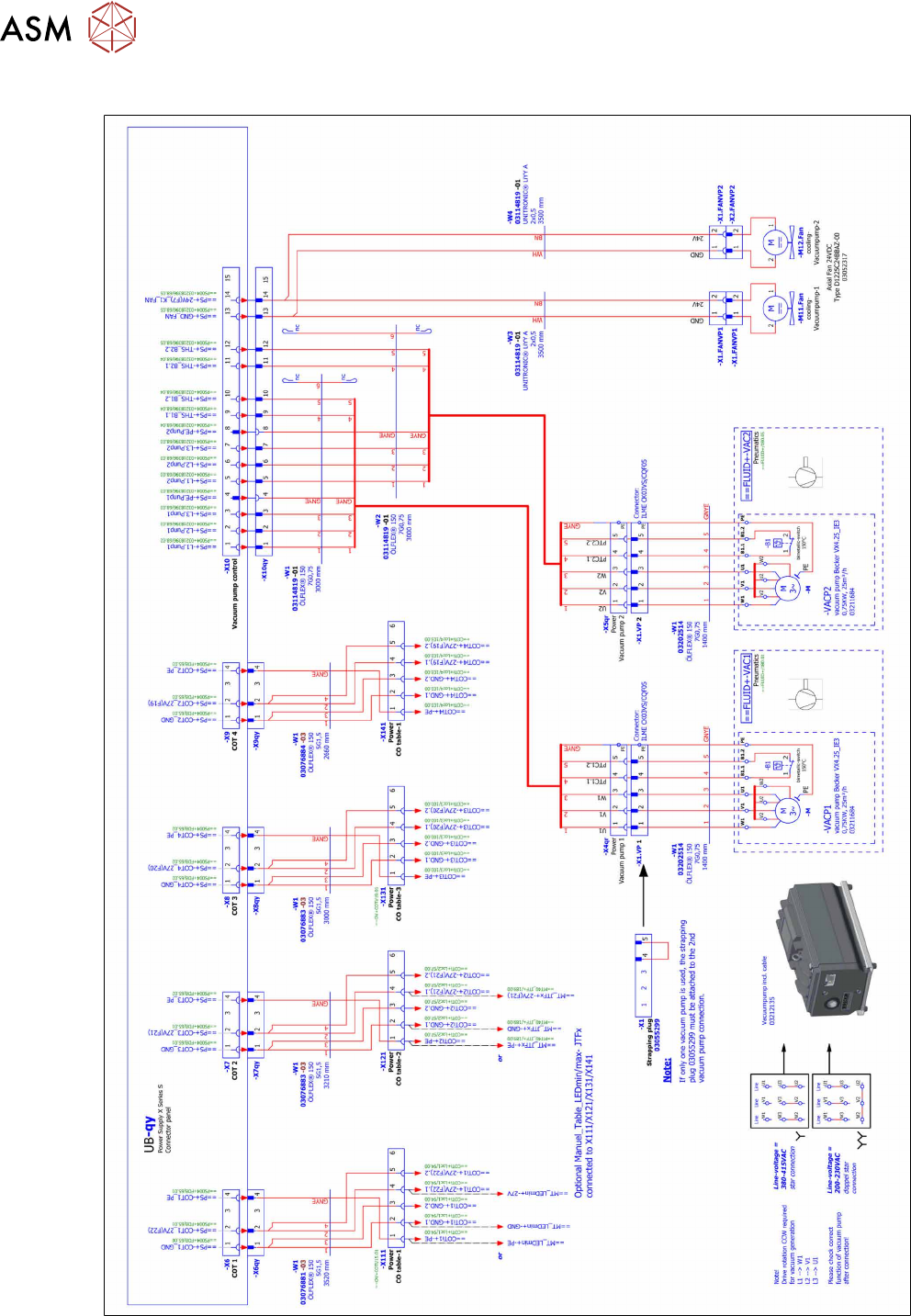
Detailed circuit diagram vacuum pump (new)
Fig.44: Detailed circuit diagram vacuum pump (new)