00197471-03_Service Manual Internal WPC5_6, EN_01-2019.pdf - 第104页
Service Manual In ternal WPC5 / WPC6 Page 3-104 3.7.14 Sensor 18 NSM m odul e (WPC6) - Tra y correctly inserted Spare Parts • Sensor tray correct ly inserted [0305695 9- xx] Removal / Install ation ➢ Remove the cover o…

Service Manual Internal WPC5 / WPC6
Page 3-103
Settings
➢ Check the function and correct position of the reference sensor. The sensor must trigger
when the driver actuator is just below the sensor. (Reference point).
➢ To do this, open the station software menu
⇨ Sensors and Functions ⇨ Location ⇨ Check functions for WPC ⇨ Advanced functions
.
➢ Enable the feed axis and click on the
Reference bero
button.
The feed axis will be moved so that the driver actuator triggers the reference sensor. The
reference point will be calculated.
The calculated value will be shown and can then be saved with the
Commit
button.
➢ If an error message appears, correct the mechanical position by adjusting the cam on the
driver (see "4.3.3.1 Setting the Driver Cam" [➙ 4-138]) and repeat the measuring process.
➢ Coat the cam fastening screw with locking varnish.
➢ Calibrate the reference proximity switch (see "4.2.3 Reference Proximity Switch (Bero)" [➙
4-129]).
Service Manual Internal WPC5 / WPC6
Page 3-104
3.7.14 Sensor 18 NSM module (WPC6) - Tray correctly inserted
Spare Parts
• Sensor tray correctly inserted [03056959-xx]
Removal / Installation
➢
Remove the cover on the load unit (see "3.5.1.1 Removing the Cover on the Load Unit"
[➙ 3-33]).
➢
Remove the load axis drive motor (see "3.5.2 Replacing the Load Axis Drive Motor"
[➙ 3-35]), to gain access to the sensor from below.
Legend
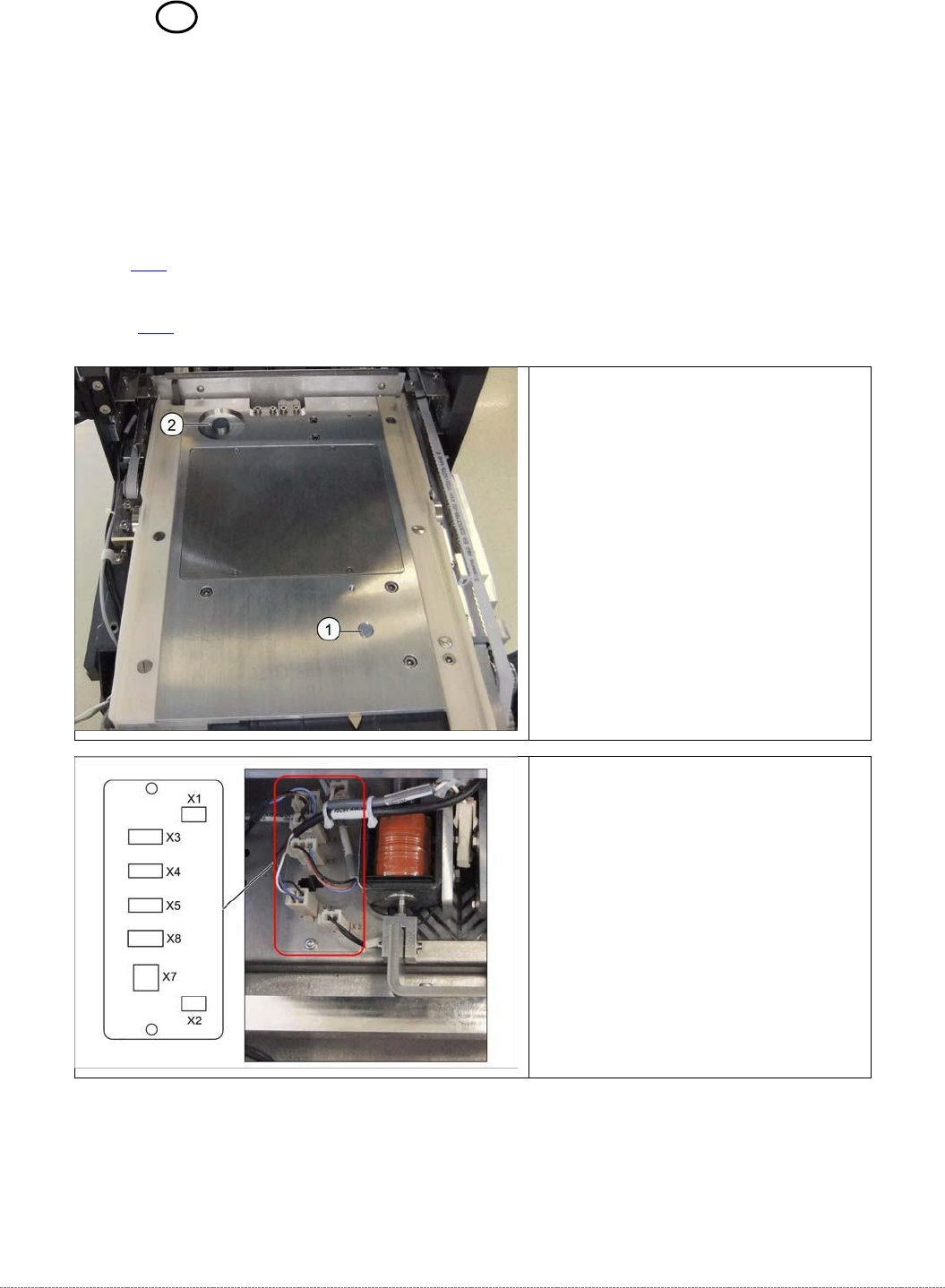
7. Sensor tray correctly inserted.
8. Sensor tray detection load axis.
➢ Disconnect connector X4 from the
circuit board.
Service Manual Internal WPC5 / WPC6
Page 3-105
➢ Fix the load axis drive motor (see "3.5.2 Replacing the Load Axis Drive Motor" [➙ 3-35]).
➢ Fit the cover back on the loading unit.
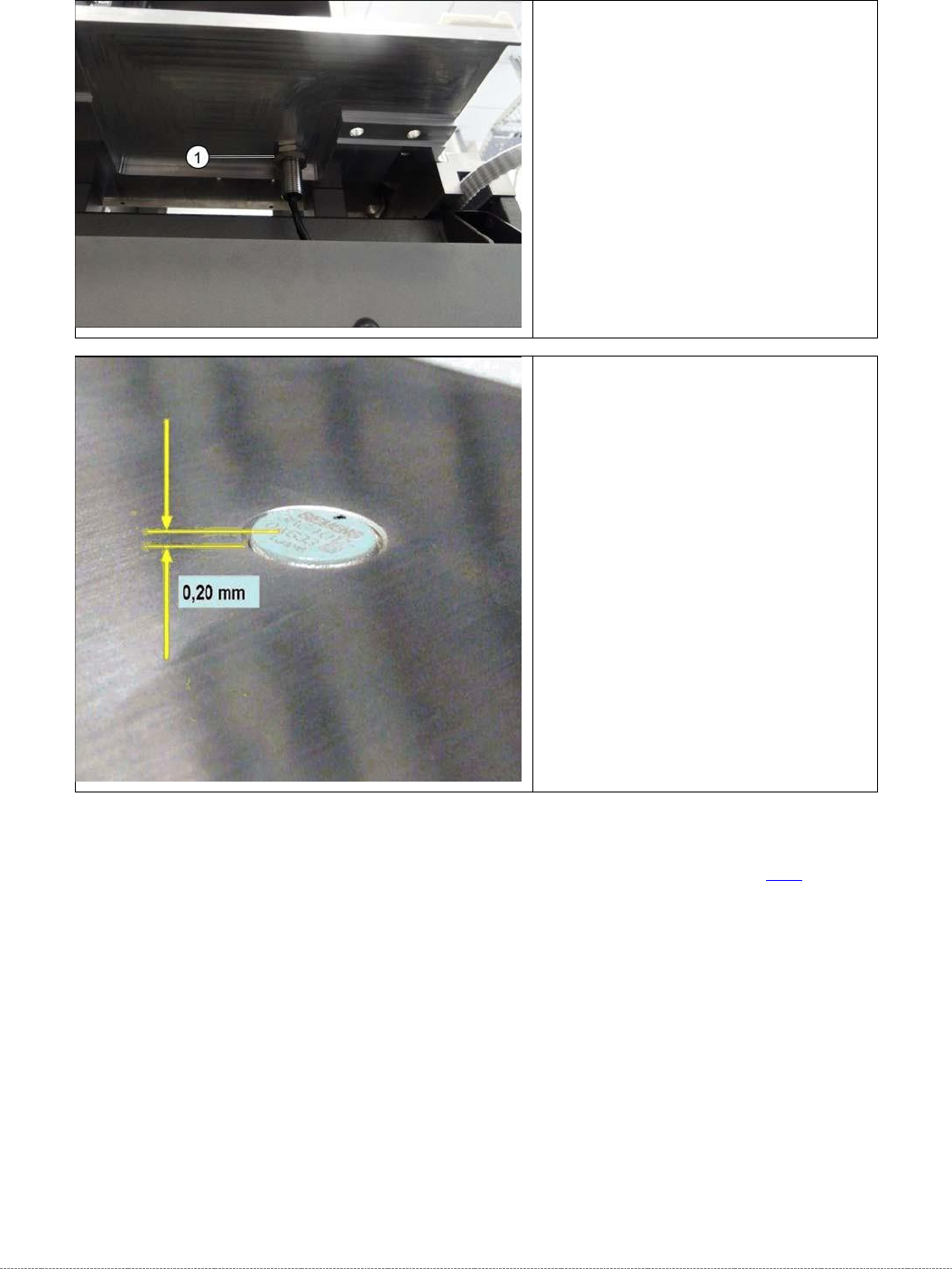
➢ Loosen the counternut fastening
the sensor on the underside of the
base plate and unscrew the sensor
(1).
➢ Screw the new sensor into place.
➢ The sensor should protrude at least
0.2 mm above the table plate.
➢ Use a counternut to fix the sensor
on the underside
(1).
➢ Reconnect connector X4 to the
circuit board.