00197471-03_Service Manual Internal WPC5_6, EN_01-2019.pdf - 第142页
Service Manual In ternal WPC5 / WPC6 Page 4-142 4.4 Performing a WPC Endurance Run After calibration, we rec omm end that you test the function b y performing a W PC endu rance run. ➢ Select Manual functions -> WPC …
Service Manual Internal WPC5 / WPC6
Page 4-141
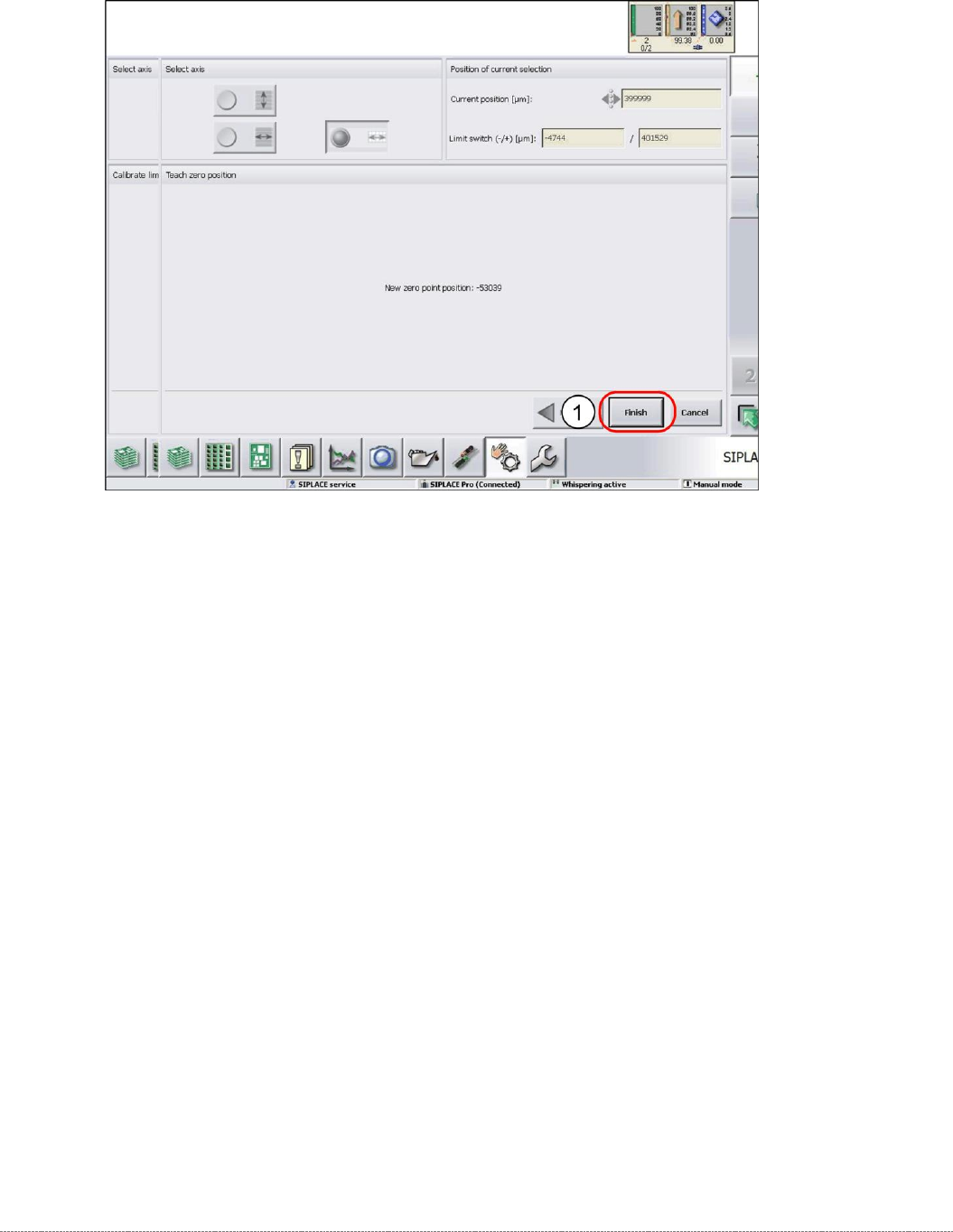
➢ Confirm the new position at which the limit switch triggers with
Finish
(1).
Calibrating the limit switch +
➢ Select the lifting axis (1).
➢ Select the function
Calibrate limit switch +
and continue with the same procedure as that
used for calibrating the limit switch.
Service Manual Internal WPC5 / WPC6
Page 4-142
4.4 Performing a WPC Endurance Run
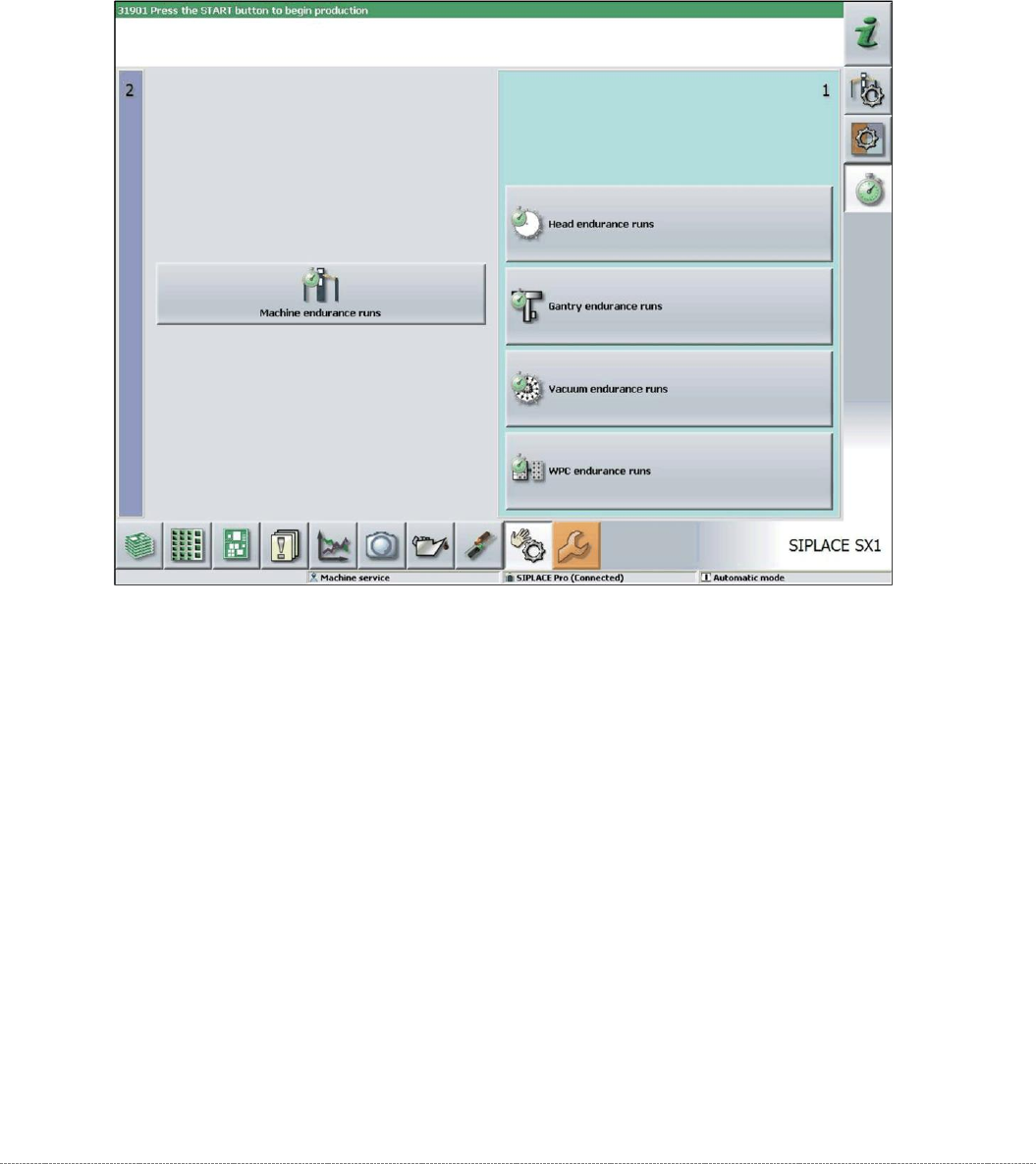
After calibration, we recommend that you test the function by performing a WPC endurance run.
➢ Select
Manual functions -> WPC endurance runs
.
➢ Set a continuous run of 15 mins and start.
Service Manual Internal WPC5 / WPC6
Page 4-143
4.5 Storing and Restoring Machine Data
Storing machine data
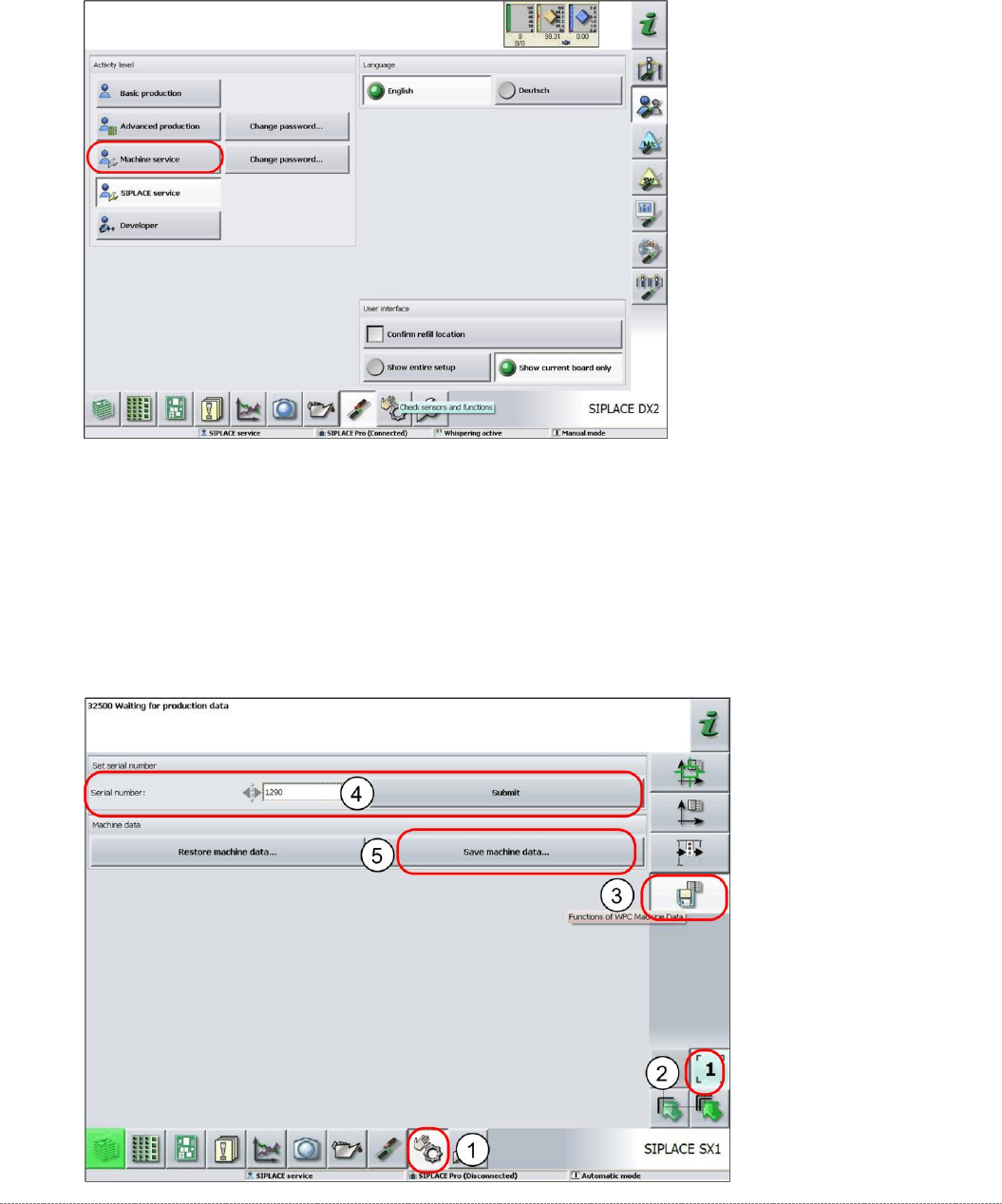
➢
Log in as
Machine Service
.
➢ Select
Sensors and Functions
(1) =>
Location
.
➢ Select the relevant location (2).
➢ Select the option
WPC Machine Data
(3).
➢ Enter the WPC serial number (4) and select
Accept
.
➢ Select
Save machine data
(5).
⇨ A dialog box for the machine data storage location will open.
➢ Enter the required storage location and then save the machine data..