00197471-03_Service Manual Internal WPC5_6, EN_01-2019.pdf - 第26页
Service Manual In ternal WPC5 / WPC6 Page 3- 26 ➢ Loosen the 4 fasten ing screws (4) on t he driver unit (5). The tw o ends of the tooth ed belt are fixed to this. ➢ Carefully remove the dr iver unit (5). This toothed …
Service Manual Internal WPC5 / WPC6
Page 3-25
3.4.5 Replace the Feed Axis Toothed Belt
Spare Part
• Toothed belt 10T5/2120E [03047690-01]
Preparations
➢ Move the tower into the refill position.
➢ Remove all waffle pack tray carriers (WPTCs) from the tower.
➢ Move the tower downwards.
⇨ Check sensors and functions ⇨ Check sensors and functions of specific components ⇨
⇨ Location ⇨ Check functions for WPC ⇨ Move into transport position.
➢ Undock the WPC from the SIPLACE machine and move it to a suitable position for service
work.
➢ Switch the WPC off at the main switch.
➢ Unplug from the power supply and secure the WPC to prevent unauthorized reactivation.
➢ Remove the cover of the NSM module (see "3.5.1.1 Remove the Cover on the Load Unit"
[➙ 3-33]).
Removal / Installation
➢ Move the feed axis driver with the toothed belt into a suitable position for service work (at the
front, in the transfer area).
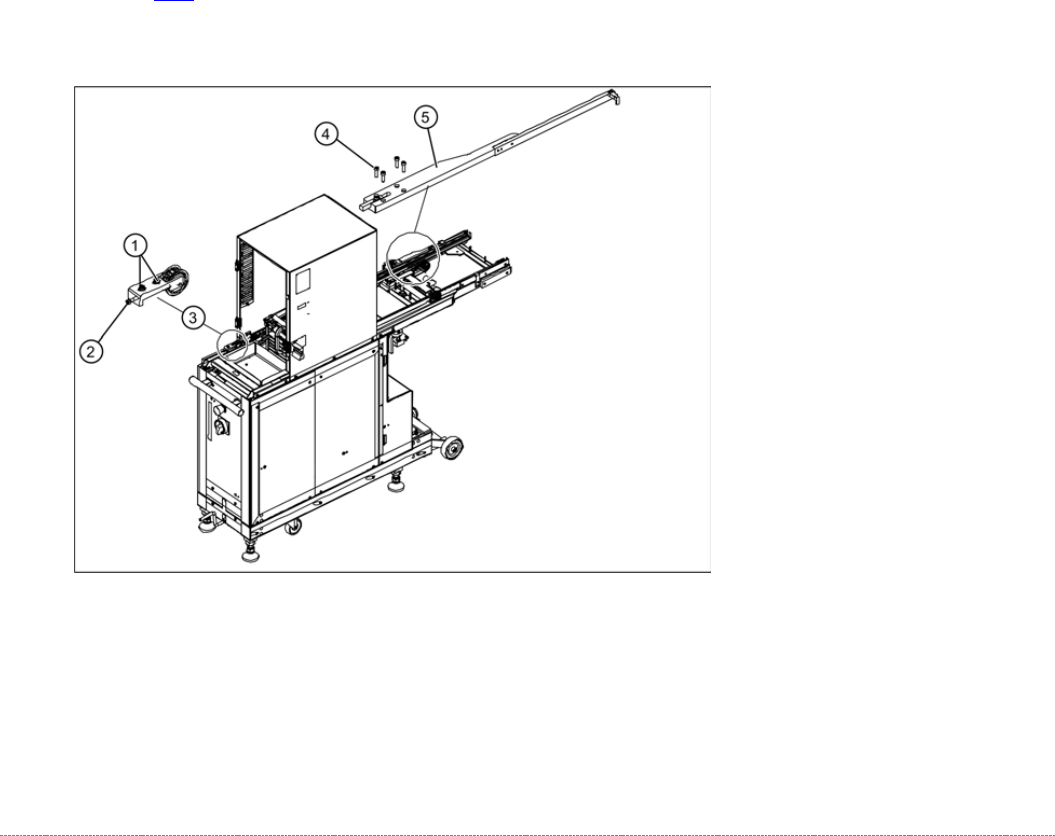
➢ Loosen the two fastening screws (1) sealed with locking varnish, at the tensioning device
with the deflection pulley (3).
➢ Loosen (do not remove) the tensioning screw (2) - sealed with locking varnish - on the
tensioning device. This relaxes the toothed belt.
Service Manual Internal WPC5 / WPC6
Page 3-26
➢ Loosen the 4 fastening screws (4) on the driver unit (5). The two ends of the toothed belt are
fixed to this.
➢ Carefully remove the driver unit (5). This toothed belt is now loose.
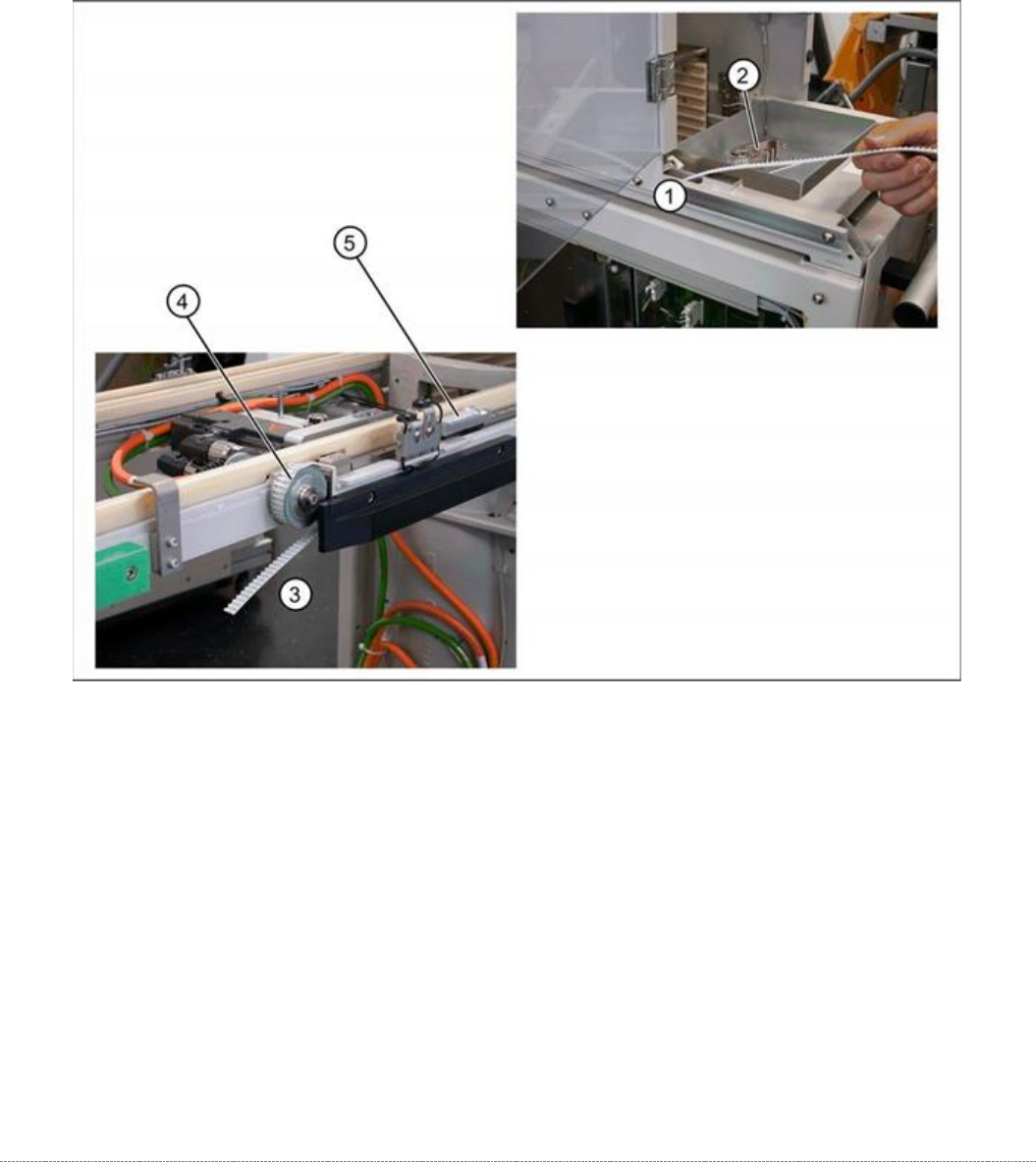
➢ Note how the toothed belt is run, so that you can fit it again correctly later on. Pull the toothed
belt over the two deflection pulleys (back and front) and out of the WPC.
➢ Remove the tensioning device and deflection pulley (3), so that you can feed in the new
toothed belt more easily. To do this, loosen the two fastening screws (1).
➢ Insert the toothed belt into the WPC at the transfer position and run it from the tensioning
device (1) to the deflection pulley (4). The toothed belt should exit below the bottom
deflection pulley (3).
➢ Place the end of the toothed belt around the back deflection pulley (3) and insert into the
clamping unit (5).
➢ Place the other end of the toothed belt around the deflection pulley of the tensioning unit (2)
and run as far as the clamping unit (5).
➢ Fit the tensioning device with deflection pulley and fix into place with the two fastening
screws.
Service Manual Internal WPC5 / WPC6
Page 3-27
Final Work
➢ Align the driver unit (see "3.4.4.1 Align the Driver Unit" [➙ 3-24]).
➢ Check the belt tension (see "3.4.6 Setting the Feed Axis Belt Tension" [➙ 3-28]).
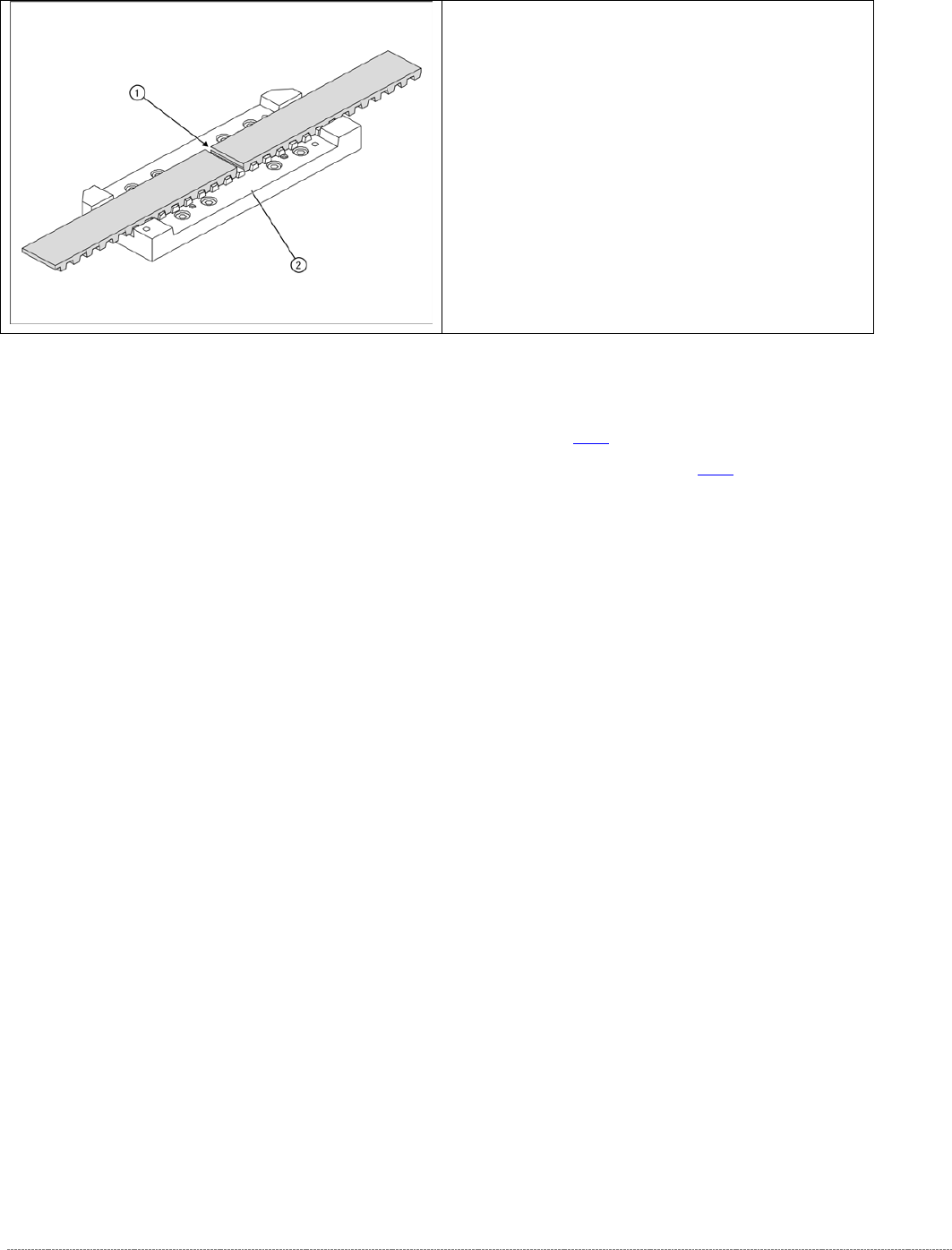
➢ The two ends of the toothed belt must be inserted
into the clamping unit (2) so that the clamping unit
teeth engage with the belt teeth. The two ends must
meet (1).
➢ Note the length of the new toothed belt. The toothed
belt is 2120 mm long/ number of teeth: 424.
➢ If the belt is too long, shorten it to the correct length.
➢
Fit the driver unit onto the clamping unit (2). While
doing this, tighten the 4 fastening screws
"crosswise" with a torque of 1.3Nm.