00197471-03_Service Manual Internal WPC5_6, EN_01-2019.pdf - 第13页
Service Manual In ternal WPC5 / WPC6 Page 3- 13 3.3 Drive Unit – Lifting Axis 3.3.1 Preparations Tools Required • W ater pump pliers • Belt tension device [0 0326015-0 1] with instruction gui de • Standard tool with se…
Service Manual Internal WPC5 / WPC6
Page 3-12
CAUTION
Not open screws with locking varnish ! RISK of CRASH !
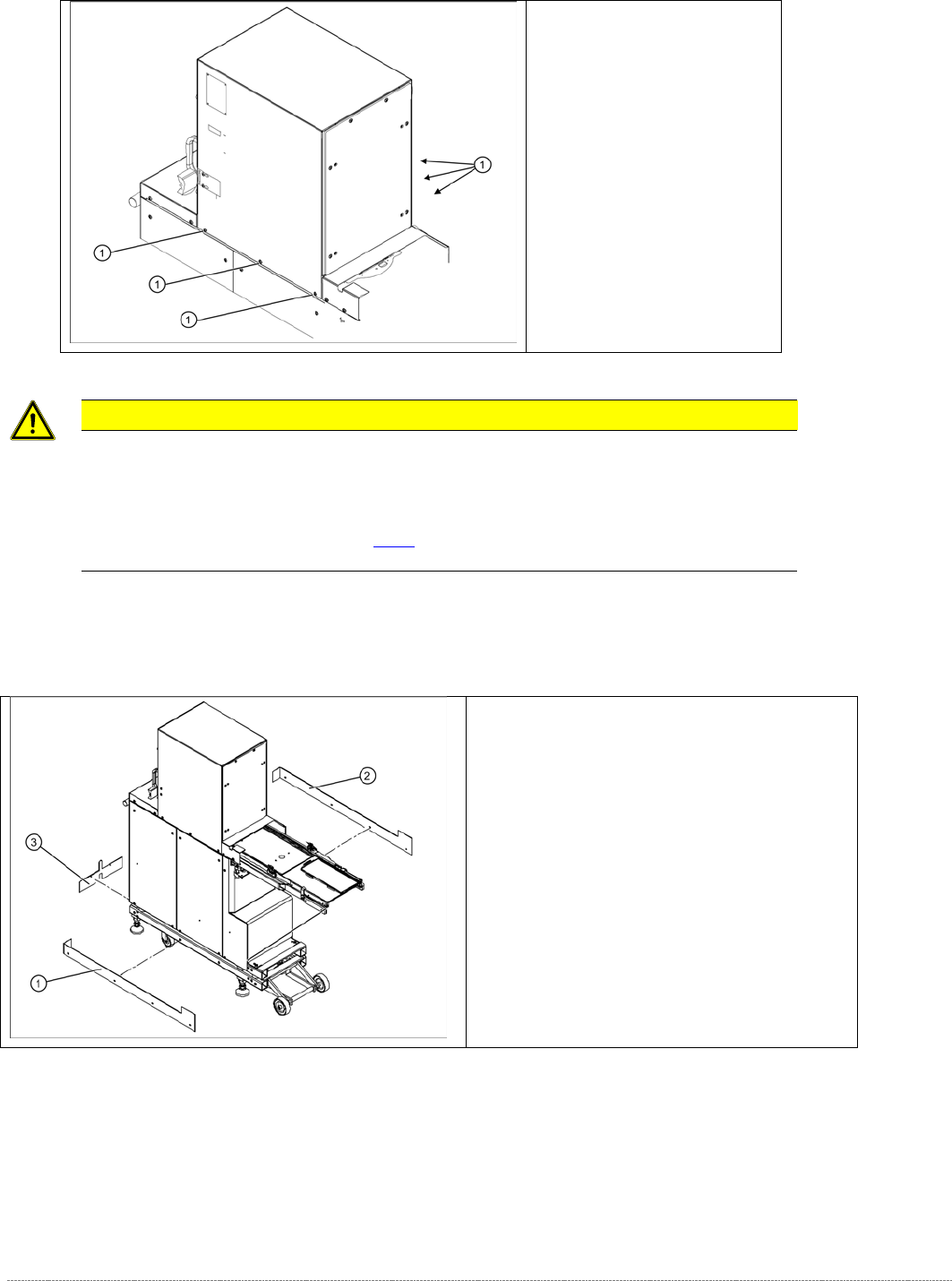
The tower is set with these 6 screws (1) at the factory.
If you open these screws, you must adjust the WPC again, using the new „Adjustment and testing jig
WPC4-6 compl.“ [03093396-01] (see [
➙
5-145] ), or taken back to ASM for repair.
Screws sealed with locking
varnish on tower.
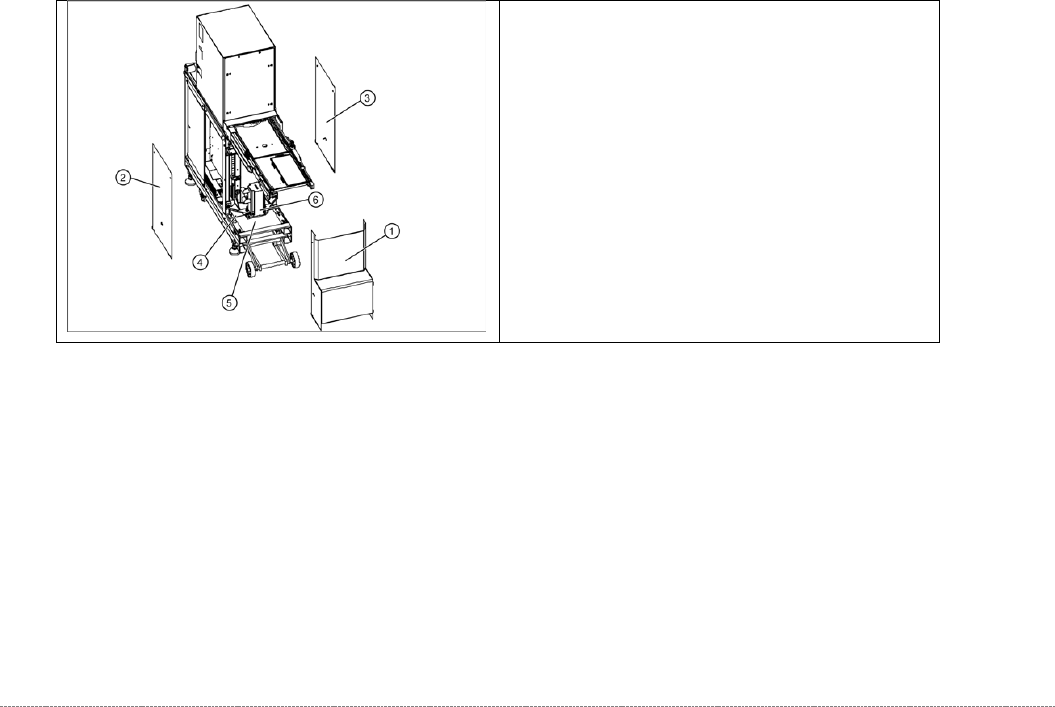
Bottom cover plates
If the WPC is configured for high machine
heights, additional cover plates will be attached to
the base.
1. right-hand cover
2. left-hand cover
3. front cover
You may need to remove these covers before
performing service work.
Service Manual Internal WPC5 / WPC6
Page 3-13
3.3 Drive Unit – Lifting Axis
3.3.1 Preparations
Tools Required
• Water pump pliers
• Belt tension device [00326015-01] with instruction guide
• Standard tool with set of Allen wrenches
Prerequisite
• Move the tower into the refill position.
• Remove all waffle pack tray carriers (WPTCs) from the tower.
• Move the tower downwards..
⇨
Check sensors and functions
⇨
Check sensors and functions of specific components
⇨
⇨
Location
⇨
Check functions for WPC
⇨
Move into transport position.
• Switch the WPC off at the main switch.
• Unplug from the power supply and secure the WPC to prevent unauthorized reactivation.
Refer to the WPC operating manual for details.
• Undock the WPC from the SIPLACE machine and move it to a suitable position for service
work.
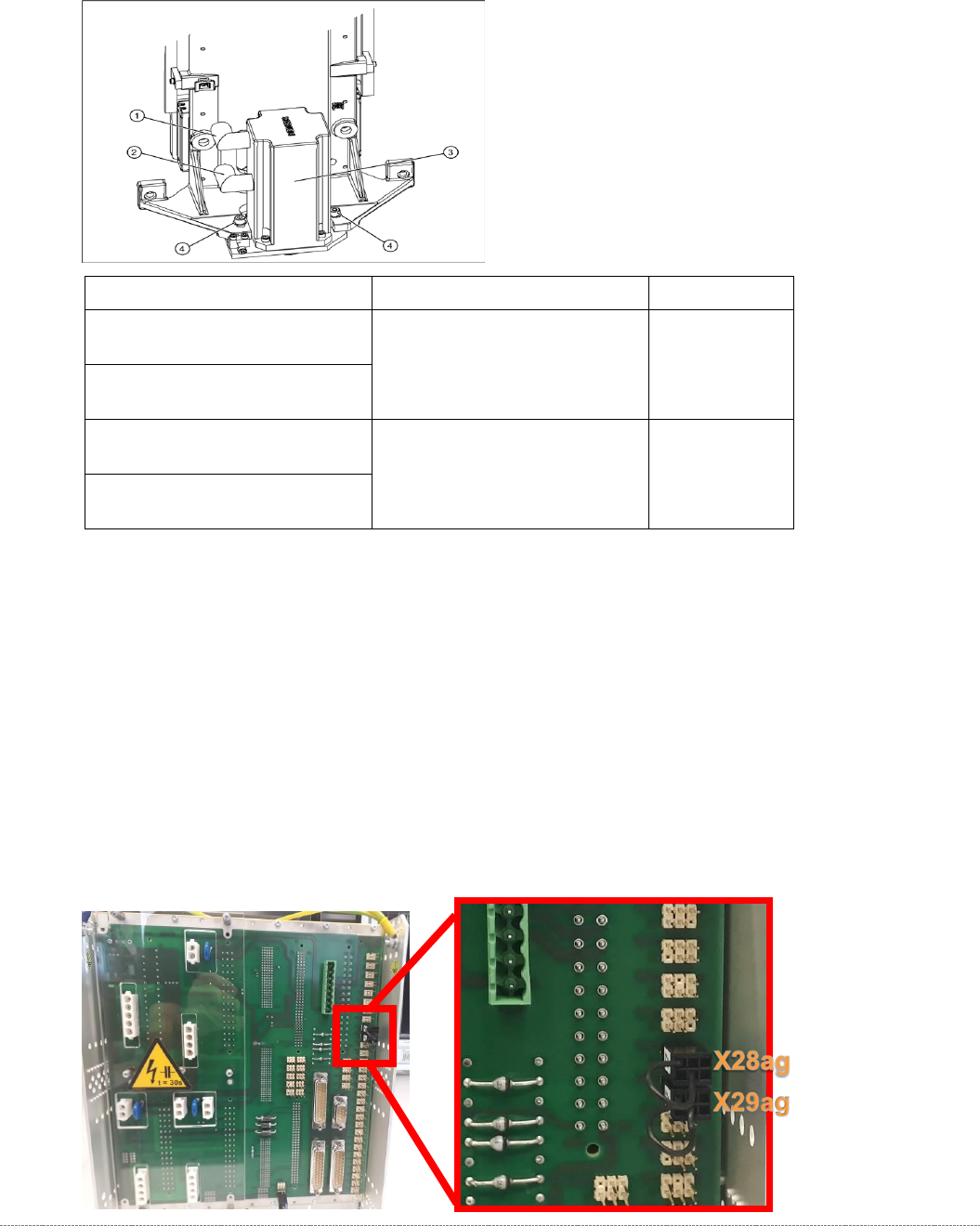
The drive motor (6) of the lifting axis is located
behind the front cover (1). If the drive motor is
disconnected from the power supply, the drive is
fixed with a brake.
• Remove the front cover(1).
• Remove the two side covers (2) + (3).
• Loosen the 4 fastening screws in each case and
remove the two bottom hand guards (4) + (5).
The rear cover plate can be pulled out towards
the front.
Service Manual Internal WPC5 / WPC6
Page 3-14
3.3.2 Replacing the Lifting Axis Drive Motor
Spare Part
When replacing the drive motors of the WPC5 and WPC 6, it is, with immediate effect,
necessary to take note of the version / item number of the motor, as the successors are not
100% compatible.
Because it is not permitted to install a mixture of new motors in a WPC, the old drives continue
to be available as replacements!
As a result of this incompatibility, the version of the entire WPC was changed when the new
drives were introduced.
NOTE
At the rear of the control module on WPCs with new motors, a jumper must be fitted to
connector X29ag (changed motors) in addition to jumper X28ag (detection of 45 mm
component height).
WPC – Type / Version
Spare Part – Name
Part No.
„WPC5 900-950mm / Standard“
[03067619-03]
"Motor with pinion/lifting axis"
[03047846-xx]
„WPC6 900-950mm“
[03067618-03]
„WPC5 900-950mm / Standard“
[03067619-04]
“Servo motor 1FK7042-2AF94-
1AH0-Z + S33”
[03159574-xx]
„WPC6 900-950mm“
[03067618-04]