00197471-03_Service Manual Internal WPC5_6, EN_01-2019.pdf - 第106页
Service Manual In ternal WPC5 / WPC6 Page 3-106 3.7.15 Sensor 15 NSM-Modul (WPC6) – Safety flap open Spare Part • Sensor safet y flap open [03056958- xx] Removal / Install ation ➢ Remove the cover on t he load unit (se…
Service Manual Internal WPC5 / WPC6
Page 3-105
➢ Fix the load axis drive motor (see "3.5.2 Replacing the Load Axis Drive Motor" [➙ 3-35]).
➢ Fit the cover back on the loading unit.
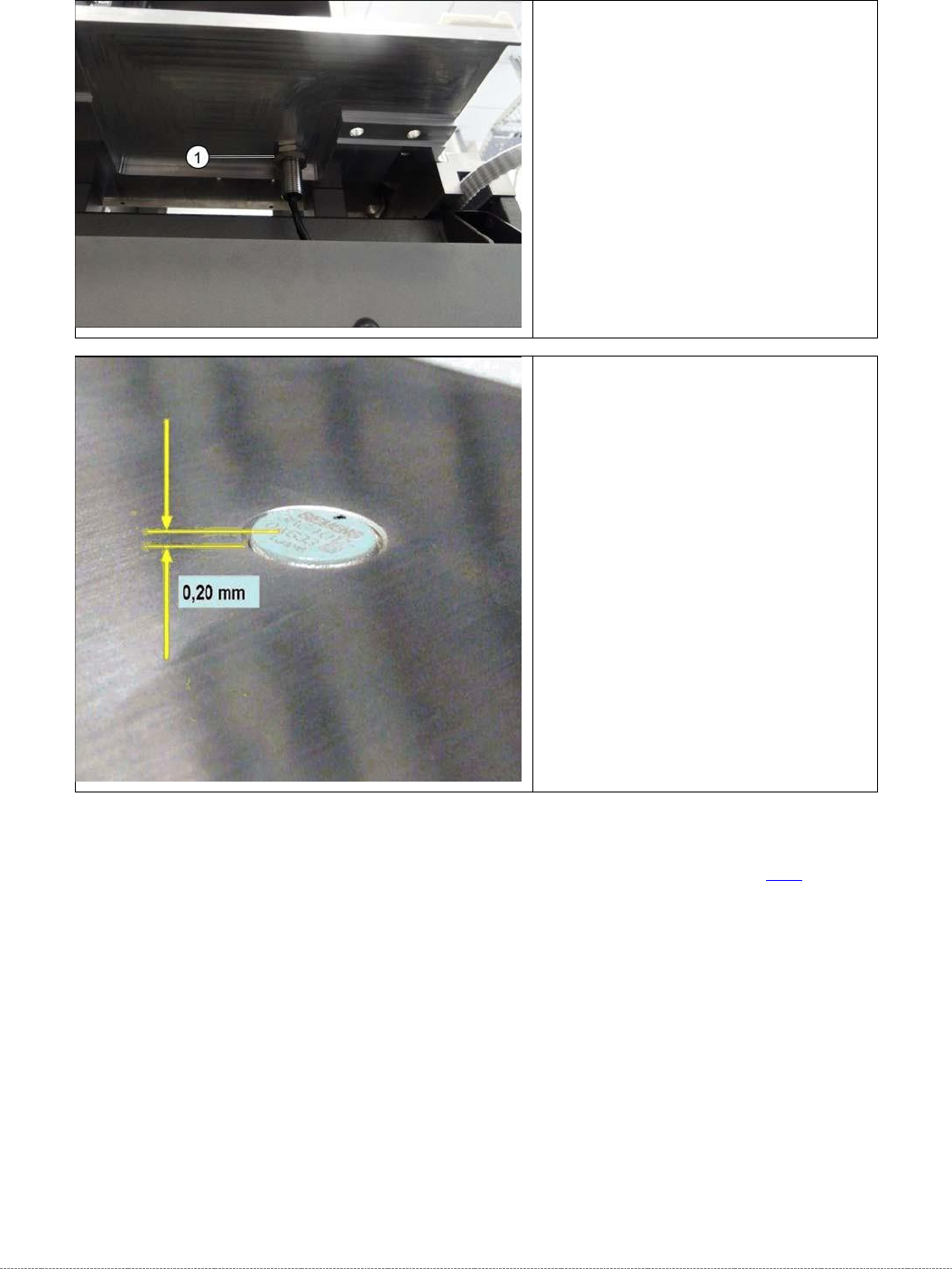
➢ Loosen the counternut fastening
the sensor on the underside of the
base plate and unscrew the sensor
(1).
➢ Screw the new sensor into place.
➢ The sensor should protrude at least
0.2 mm above the table plate.
➢ Use a counternut to fix the sensor
on the underside
(1).
➢ Reconnect connector X4 to the
circuit board.
Service Manual Internal WPC5 / WPC6
Page 3-106
3.7.15 Sensor 15 NSM-Modul (WPC6) – Safety flap open
Spare Part
• Sensor safety flap open [03056958-xx]
Removal / Installation
➢ Remove the cover on the load unit (see "3.5.1.1 Remove the Cover on the Load Unit"
[➙ 3-33]).
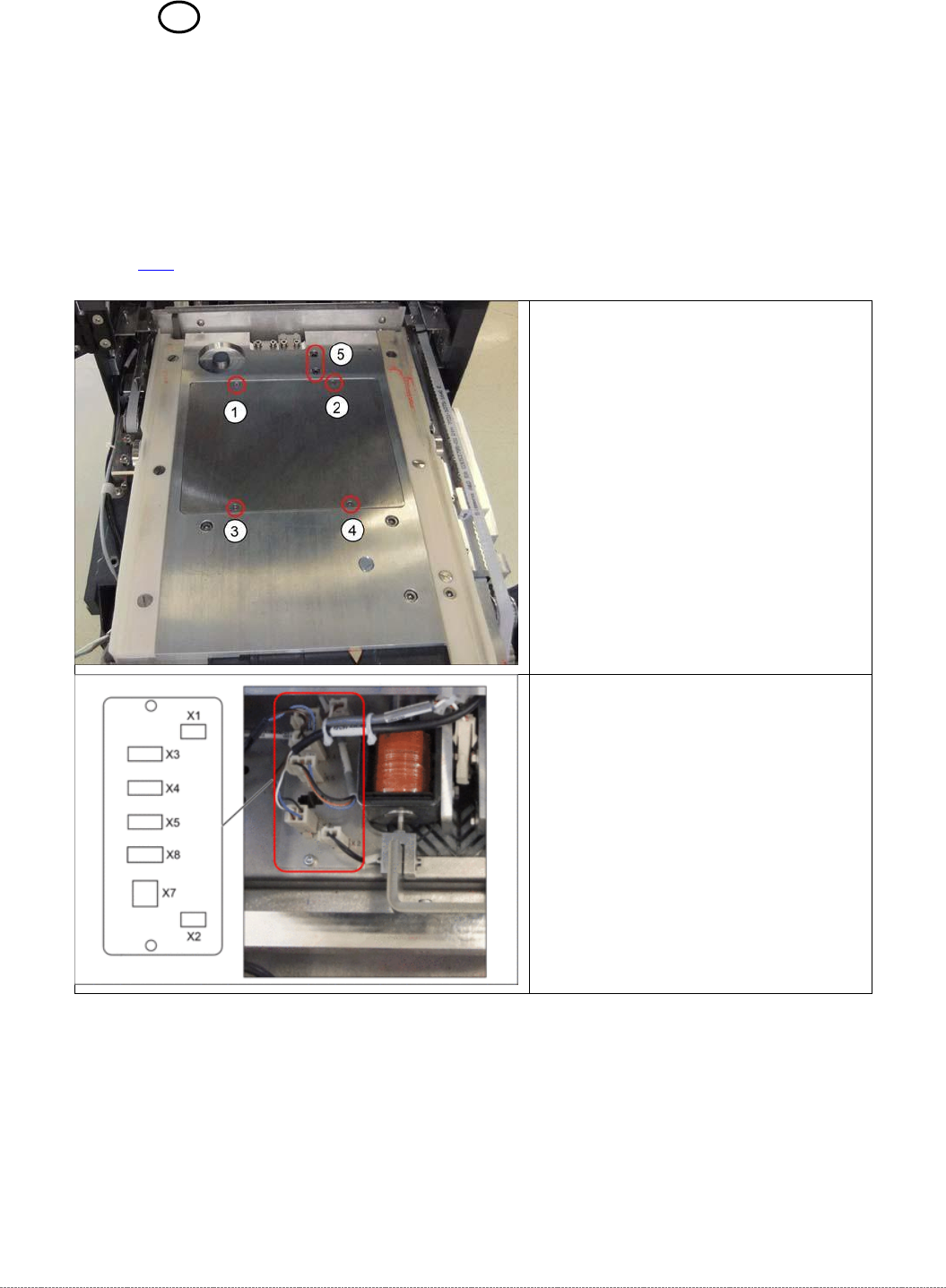
➢
Loosen the screws marked at 1 to 4
and lift off the cover.
➢ Disconnect connector X3 for the
safety flap when open from the
circuit board.
Service Manual Internal WPC5 / WPC6
Page 3-107
➢ Fit the cover back on the loading unit and screw tight.
See also...
@
3.5.2
Replace the Load Axis Drive Motor [➙ 3-35]
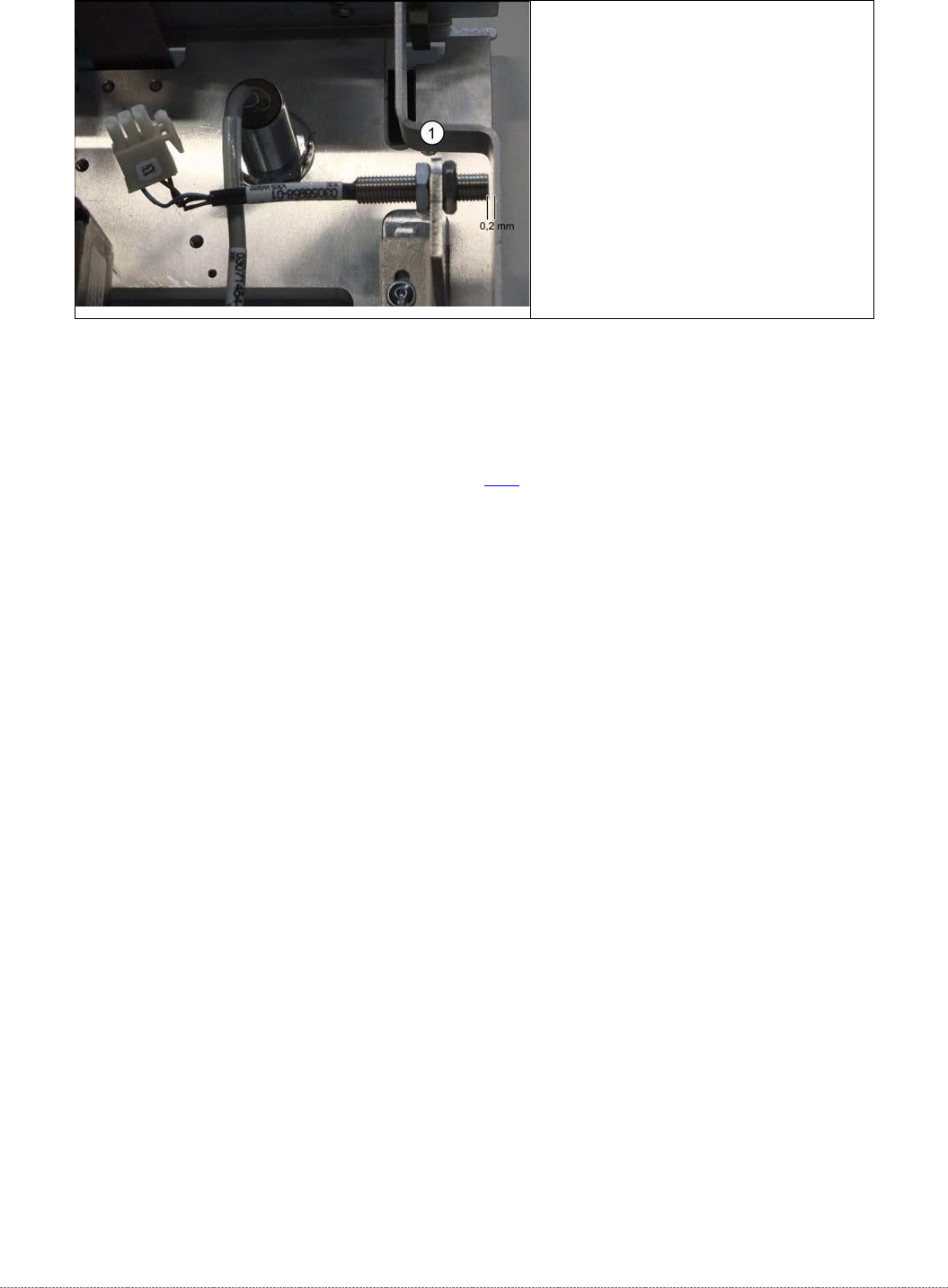
➢ Unscrew the sensor (1) from its
mount.
➢ Screw the sensor into its mount.
➢ Use a feeler gauge to set the
distance between the safety flap
and the sensor to 0.2 mm.
➢ Reconnect connector X3 to the
circuit board.