00197471-03_Service Manual Internal WPC5_6, EN_01-2019.pdf - 第113页
Service Manual In ternal WPC5 / WPC6 Page 3-113 3.7.19 Loading flap close magnet Spare Parts • Lading flap close m agnet [03083123- xx] Removal / Install ation The h olding magn et is m ounte d on a pedes tal ( 1) in t…
Service Manual Internal WPC5 / WPC6
Page 3-112
Removal / Installation
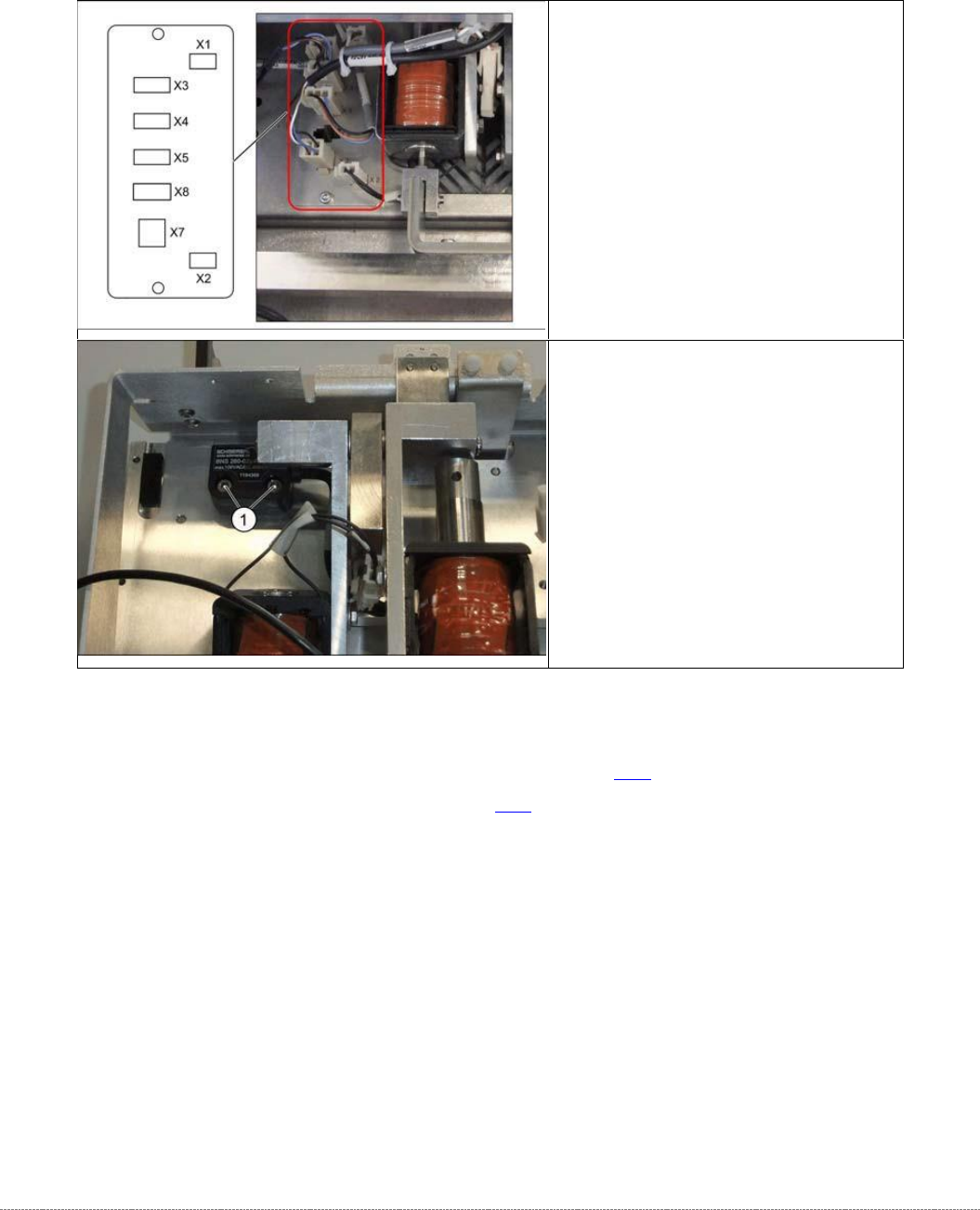
The sensor for the safety flap when open is located on the underside of the base plate.
See also….
@
3.5.1.4
Loosen the Tension of the Load Axis Drive Belt [➙ 3-34]
@
3.5.6
Setting the Load Axis Belt Tension [
➙
3-44]
➢ Disconnect connector X7 for the
safety flap when open from the
circuit board.
➢ Remove the two screws fastening
the sensor (1).
➢ Insert the new sensor and fix into
place with the two screws.
➢ Reconnect connector X7 to the
circuit board.
Service Manual Internal WPC5 / WPC6
Page 3-113
3.7.19 Loading flap close magnet
Spare Parts
• Lading flap close magnet [03083123-xx]
Removal / Installation
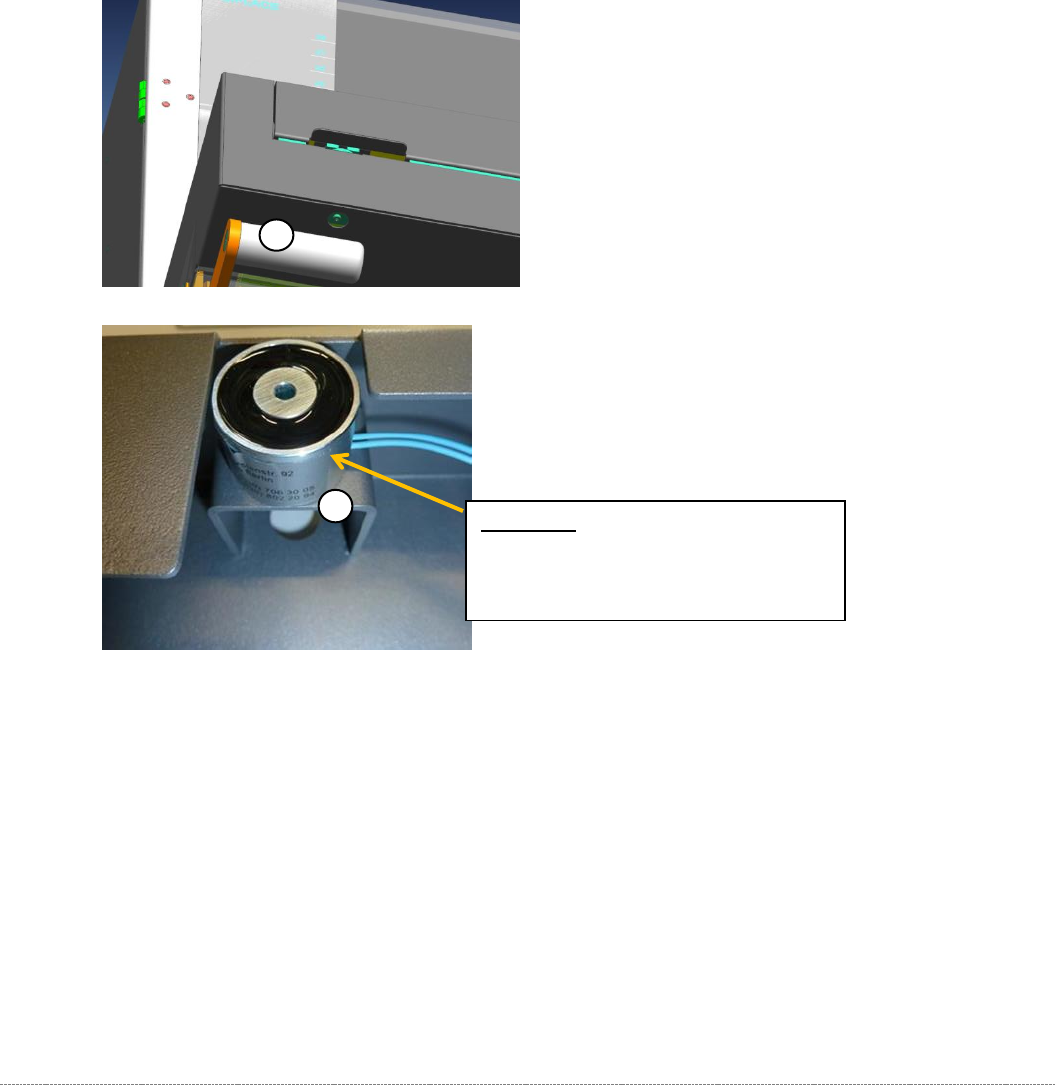
The holding magnet is mounted on a pedestal (1) in the NSM panel with 3 "NB602 M4x8"
screws [03005643].
The 3 screws can be accessed from the outside through a hole in the underside of the panel
(2).
The magnet has a 20 cm long cable with a 2 pin plug firmly attached.
The magnet is plugged into connector X30a on the back of the "backplane control
module" via the "cable: holding magnet loading flap" [03083109-01].
The adjustment with respect to the distance of the magnet to the loading door via the
"magnetic plate", which is mounted on the tailgate.
1
2
Attention: Do not clamp the cable!
Lead the cable through the notch on
the magnet.
Service Manual Internal WPC5 / WPC6
Page 4-114
4 Calibrating the Sensors in the Station Software
After replacing the sensors, you need to calibrate the new sensors. This can take several
minutes.
➢ Before calibration, perform a complete reference run of the machine.
➢
Before calibration, remove all waffle-pack tray carriers (WPTCs) from the WPC.
➢
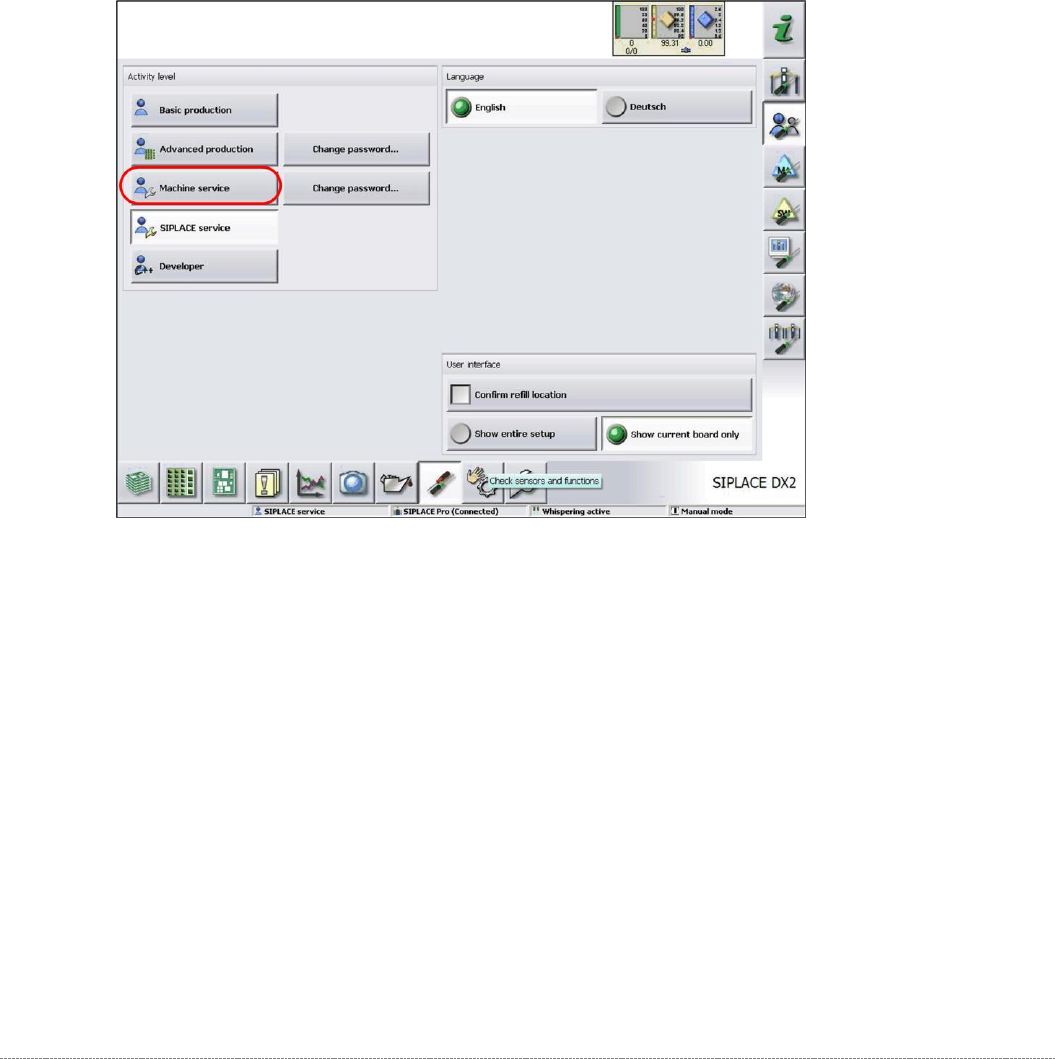
Log in as
Machine Service
.
➢
Select the
Check sensors and functions
button.