00197471-03_Service Manual Internal WPC5_6, EN_01-2019.pdf - 第144页
Service Manual In ternal WPC5 / WPC6 Page 4-144 Restoring the machi ne data ➢ Log in as Machine service . ➢ Select Sensors and Functions (1) => Location . ➢ Select the relevant locat ion (2). ➢ Select the option WPC…
Service Manual Internal WPC5 / WPC6
Page 4-143
4.5 Storing and Restoring Machine Data
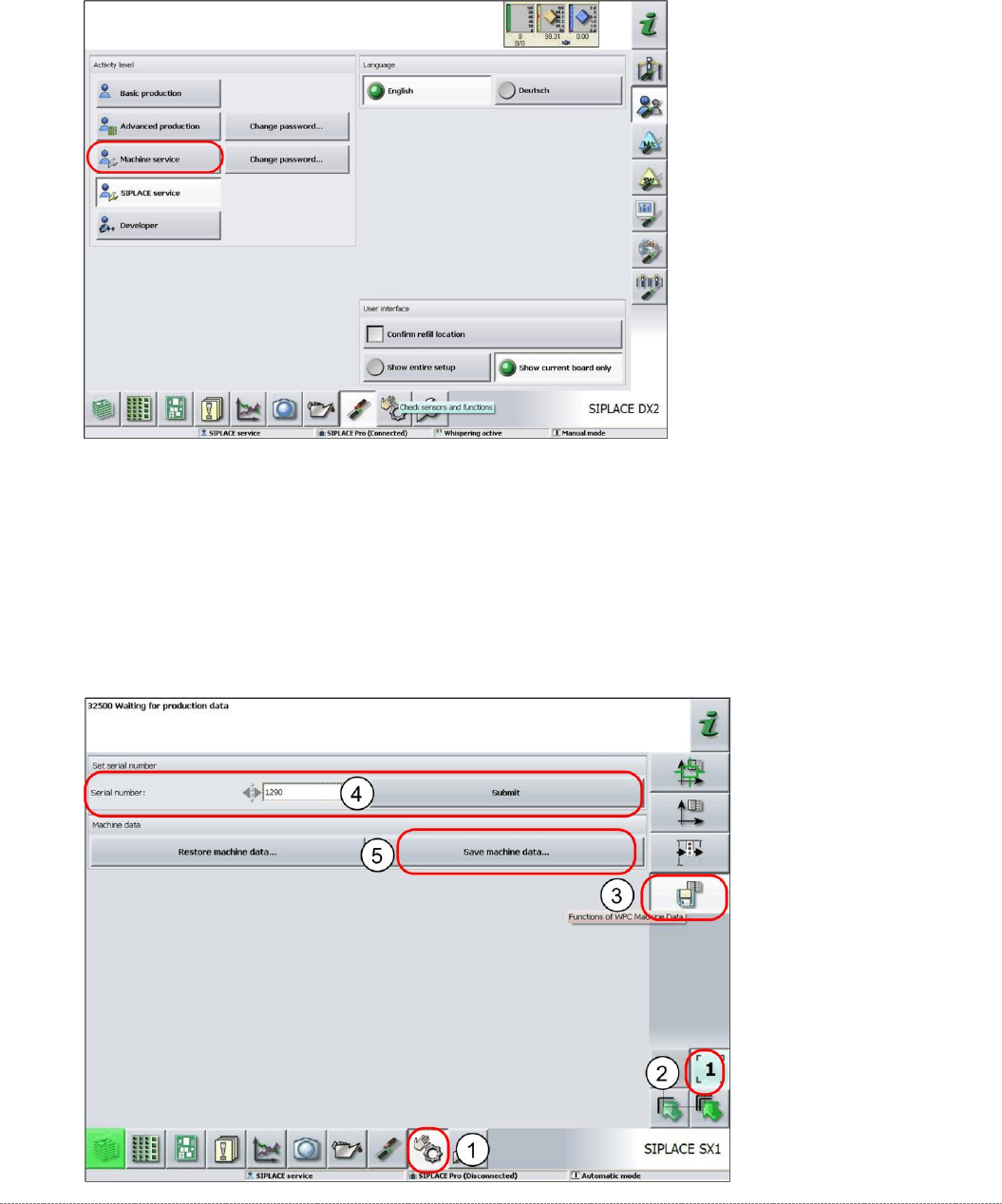
Storing machine data
➢
Log in as
Machine Service
.
➢ Select
Sensors and Functions
(1) =>
Location
.
➢ Select the relevant location (2).
➢ Select the option
WPC Machine Data
(3).
➢ Enter the WPC serial number (4) and select
Accept
.
➢ Select
Save machine data
(5).
⇨ A dialog box for the machine data storage location will open.
➢ Enter the required storage location and then save the machine data..
Service Manual Internal WPC5 / WPC6
Page 4-144
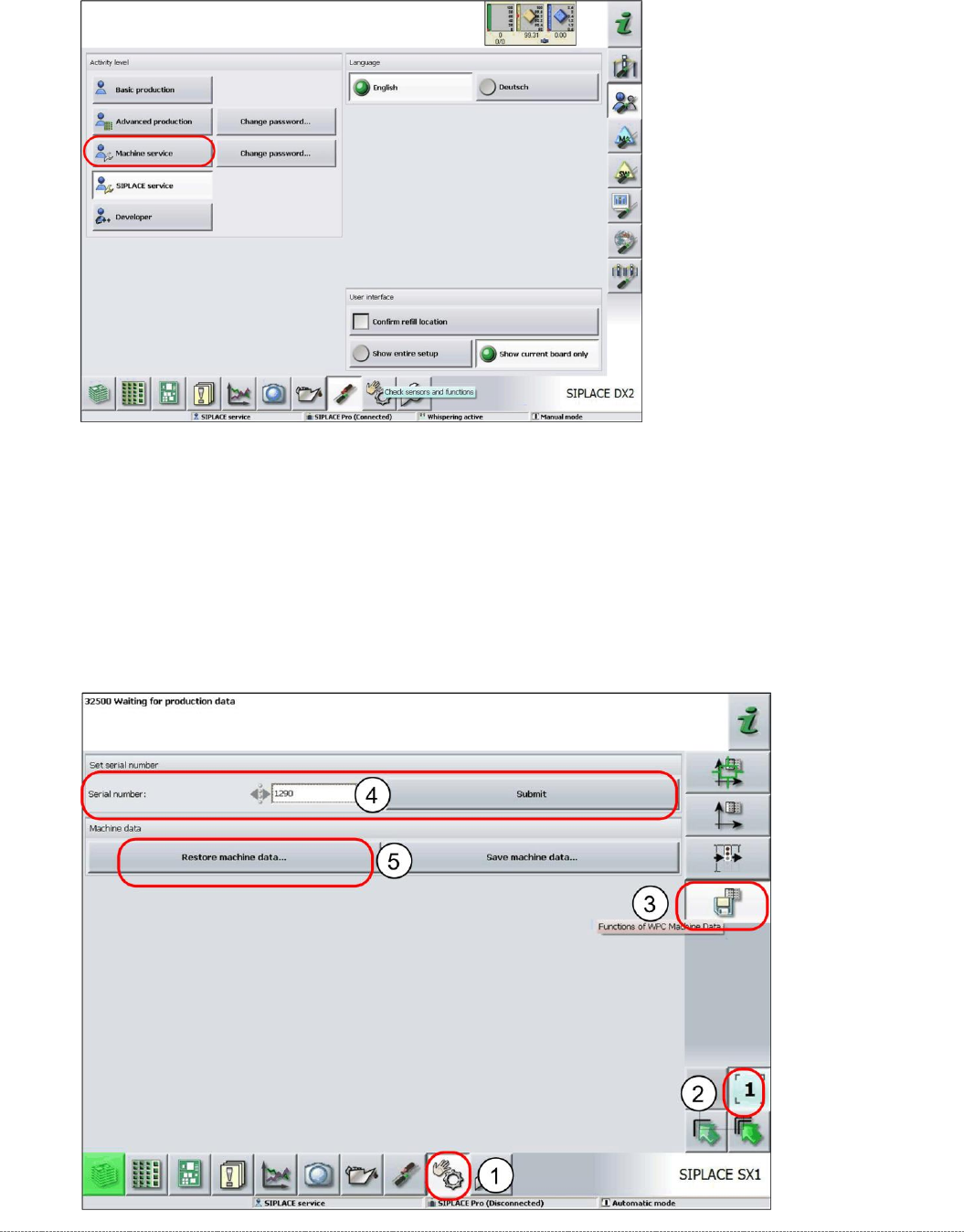
Restoring the machine data
➢ Log in as
Machine service
.
➢ Select
Sensors and Functions
(1) =>
Location
.
➢ Select the relevant location (2).
➢ Select the option
WPC Machine Data
(3).
➢ Enter the WPC serial number (4) and select
Accept
.
➢ Select
Restore machine data
(5).
⇨ A dialog box for the machine data storage location will open.
➢ Navigate to the required storage location and then restore the machine data.

Service Manual Internal WPC5 / WPC6
Page 5-145
5 Working with the Adjustment Gauge for WPC
5.1 Preconditions:
To move the Gauge over the switching point of the „crash light barrier tower“ (see
5.6
, it must be
moved with the lifting axis using an "invisible mode".
However, this mode only works with WPC firmware ≥ 3.01.
This is included in the following versions of the station software:
≥ SW 704.03 SP1 HF5.
≥ SW 705.04 SP1 HF5.
Before you start work, make sure that the WPC is using the correct firmware version.
5.1.1 Lifting axis in „Unsafe Mode“
WARNING
! Liftign Axis in „Unsafe Mode“ !
To the drive the lifting axis in step procedure, you need to activate the so-called “Unsafe
Mode”.
Only move the lifting axis with caution and only in small (manageable) steps!
NOTICE
Operation with Caccia
In order to obtain a better coverage of various set points, the WPC can also be taken out
oft he machine and the axis can be driven by CACCIA Software.