00197471-03_Service Manual Internal WPC5_6, EN_01-2019.pdf - 第81页
Service Manual In ternal WPC5 / WPC6 Page 3- 81 Installation ➢ Align the reference s ensor and screw to its installation point. ➢ Note the installation pos ition. The sensor surface must point downwards and the LED upw…
Service Manual Internal WPC5 / WPC6
Page 3-80
3.7.5 Sensor 8 Referenzsensor "Feed axis"
Removal
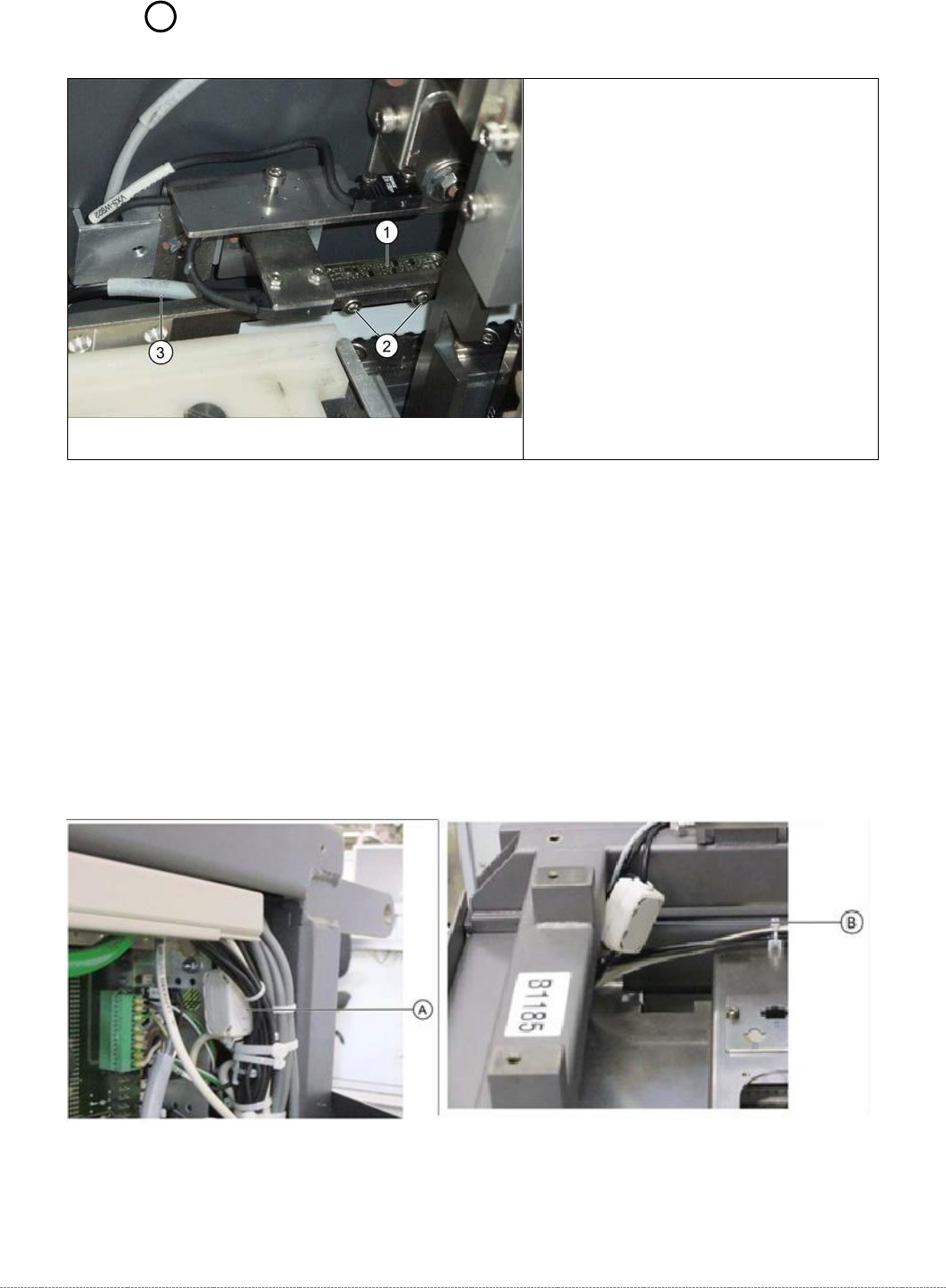
➢ Loosen the two fastening screws (2) on the sensor.
➢ Unthread the sensor cable (3).
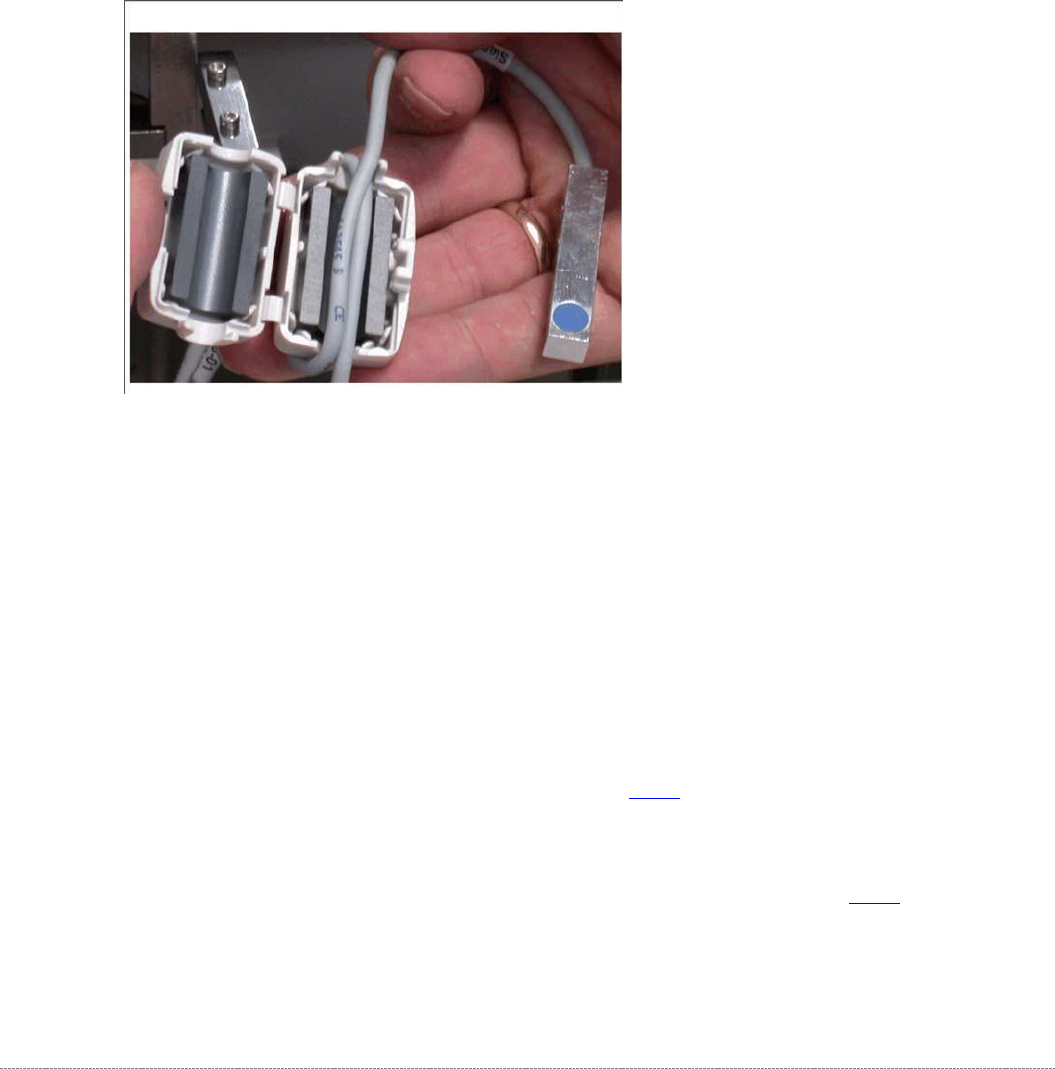
➢ Open the ferrite core (A for WPC6 or B for WPC5) at the fixtures provided, with the help of a
screwdriver.
➢ Unthread the cable clamp and remove the ferrite core. Keep these in a safe place for later
installation.
➢ Unthread the connection cable as far as the control unit back plane and unplug it from the
terminal strip.
Spare Part
• Reference point proximity switch for
feed axis [03057837-xx]
Overview
1. Reference point proximity switch for feed
axis
2. Reference sensor fastening screws
3. Sensor cable for feed axis reference
point proximity switch A = Position of the
ferrite core for WPC6 on the backplane of
the control unit B = Position of the ferrite
core for WPC5 in the load unit
Service Manual Internal WPC5 / WPC6
Page 3-81
Installation
➢ Align the reference sensor and screw to its installation point.
➢ Note the installation position. The sensor surface must point downwards and the LED
upwards.
➢ Run the connection cable.
➢ Leave a sufficiently large loop of cable, so that you can fit the cable in the ferrite core.
➢
Restore the electrical connection and fix the connection cable into place.
➢ Insert the connection cable into the ferrite core (one loop).
➢ Press the two halves together so that the fixture engages.
Settings
➢ Check the function and correct position of the reference sensor. The sensor must trigger
when the driver actuator is just below the sensor. (Reference point).
➢ To do this, open the station software menu
⇨ Sensors and Functions ⇨ Location ⇨ Check functions for WPC ⇨ Advanced functions.
➢ Enable the feed axis and click on the Reference bero button.
The feed axis will be moved so that the driver actuator triggers the reference sensor. The
reference point will be calculated.
The calculated value will be shown and can then be saved with the
Commit
button.
➢ If an error message appears, correct the mechanical position by adjusting the cam on the
driver (see "4.2.3 Reference Proximity Switch (Bero)” [➙ 4-129]) and repeat the measuring
process.
➢ Coat the cam fastening screw with locking varnish.
➢ Calibrate the reference sensor (see "4.2.3 Reference Proximity Switch (Bero)" [➙ 4-129).
Service Manual Internal WPC5 / WPC6
Page 3-82
3.7.6 Crash Light Barriers for Component Height 2 3 10 11 19 20
With the introduction of WPC5/WPC6 Version -03, new types for Crash-Light barrier component
heights are introduced.
All WPC5 and WPC6 < Serial-No.: 3xxx- exhibit LB-type 1.
All WPC5 and WPC6 > Serial-No.: 3xxx- exhibit LB-type 2 and LB-type 1.
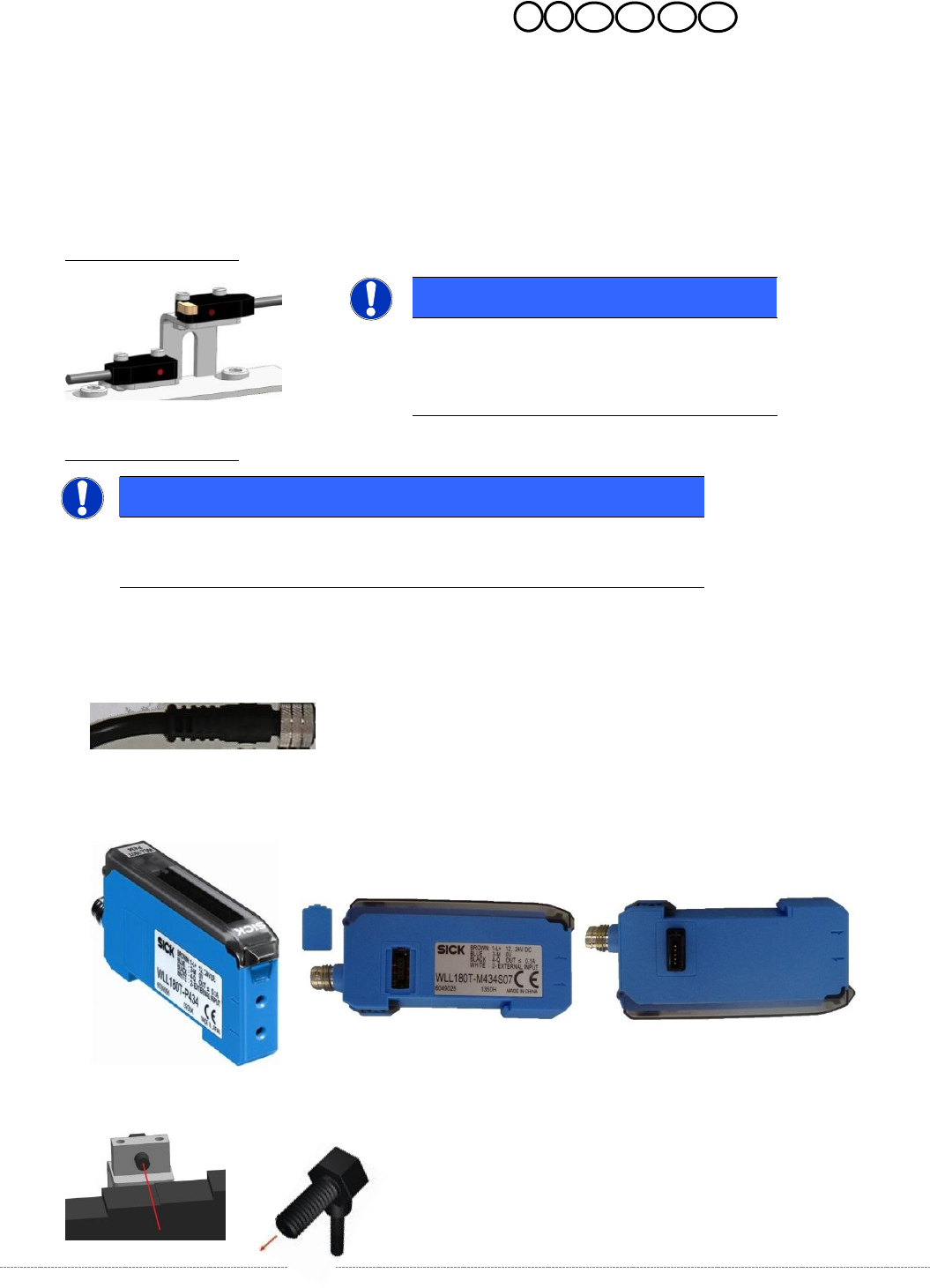
Description LB-type 1:
Description LB-type 2:
For this LB-type we have 3 spares.
1. Cable for Crash-LB CO-height,
2. Control unit LB (there are each WLL180T-M and WLL180T-F); the units are connected to each
other via a connector on the side of the unit.
3. optical fibre.
NOTICE
Spare Parts
Part numbers, see table spare parts and the
following overview.
NOTICE
Spare Parts
Part numbers, see table spare parts and the following overview.