00197471-03_Service Manual Internal WPC5_6, EN_01-2019.pdf - 第141页
Service Manual In ternal WPC5 / WPC6 Page 4-141 ➢ Confirm the new pos ition at which the limit s witch triggers with Finish (1). Calibrating the limi t switch + ➢ Select the lifting axis (1). ➢ Select the function Cali…
Service Manual Internal WPC5 / WPC6
Page 4-140
4.3.3 Calibrating the Limit Switch
The plus and minus position of the limit switches need to be calibrated.
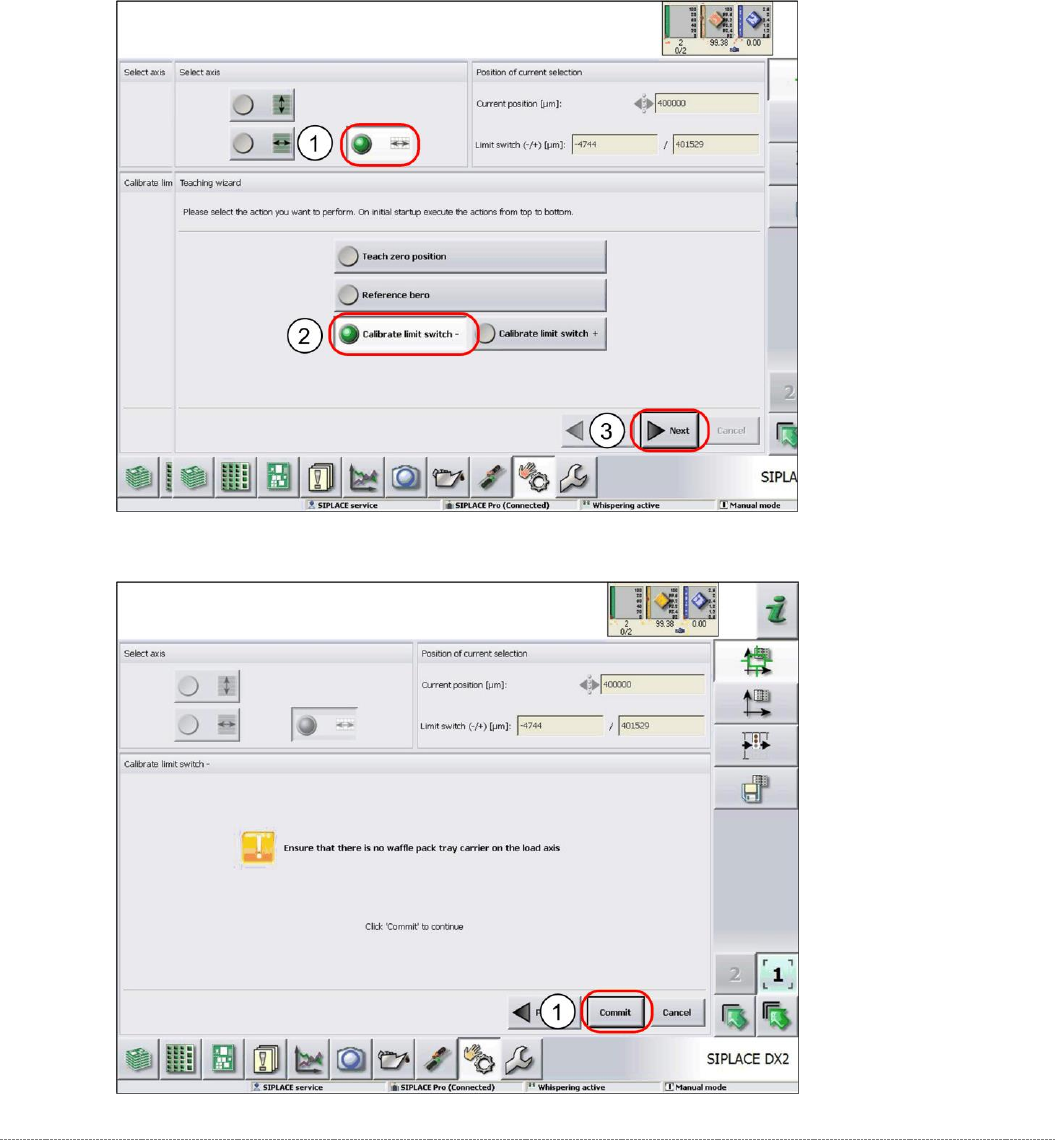
Calibrating the limit switch -
➢ Select the load axis (1).
➢ Select the function
Calibrate limit switch -
(2).
➢ Select
Next
(3).
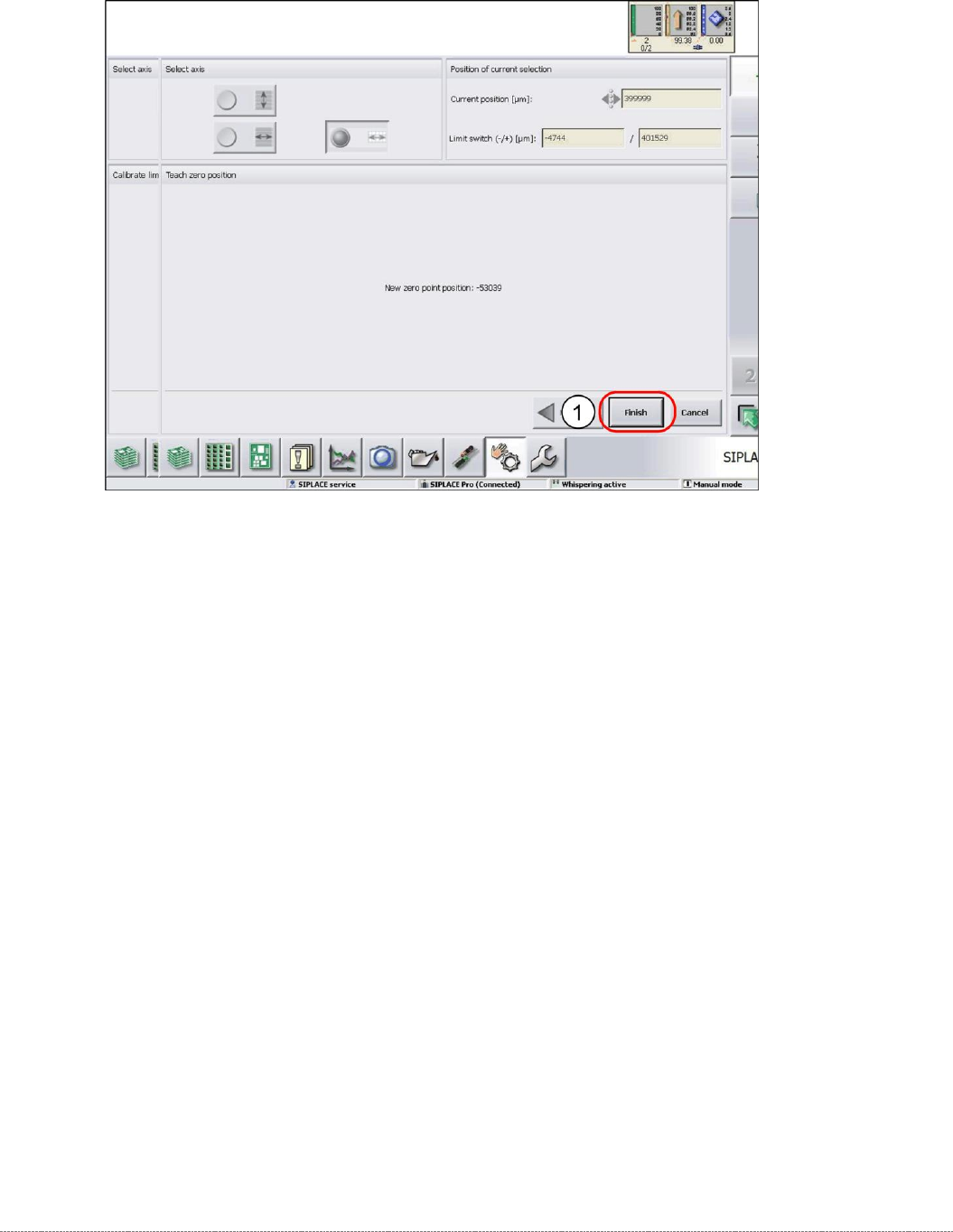
➢ Follow the instruction shown and continue with
Commit
(1).
Service Manual Internal WPC5 / WPC6
Page 4-141
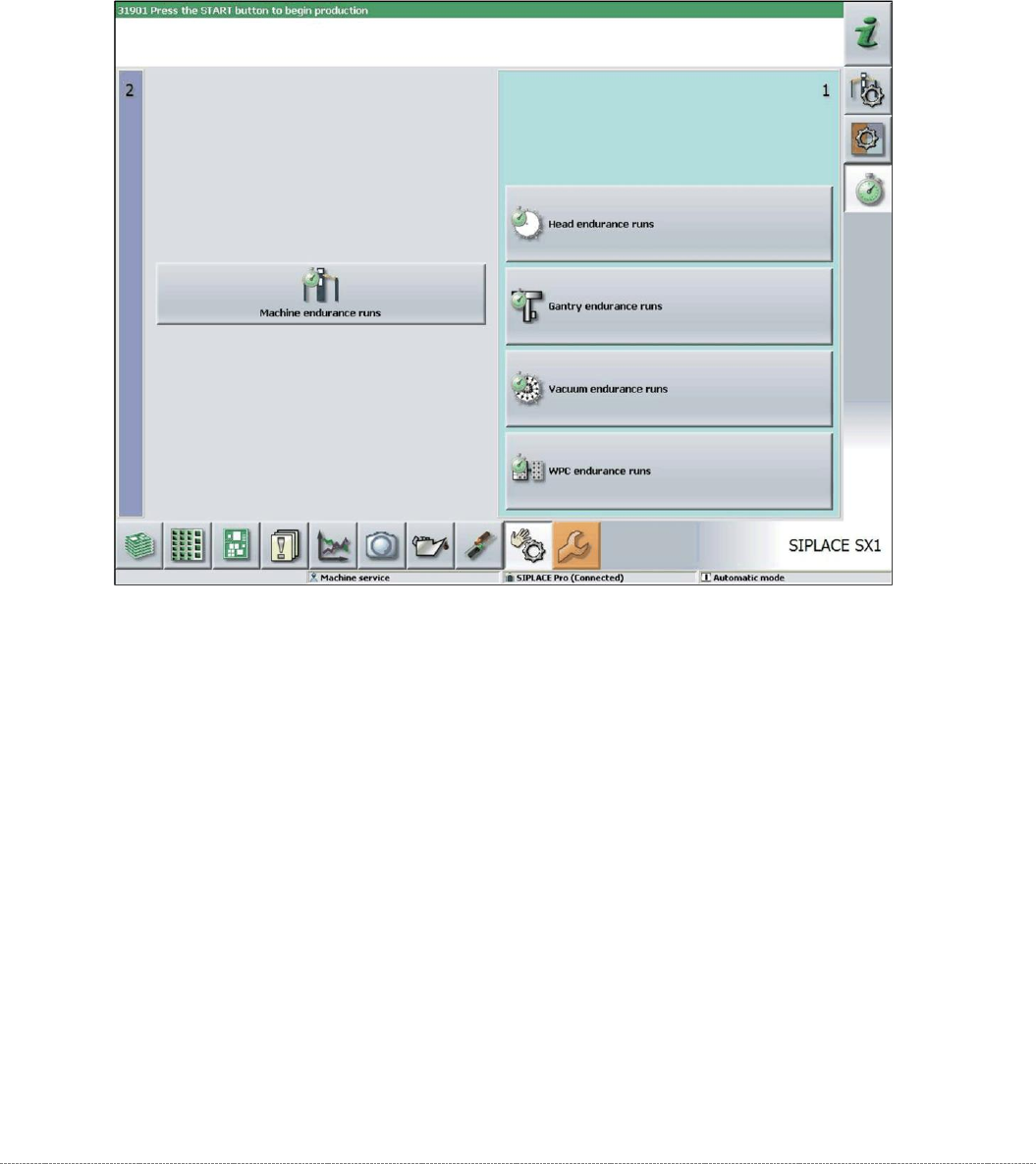
➢ Confirm the new position at which the limit switch triggers with
Finish
(1).
Calibrating the limit switch +
➢ Select the lifting axis (1).
➢ Select the function
Calibrate limit switch +
and continue with the same procedure as that
used for calibrating the limit switch.
Service Manual Internal WPC5 / WPC6
Page 4-142
4.4 Performing a WPC Endurance Run
After calibration, we recommend that you test the function by performing a WPC endurance run.
➢ Select
Manual functions -> WPC endurance runs
.
➢ Set a continuous run of 15 mins and start.