00197471-03_Service Manual Internal WPC5_6, EN_01-2019.pdf - 第137页
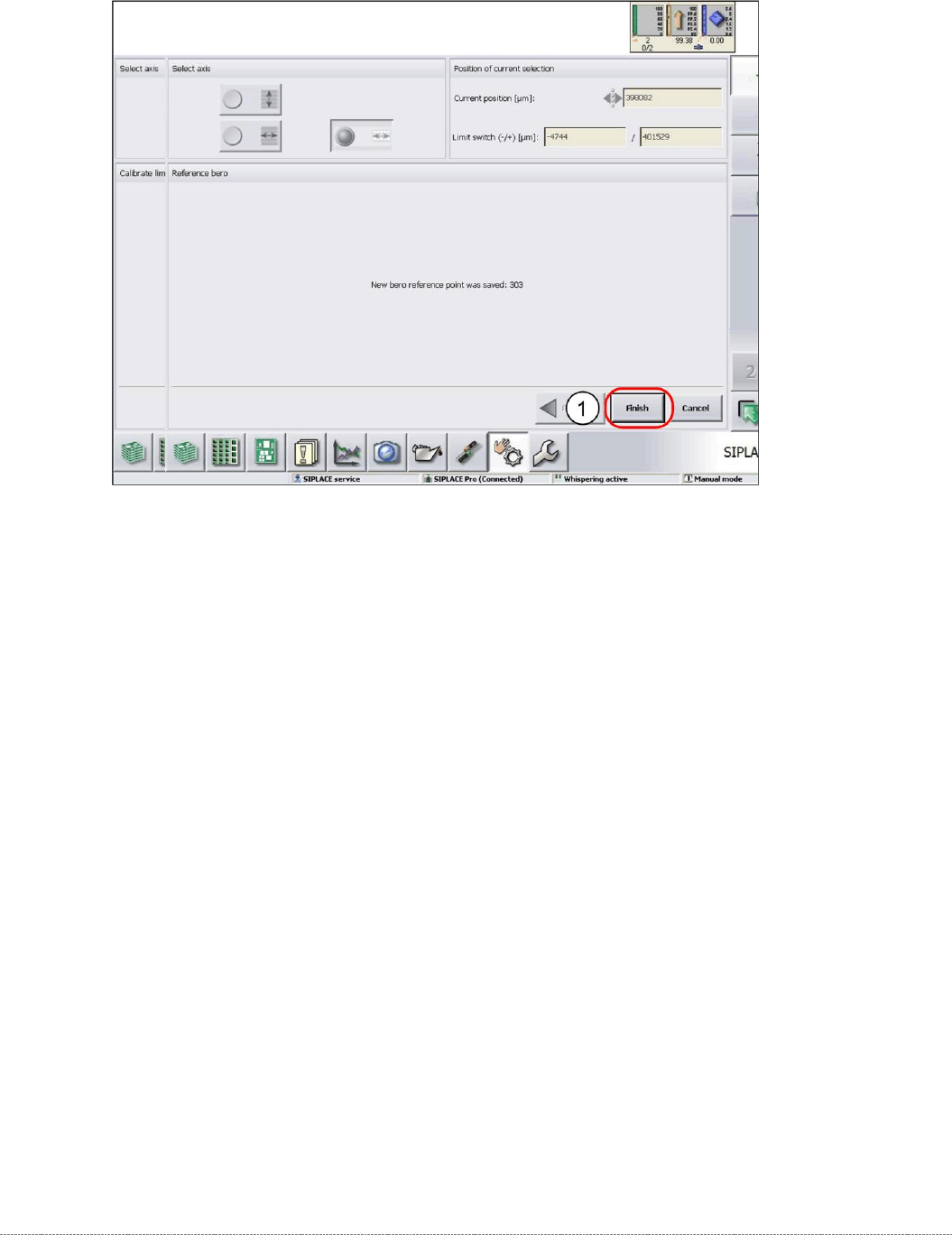
Service Manual In ternal WPC5 / WPC6 Page 4-137 ➢ Confirm the new zero point position with Finish (1).
Service Manual Internal WPC5 / WPC6
Page 4-136
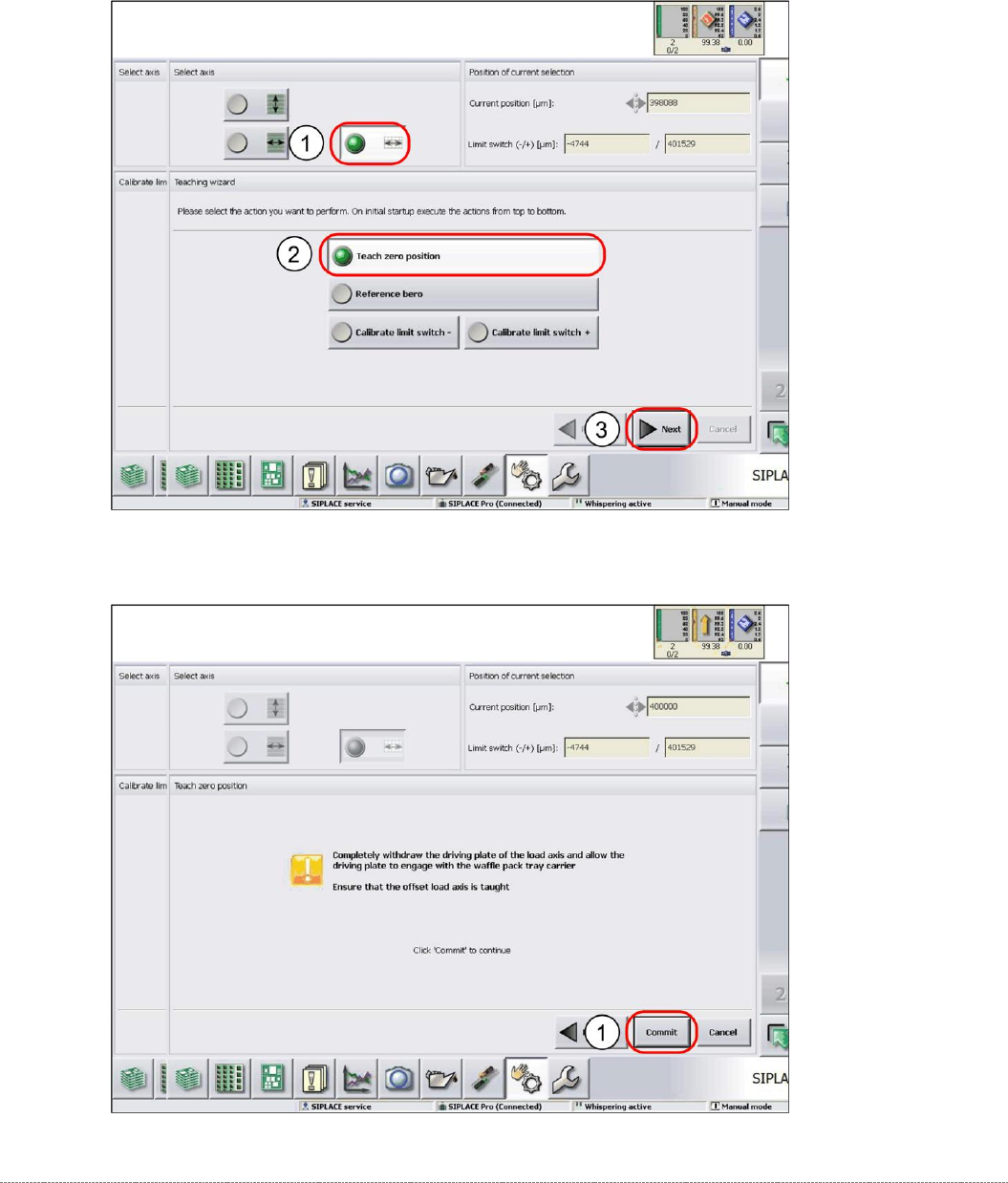
4.3.1 Teaching the Zero Point Position
➢ Select the load axis (1).
➢ Select the function
Teach zero position
(2).
➢ Select
Next
(3).
➢ Follow the instruction shown and continue with
Commit
(1).
Service Manual Internal WPC5 / WPC6
Page 4-137
➢ Confirm the new zero point position with
Finish
(1).
Service Manual Internal WPC5 / WPC6
Page 4-138
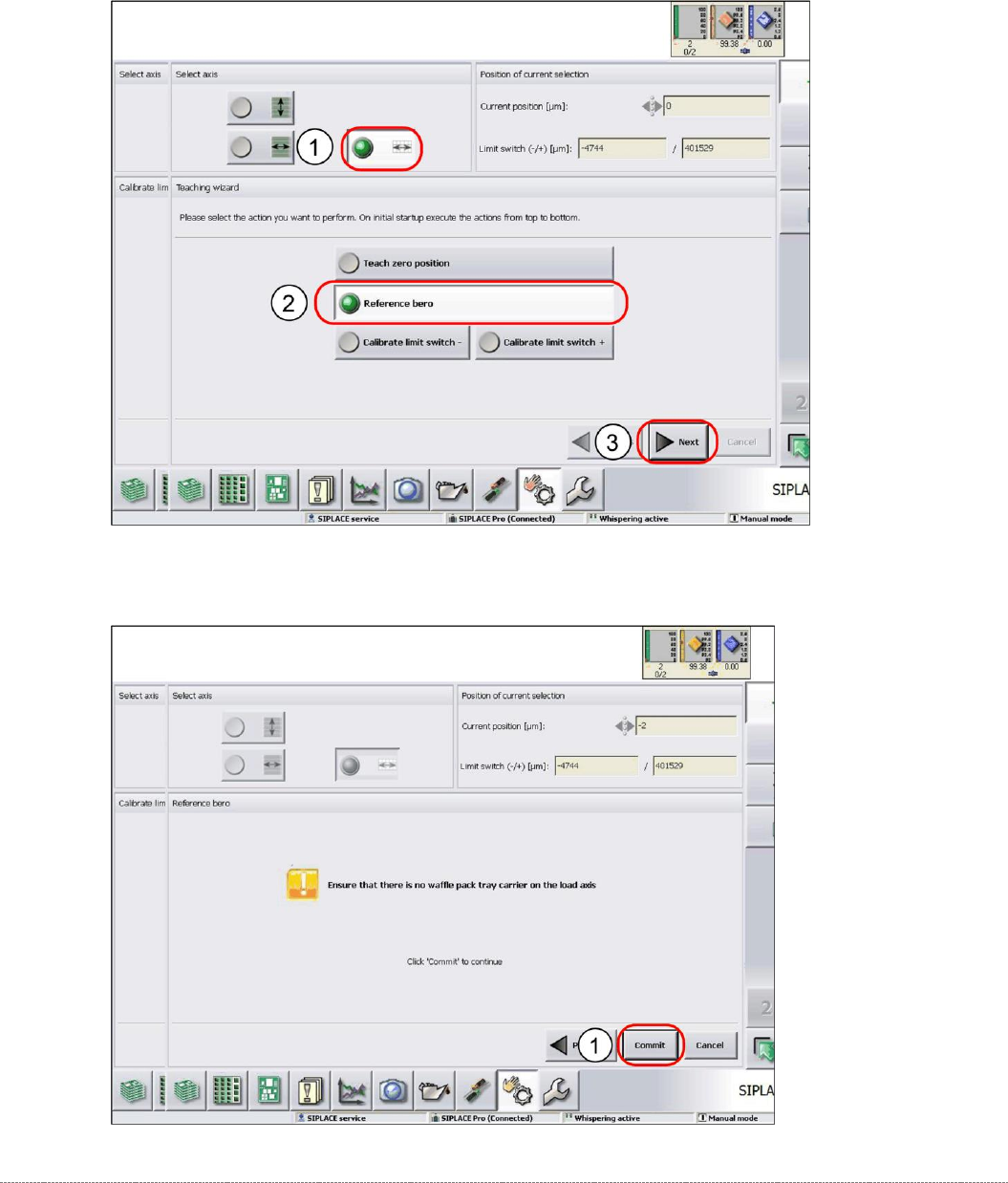
4.3.2 Reference Proximity Switch (Bero)
➢ Select the load axis (1).
➢ Select the function
Reference bero
(2).
➢ Select
Next
(3).
➢ Follow the instruction shown and continue with
Commit
(1).