00197783-01_AI_Gantry-Retrofit_X-Series_S_INTERNAL_de_en.pdf - 第102页
Installation Preparatory Steps 3.1.2 Creating Access to the Location 102 Gantry Retrofit Portalna chrüstung Without service flap: ► Remove the two s crews (1) fastening th e lower end of the outer guide a nd remove th e …
Installation
3.1.1 Preparing the Trailing Interface Preparatory Steps
Gantry Retrofit Portalnachrüstung 101
3
3 Installation
Installation
Mark All Electrical and Pneumatic Connections Before Unplugging Them
3.1
3.1 Preparatory Steps
Preparatory Steps
3.1.1
3.1.1 Preparing the Trailing Interface
Preparing the Trailing Interface
3.1.2
3.1.2 Creating Access to the Location
Creating Access to the Location
► Move the component trolleys out of the machine.
► Switch off the machine, disconnect it from the power supply and secure it to prevent unauthorized
reactivation. Observe the instructions in section "1.2 Preparatory Work..." [ ➙ 89].
Location 2/4: creating access to the location
You may need to remove the top side cover at location 2 or 4, depending on the placement area. A dif-
ferentiation is made between locations with and without service flap:
With service flap:
NOTICE
Mark all electrical and pneumatic connections before unplugging them.
► Label all electrical and pneumatic connections before you disconnect them. Make sure that
these can be correctly assigned again later on.
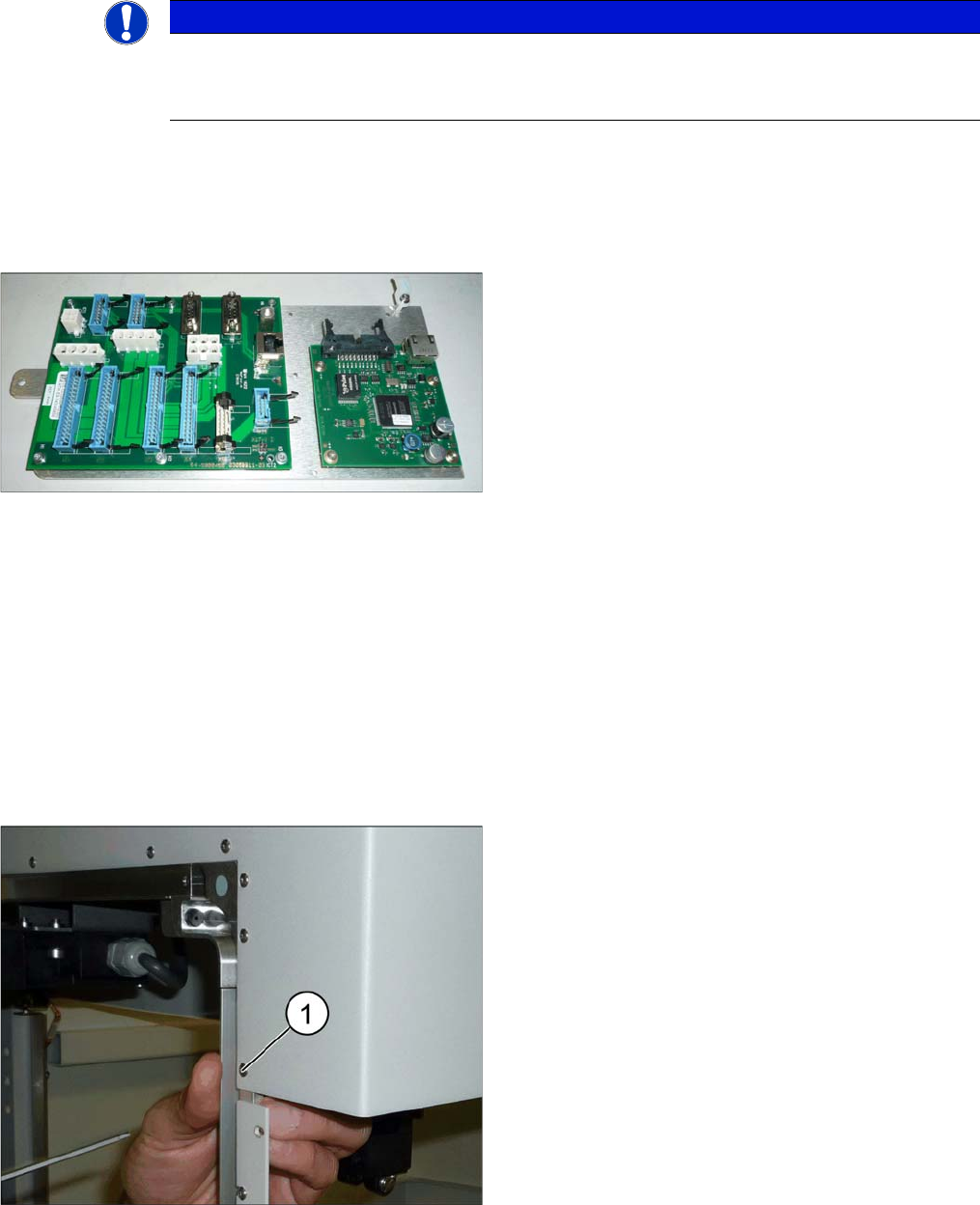
► If not prefitted: fit the trailing interface and the Vision
Hotlink Adapter to the assembly plate.
► Also fit the cable harness holder into place.
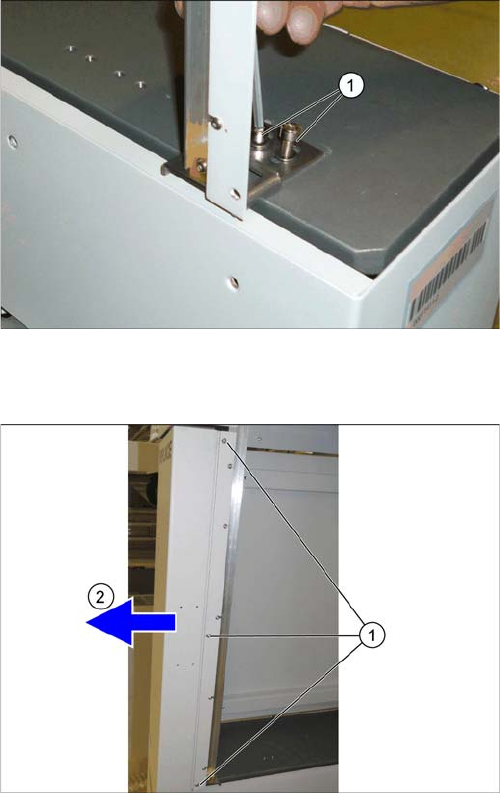
► Remove the screw (1) fastening the top end of the
outer guide.
Installation
Preparatory Steps 3.1.2 Creating Access to the Location
102 Gantry Retrofit Portalnachrüstung
Without service flap:
► Remove the two screws (1) fastening the lower end
of the outer guide and remove the guide.
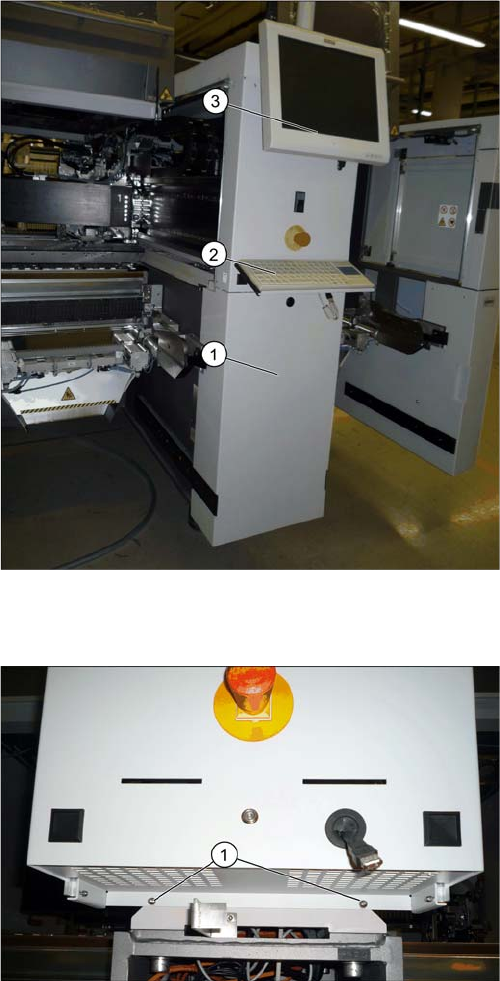
► Remove the three captive screws (1).
► Pull the side cover forwards and out (2).
Installation
3.1.3 Removing the Middle Cover Preparatory Steps
Gantry Retrofit Portalnachrüstung 103
3.1.3
3.1.3 Removing the Middle Cover
Removing the Middle Cover
Removing the lower cover, keyboard and monitor
Removing the top cover
► Unhook the lower cover (1).
► Unplug the keyboard (2) and remove it.
► Loosen the two screws fastening the monitor (3),
loosen all electrical connections and remove the
monitor.
► Push the USB cable for the keyboard and all monitor
cables through the openings behind the cover.
► Loosen the two lower screws (1) fastening the cover.