00197783-01_AI_Gantry-Retrofit_X-Series_S_INTERNAL_de_en.pdf - 第126页
Installation Fitting the Y Trailing Cable for the N ew Gantry 2/4 3.1.4 Removi ng the Top Cover 126 Gantry Retrofit Portalna chrüstung ► Attach a strip of double-sid ed a dhesive tape (1) t o t h e unwind surface of the …
Installation
3.1.4 Removing the Top Cover Fitting the Y Trailing Cable for the New Gantry 2/4
Gantry Retrofit Portalnachrüstung 125
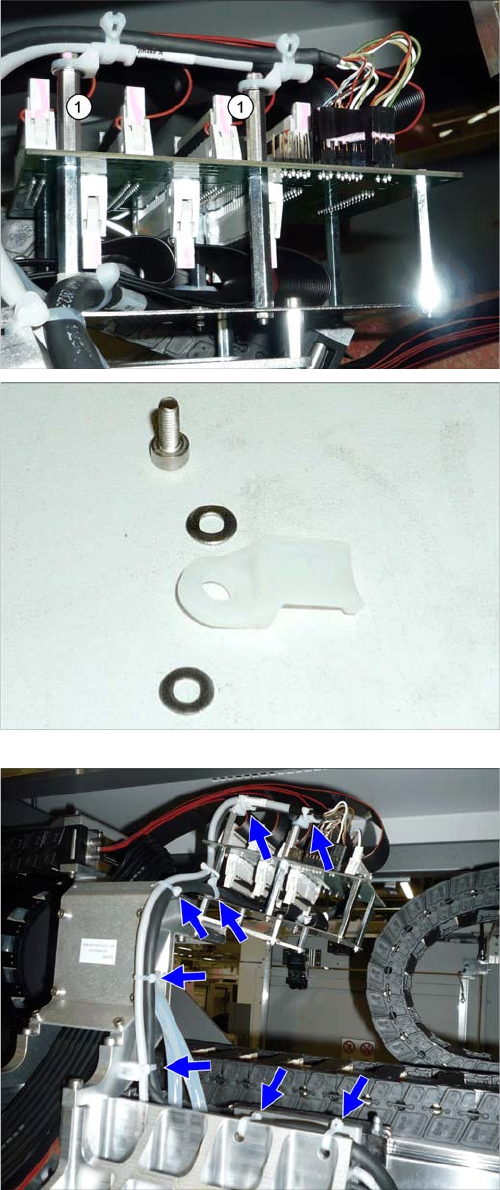
► Fasten the Y gantry interface with four screws 3x6
and two bolts (1). Secure the bolts with Loctite 241.
► Fit a cable duct to each of the bolts.
Order: washer + cable duct + washer + screw
Secure the screws with Loctite 241.
► Connect all flat ribbon cables to the top side of the Y
gantry interface.
► Connect all remaining cables to the Y gantry interface
and fasten these with cable ties, as shown.
► Tighten all cable ties.
Installation
Fitting the Y Trailing Cable for the New Gantry 2/4 3.1.4 Removing the Top Cover
126 Gantry Retrofit Portalnachrüstung
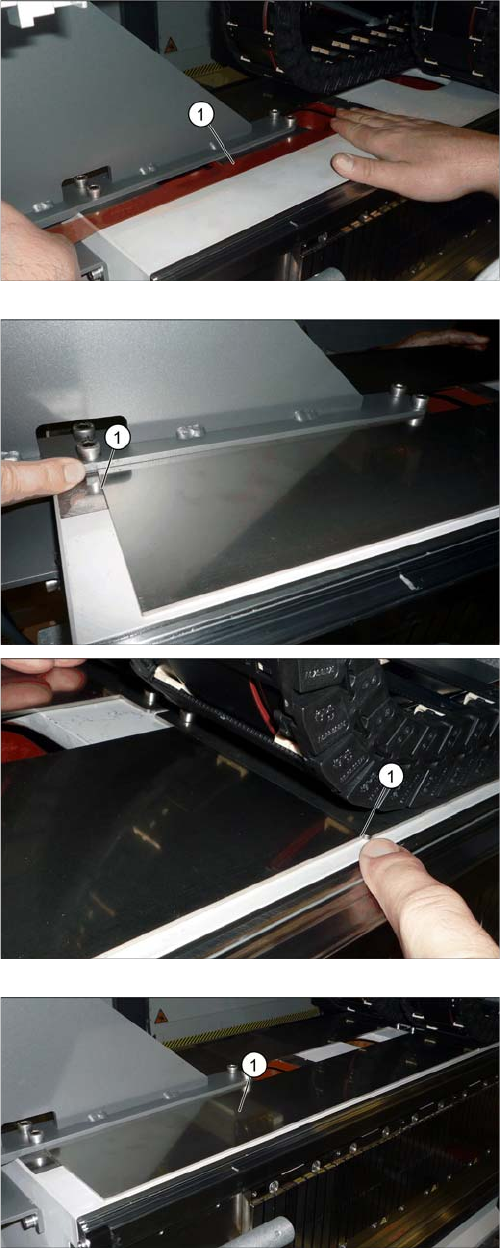
► Attach a strip of double-sided adhesive tape (1) to the
unwind surface of the trailing cable, as shown.
► Pull off the upper protective foil on the adhesive strip.
► Pull the protective foil off the "trailing cable support
plate 2P assy" and attach this to the roll-off area of
the trailing cable.
Make sure that the unwind plate is exactly parallel at
the front and back (1).
The diagram shows the completely attached "trailing ca-
ble support plate 2P assy" (1).
Installation
3.1.4 Removing the Top Cover Fitting the GCU
Gantry Retrofit Portalnachrüstung 127
3.8
3.8 Fitting the GCU
Fitting the GCU
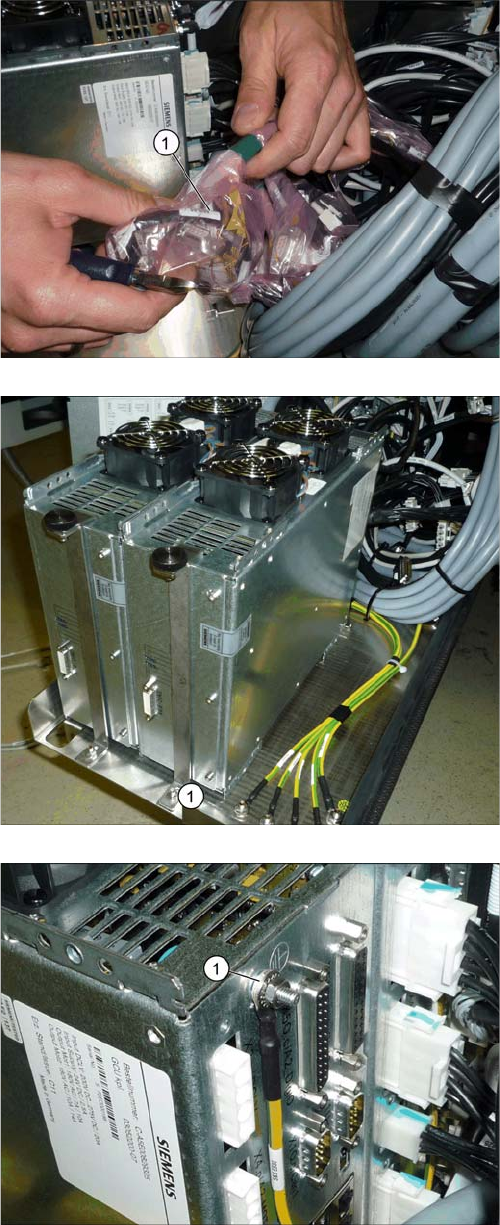
► Pull the rack for the GCUs out of the machine. To do
this, loosen the lockscrew on the bottom left of the
rack.
► Find the cable for the new GCU (1).
► Insert the new GCU into the machine and fix this into
place with the front holder (1).
► Fit the ground connection (1).