SI-F130 Manual(EN)_jpg_ Rev1.pdf - 第124页
Adjustment of FF/FR Axis Feed R oller Origin Sensor D og HLF-1041 1-01 Adjustment of FF/FR Axis Feed Roller Origin Sensor Dog SHEET 3/3 6 Reset the all emergency stop switch es. 7 Use PC in which T era T erm is installed…
Adjustment of FF/FR Axis Feed Roller Origin Sensor Dog
HLF-10411-01
Adjustment of FF/FR Axis Feed
Roller Origin Sensor Dog
SHEET
2/3
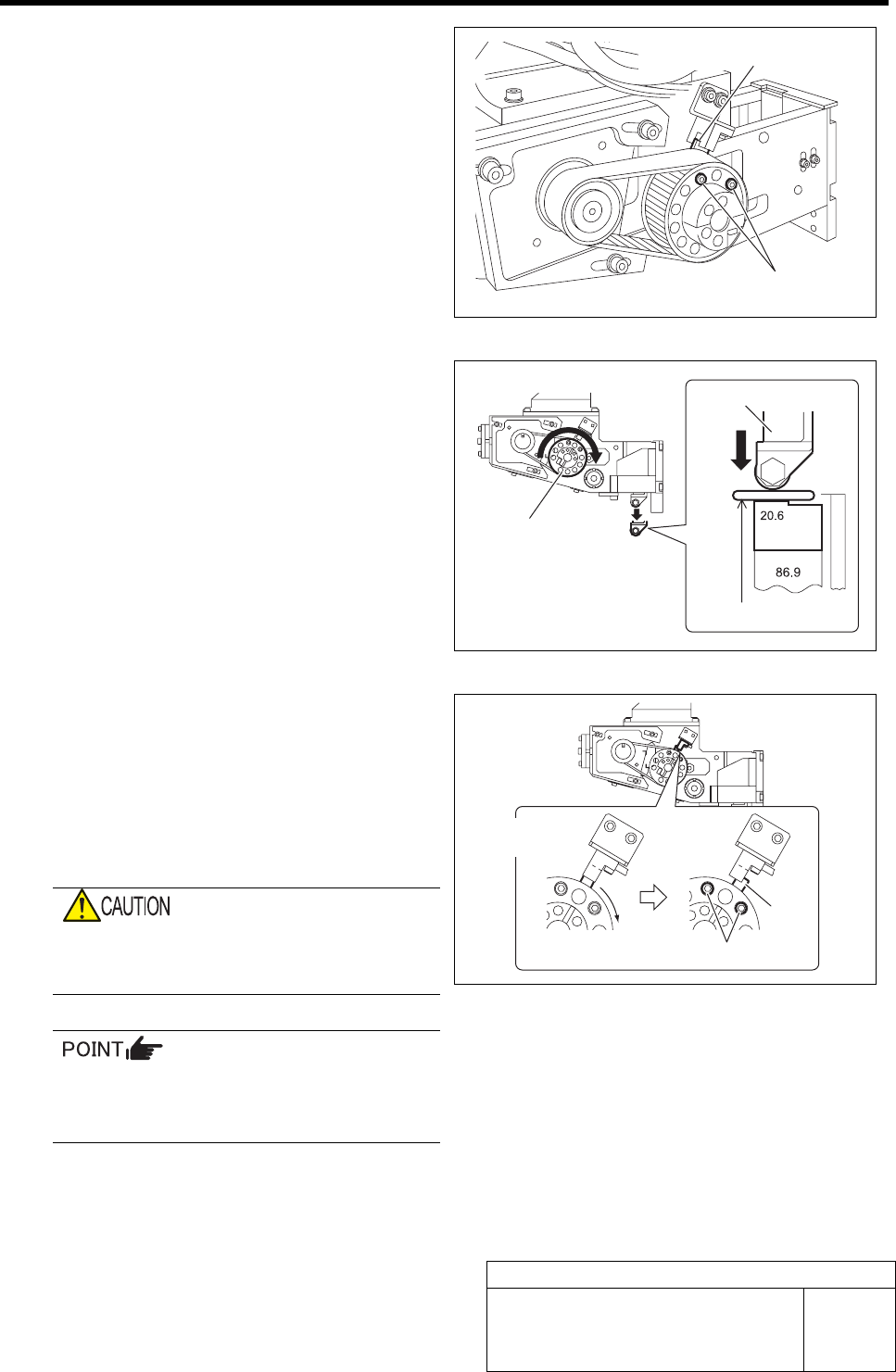
4 Loosen the cap screws (2-M3) fastening the
dog for the origin sensor.
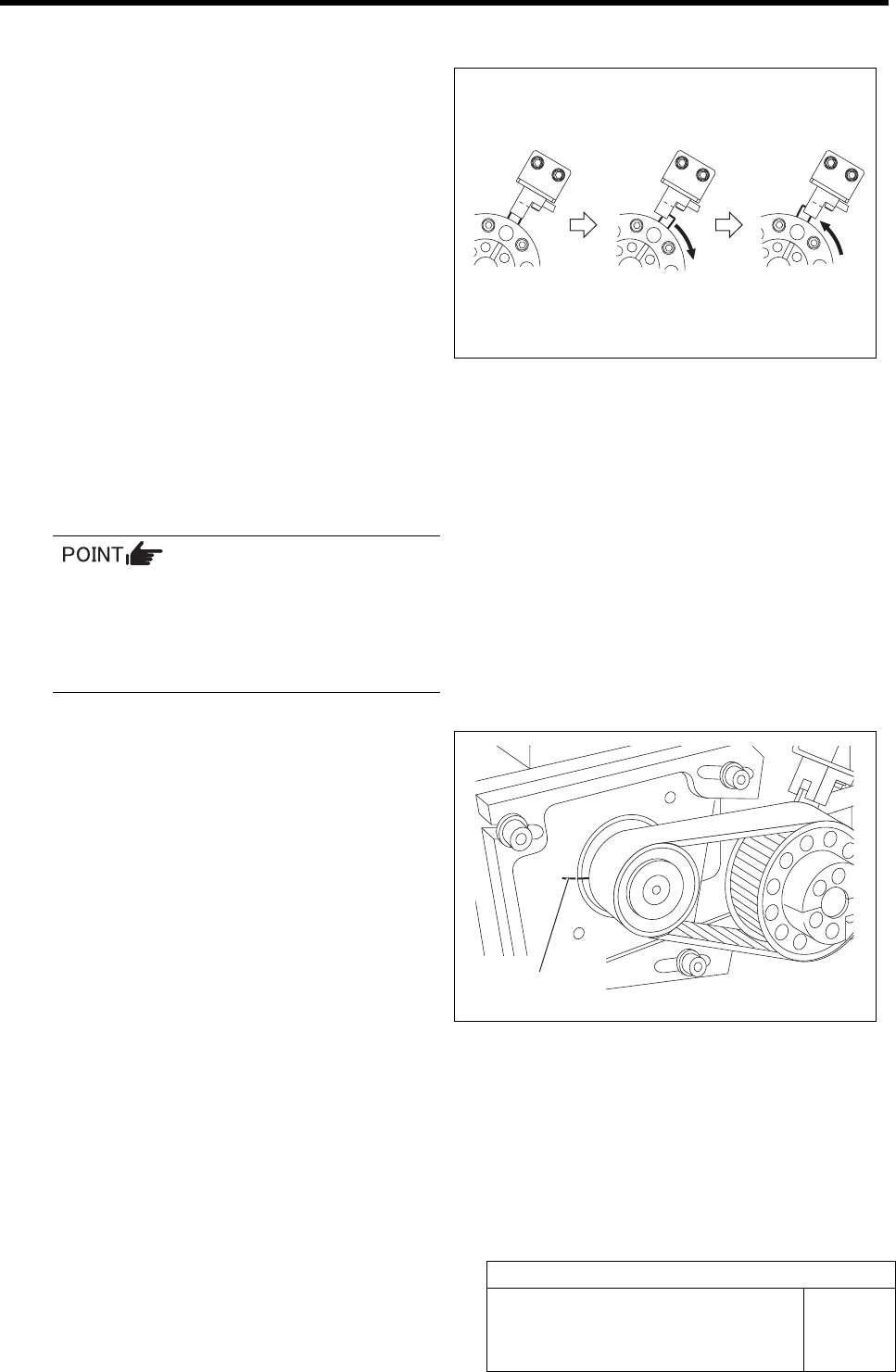
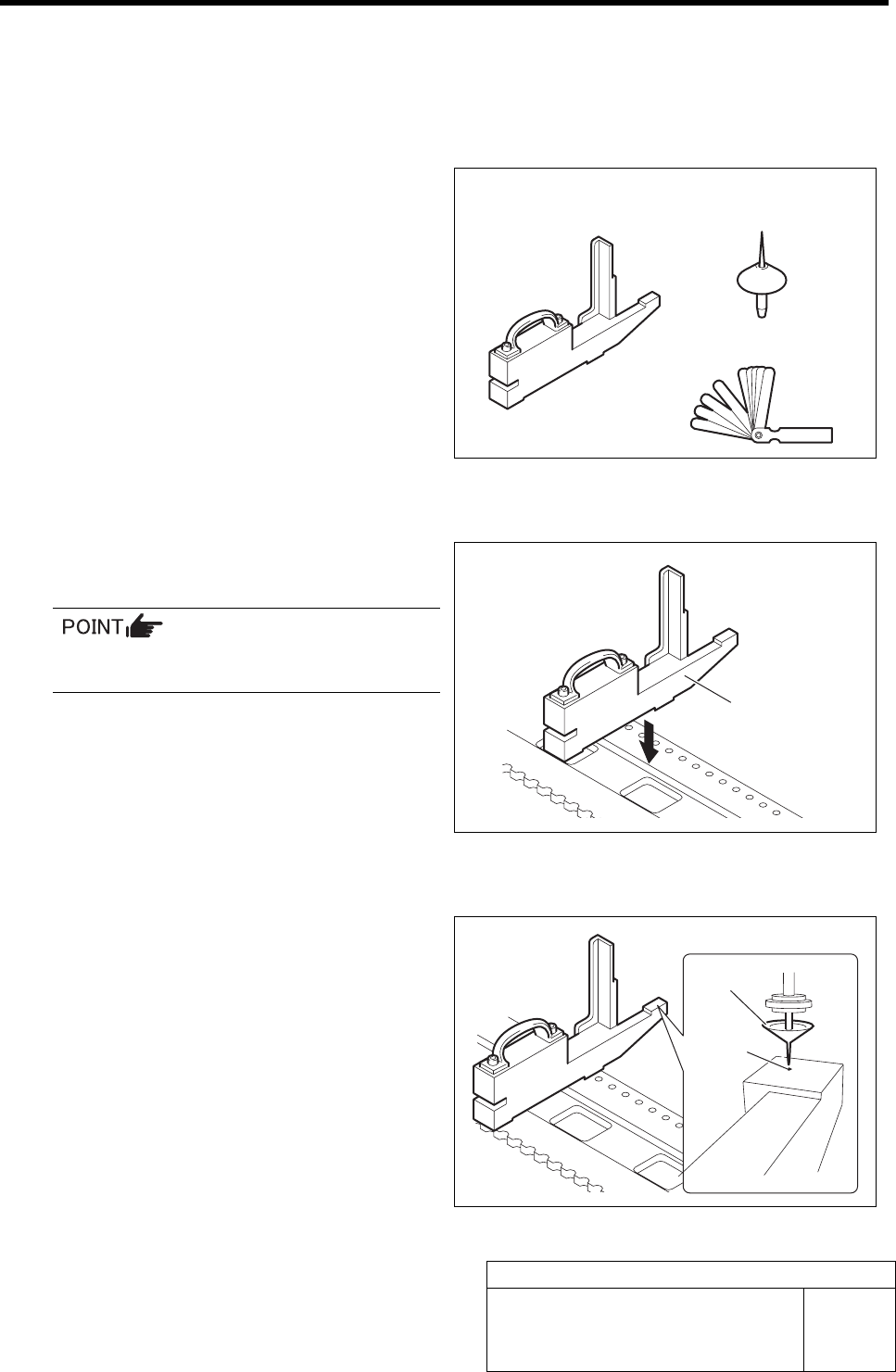
5 Adjust the position of the dog for the origin
sensor.
1. Place a thickness gauge of t = 0.5 mm
on the F axis return block (20.6 mm).
2. Turn the driven pulley clockwise until
the feed roller contacts the thickness
gauge on the F axis block, and main-
tain this status.
3. Shield the origin sensor with the dog,
and turn off the LED.
4. Move the dog gradually, and fasten the
cap screws (2-M3) with torque of 100
cN・m at a position of boundary where
the LED in extinguished condition
lights up and fix the dog.
If the cap screw is fastened with torque
higher than specified, thread hole may be
crushed.
• Pull the dog up to the sensor side to fix.
• Turn the driven pulleys and dog for both
of the FF axis/FR axis clockwise.
Cap screw
Dog
Driven pulley
Thickness gauge
Feed roller
Extinguished
Light-up
Dog
Cap scre
w
Adjustment of FF/FR Axis Feed Roller Origin Sensor Dog
HLF-10411-01
Adjustment of FF/FR Axis Feed
Roller Origin Sensor Dog
SHEET
3/3
6 Reset the all emergency stop switches.
7 Use PC in which Tera Term is installed to
check ORG operation.
1. Prepare PC in which Tera Term
(communication software) is installed,
and connect it to PC unit in the
equipment with cable.
2. Input the following commands with
Tera Term to check the ORG operation
three times.
-
>dacinit [Enter]
-
>dsrvon 4 [Enter](Turn ON the FF axis servo)
-
>dorg 4 [Enter](Set up origin of the FF axis)
The dog rotates clockwise, leaves slightly from the
ORG sensor and again returns to the ORG sensor
(Z-phase position).
If the driven pulley makes one turn and
the feed roller lowers down, it constitutes
an adjustment error.
In this case, re-perform adjustment of feed
roller origin sensor dog.
8 Check that the marking off lines of Z-phase
drawn on the motor pulley and feed body are
coincide with each other.
Marking off line
Servo OFF
ORG Z-Phase
Adjustment of FF/FR Axis Feed Roller X-Direction Position
HLF-10412-01
Adjustment of FF/FR Axis Feed
Roller X-Direction Position
SHEET
1/2
Adjustment of FF/FR Axis Feed Roller X-Direction Position
[Necessary jigs]
• Feed adjusting jig
• Nozzle jig (AF06040)
• Thickness gauge (t=1.0 mm)
[Procedure]
1 Set the feed adjusting jig to the No.20 posi-
tion on the cassette table.
There should be no clearance between the
feed adjusting jig and the cassette table.
2 Install nozzle jig (AF06040) to the turret.
3 Move the head to a position where the noz-
zle jig can be inserted into the insertion hole
of the feed adjusting jig.
Feed adjusting jig
Nozzle jig
(AF06040)
Thickness gauge
Feed adjusting jig
Nozzle jig
Insertion
hole