SI-F130 Manual(EN)_jpg_ Rev1.pdf - 第153页
Fixed Camera Parts Presence/Absence S ensor Setup HLF-10422-01 Fixed Camera Parts Presence/ Absence Sensor Setup SHEET 1/4 Fixed Camera Part s Presence/Absence Sensor Setup [Necessary jig] • Nozzle ji g for fi xed ca mer…
Adjustment of PWB Stopper Sensor
HLF-10421-01
Adjustment of PWB Stopper
Sensor
SHEET
2/2
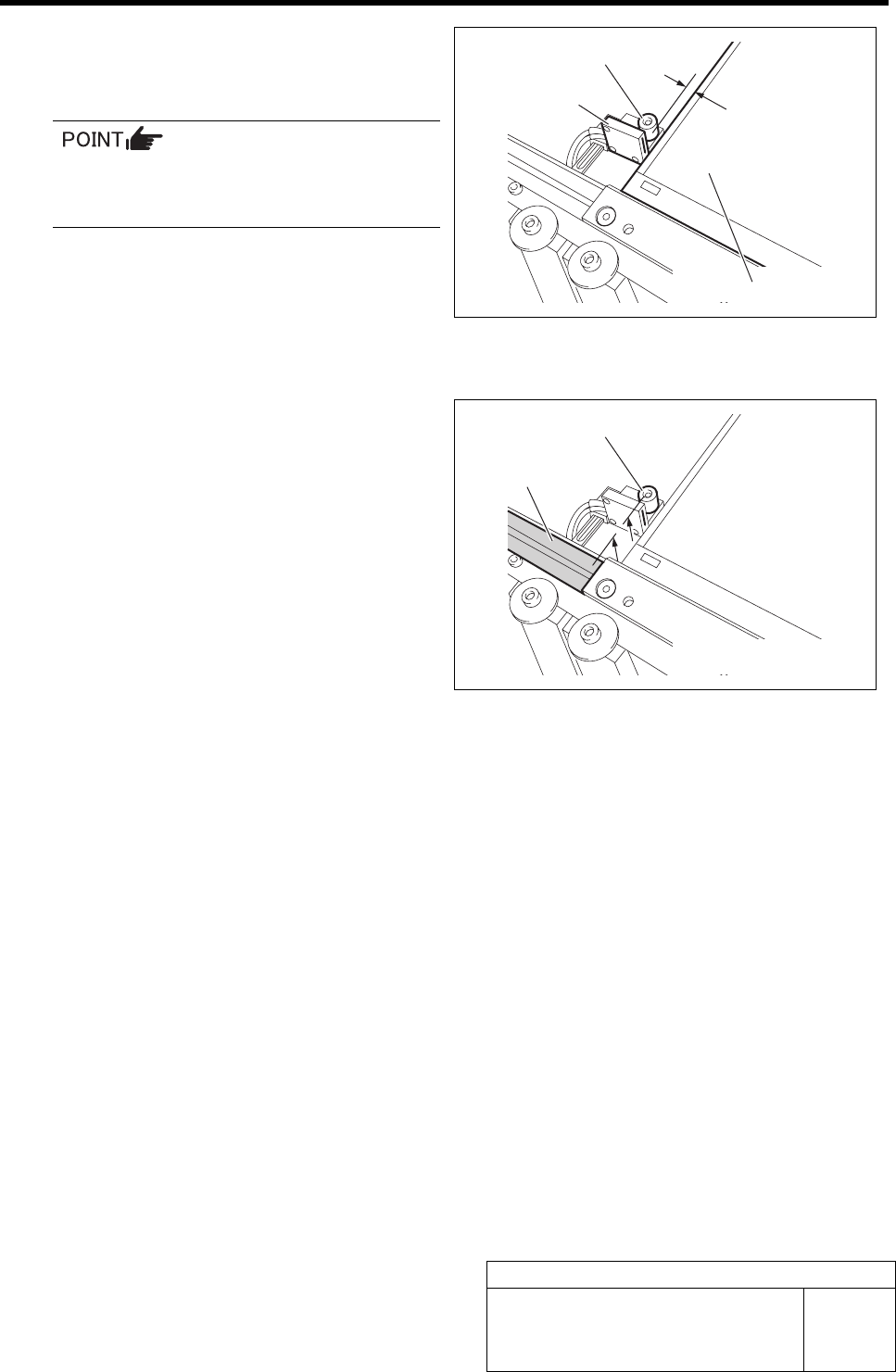
3 Adjust sensitivity of the PWB stopper sensor.
1. Set the gap between the PWB and the
PWB stopper to 2 mm.
The gap can be easily adjusted by inserting
a hexagon wrench of 2 mm between the
PWB and the PWB stopper.
2. Make adjustment by turning the sen-
sitivity adjustment volume of the sen-
sor amplifier so that the PWB stopper
sensor is turned on (both of the green
LED and orange LED light up) at this
position.
4 Check that the up end of the PWB stopper is
as high as the conveyor rail.
5 Remove the PWB.
PWB stopper sensor
2 mm
PWB
PWB stopper
Conveyor rail
PWB stopper
Fixed Camera Parts Presence/Absence Sensor Setup
HLF-10422-01
Fixed Camera Parts
Presence/Absence Sensor Setup
SHEET
1/4
Fixed Camera Parts Presence/Absence Sensor Setup
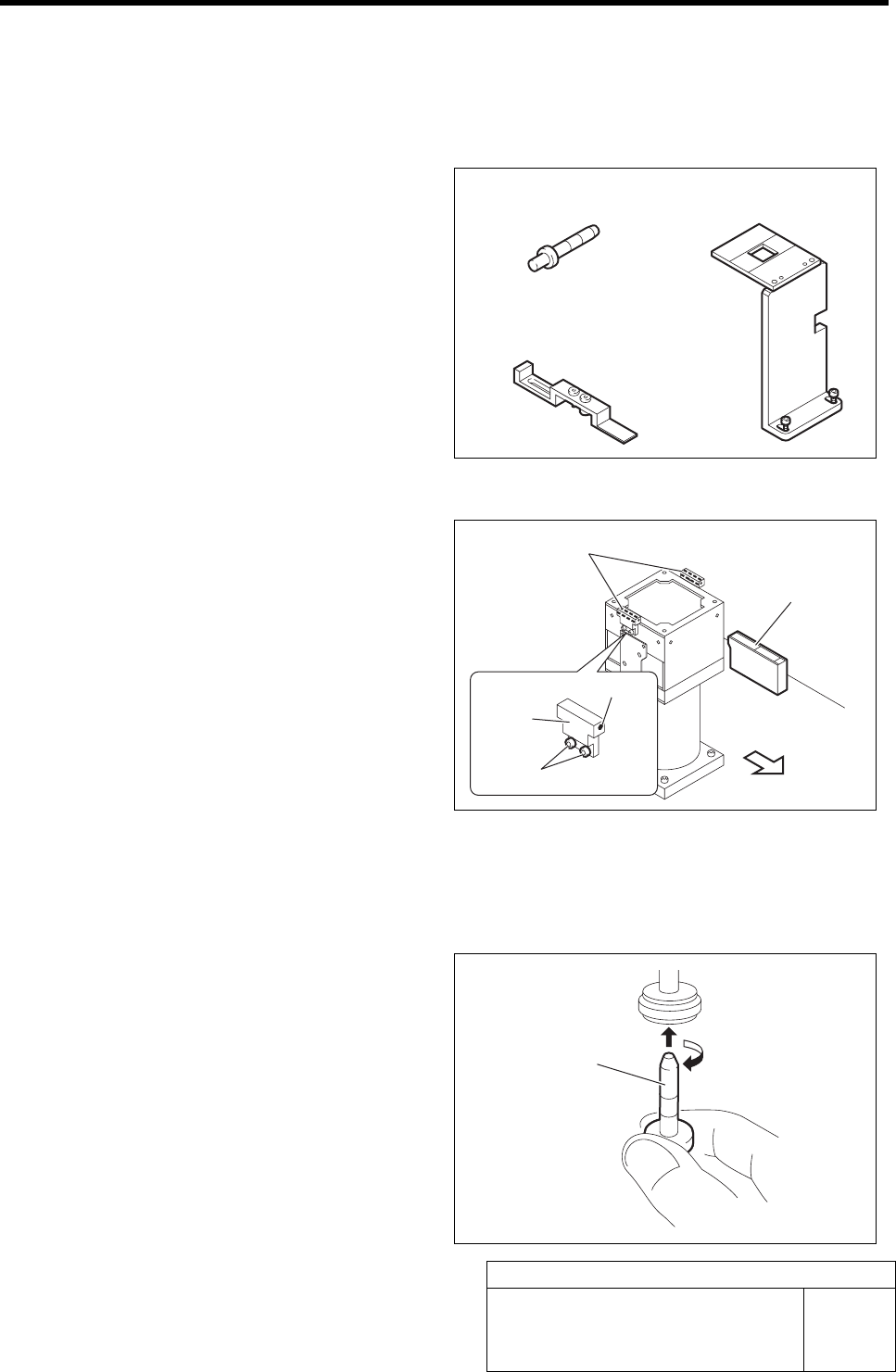
[Necessary jig]
• Nozzle jig for fixed camera
• Fixed camera parts presence/absence
sensor adjustment jig
• Fixed camera jig base
[Preparation before work]
1 Check that the displayed value on the parts
presence/absence sensor amplifier is “3800”
or more.
1. Check that the displayed value on the
parts presence/absence sensor ampli-
fier is “3800” or more.
When the displayed value is less than “3800”,
adjust the sensitivity according to the following
procedures 2. and 3.
2. Loosen the sensor bracket mounting
bolt, and move the sensor bracket up
and down, to left and right to adjust
the sensor mounting position.
3. Loosen the set screw to adjust the
sensor rotating direction.
2 Set the jig.
1. Install the Nozzle jig for fixed camera
to the turret No. 1.
Fixed camera jig base
Nozzle jig for fixed camera
Nozzle jig for fixed
camera
Fixed camera parts presence/
absence sensor
Front of unit
Set screw
Fixed camera parts presence/
absence sensor adjusting jig
Parts presence/
absence sensor
amplifier
Mounting bolt
Sensor
bracket
Fixed Camera Parts Presence/Absence Sensor Setup
HLF-10422-01
Fixed Camera Parts
Presence/Absence Sensor Setup
SHEET
2/4
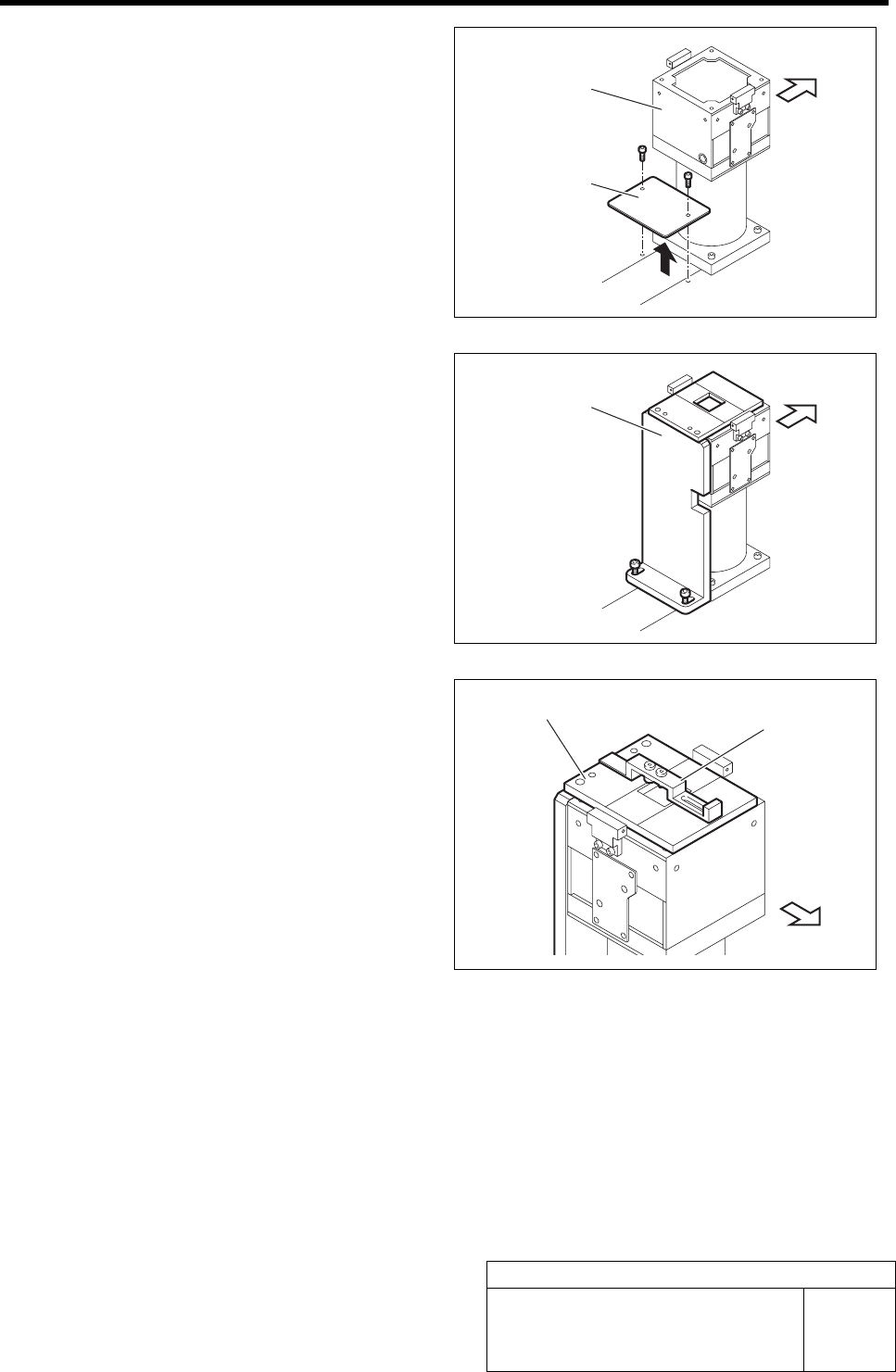
2. Loosen 6 screws to remove the shooter
on the back of the unit.
3. Loosen 2 cap screws on the back of the
fixed camera to remove the cover.
4. Fix the fixed camera jig base with the
2 cap screws.
5. Place the fixed camera parts pres-
ence/absence sensor adjusting jig on
the fixed camera jig base.
Cover
Fixed camera
Fixed camera jig base
Fixed camera
j
ig base
Fixed camera parts presence/
absence sensor adjusting jig
Front of unit
Front of unit
Front of unit