SI-F130 Manual(EN)_jpg_ Rev1.pdf - 第35页
F Axis Origin Position Setup HLF-10206-01 F A xis Origin Position Setup SHEET 2/2 3 Click the Save button on the F Axis Home screen with the feed ro ller on the front feed body retained from the lower . F axis origin pos…
F Axis Origin Position Setup
HLF-10206-01
F Axis Origin Position Setup
SHEET
1/2
F Axis Origin Position Setup
[Necessary jigs]
• Do not use jig.
[Procedure]
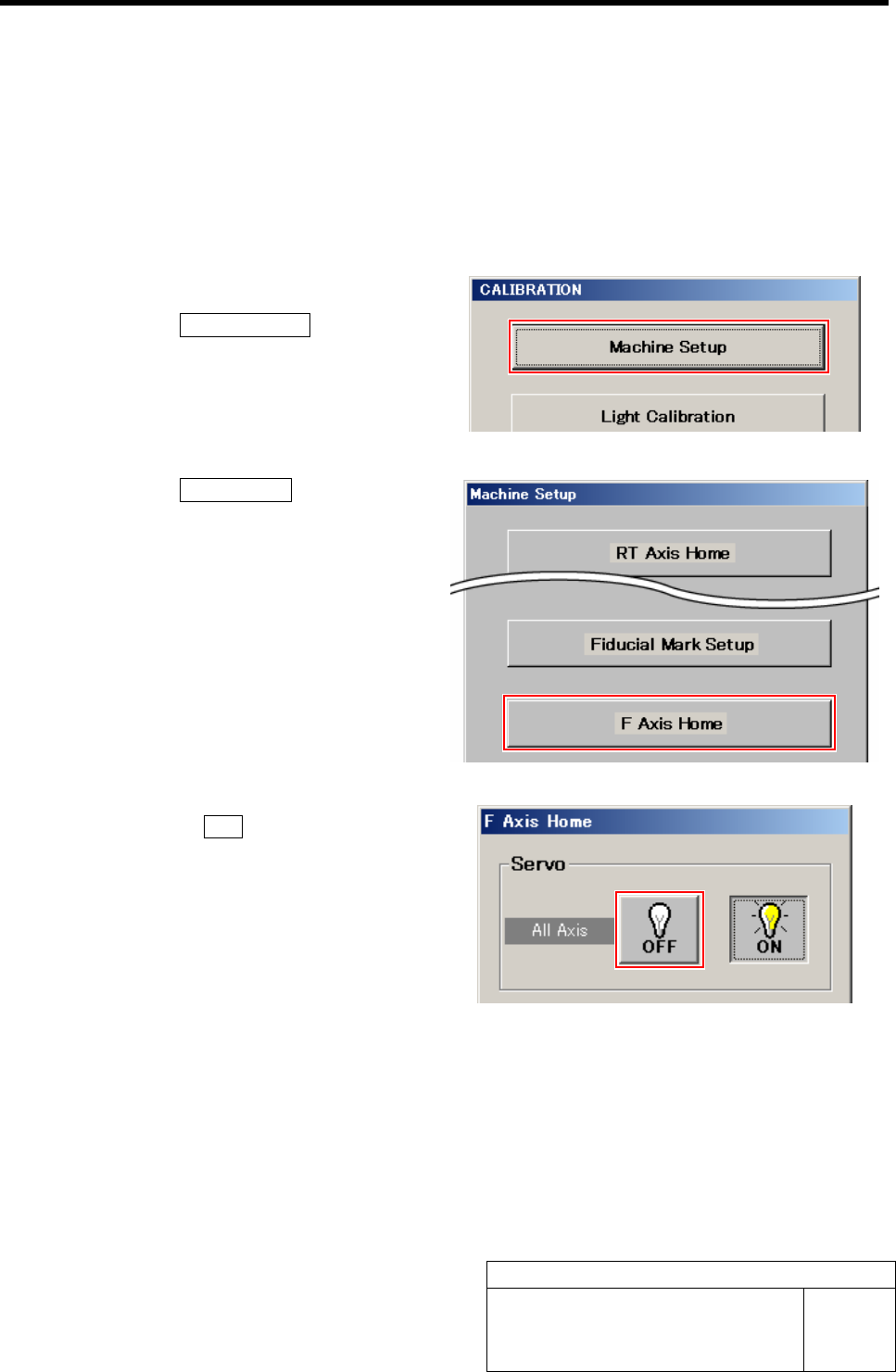
1 Display the F Axis Home screen.
1. Click the Machine Setup button on the
CALIBRATION screen.
Machine Setup screen is displayed.
2. Click the F Axis Home button.
F Axis Home screen is displayed.
2 Click the servo OFF button on the F Axis
Home screen.
Servos for all axes are turned off.
F Axis Origin Position Setup
HLF-10206-01
F Axis Origin Position Setup
SHEET
2/2
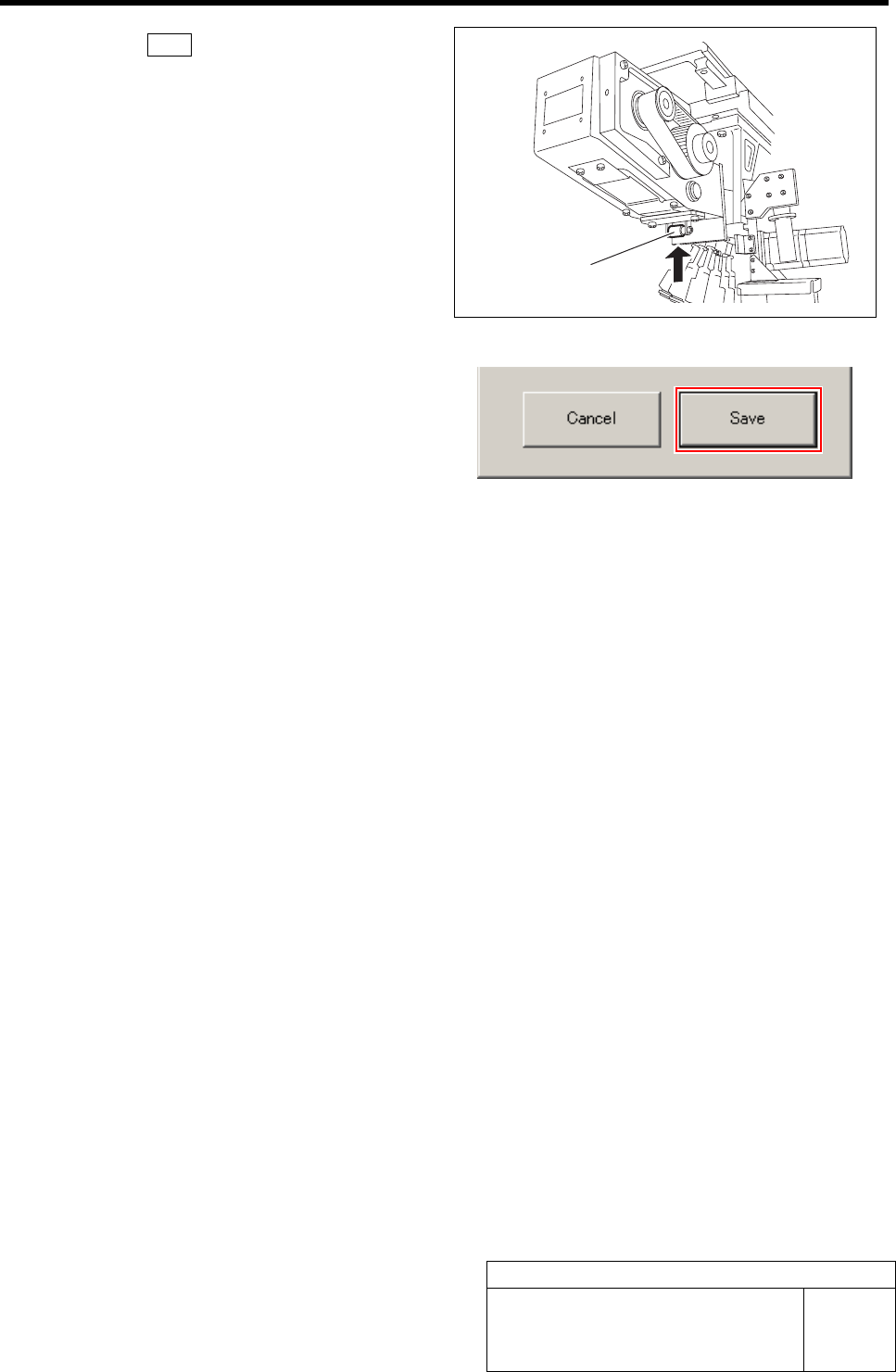
3 Click the Save button on the F Axis Home
screen with the feed roller on the front feed
body retained from the lower.
F axis origin position is saved and F Axis Home
screen closes.
Feed roller
RN Axis Origin Offset Setup
HLF-10207-01
RN Axis Origin Offset Setup SHEET
1/3
RN Axis Origin Offset Setup
[Necessary jig]
• Do not use jig.
[Procedure]
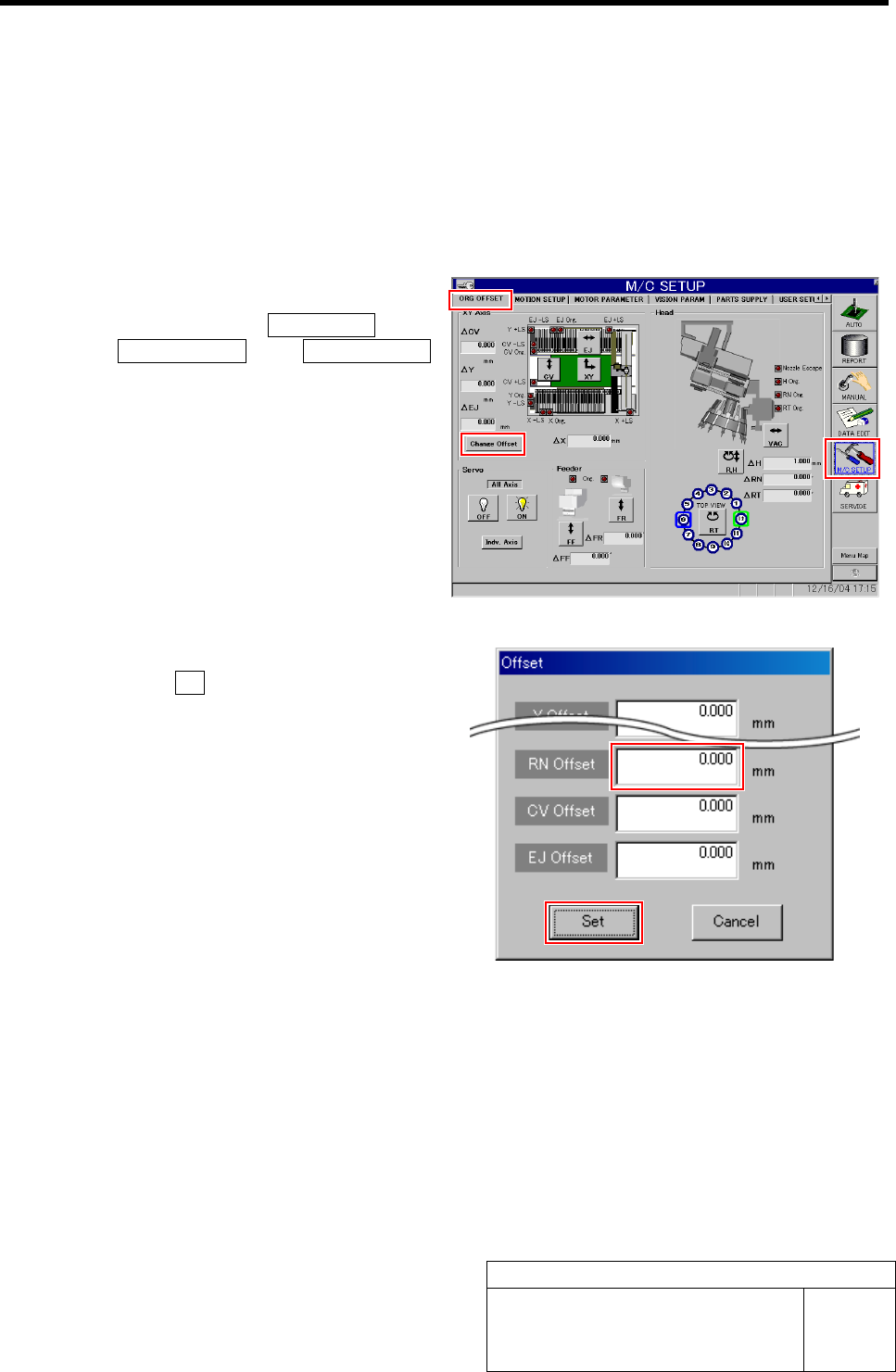
1 Set the RN offset to “0”.
1. Click in an order of M/C SETUP menu
ÎORG OFFSET tabÎChange Offset
button.
Change Offset screen is displayed.
2. Input “0” in the RN Offset box, and
click the Set button.
RN offset value is set to “0”.