SI-F130 Manual(EN)_jpg_ Rev1.pdf - 第74页
Fixed Camera Cali bration HLF-10313-01 Fixed Camera Calibration SHEET 3/7 7 Jog move the fixed camera jig 1 picked up by the nozzle jig onto the fixed camera. 1. Press the No button on the message screen. XY Axis screen …
Fixed Camera Calibration
HLF-10313-01
Fixed Camera Calibration
SHEET
2/7
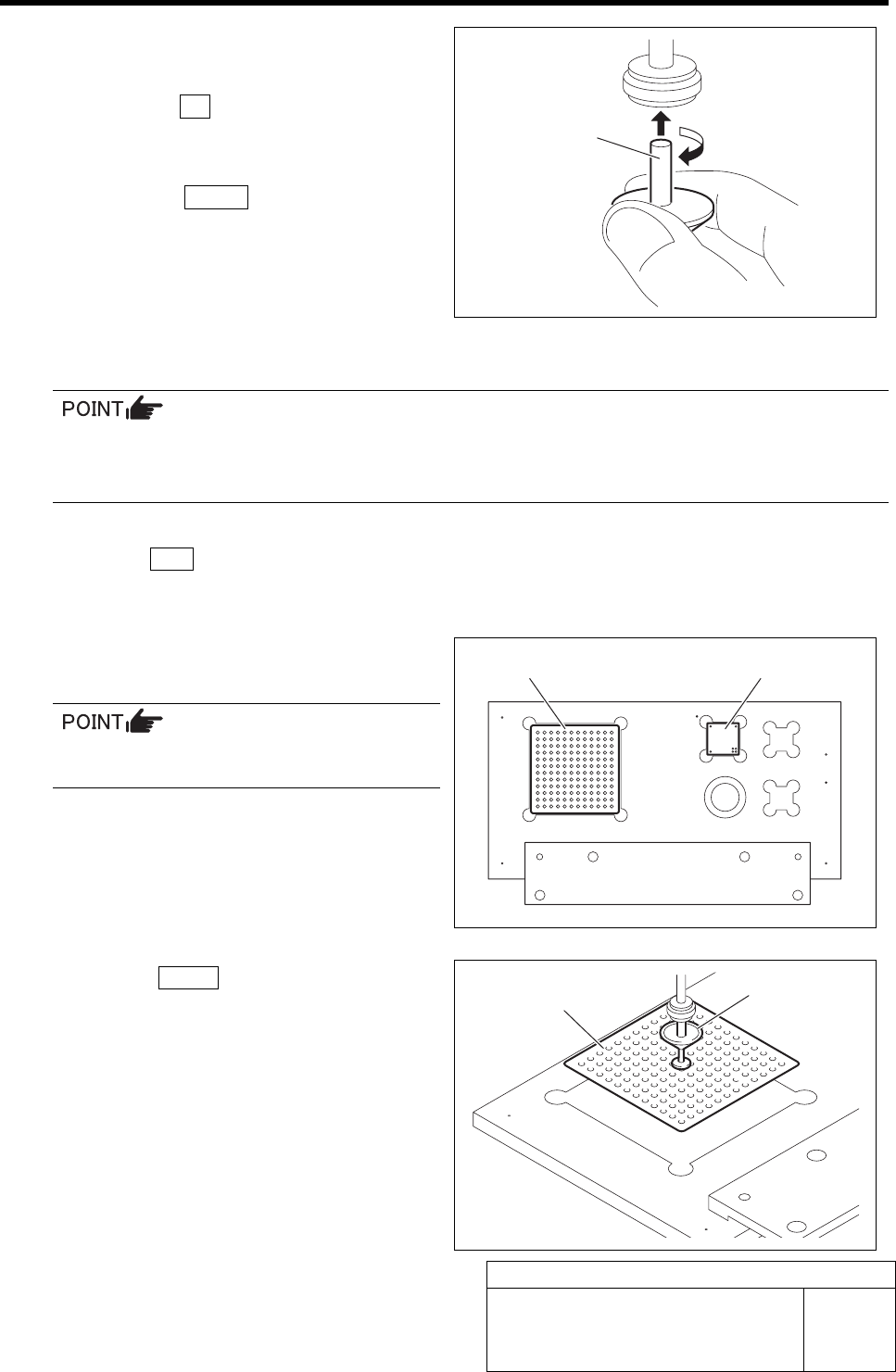
3 Install the nozzle jig (AF80400) to the turret
No.1.
1. Click the Yes button.
“Press [START] to move to nozzle installing po-
sition” is displayed on the message screen.
2. Press the START button on the opera-
tion panel.
Turret No.1 moves to the nozzle installing posi-
tion.
3. Install the nozzle jig (AF80400) to the
turret No.1.
• When installing the nozzle, insert it while slowly turning.
After inserting the nozzle, check that it is not drawn out by pulling downward.
• Use the nozzle jig used for auto calibration.
4 Press the ORG button on the operation
panel.
Origin position return is performed.
5 Place the fixed camera jigs 1, 2 on the cali-
bration plate jig.
Place the fixed camera jig 2 so that the 4
holes are on the right front.
6 Press the START button on the operation
panel.
The nozzle jig (AF80400) installed on the turret No.1
picks up the fixed camera jig 1and the head stops.
“Fixed camera position teaching completed?” is dis-
played on the message screen.
Fixed camera jig 1 Fixed camera jig 2
Fixed camera jig 1
Nozzle jig
(AF80400)
Nozzle jig
(AF80400)
Fixed Camera Calibration
HLF-10313-01
Fixed Camera Calibration
SHEET
3/7
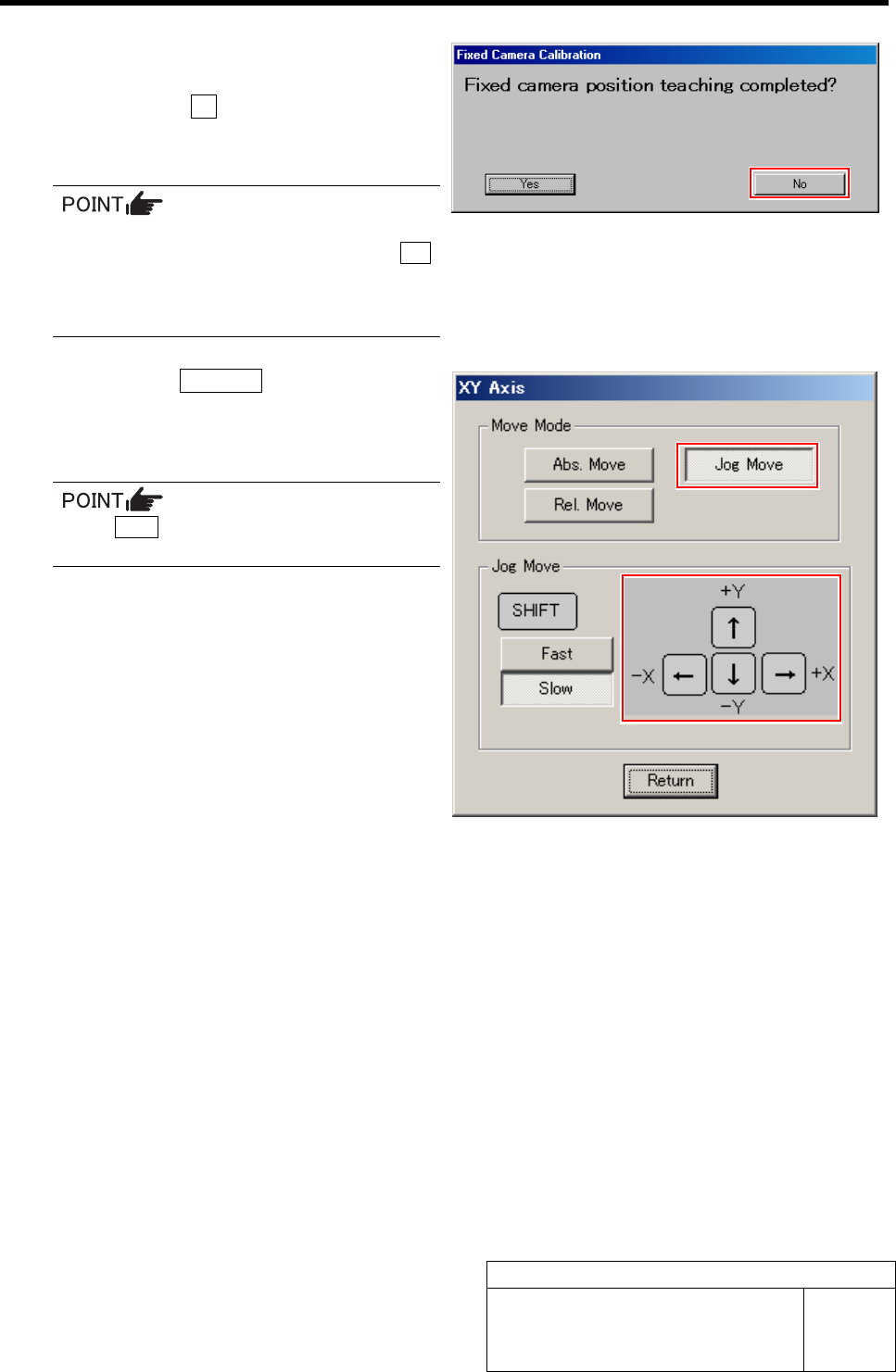
7 Jog move the fixed camera jig 1 picked up
by the nozzle jig onto the fixed camera.
1. Press the No button on the message
screen.
XY Axis screen is displayed.
When re-performing the fixed camera cali-
bration due to error etc., click the Yes
button.
The head portion automatically moves
onto the fixed camera.
2. Click the Jog Move button.
3. Press the cursor key to jog move the
fixed camera jig 1 picked up by the
nozzle jig onto the fixed camera.
If the Shift key on the keyboard is pressed,
Fast/Slow for Jog Move can be switched.
Fixed Camera Calibration
HLF-10313-01
Fixed Camera Calibration
SHEET
4/7
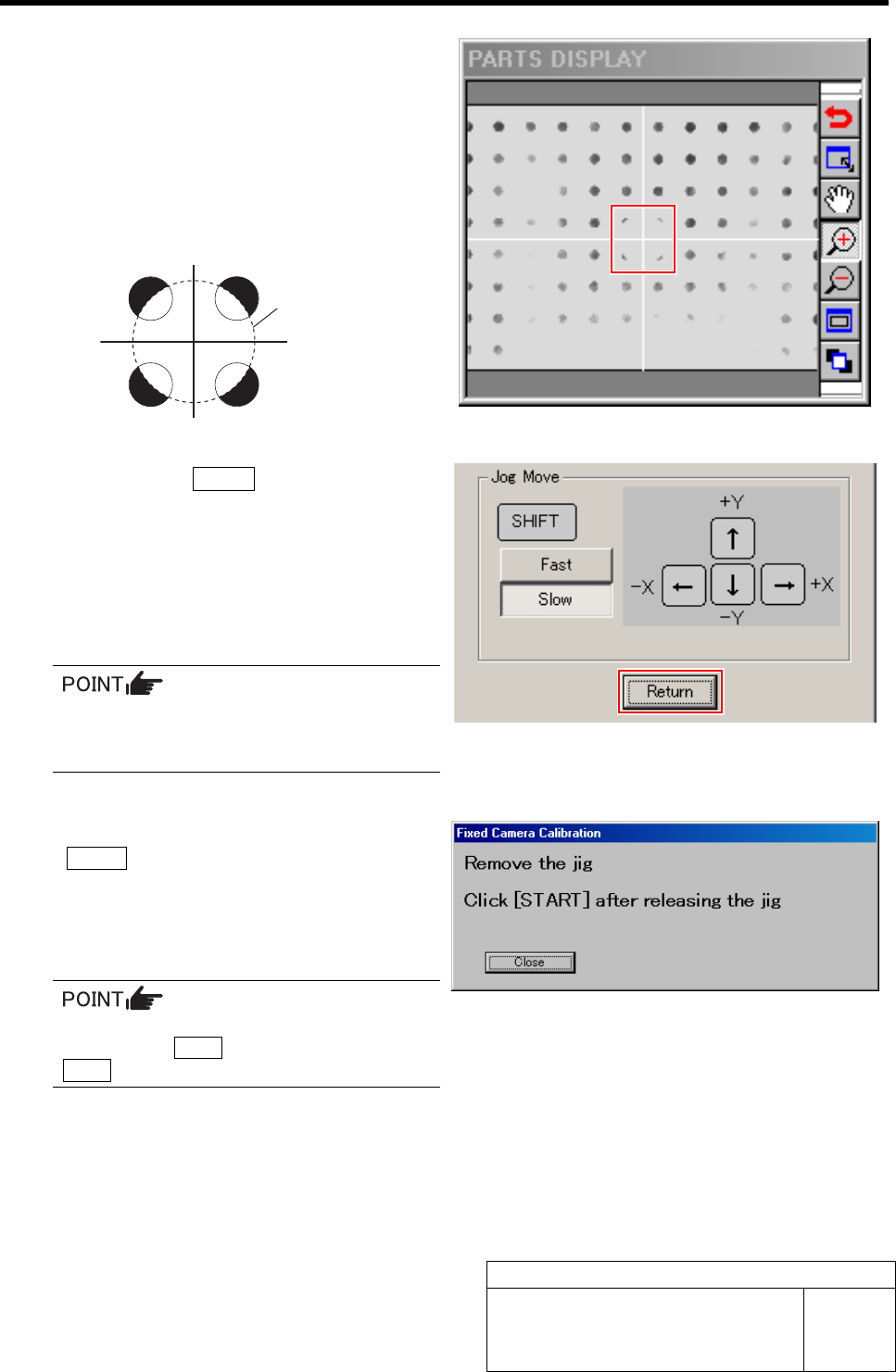
8 Adjust the center of the nozzle jig picking up
the fixed camera jig 1 to cross hairs on the
PARTS DISPLAY.
1. Jog move the XY axis to a position
where the cross hairs on the PARTS
DISPLAY and outline of the nozzle jig
are equally seen from the fixed camera
jig holes as in the figure below.
2. Click the Return button on the XY
Axis screen.
The fixed camera jig 1 automatically lowers to
the Rcg height and recognition for calculation of
pixel rate.
If recognition normally ends, the head automati-
cally moves to the nozzle replacing position.
If any error occurs, remove the fixed cam-
era jig 1 to return it to the previous posi-
tion and re-perform from the procedure 2.
9 Remove the fixed camera jig 1 and press the
START button on the operation panel.
The screen returns to the Fixed Camera Calibration
screen, and “Normal Exit” is displayed in the box for
Step 1.
Since the content up to then is cancelled if
pressing the Close button, do not press the
Close button except for interruption.
Outline of nozzle jig
(AF80400)