SI-F130 Manual(EN)_jpg_ Rev1.pdf - 第5页
Removing covers at upper of unit WKF-10101-01 Removing covers at uppe r of unit SHEET 3/4 [Removing outer cover for servo unit] 1 Unscrew the cap screws o n the outer cover for the servo unit two by two on the right and …
Removing covers at upper of unit
WKF-10101-01
Removing covers at upper of unit
SHEET
2/4
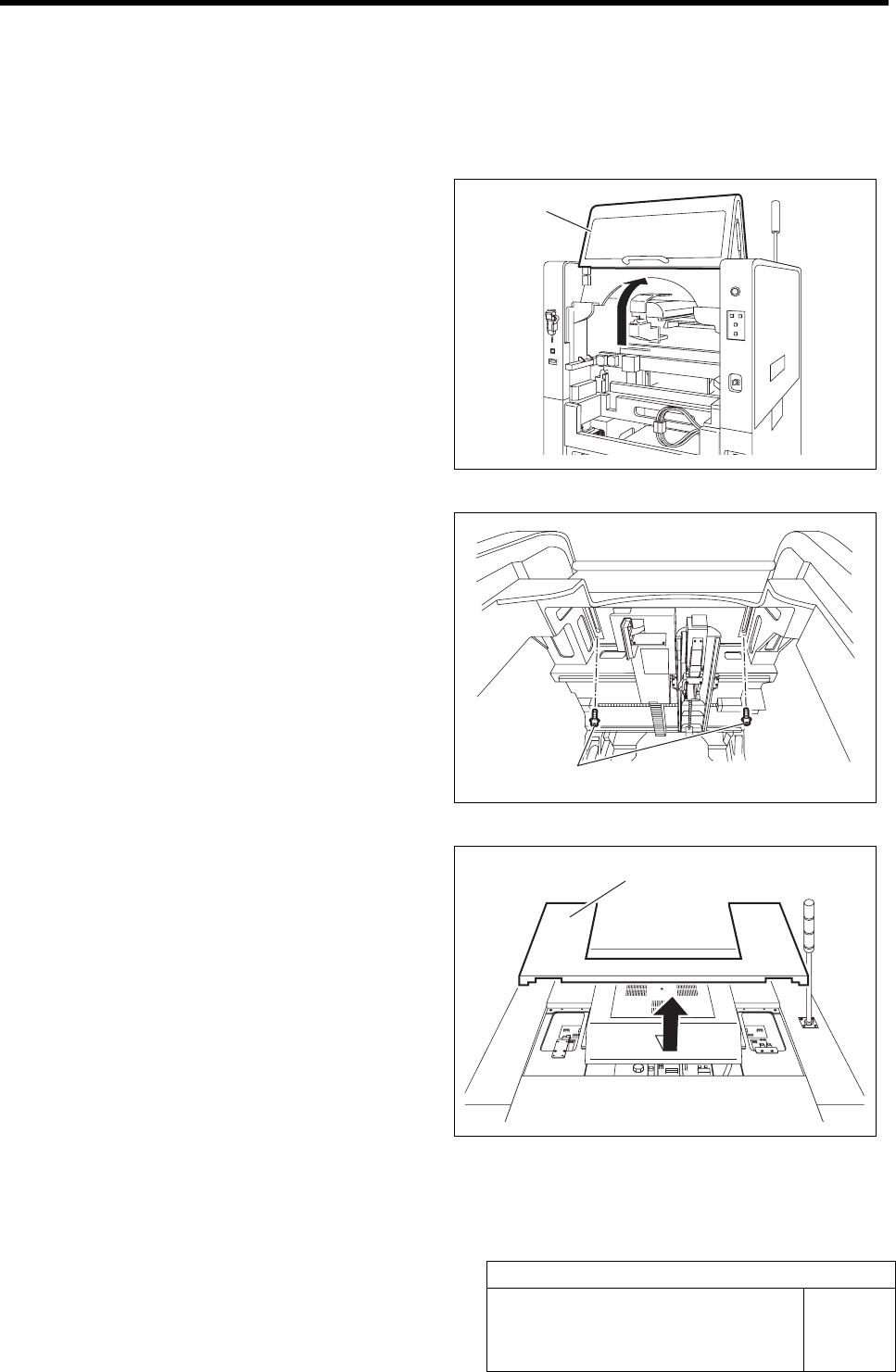
[Removing upper cover]
Upper cover removing procedure will be described. When removing the outer cover and right, left
and upper covers, it is necessary to remove this upper cover in advance.
1 Open the rear door.
2 Unscrew the cap screws on the upper cover
one by one from inside of the unit.
3 Remove the upper cover.
1. Close the rear door.
2. Slide the upper cover backward, and
bring upward to remove.
Rear door
Cap screw
Upper cover
Removing covers at upper of unit
WKF-10101-01
Removing covers at upper of unit
SHEET
3/4
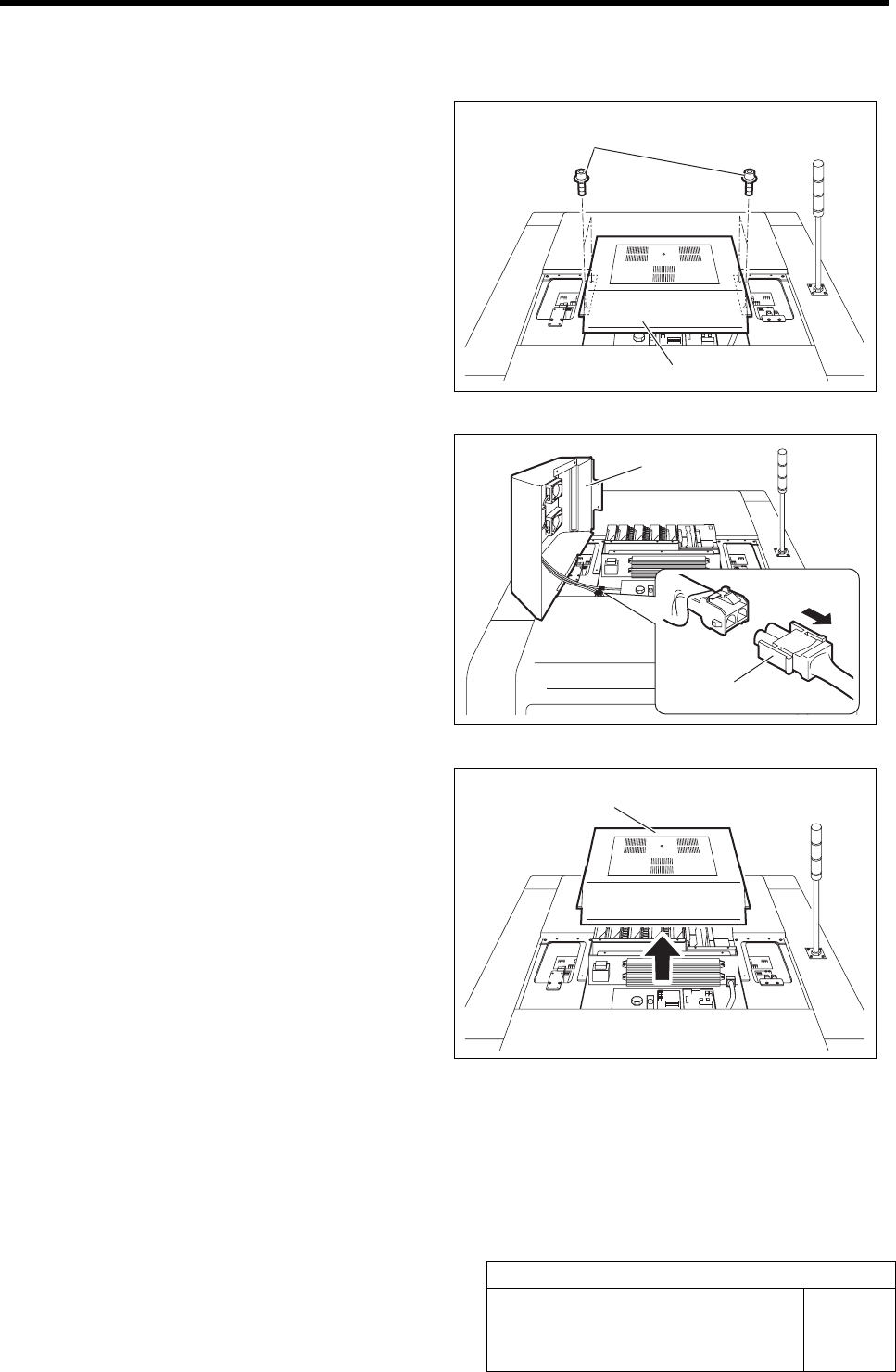
[Removing outer cover for servo unit]
1 Unscrew the cap screws on the outer cover
for the servo unit two by two on the right and
left.
2 Bring up the outer cover slightly and remove
the three connectors of FAN-AC.
3 Bring the outer cover upward to remove.
Outer cover
Cap screw
Outer cover
Connector
Outer cover
Removing covers at upper of unit
WKF-10101-01
Removing covers at upper of unit
SHEET
4/4
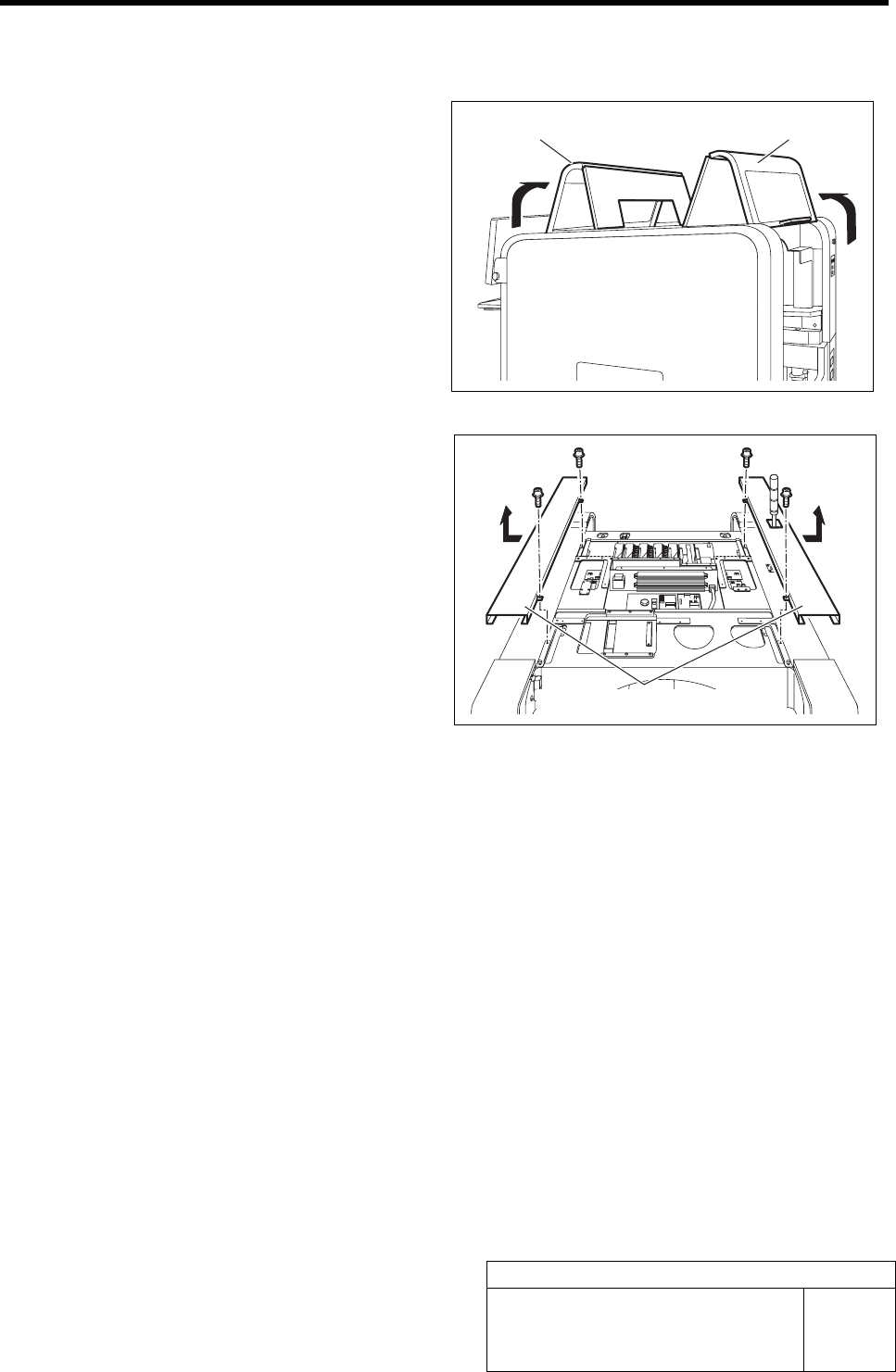
[Removing right and left upper covers]
1 Open the front and rear doors.
2 Unscrew respective two cap screws on the
right and left upper covers.
3 Slide the right and left upper covers outward,
and bring them upward to remove.
Front door Rear door
Right and left upper covers