SI-F130 Manual(EN)_jpg_ Rev1.pdf - 第42页
0 degrees Parts Camera Light Calibrati on HLF-10302-01 0 degrees Parts Camera Light Calibration SHEET 1/3 0 degrees Part s Camera Light Calibration [Necessary jigs] • Light Calibration jig • Nozzle jig (AF80400) [Procedu…
PWB Camera Light Calibration
HLF-10301-01
PWB Camera Light Calibration
SHEET
3/3
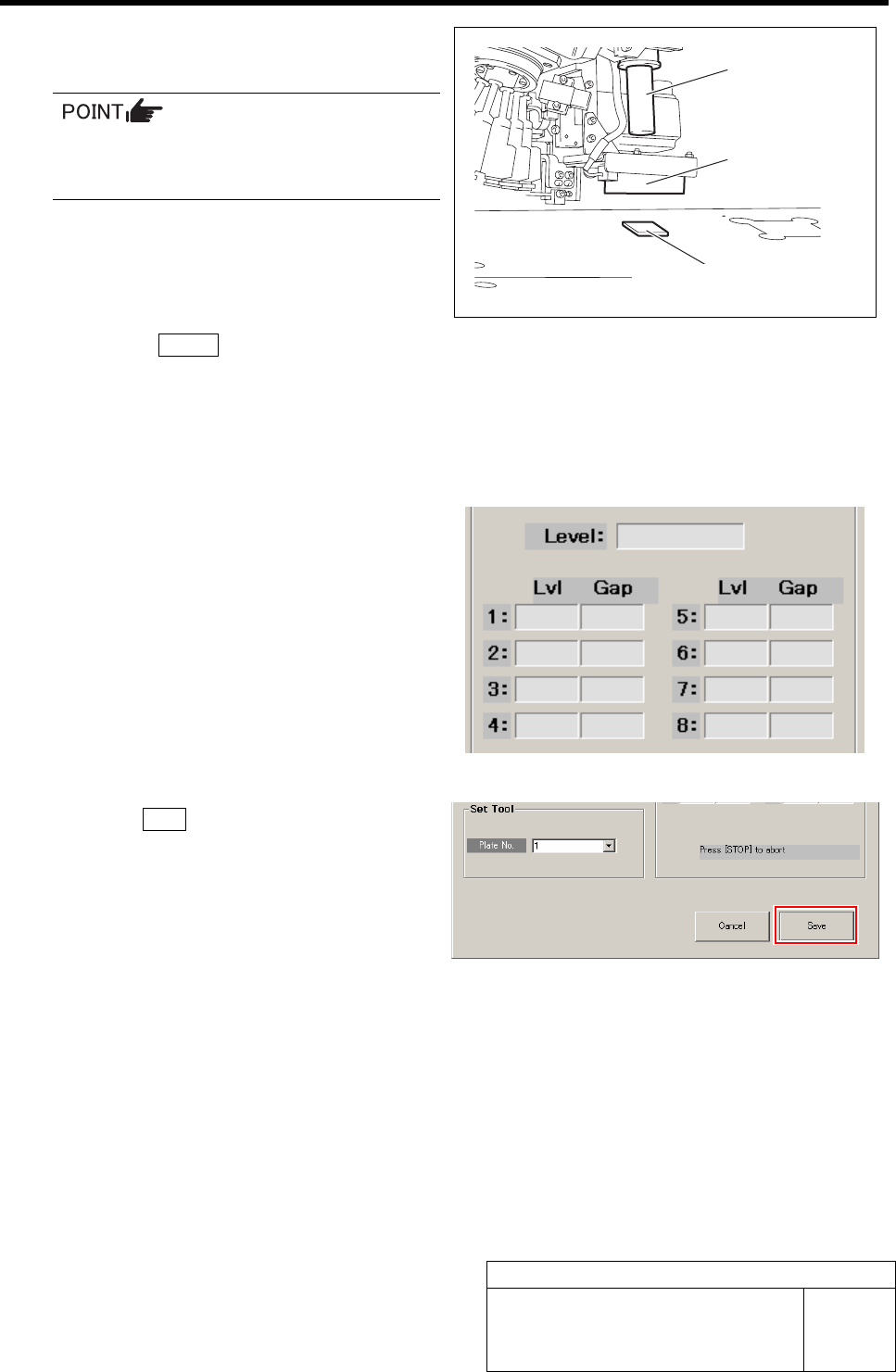
5 Place the light calibration jig on the calibra-
tion plate jig below the PWB camera.
Place the light calibration jig on the cali-
bration plate so that it appears on the
PCBOARD DISPLAY.
6 Press the START button on the operation
panel.
PWB camera light calibration is started.
After a few minutes, the calibration ends, and Lv1
values from level 1 to 8 and Gap value are displayed
on the PWB Camera Light screen.
7 Check the Gap values of Level 1 to 8.
It is normal if the Gap value is within 0 to 3.
8 Click the Save button.
The Gap values of Lvl 1 to 8 are saved and the PWB
Camera Light screen closes.
9 Remove the light calibration jig.
PWB Camera
PWB Camera
Li
g
ht
Light Calibration jig
(
Gloss face is downward
)
0 degrees Parts Camera Light Calibration
HLF-10302-01
0 degrees Parts Camera Light
Calibration
SHEET
1/3
0 degrees Parts Camera Light Calibration
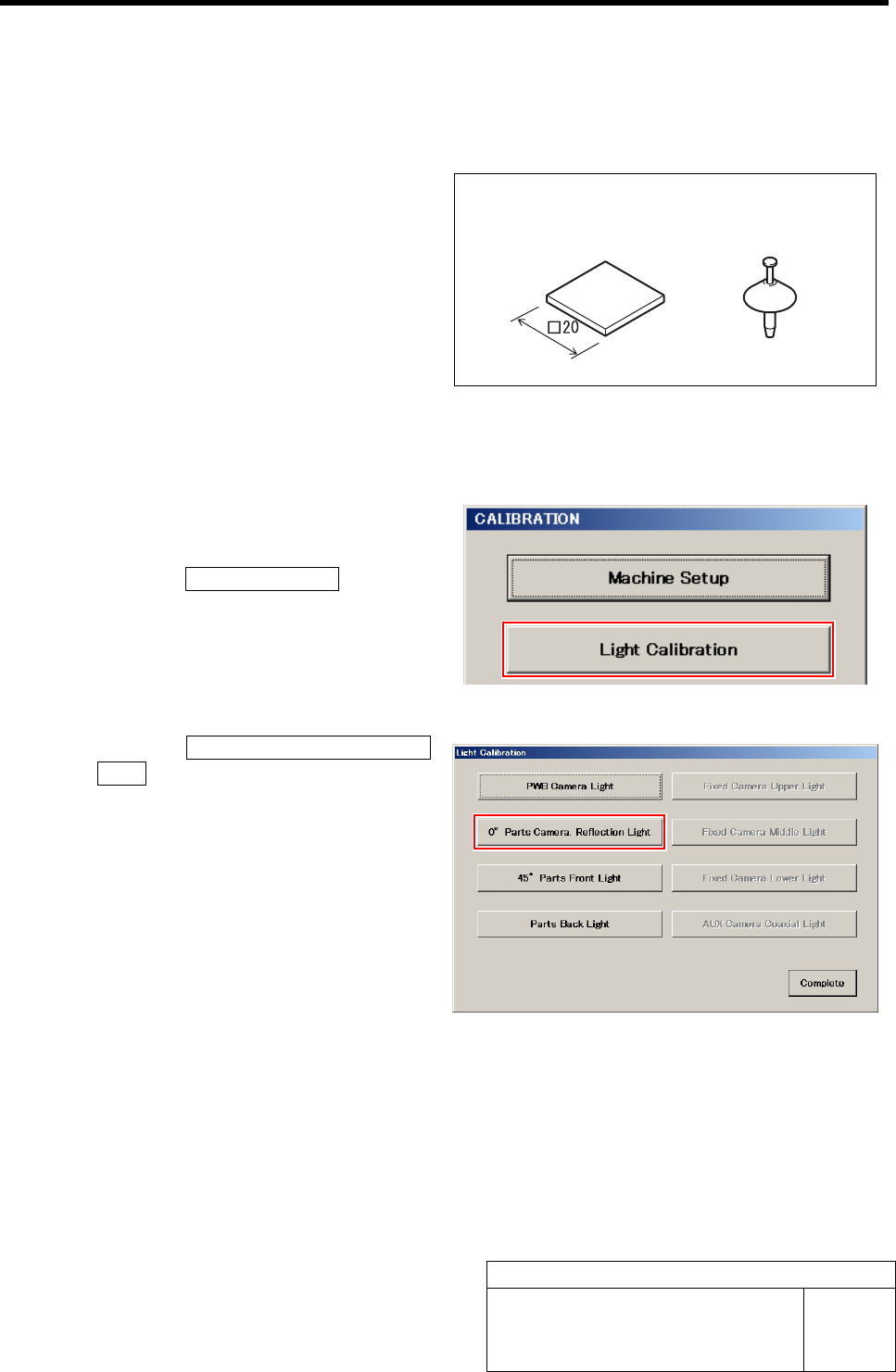
[Necessary jigs]
• Light Calibration jig
• Nozzle jig (AF80400)
[Procedure]
1 Display a 0° Parts Camera Reflection Light
screen.
1. Click the Light Calibration button on
the CALIBRATION screen.
Light Calibration screen is displayed.
2. Click the 0° Parts Camera Reflection
Light button on the Light Calibration
screen.
0° Parts Camera Reflection Light screen is dis-
played.
Nozzle jig
(
AF80400
)
Light Calibration jig
0 degrees Parts Camera Light Calibration
HLF-10302-01
0 degrees Parts Camera Light
Calibration
SHEET
2/3
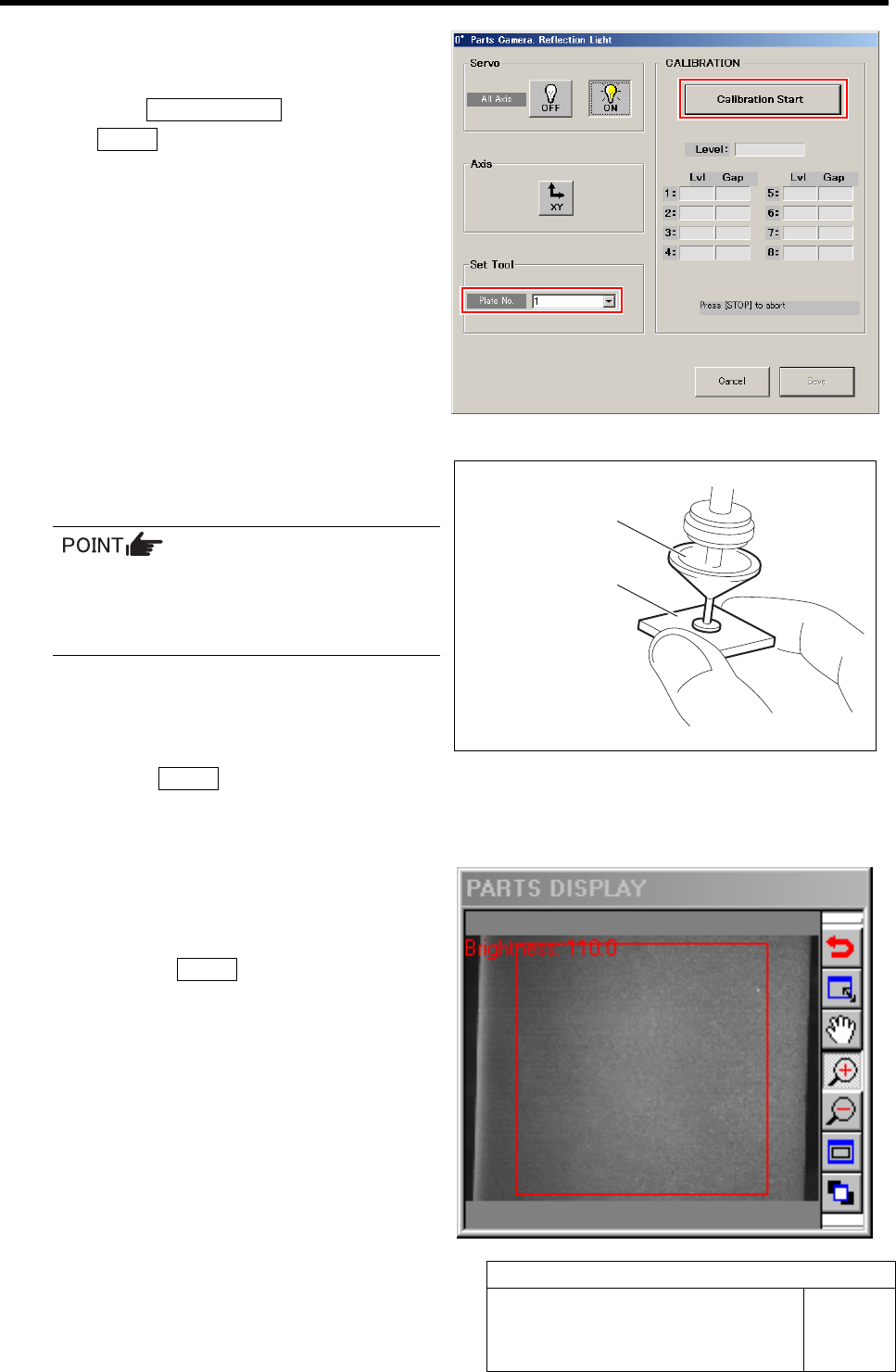
2 Select jig No. of light calibration jig from the
list box.
3 Click the Calibration Start button and press
the START button on the operation panel.
The turret No.1 moves to the jig setup position.
4 Install the nozzle jig (AF80400) to the turret
No.1.
When installing the nozzle, insert it while
slowly turning.
After inserting the nozzle, check that it is
not drawn out by pulling downward.
5 Absorb the center of the light calibration jig
to the nozzle jig (AF80400).
6 Press the START button on the operation
panel.
The turret No.1 moves to the recognition position.
7 Check the position if the Light Calibration jig
is within the recognition range of the PARTS
DISPLAY.
8 Re-press the START button on the operation
panel.
0 degrees parts camera light calibration is started.
After a few minutes, the calibration ends, and Lv1
values from level 1 to 8 and Gap value are displayed
on the 0° Parts Camera Reflection Light screen.
Nozzle jig (AF80400)
Light Calibration jig
(
Absorb
g
loss face
)