SI-F130 Manual(EN)_jpg_ Rev1.pdf - 第142页
Phase Adjustment for Nozzle HLF-10418-01 Phase A djust ment for Nozzle SHEET 3/8 5 Move the turret No.1 to the front. 1. Click the RT button on the Axis MOTION screen. T urret R T Axis screen is displaye d. 2. Click the …
Phase Adjustment for Nozzle
HLF-10418-01
Phase Adjustment for Nozzle
SHEET
2/8
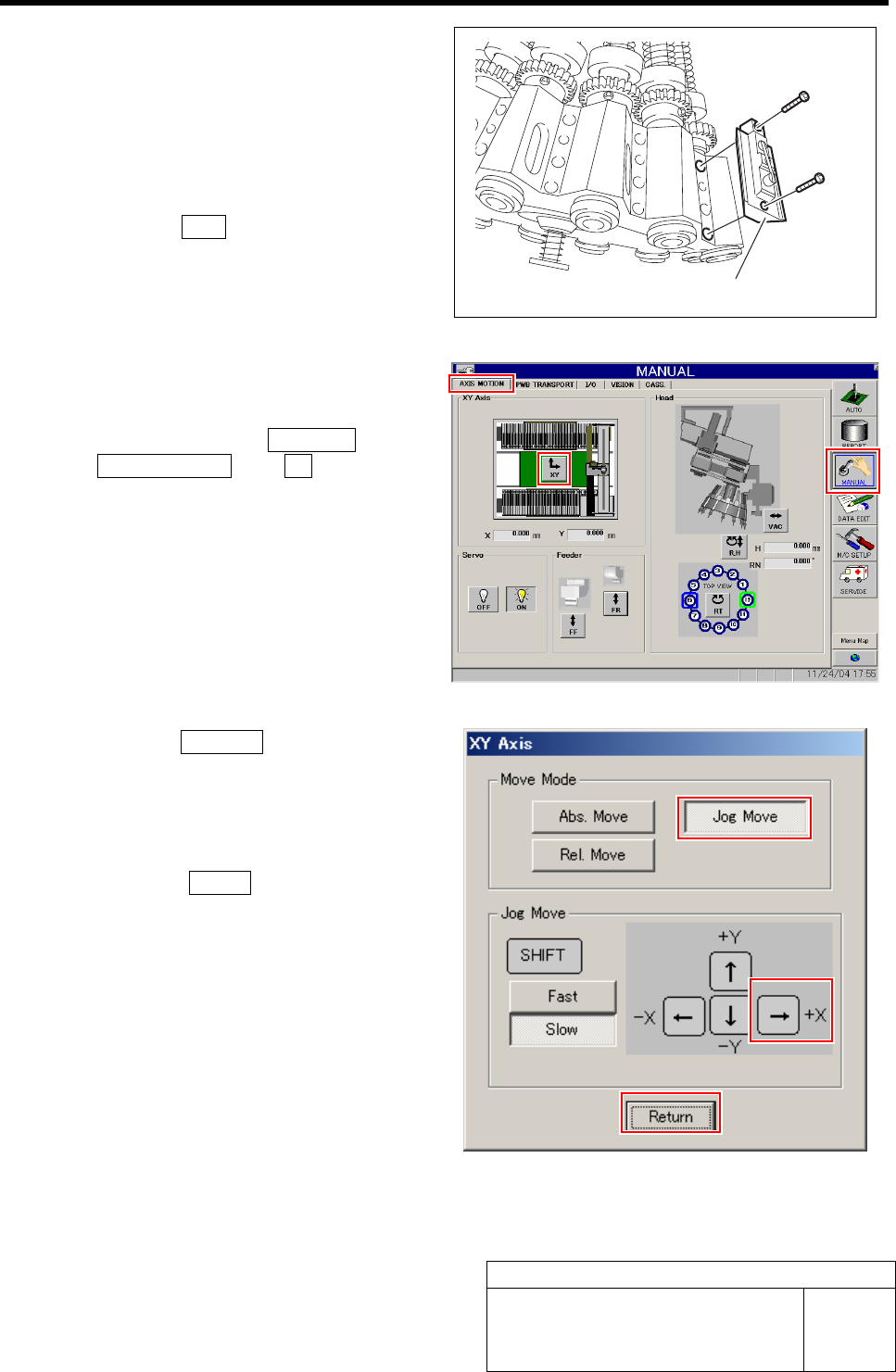
2 Remove all of the mechanical valves.
1. Loosen 2 cap screws to remove the
mechanical valve.
2. Manually turn the turret and remove
the mechanical valves sequentially.
3 Perform origin position return of the unit.
1. Press the ORG button on the operation
panel with the HI screen being dis-
played.
4 Manually move the head unit to a position of
the center on the left and right of the X axis.
1. Click in an order of MANUAL menuÎ
AXIS MOTION tabÎXY button.
XY Axis screen is displayed.
2. Click the Jog Move button in the move
mode.
3. Press the right cursor key to jog move
the head unit to the center position on
the left and right.
4. Click the Return button to close the
XY Axis screen.
Mechanical valve
Phase Adjustment for Nozzle
HLF-10418-01
Phase Adjustment for Nozzle
SHEET
3/8
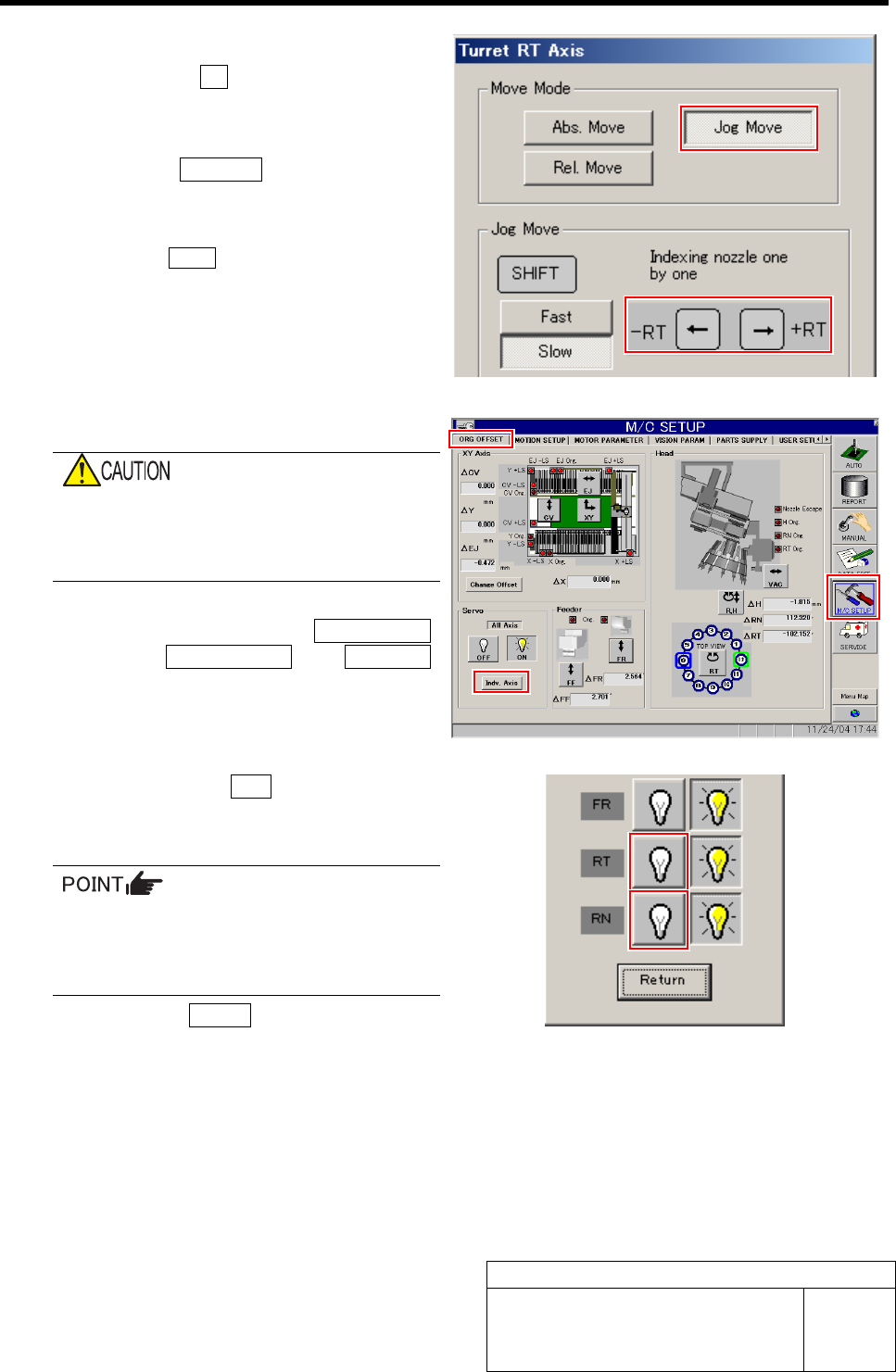
5 Move the turret No.1 to the front.
1. Click the RT button on the Axis
MOTION screen.
Turret RT Axis screen is displayed.
2. Click the Jog Move button.
3. Press the left and right cursor key to
move the turret No.1 to the front.
Click the Return button to close the Turret RT
Axis screen.
6 Turn off the RN, RT servos.
If working is carried out without turning off
the servo, hand or fingers may be caught in
the small gear. Be sure to turn OFF the
servo before working.
1. Click in an order of M/C SETUP
menuÎORG OFFSET tabÎIndv. Axis
button.
Indv. Axis servo screen is displayed.
2. Click the servo OFF button for RT and
RN.
Servo for RT, RN is turned off.
When servo is turned off, the button may
respond slowly. Securely click the button
to check that the indication changes to
indication of button being pressed.
3. Click the Return button to close the
Indv. Axis servo screen.
Phase Adjustment for Nozzle
HLF-10418-01
Phase Adjustment for Nozzle
SHEET
4/8
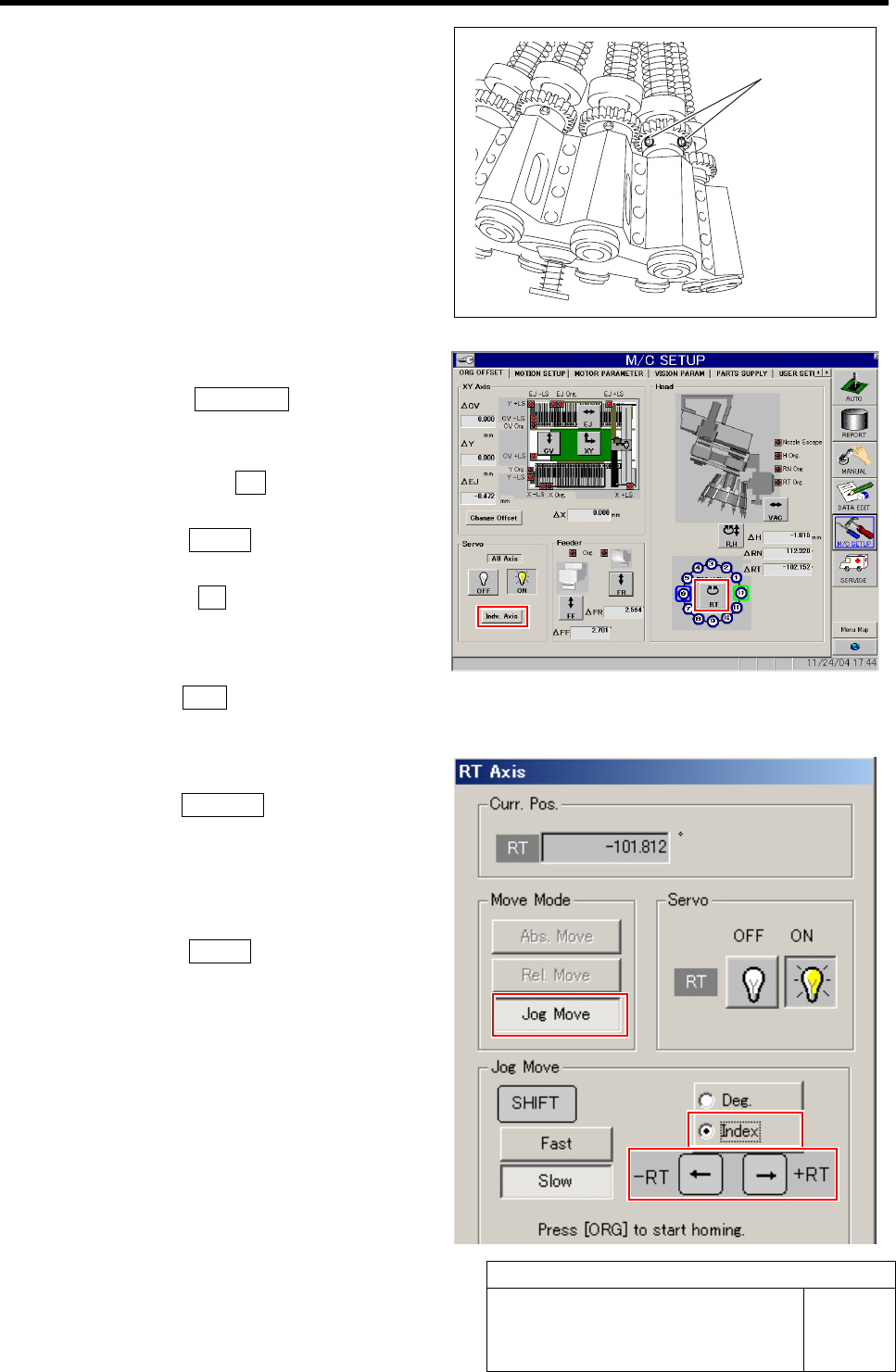
7 Loosen 2 screws for the small gear on the
turret No.1.
8 Perform origin position return of the RT axis.
1. Click the Indv. Axis button on the
ORG OFFSET screen to open the Indv.
Axis Servo screen.
2. Click the servo ON button for RT and
RN to turn on the servo.
3. Click the Return button to close the
Indv. Axis servo screen.
4. Click the RT button on the ORG
OFFSET screen.
RT Axis screen is displayed.
5. Press the ORG button on the operation panel with the RT Axis screen being displayed.
Origin position return of the RT axis is performed.
9 Move the turret No.1 to the front.
1. Click the Jog Move button for RT Axis
screen.
2. Click the check box for index.
3. Press the left and right cursor key to
move the turret No.1 to the front.
4. Click the Return button to close the
RT Axis screen.
Screw