SI-F130 Manual(EN)_jpg_ Rev1.pdf - 第38页
RN Axis Origin Offset Setup HLF-10207-01 RN A xis Origin Offset Setup SHEET 3/3 5 Check the rot ating angle when rot ating the RN axis belt counterclockwise. 1. T urn on the servo for the RN axis at a position where th e…
RN Axis Origin Offset Setup
HLF-10207-01
RN Axis Origin Offset Setup SHEET
2/3
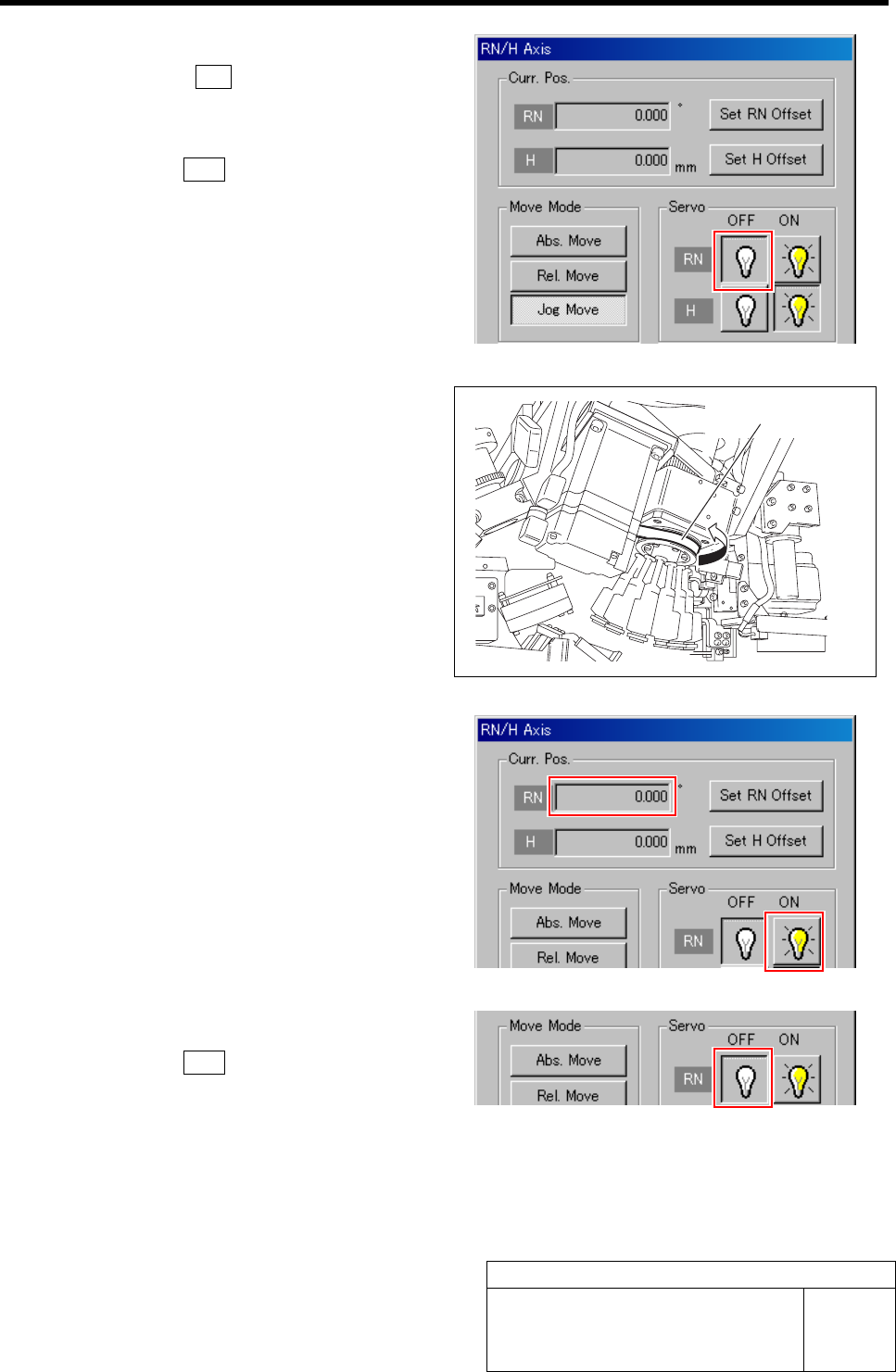
2 Turn off the servo for RN axis.
1. Click the R.H button on the ORG
OFFSET screen.
RN/H Axis screen is displayed.
2. Click the OFF button for the RN axis
servo.
3 Check the rotating angle when rotating the
RN axis belt clockwise.
1. Turn on the servo for the RN axis at a
position where the RN axis is rotated
clockwise and stops.
2. Take note of angle of the RN axis dis-
played on the RN/H Axis screen.
(Example: 369.7˚)
4 Turn off the servo for RN axis.
1. Click the OFF button for the RN axis
servo on the RN/H Axis screen.
RN axis belt
RN Axis Origin Offset Setup
HLF-10207-01
RN Axis Origin Offset Setup SHEET
3/3
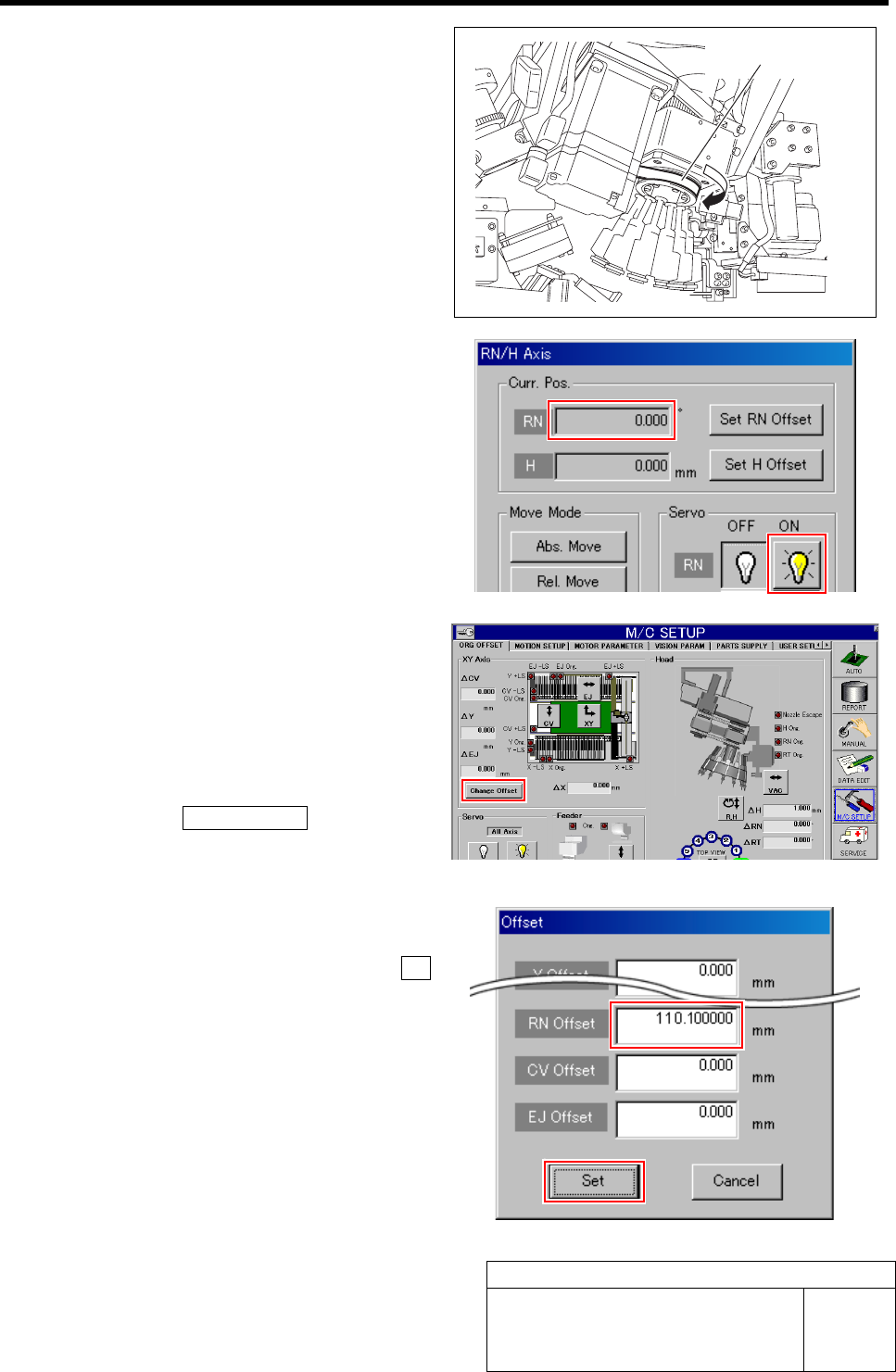
5 Check the rotating angle when rotating the
RN axis belt counterclockwise.
1. Turn on the servo for the RN axis at a
position where the RN axis is rotated
counterclockwise and stops.
2. Take note of angle of the RN axis dis-
played on the RN/H Axis screen.
(Example: -149.5˚)
6 Set a half of the value for which the angle
when rotated clockwise and the angle when
rotated counterclockwise are added as a RN
axis offset value.
1. Calculate the offset value of the RN axis.
Example: (369.7 + (-149.5)) / 2 = 110.1
2. Click the Change Offset button on the
ORG OFFSET screen.
Offset screen is displayed.
3. Input the value (example: 110.1) ob-
tained in the previous procedure into
the RN Offset box, and click the Set
button.
RN offset value is set.
RN axis belt
PWB Camera Light Calibration
HLF-10301-01
PWB Camera Light Calibration
SHEET
1/3
PWB Camera Light Calibration
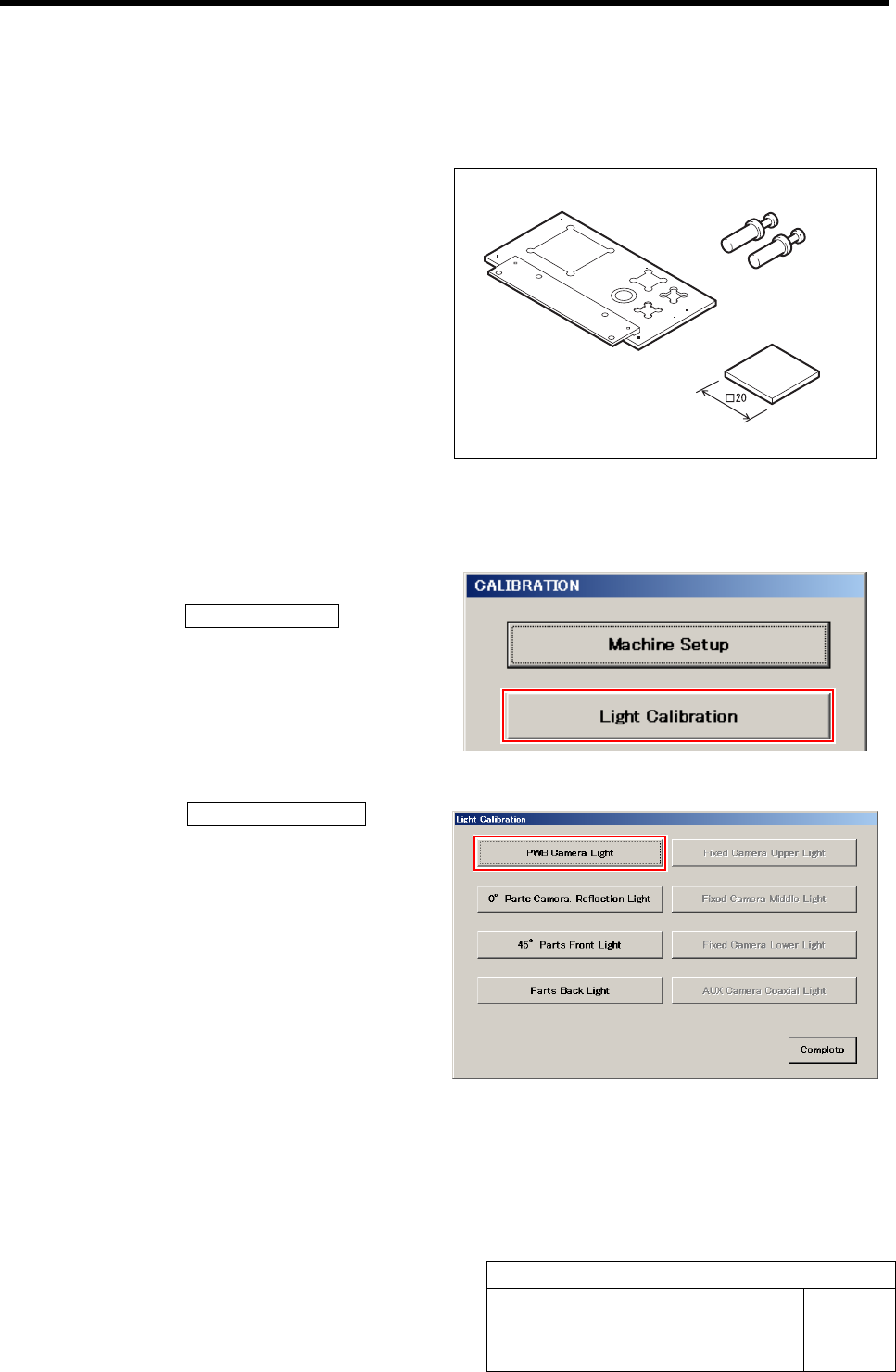
[Necessary jigs]
• Calibration plate jig
• Jig positioning pin
• Light Calibration jig
[Procedure]
1 Display the PWB Camera Light screen.
1. Click the Light Calibration button on
the CALIBRATION screen.
Light Calibration screen is displayed.
2. Click the PWB Camera Light button
on the Light Calibration screen.
PWB Camera Light screen is displayed.
Jig positioning pin
Calibration plate jig
Light Calibration jig