SI-F130 Manual(EN)_jpg_ Rev1.pdf - 第67页
Pickup Camera Calibration HLF-1031 1-01 Pickup Camera Calibration SHEET 5/5 15 Press the ST ART button on the operation pane l. T urret No.1 moves to the noz zle installing position and “Remove the pickup check nozzle” i…
Pickup Camera Calibration
HLF-10311-01
Pickup Camera Calibration
SHEET
4/5
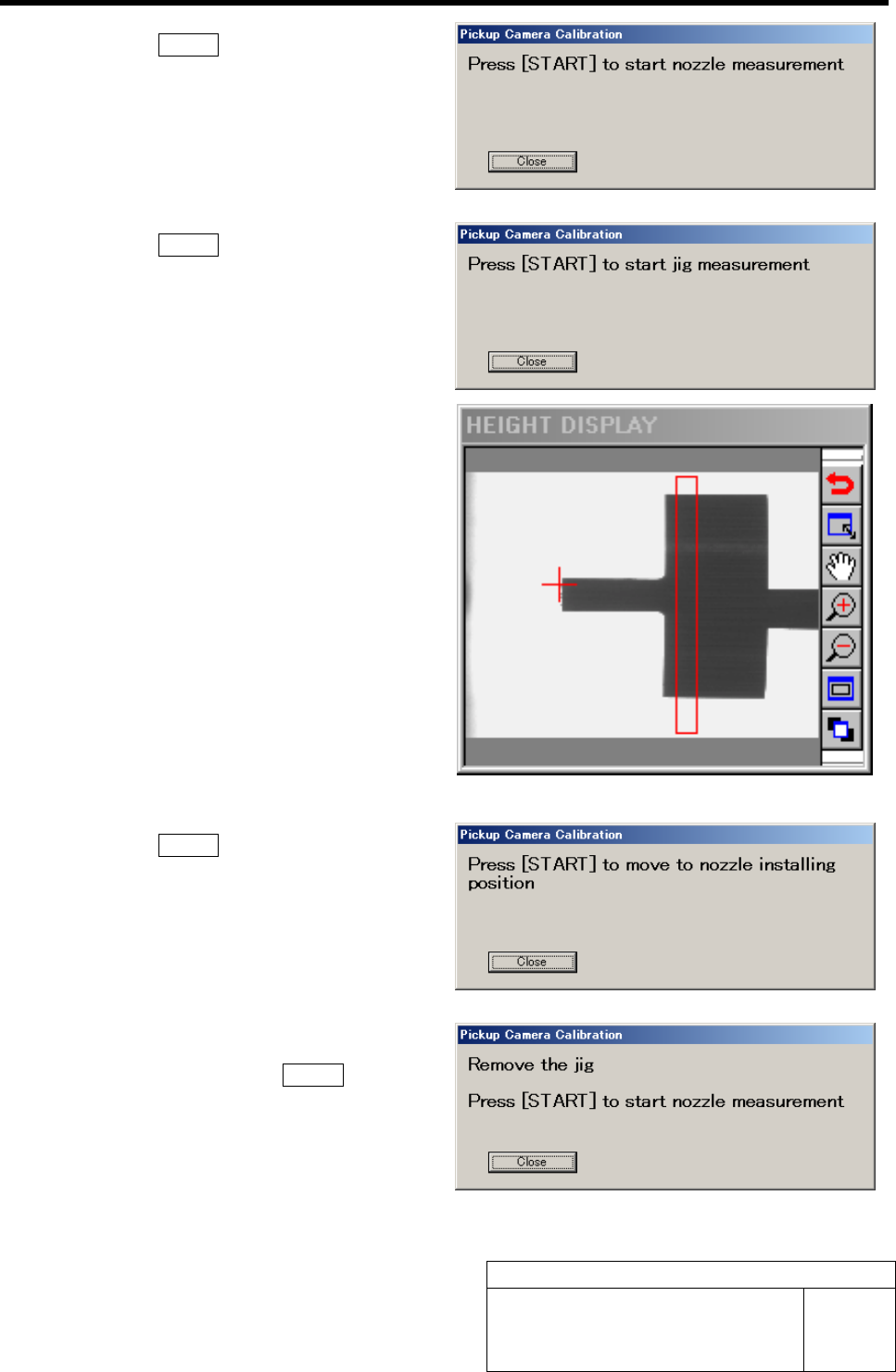
11 Press the START button on the operation
panel.
Length reference nozzle jig measurement is per-
formed and “Press [START] to start jig measurement”
is displayed on the message screen.
12 Press the START button on the operation
panel.
Length reference nozzle jig picks up the pickup in-
spection camera calibration jig, and measurement is
performed.
The measurement result is displayed on the HEIGHT
DISPLAY as an image.
”Press [START] to move to nozzle installing position”
is displayed on the message screen.
13 Press the START button on the operation
panel.
The turret No.1 moves to the nozzle installing position
and “Remove the jig” is displayed on the message
screen.
14 Remove the pickup inspection camera cali-
bration jig and press the START button on
the operation panel.
Length reference nozzle jig measurement is per-
formed and ”Press [START] to move to nozzle in-
stalling position” is displayed on the message screen.
Pickup Camera Calibration
HLF-10311-01
Pickup Camera Calibration
SHEET
5/5
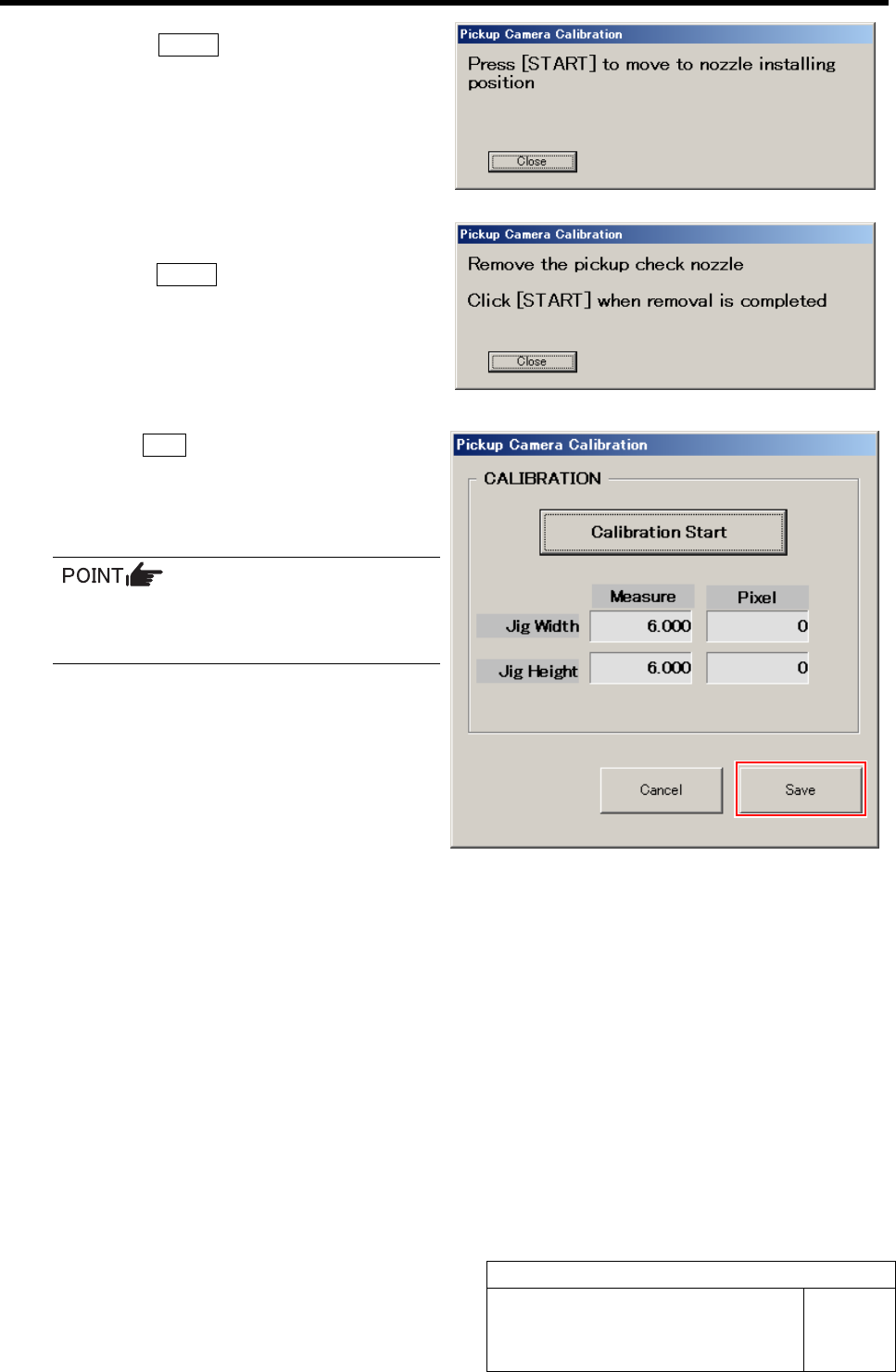
15 Press the START button on the operation
panel.
Turret No.1 moves to the nozzle installing position
and “Remove the pickup check nozzle” is displayed
on the message screen.
16 Remove the length reference nozzle jig and
press the START button on the operation
panel.
The message screen closes and returns to the Pickup
Camera Calibration screen.
17 Click the Save button on the Pickup Camera
Calibration screen.
Calibration information is saved and the Pickup Cam-
era Calibration screen closes.
In order to store the calibration result in
the unit, be sure to re-start the unit before
operating the unit.
Fixed Camera Rcg Height Calibration
HLF-10312-01
Fixed Camera Rcg Height Calibration
SHEET
1/4
Fixed Camera Rcg Height Calibration
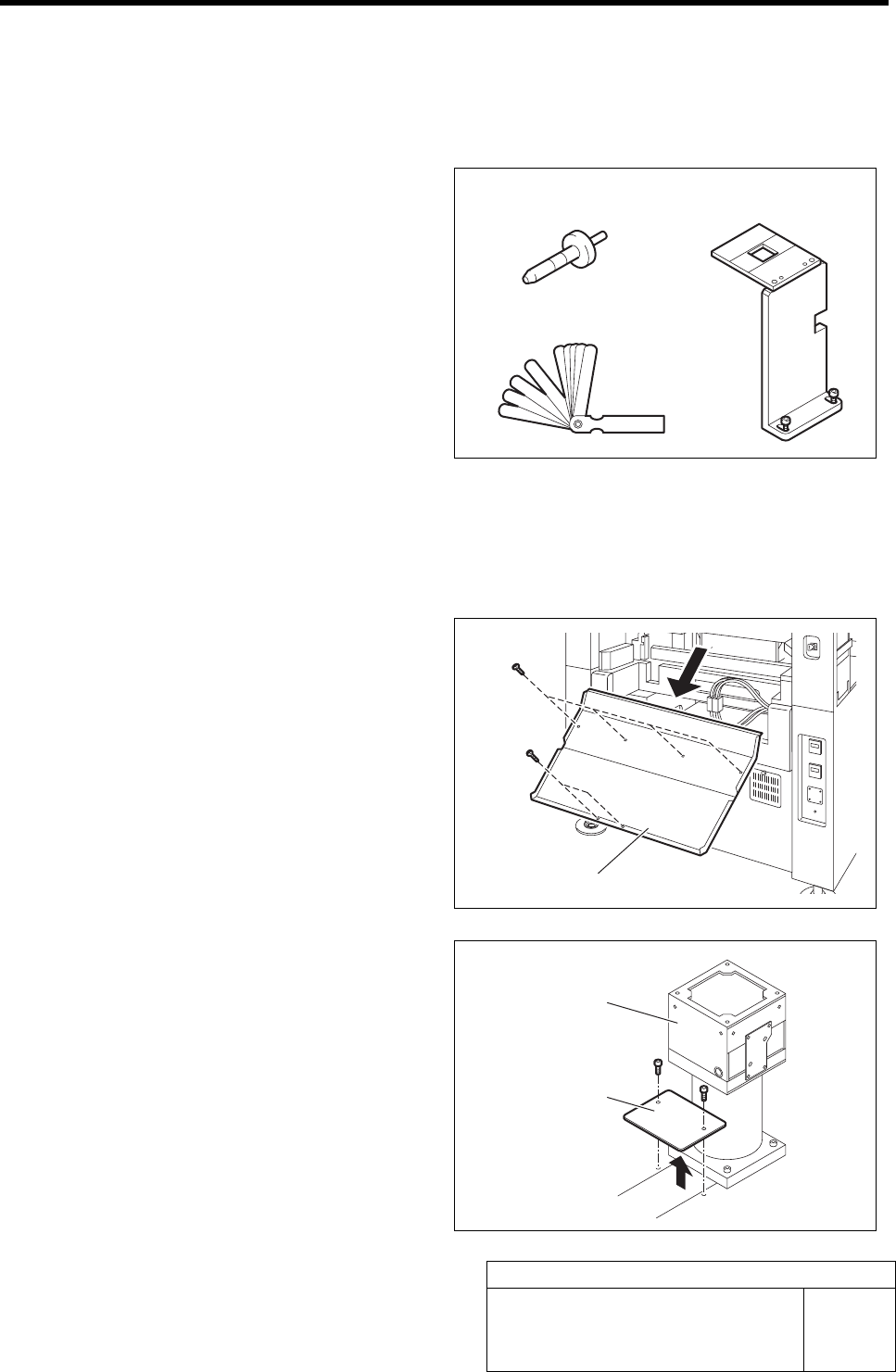
[Necessary jigs]
• Length reference nozzle jig
• Fixed camera jig base
• Thickness gauge (t=0.01 mm)
[Procedure]
1 Press the emergency stop switch to turn off the servo.
2 Turn off the interlock switch and open the rear door.
3 Unscrew the 6 screws and remove the
shooter on the rear side of the unit.
4 Unscrew the 2 cap screws to remove the
cover on the rear of the fixed camera.
Length reference
nozzle jig
Fixed camera jig base
Thickness gauge
Shooter
Cove
r
Fixed camera