编带机说明书-含图纸tm401.pdf - 第101页
D292104.7a.fm Test Seal Chapter 4: Setup 4- 27 Te s t S e a l Perform a Seal T est to ensure a good seal. Ad just Sealer settings in the HMI T aper tab as necessary . 1. Run the t ape through the taping mo dule by pressi…
4-26 TM-401 User’s Guide
Configure HMI Settings D292104.7a.fm
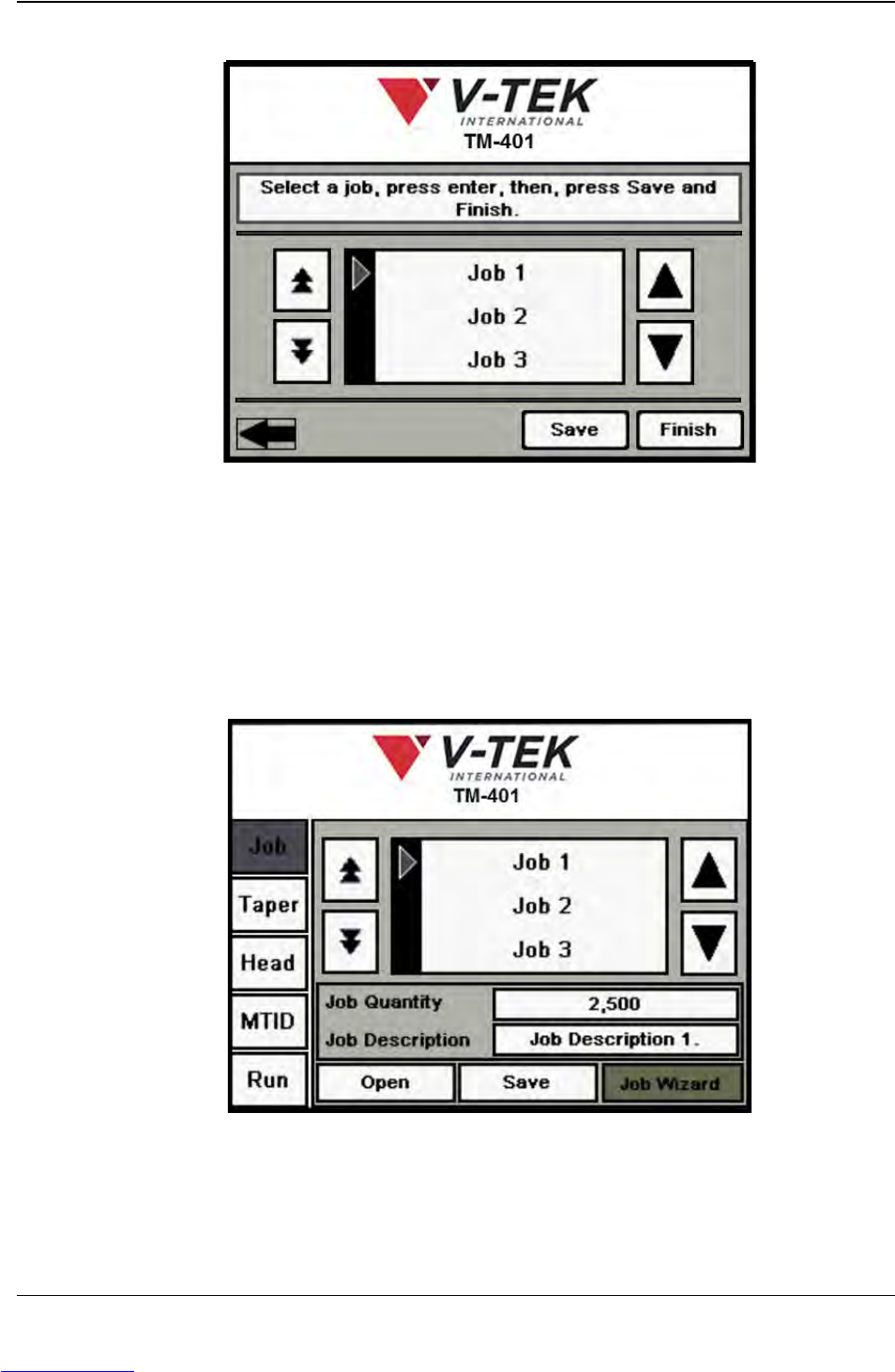
15. Save Job Settings
a. Browse through the Job Library using the Up/Down Arrow keys to move up or
down through the list. To select a Job Name from the list, press the Enter key.
Note: The Save function will overwrite the information stored for the currently
selected job. Therefore, it is important to select the desired job prior to pressing
the Save button.
b. Press the Save button to save job settings to the selected job name, then
press Finish to close the Job Wizard and return to the main Job Tab..
Step 6:
Setup HMI
SAVE
SETTINGS
Downloaded from www.Manualslib.com manuals search engine
D292104.7a.fm Test Seal
Chapter 4: Setup 4- 27
Te s t S e a l
Perform a Seal Test to ensure a good seal. Adjust Sealer settings in the HMI Taper tab as
necessary.
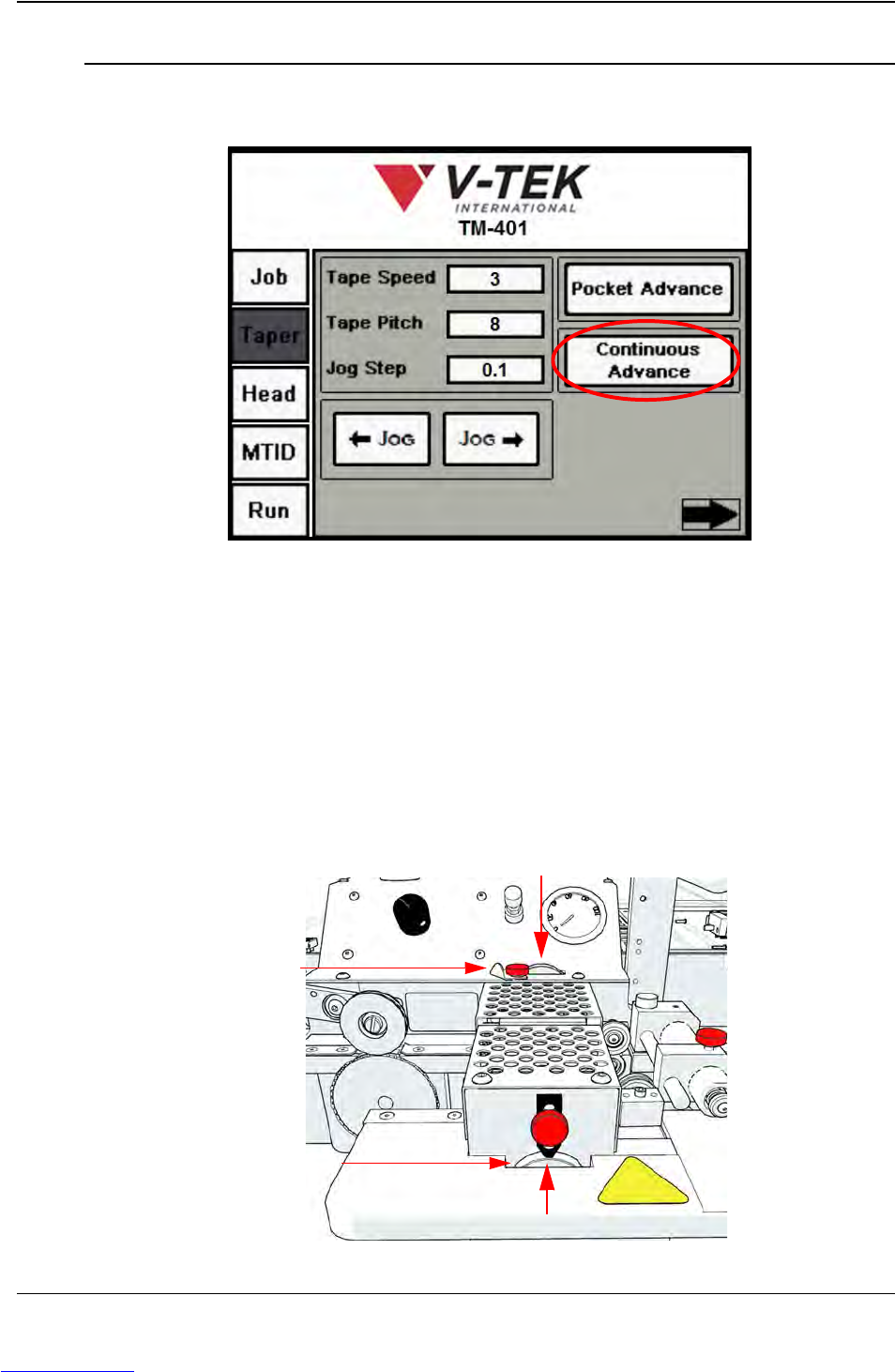
1. Run the tape through the taping module by pressing the Continuous Advance
button in the HMI Taper Tab.
2. As the seal is occurring, watch the alignment of the cover tape with the carrier
tape. The cover tape should run exactly in the groove of the cover tape guide and
the seal should appear as a solid, consistent line. If the seal width is incorrect, stop
the Taper by pressing the Continuous Advance button again.
3. Adjust the seal positions as necessary. The sealer’s inside and outside seals are
independently adjustable. If one of the seals needs to be moved, loosen the
corresponding position lock and turn the adjusters.
Step 7:
Seal Test
Inner Seal Adjust
Outer Seal Adjust
Position Lock
Position Lock
Downloaded from www.Manualslib.com manuals search engine

4-28 TM-401 User’s Guide
Test Seal D292104.7a.fm
Turning the wheel counter-clockwise will move the guide towards the operator.
Turning it clockwise will move the guide closer to the machine. Adjust the Inner
Seal Adjust and the Outer Seal Adjust to the desired position, then tighten the
Position Locks to secure them.
4. Perform a Seal Test.
The V-TEK PT-55 Peel Force Tester
is pictured on the right. (Sold
separately.)
Proceed to Chapter 5: Vision Setup to configure the Vision System for operation.
Step 7:
Seal Test
Downloaded from www.Manualslib.com manuals search engine