编带机说明书-含图纸tm401.pdf - 第153页
D292104.8a.fm Preparing to Run a Pre- programmed Job Chapter 6: Operation 6- 7 Setup the T aper 1. Load the correct carrier t ape and cover tape, adjusting t he track wid th as necessary . 2. Select PSA or Heat seal. 3. …
6-6 TM-401 User’s Guide
Preparing to Run a Pre-programmed Job D292104.8a.fm
Setup the Manual Tube Input Device (MTID)
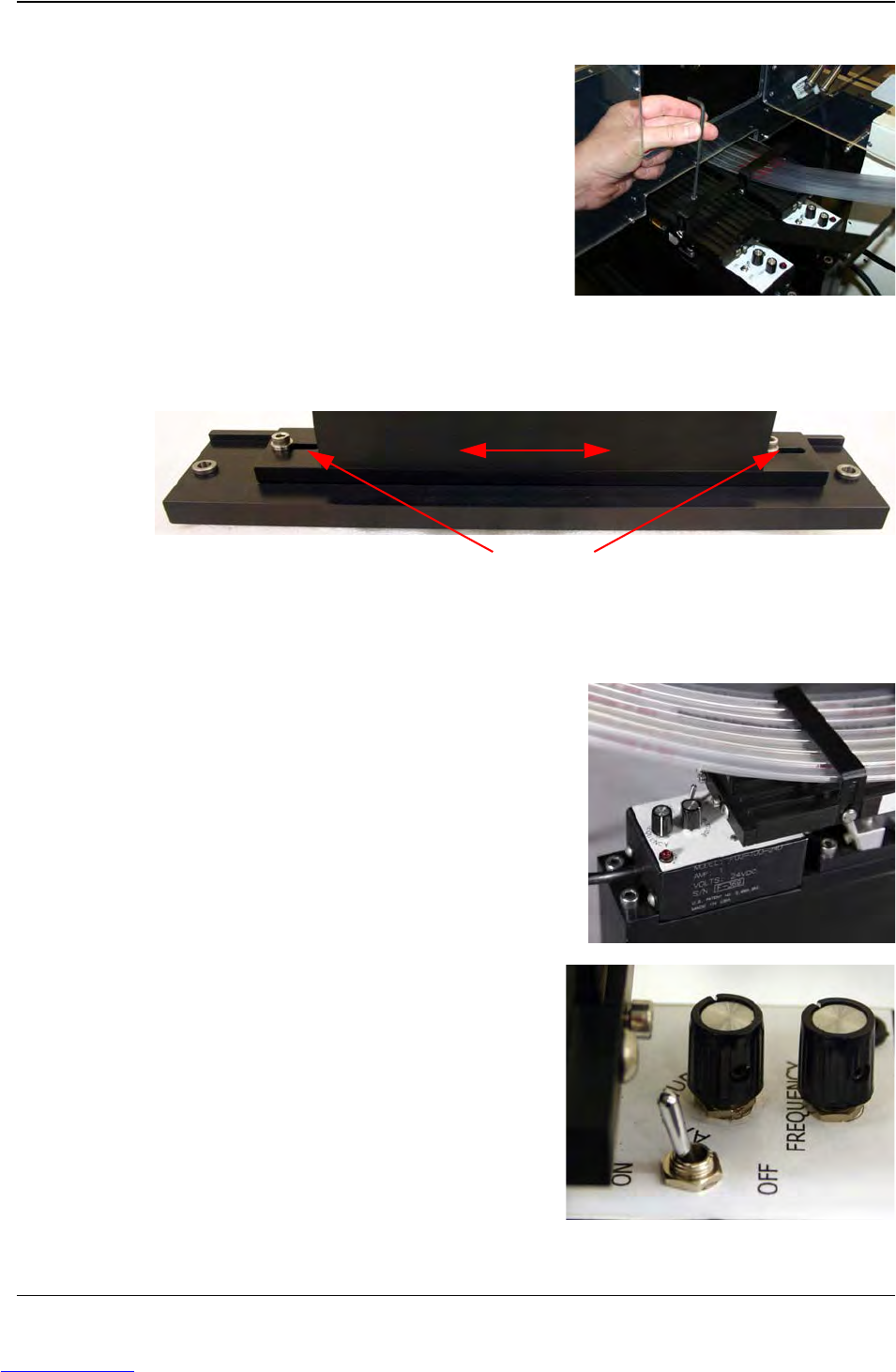
1. Ensure the correct tooling is installed.
2. Adjust Feeder position on Sliding Plate so nozzle is centered over pick position..
3. Load filled tubes into feeder..
Note: The TM-401 is designed to work with
one or two MTIDs installed. Follow the
setup procedures for both MTIDs if the
optional second feeder is installed.
4. Turn the Vibratory ON and set Vibratory
Off Delay.
5. Adjust the Vibratory’s Amplitude and
Frequency controls as needed to feed
selected parts smoothly.
Step 3:
Setup
MTID
Y Axis Clamping Bolts
Adjust feeder position on Slotted Plate
Downloaded from www.Manualslib.com manuals search engine
D292104.8a.fm Preparing to Run a Pre-programmed Job
Chapter 6: Operation 6- 7
Setup the Taper
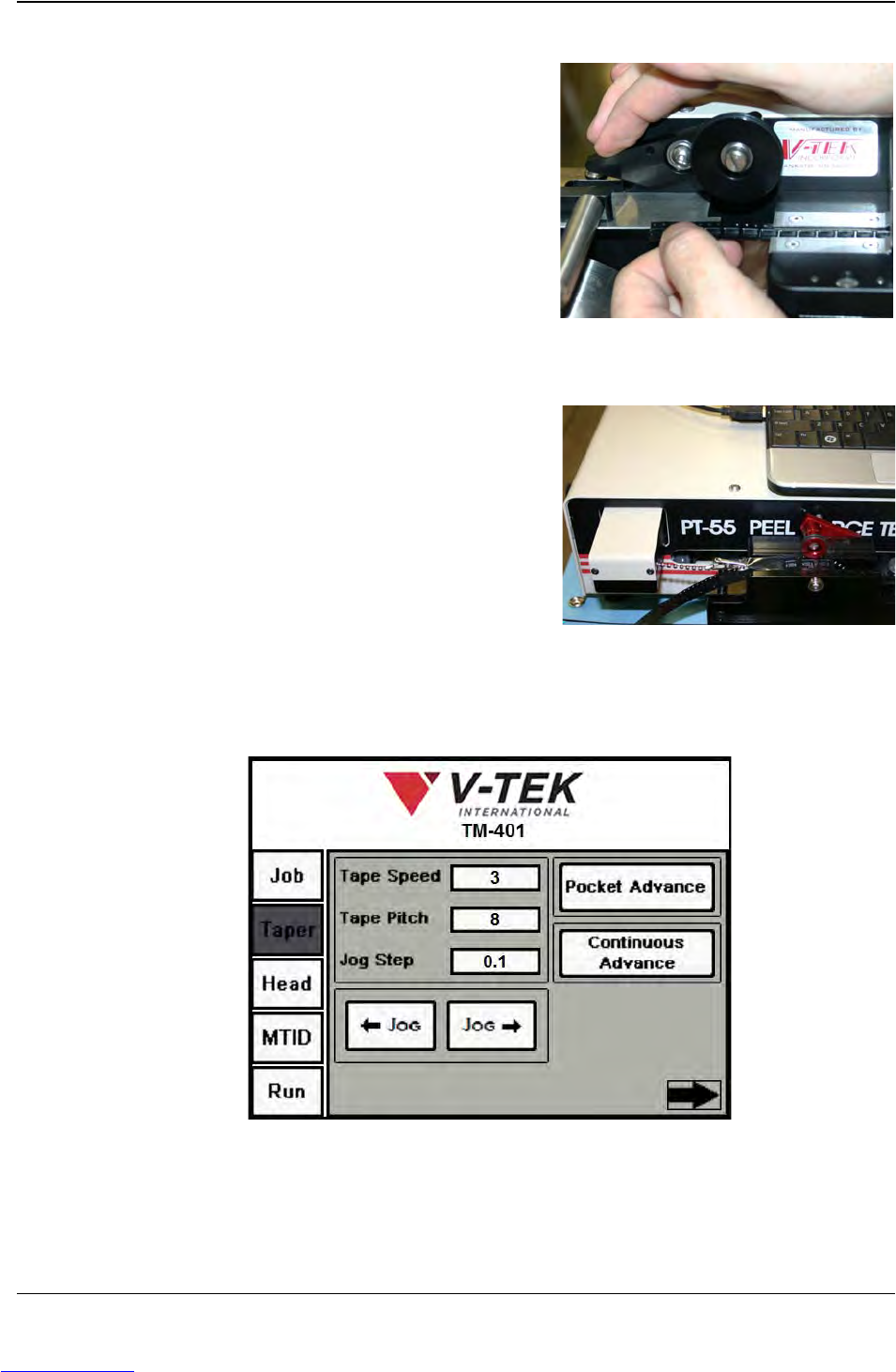
1. Load the correct carrier tape and cover
tape, adjusting the track width as
necessary.
2. Select PSA or Heat seal.
3. Align cover tape with carrier tape.
4. Run a pull test and adjust seal strength
as needed.
5. Place an empty reel onto the take-up
reel spindle.
6. Use the Continuous Advance button on the Taper Tab to run out the tape until it
can be attached to the reel.
The tape normally can be attached by inserting it into the reel hub or with adhesive
tape.
Step 4:
Setup
Ta p e r
Downloaded from www.Manualslib.com manuals search engine
6-8 TM-401 User’s Guide
Preparing to Run a Pre-programmed Job D292104.8a.fm
Select Job
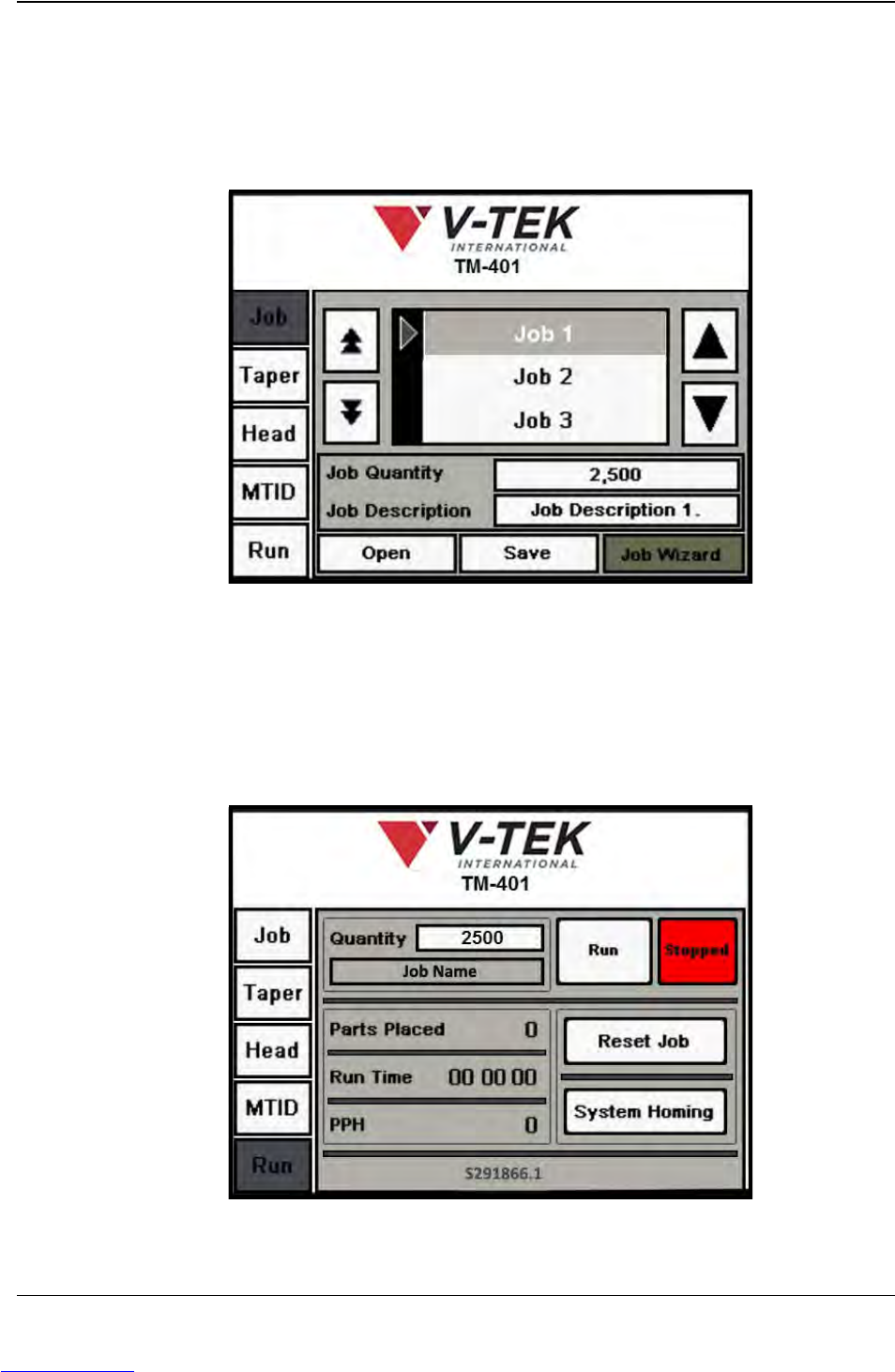
When a job is already set up and saved in the machine’s memory, the first step in running
the job is to call it up with the Job Select screen.
1. On the HMI, select the Job Tab
2. Browse through the Job Library to locate the desired job by using the up and down
Arrow buttons.
3. Press Open to open the selected job in the Run Tab.
Step 5:
Select
Job
Downloaded from www.Manualslib.com manuals search engine