编带机说明书-含图纸tm401.pdf - 第172页
7-14 TM-401 User’s Guide System Alarm Messages D292104.9a.fm Heat Sealer Inacti vity System Alarm If the Ta p e r is inactive for 40 minutes or longer , the Heat Sealer is automatically disabled. Once that occurs, if a u…
D292104.9a.fm System Alarm Messages
Chapter 7: Troubleshooting 7-13
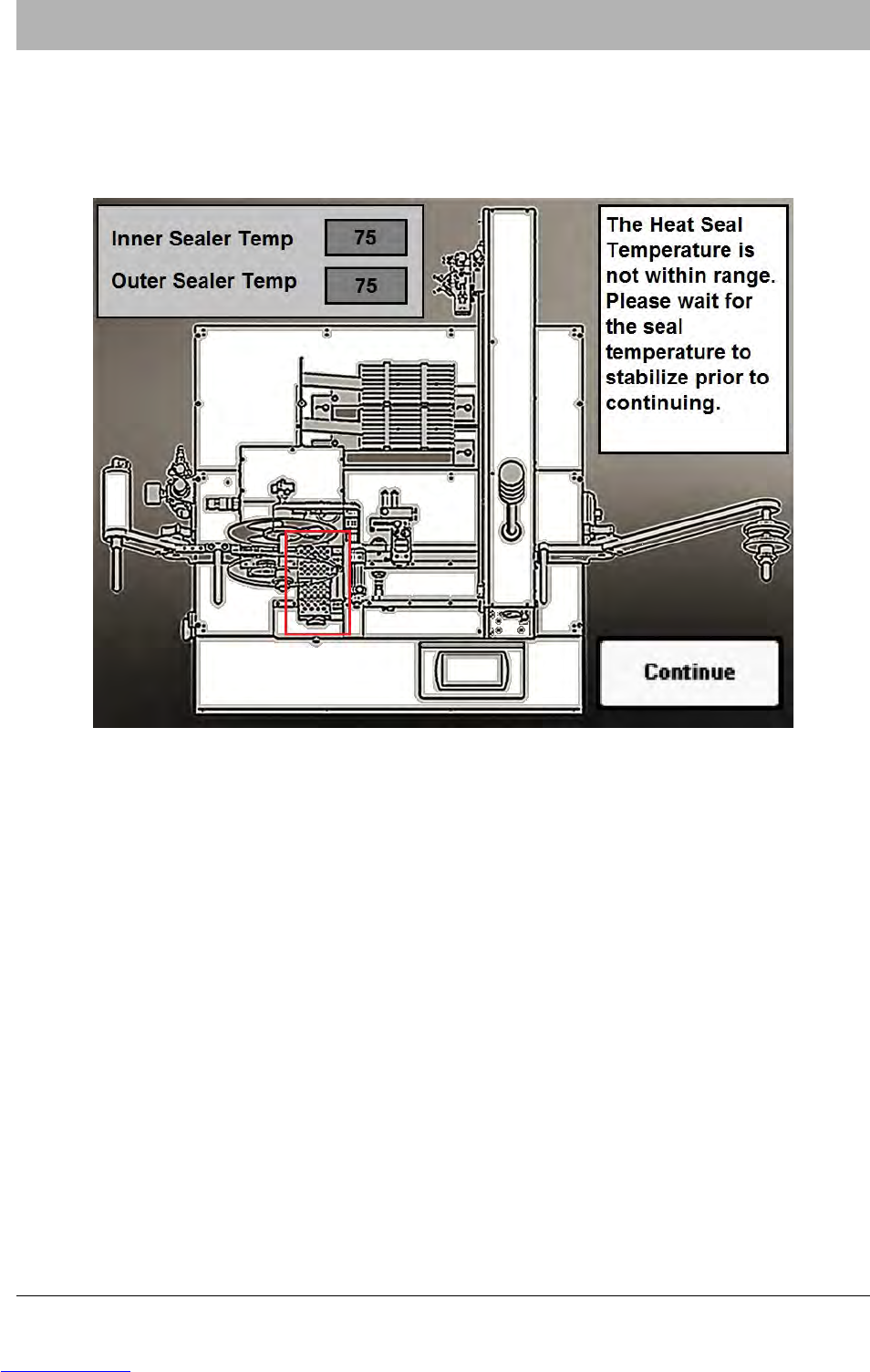
Temperature Out of Range System Alarm
When Heat Seal is enabled and the Heat Shoe temperatures are either too hot or too cold, a
Heat Seal Temperature Out of Range system alarm will activate.
When this occurs, tape advance stops, a beep sounds and a warning appears on the HMI.
To clear the Heat Seal Temperature Out of Range System Alarm, wait for the heat shoes to reach
their set point and then press CONTINUE to clear the alarm and resume operation.
Downloaded from www.Manualslib.com manuals search engine
7-14 TM-401 User’s Guide
System Alarm Messages D292104.9a.fm
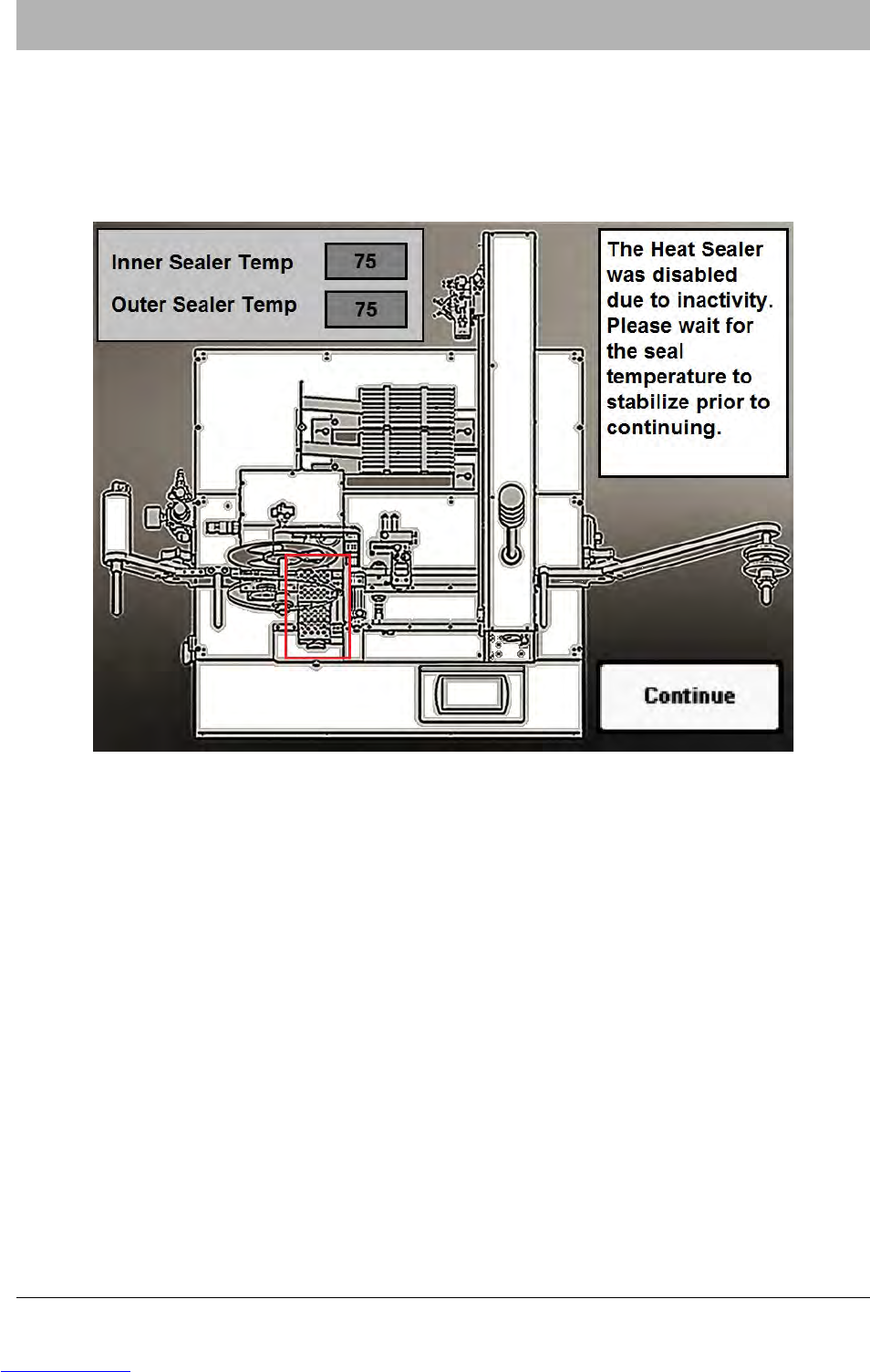
Heat Sealer Inactivity System Alarm
If the Taper is inactive for 40 minutes or longer, the Heat Sealer is automatically disabled. Once
that occurs, if a user attempts to run a job, or use Continuous Advance, Pocket Advance or Man-
ual Seal a Heat Sealer Inactivity system alarm will activate.
When this occurs, tape advance stops, a beep sounds and a warning appears on the HMI.
To clear the Heat Seal Inactivity System Alarm, wait for the heat shoes to reach their set point
and then press CONTINUE to clear the alarm and resume operation. The current temperature is
displayed on the system alarm message.
Note: If the user presses Continue and then attempts to move tape through the sealer
before the temperature has reached the set point, the Temperature Out Of Range system
alarm will appear, prompting the user to wait until the sealer temperature is correct.
Downloaded from www.Manualslib.com manuals search engine
D292104.9a.fm System Alarm Messages
Chapter 7: Troubleshooting 7-15
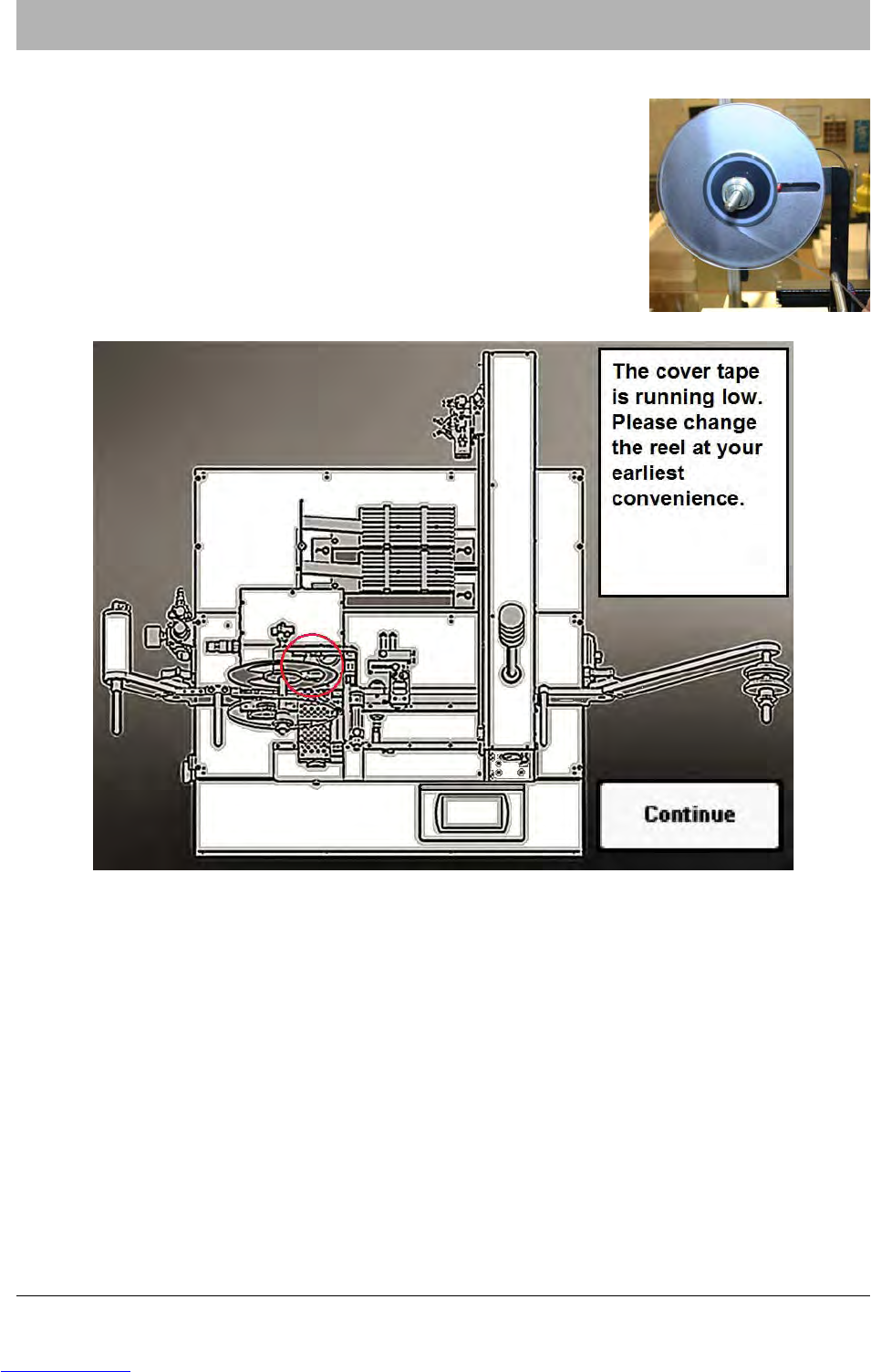
Low Cover Tape System Alarm
The Low Cover Tape sensor is located on the Cover Tape Arm. It
detects when the cover tape supply on the Cover Tape Reel is
below a preset minimum.
If an operator attempts to start a job when the cover tape level is
below the sensor, operation will not begin. Instead a beep will
sound and a Low Cover Warning message will appear on the
HMI.
The operator can either resolve the warning by loading a full reel of cover tape or ignore the
warning and push START again to continue with the current level of cover tape.
Note: The Low Cover Tape warning will only appear once during a job. If the user ignores
the message and continues operation, the TM-401 will continue taping until the job is fin-
ished or the cover tape is empty.
Downloaded from www.Manualslib.com manuals search engine