编带机说明书-含图纸tm401.pdf - 第92页
4-18 TM-401 User’s Guide Configure HMI Settings D292104.7a.fm 7. MANUAL TUBE INPUT DEVICE (MTID) SETUP The next three Job Wiza rd screens are used to detect T ube Pitch and enter the numbe r of tubes that will be loaded …

4-18 TM-401 User’s Guide
Configure HMI Settings D292104.7a.fm
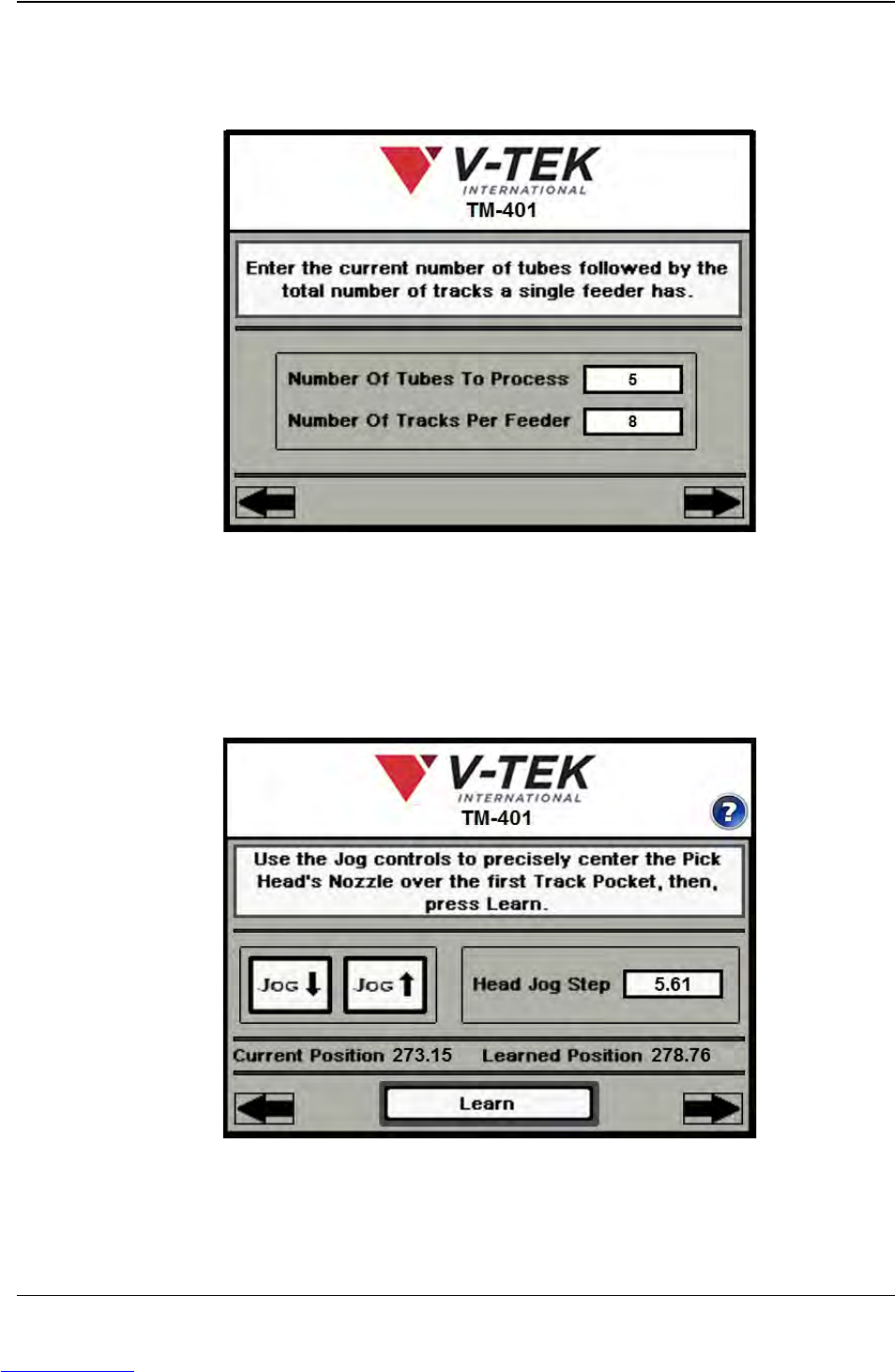
7. MANUAL TUBE INPUT DEVICE (MTID) SETUP The next three Job Wizard
screens are used to detect Tube Pitch and enter the number of tubes that will be
loaded in the MTID.
a. Enter the number of tubes that will be processed.
b. Enter the number of tracks in the feeder.
Press the right Arrow Key to move to the next Job Wizard screen to
automatically calculate Tube Pitch
Step 6:
Setup HMI
TUBE
FEEDER
Downloaded from www.Manualslib.com manuals search engine
D292104.7a.fm Configure HMI Settings
Chapter 4: Setup 4- 19
c. Use the Jog controls to position the nozzle
over the center of the first tube pocket.
d. Press Learn, then press the right Arrow key
to move to the next screen.
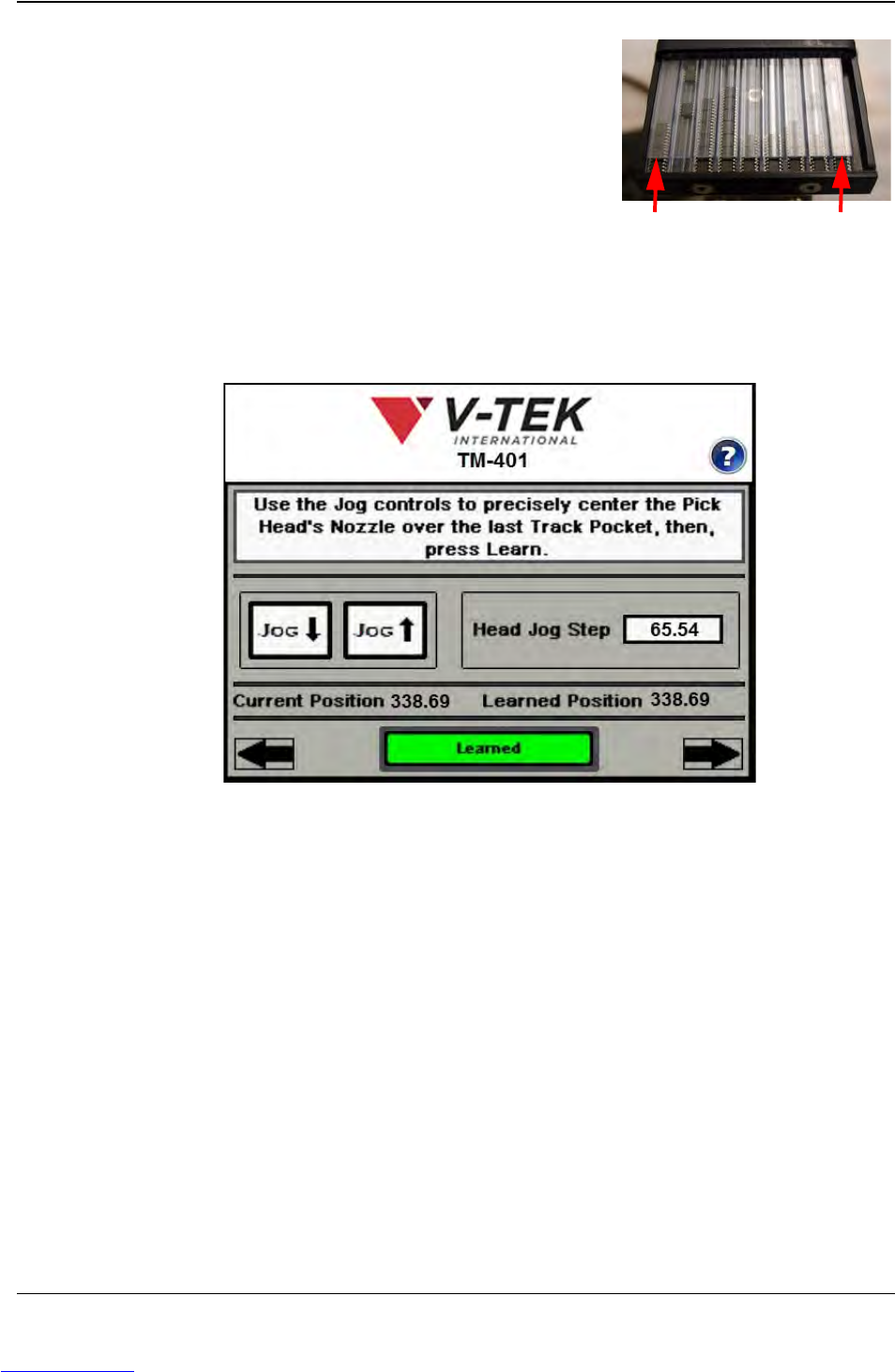
e. Use the Jog controls to position the nozzle over the center of the last Tube
pocket.
Press Learn, then press the right Arrow key to move to the next screen.
1st Pocket Last Pocket
Step 6:
Setup HMI
TUBE
FEEDER
Downloaded from www.Manualslib.com manuals search engine