编带机说明书-含图纸tm401.pdf - 第117页
D292104.16.fm Configure Inspection Chapter 5: Setup 5- 15 8. Select the Extended Functions but ton on the right. Click on the Imaging Area t ab (not shown) and adjust the selectio n box so it captures the minimum area ne…
5-14 TM-403 User’s Guide
Configure Inspection D292104.16.fm
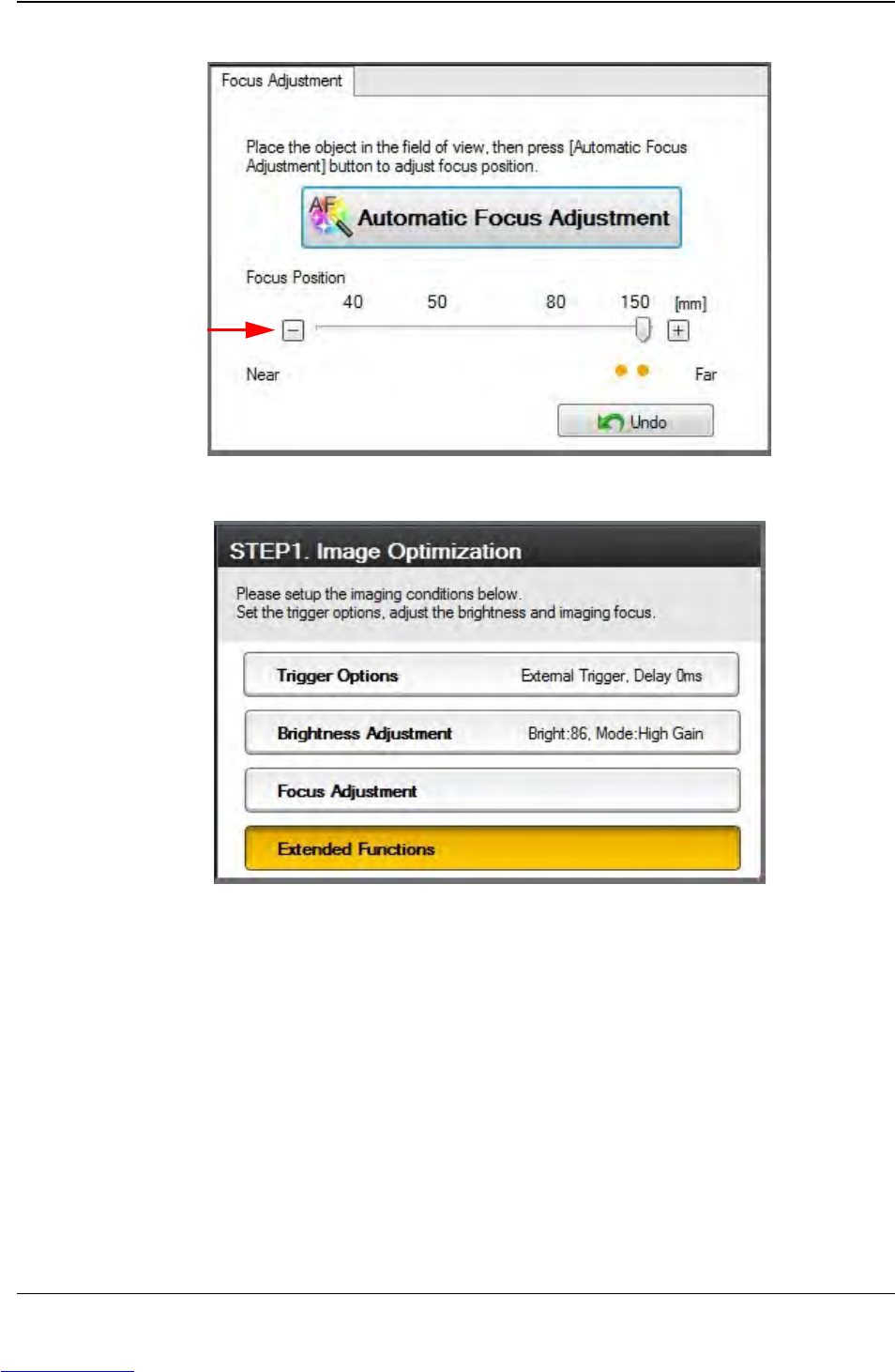
7. Select the Focus Adjustment button on the right.
Click the Automatic Focus Adjustment button. One or more yellow dots may
appear above the Undo button, representing the best focus point(s). Click on the
yellow dot(s) to jump to the associated focus point and select the best one. Adjust
Focus Position as needed using the plus/minus buttons.
Step 2:
Vision
Setup
CONFIGURE
COMPUTER
Downloaded from www.Manualslib.com manuals search engine
D292104.16.fm Configure Inspection
Chapter 5: Setup 5- 15
8. Select the Extended Functions button on the right.
Click on the Imaging Area tab (not shown) and adjust the selection box so it
captures the minimum area needed to achieve the desired inspection.
Step 2:
Vision
Setup
CONFIGURE
COMPUTER
Downloaded from www.Manualslib.com manuals search engine
5-16 TM-403 User’s Guide
Configure Inspection D292104.16.fm
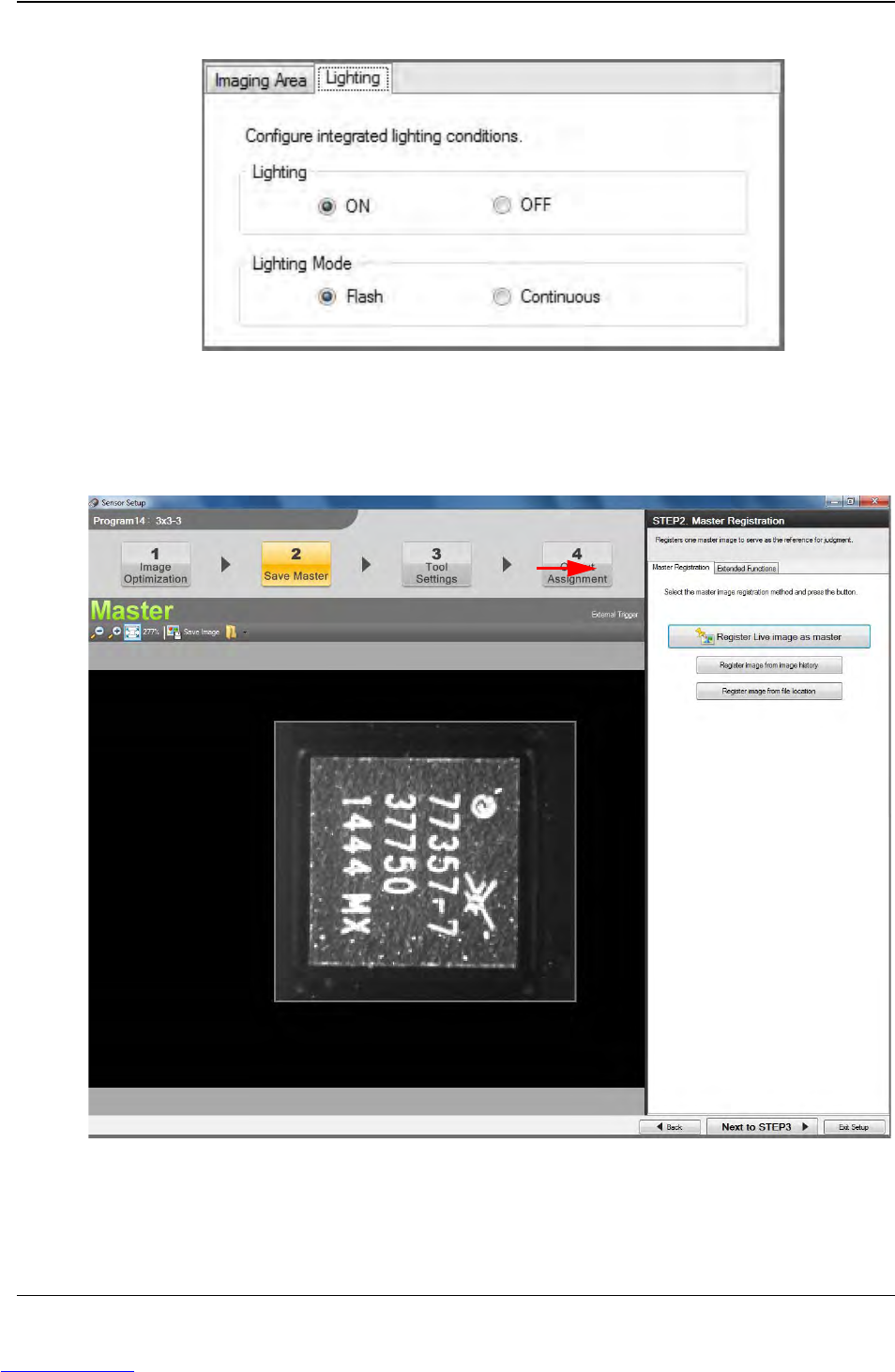
Click on the Lighting tab and select ON and Flash. Then click the Next to STEP2
button which is located in the bottom right corner of the window.
9. The Save Master window will open.
Step 2:
Vision
Setup
CONFIGURE
COMPUTER
Downloaded from www.Manualslib.com manuals search engine