编带机说明书-含图纸tm401.pdf - 第53页
D292104.6.fm Job Tab Chapter 3: Human Machine Interface 3-11 A. Center the Pick Head over the first track pocket using the HMI Jog but- tons or the Jog buttons on top of the Sealer en closure. T o see an illus- tration o…
3-10 TM-401 User’s Guide
Job Tab D292104.6.fm
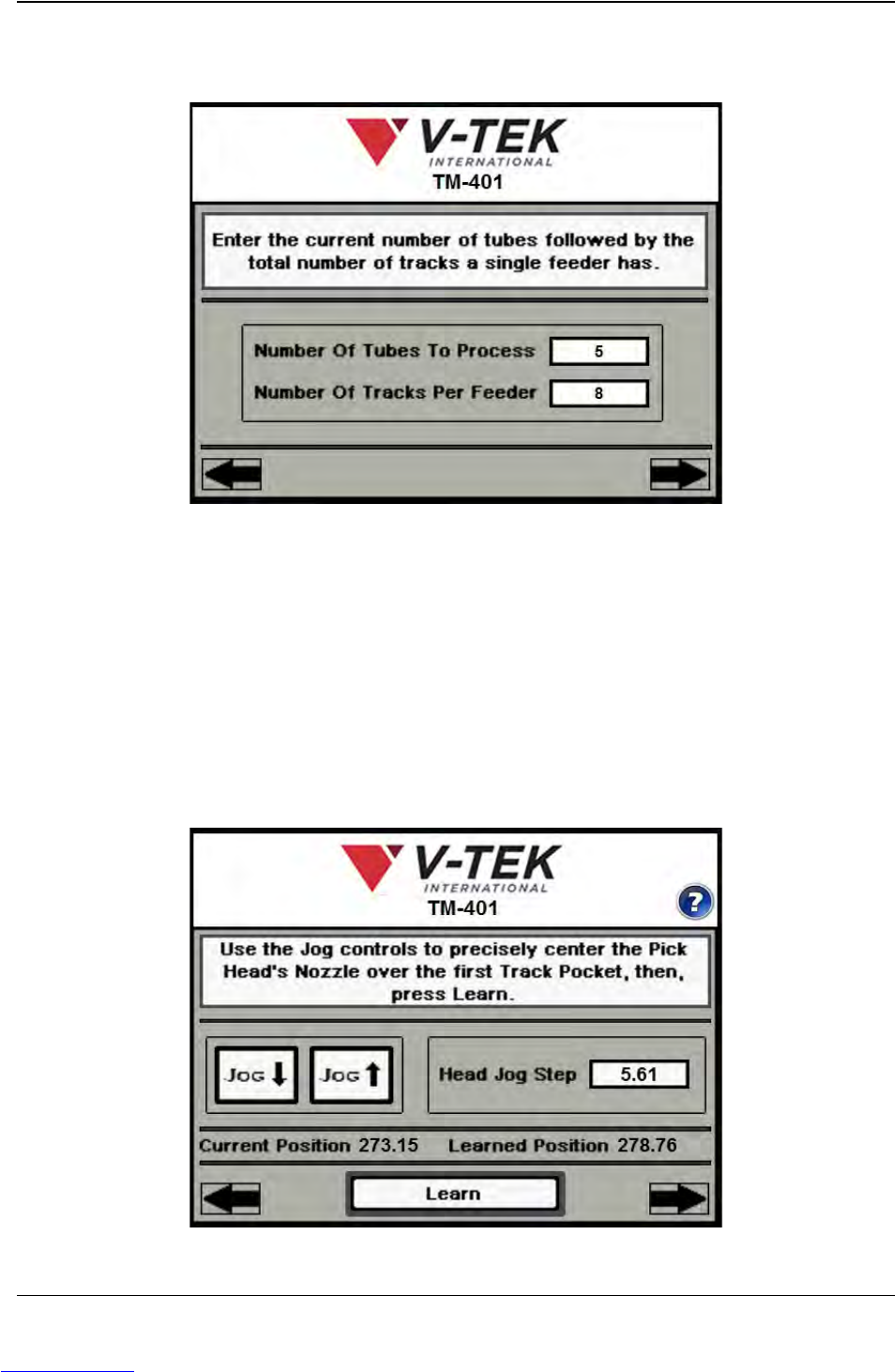
The fifth Job Wizard screen is used to enter the number of tubes that will be loaded in the
MTID.
A. Enter the number of tubes that will be processed. If two Tube Feeders are
installed, this will include the total number of tubes to be processed from both
feeders.
B. Enter the maximum number of tubes a single feeder will hold, then press the right
Arrow Key to move to the next Job Wizard screen.
The sixth and seventh Job Wizard screens are used to automatically determine Tube
Pitch.
A
B
Job Wizard Step 5
A
C
Job Wizard Step 6
B
Downloaded from www.Manualslib.com manuals search engine
D292104.6.fm Job Tab
Chapter 3: Human Machine Interface 3-11
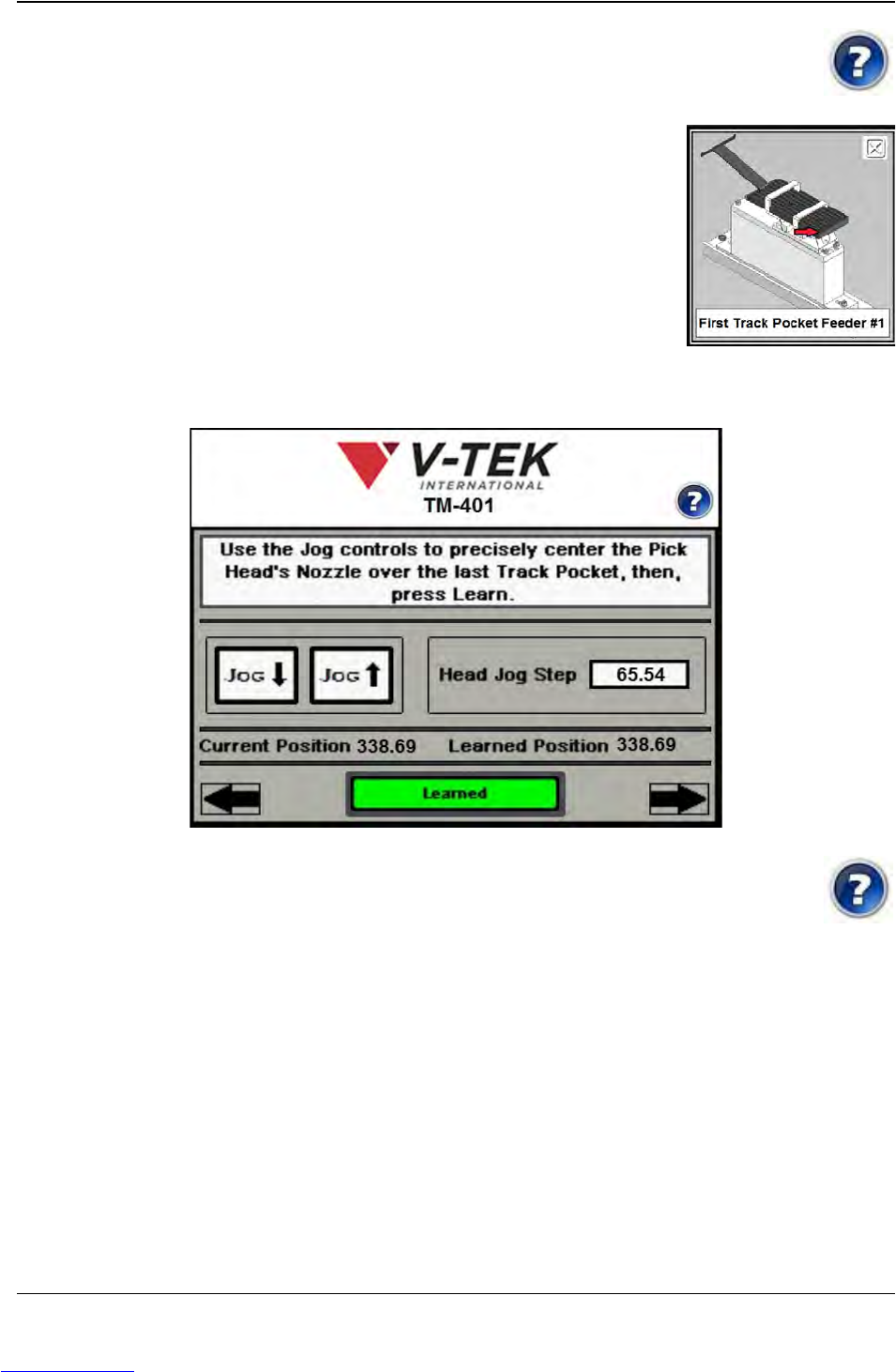
A. Center the Pick Head over the first track pocket using the HMI Jog but-
tons or the Jog buttons on top of the Sealer enclosure. To see an illus-
tration of the correct head placement, push the Help icon.
An illustration of the Tube Feeder with the first track
pocket identified will appear.
B. The distance the head moves with each Jog is set in
the Head Jog Step field.
C. Press Learn. The Learned Position will now match the
Current Position and the Learn button will turn green
and update to read Learned. (see Step 7 below.)
Press the right Arrow to move to the next Job Wizard screen.
A. Center the Pick Head over the last track pocket using the Jog buttons.
To see an illustration of the correct head placement, push the Help
icon.
B. The distance the head moves with each Jog is set in the Head Jog Step field.
C. Press Learn. The right Arrow Key will appear. Press the right Arrow to move to
the next Job Wizard screen.
Note: It is useful to note the current position for both Pick Position 1 and Pick Position 2
for future use or to help when making fine adjustments.
A
C
Job Wizard Step 7
B
Downloaded from www.Manualslib.com manuals search engine
3-12 TM-401 User’s Guide
Job Tab D292104.6.fm
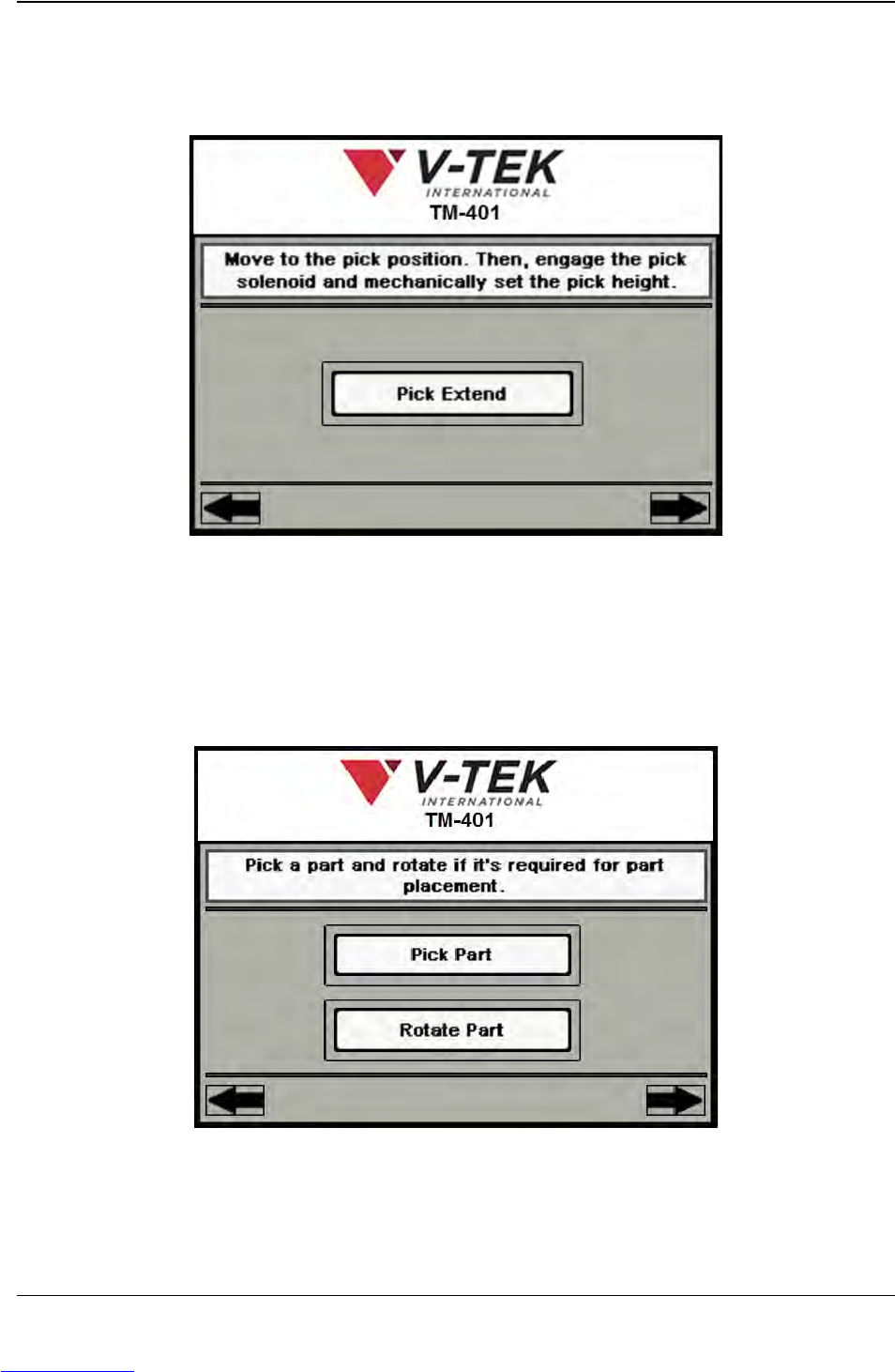
The next six Job Wizard screens are used to set the Nozzle positions at the Pick and
Place locations. The first is shown below.
A. Press Pick Extend/Pick Retract to lower the Nozzle to the tube pocket. Follow
the directions in Chapter 4: Setup for manually adjusting the Pick Actuator to set
the correct Nozzle Height.
Press the right Arrow Key to move to the next Job Wizard screen.
A. Press Pick Part to activate the nozzle and pick a part.
Job Wizard Step 8
A
A
B
Job Wizard Step 9
Downloaded from www.Manualslib.com manuals search engine