编带机说明书-含图纸tm401.pdf - 第145页
D292104.16.fm Configure Inspection Chapter 5: Setup 5- 43 Set the output functions as follows: • OUT1 = Busy • OUT2 = T ot al St atus • OUT3 - OUT8 = OFF 2. After the setting is completed, touch Complete , then touch Ye …
5-42 TM-403 User’s Guide
Configure Inspection D292104.16.fm
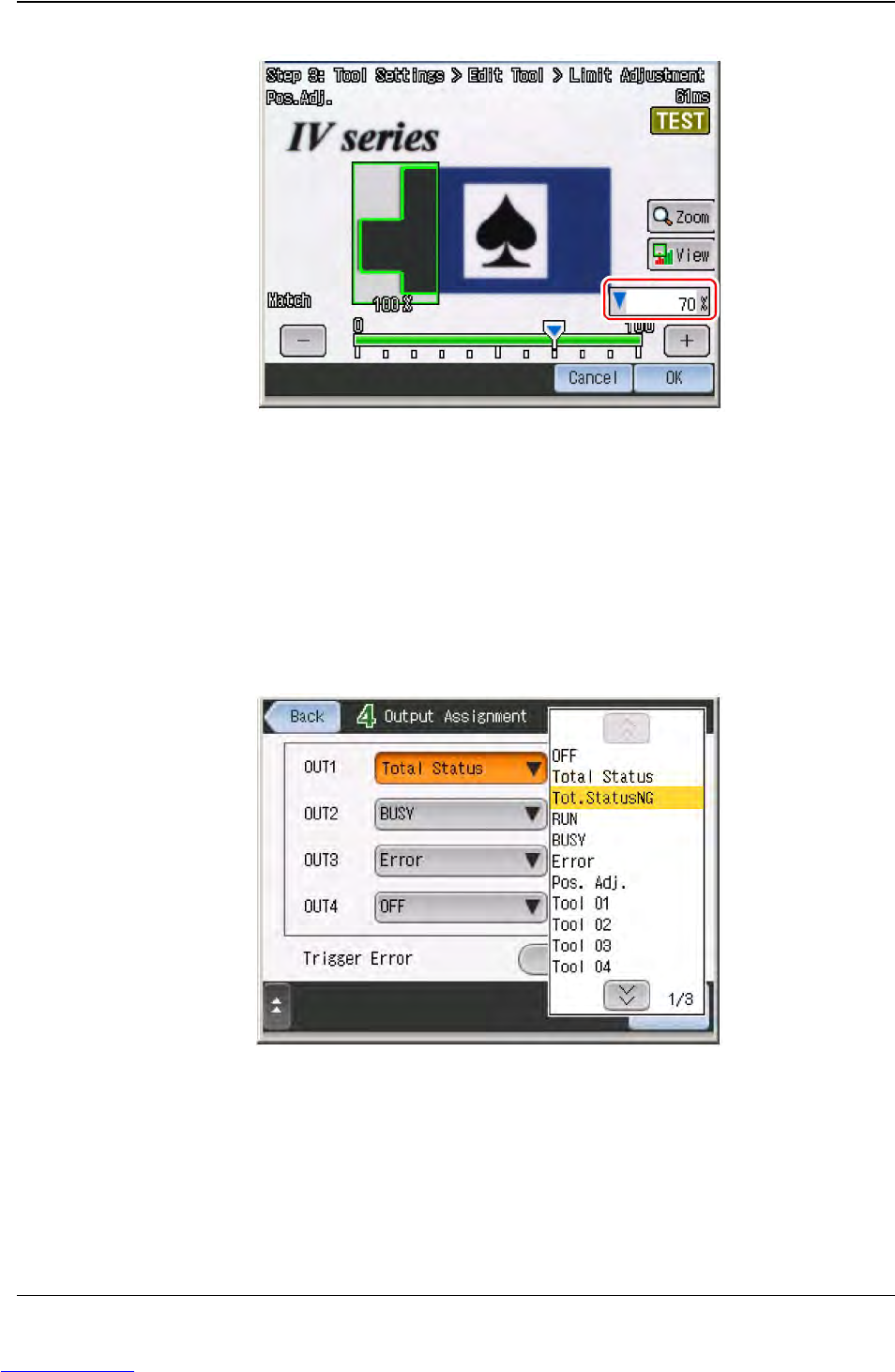
6. Set the threshold to judge OK and NG.
7. After the setting is completed, touch OK. The display will return to the main screen
for Position Adjustment tool.
8. Touch OK again, then touch Next to proceed to “STEP4”.
Setup Output
1. Touch the output line to assign the output function.
Step 2:
Vision
Setup
CONFIGURE
MONITOR
Downloaded from www.Manualslib.com manuals search engine
D292104.16.fm Configure Inspection
Chapter 5: Setup 5- 43
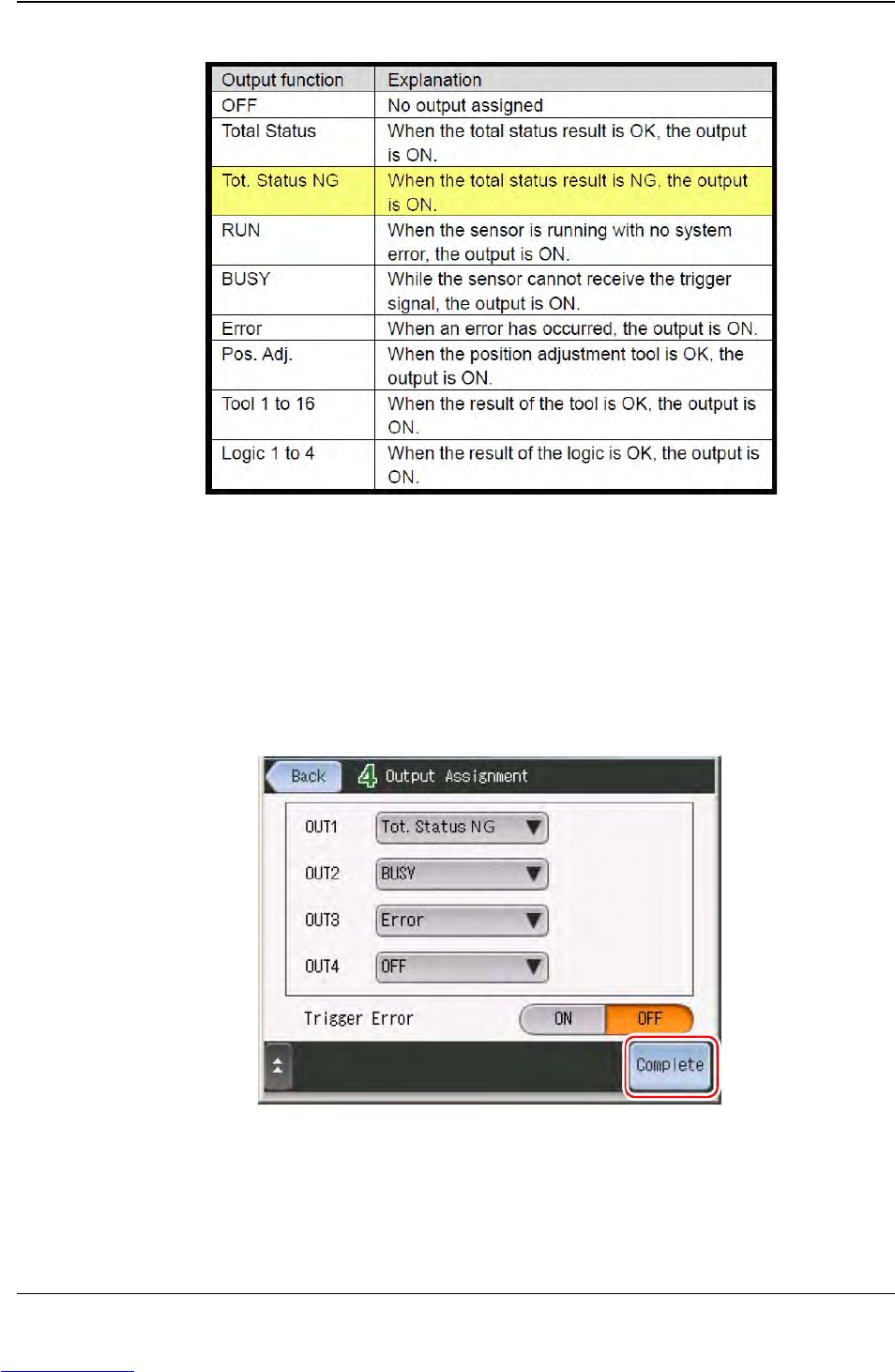
Set the output functions as follows:
• OUT1 = Busy
• OUT2 = Total Status
• OUT3 - OUT8 = OFF
2. After the setting is completed, touch Complete, then touch Yes.
Step 2:
Vision
Setup
CONFIGURE
MONITOR
Downloaded from www.Manualslib.com manuals search engine