编带机说明书-含图纸tm401.pdf - 第126页
5-24 TM-403 User’s Guide Configure Inspection D292104.16.fm 11 . The Output Assignment window will op en. Set up the Outputs as shown below . • Set OUT1 to T ota l St atus . • Set OUT2 to T ot.St atusNG . •Set all remain…
D292104.16.fm Configure Inspection
Chapter 5: Setup 5- 23
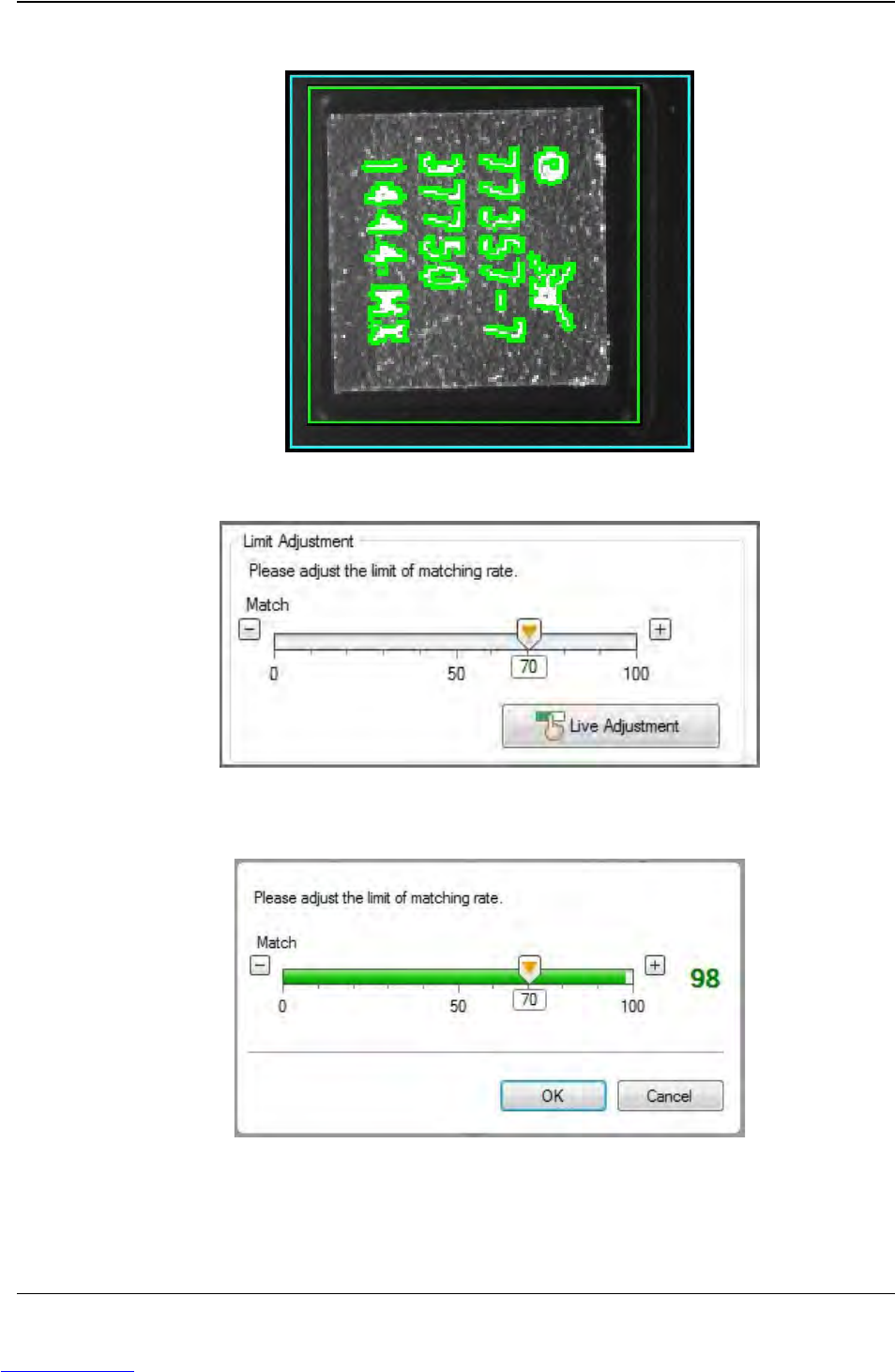
Click Live Adjustment and the sensor will continuously take measurements.
Adjust the threshold to yield the highest difference between good and bad parts,
then click OK.
Step 2:
Vision
Setup
CONFIGURE
COMPUTER
Downloaded from www.Manualslib.com manuals search engine
5-24 TM-403 User’s Guide
Configure Inspection D292104.16.fm
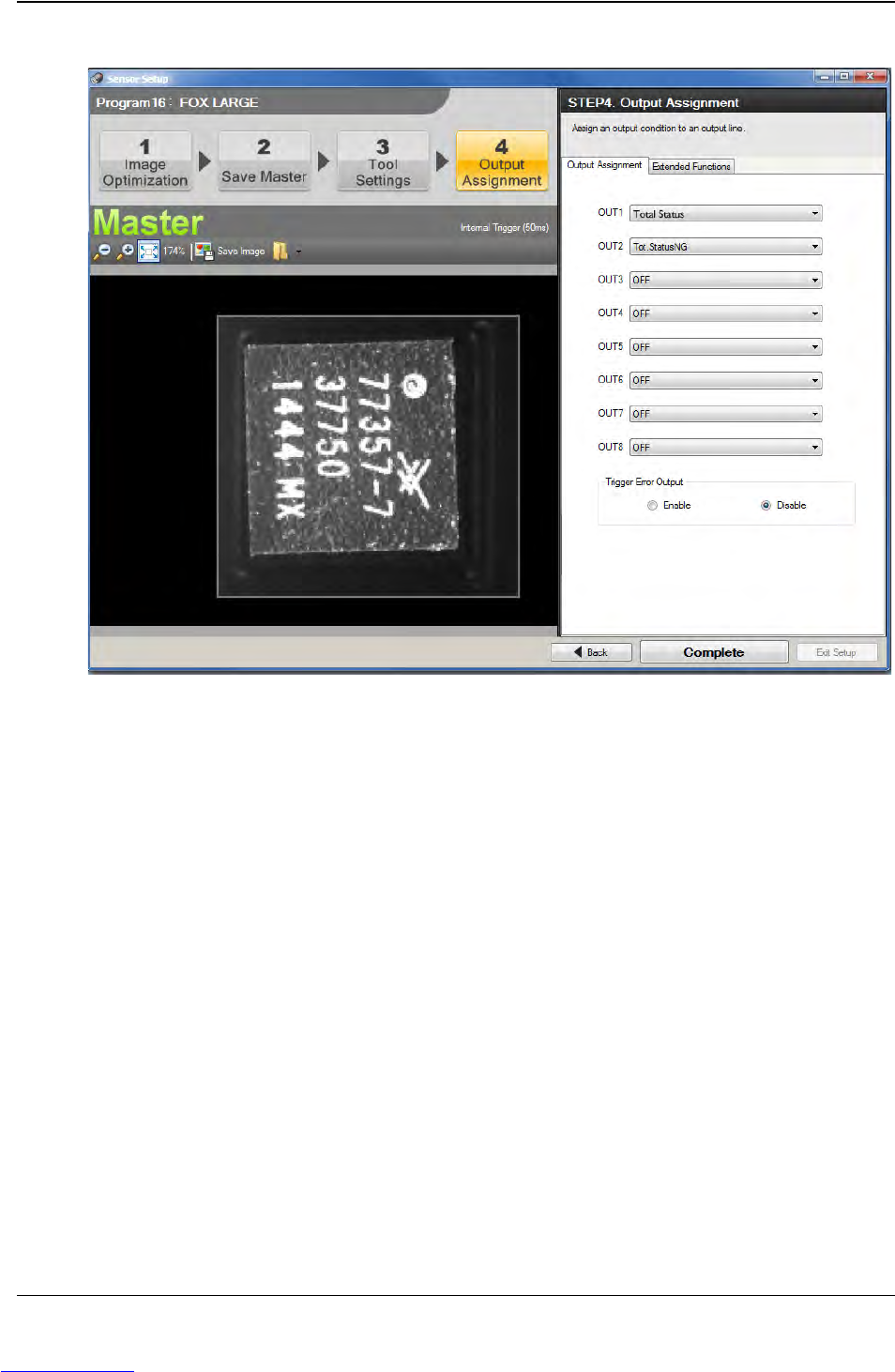
11. The Output Assignment window will open. Set up the Outputs as shown below.
• Set OUT1 to Total Status.
• Set OUT2 to Tot.StatusNG.
•Set all remaining output to OFF.
•Set Trigger Error Output to Disable.
Step 2:
Vision
Setup
CONFIGURE
COMPUTER
Downloaded from www.Manualslib.com manuals search engine
D292104.16.fm Configure Inspection
Chapter 5: Setup 5- 25
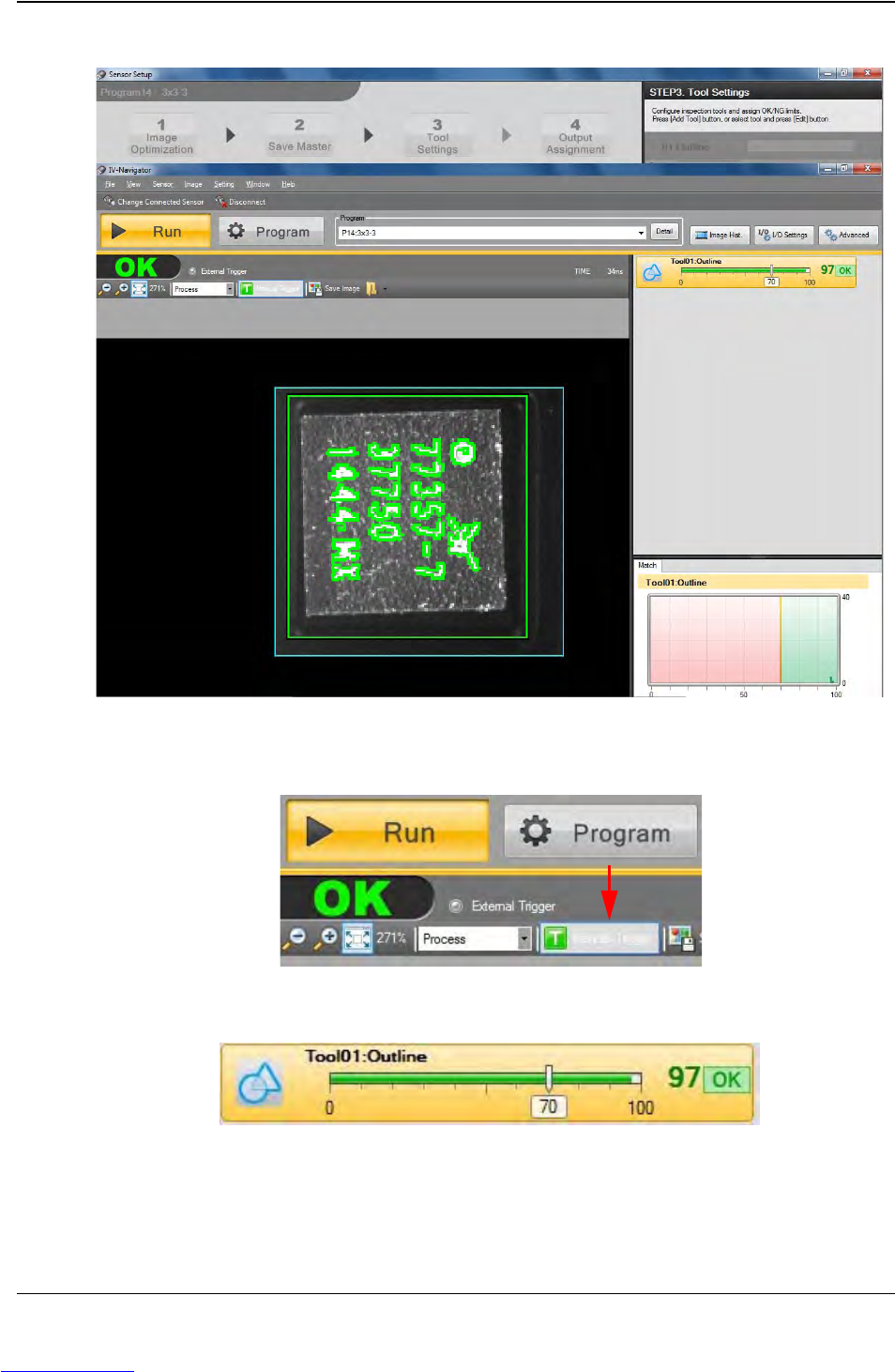
12. Click Complete to return to the Run/Program window. Select Run.
13. Click the Manual Trigger button which is located under the Program button to test
the inspection criteria.
The test results will appear on the right side of the window.
Step 2:
Vision
Setup
CONFIGURE
COMPUTER
Downloaded from www.Manualslib.com manuals search engine