编带机说明书-含图纸tm401.pdf - 第51页
D292104.6.fm Job Tab Chapter 3: Human Machine Interface 3-9 B. Seal T ype toggles between PSA and Heat seal, select correct seal type. C. The Set Point fields for the Inner and Outer Seale r are used to set the desired t…
3-8 TM-401 User’s Guide
Job Tab D292104.6.fm
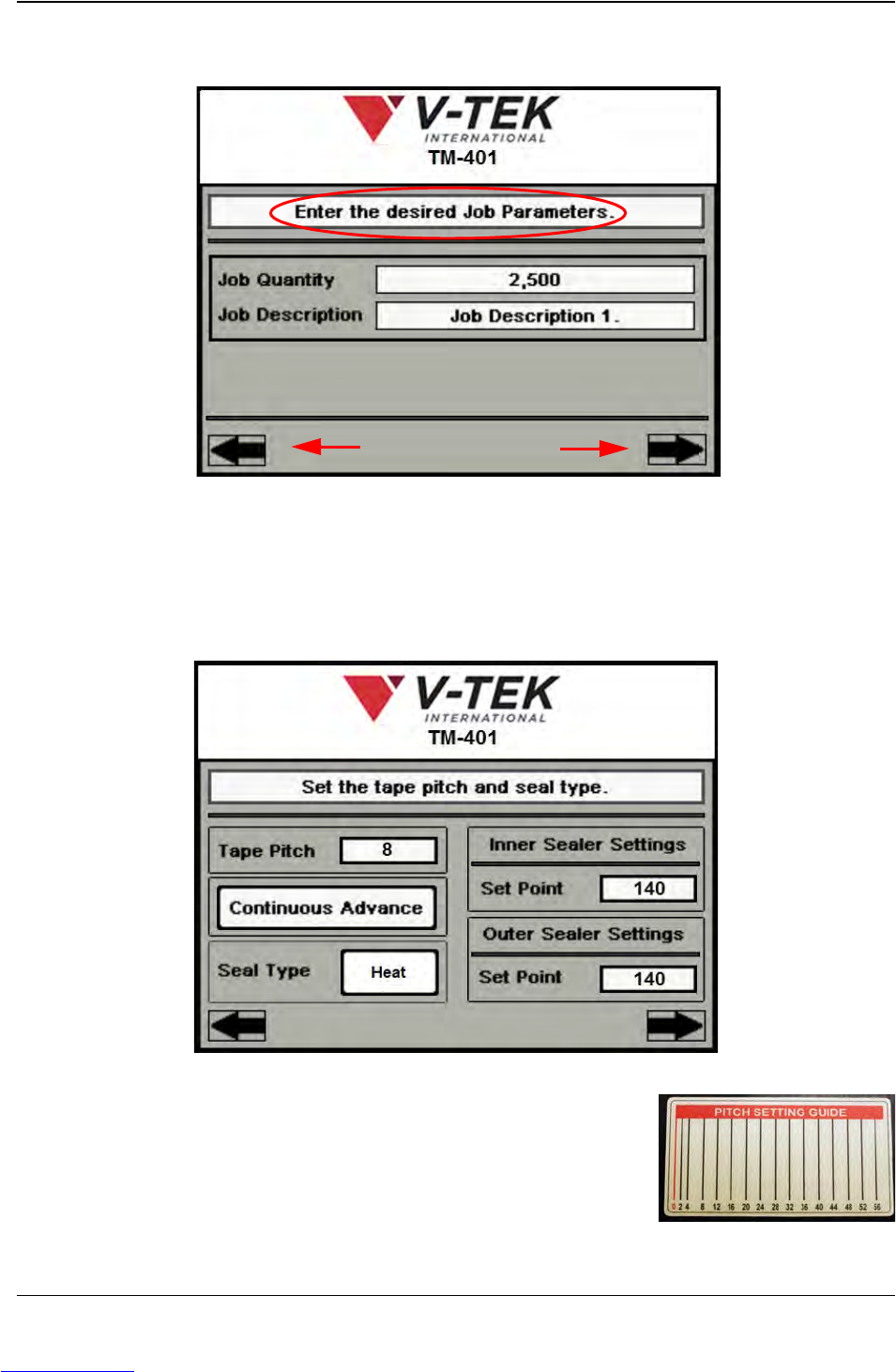
In the second Job Wizard screen the user enters the Quantity of parts that will be run and
a brief Description of the job. When the job parameters are set, press the right Arrow
key to move to the next Job Wizard screen.
The third Job Wizard step sets up Taper operation.
A. Tape Pitch is determined by the carrier tape
selected. Use the Pitch Setting Guide on the taper to
determine the correct pitch. Press the Tape Pitch
field to open a keypad and type in the desired value.
Arrow Buttons
Job Wizard Step 2
A
B
Job Wizard Step 3
C
C
Downloaded from www.Manualslib.com manuals search engine
D292104.6.fm Job Tab
Chapter 3: Human Machine Interface 3-9
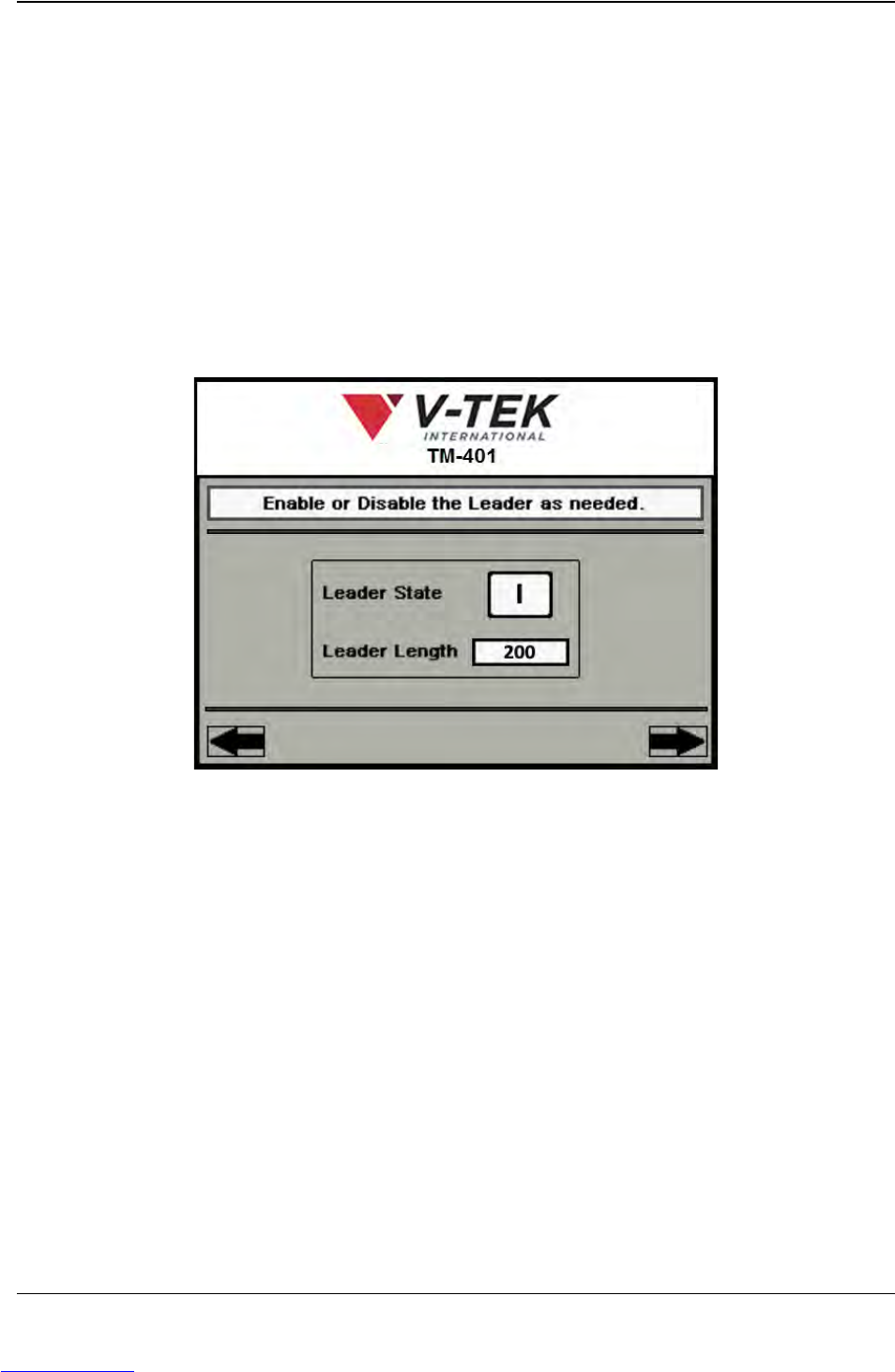
B. Seal Type toggles between PSA and Heat seal, select correct seal type.
C. The Set Point fields for the Inner and Outer Sealer are used to set the desired
temperature for Heat Seal. Enter the correct value in both fields, then press the
right Arrow Key to move to the next Job Wizard screen.
Note: The TM-401 accommodates a wide range of carrier tapes and cover tapes. Set-
tings may vary from one tape product to another. The recommended starting point is 90°
C. The maximum recommended operating temperature is 160° C. The temperature for
each seal shoe should be increased or decreased as needed after running a peel force
test.
The fourth Job Wizard screen enables or disables the tape Leader.
A. Leader State toggles between ON ( I ) and OFF (O).
B. Pressing the Leader Length field will open a keypad. Type in the desired value,
then press the right Arrow Key to move to the next Job Wizard screen.
A
B
Job Wizard Step 4
Downloaded from www.Manualslib.com manuals search engine
3-10 TM-401 User’s Guide
Job Tab D292104.6.fm
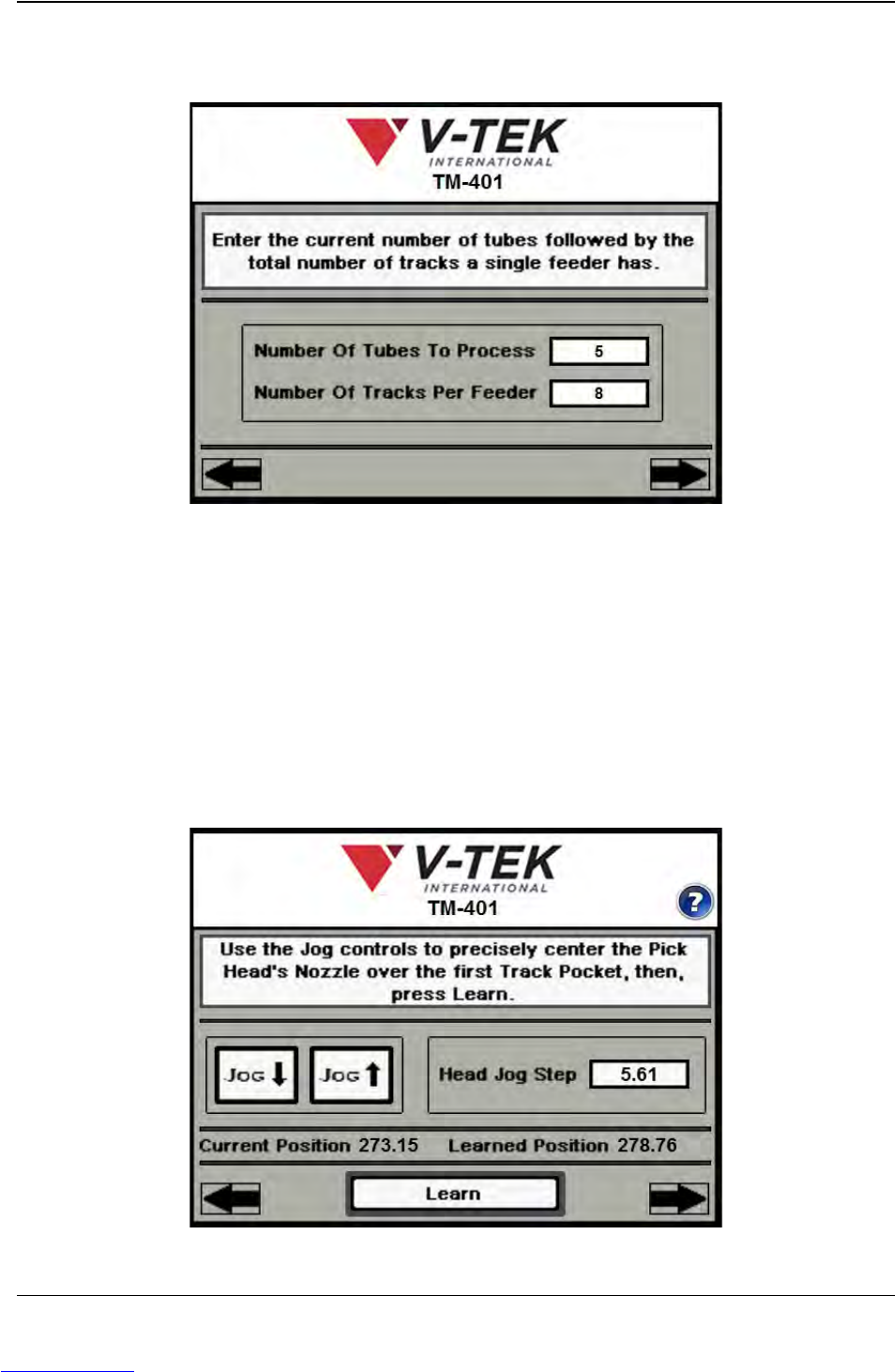
The fifth Job Wizard screen is used to enter the number of tubes that will be loaded in the
MTID.
A. Enter the number of tubes that will be processed. If two Tube Feeders are
installed, this will include the total number of tubes to be processed from both
feeders.
B. Enter the maximum number of tubes a single feeder will hold, then press the right
Arrow Key to move to the next Job Wizard screen.
The sixth and seventh Job Wizard screens are used to automatically determine Tube
Pitch.
A
B
Job Wizard Step 5
A
C
Job Wizard Step 6
B
Downloaded from www.Manualslib.com manuals search engine