编带机说明书-含图纸tm401.pdf - 第94页
4-20 TM-401 User’s Guide Configure HMI Settings D292104.7a.fm 8. Set Pick Nozzle Height The Pick Head ’s Z Axis (up/down) position needs to be set at the Pick position. a. Place a p art in the MTID pick location. b. Open…
D292104.7a.fm Configure HMI Settings
Chapter 4: Setup 4- 19
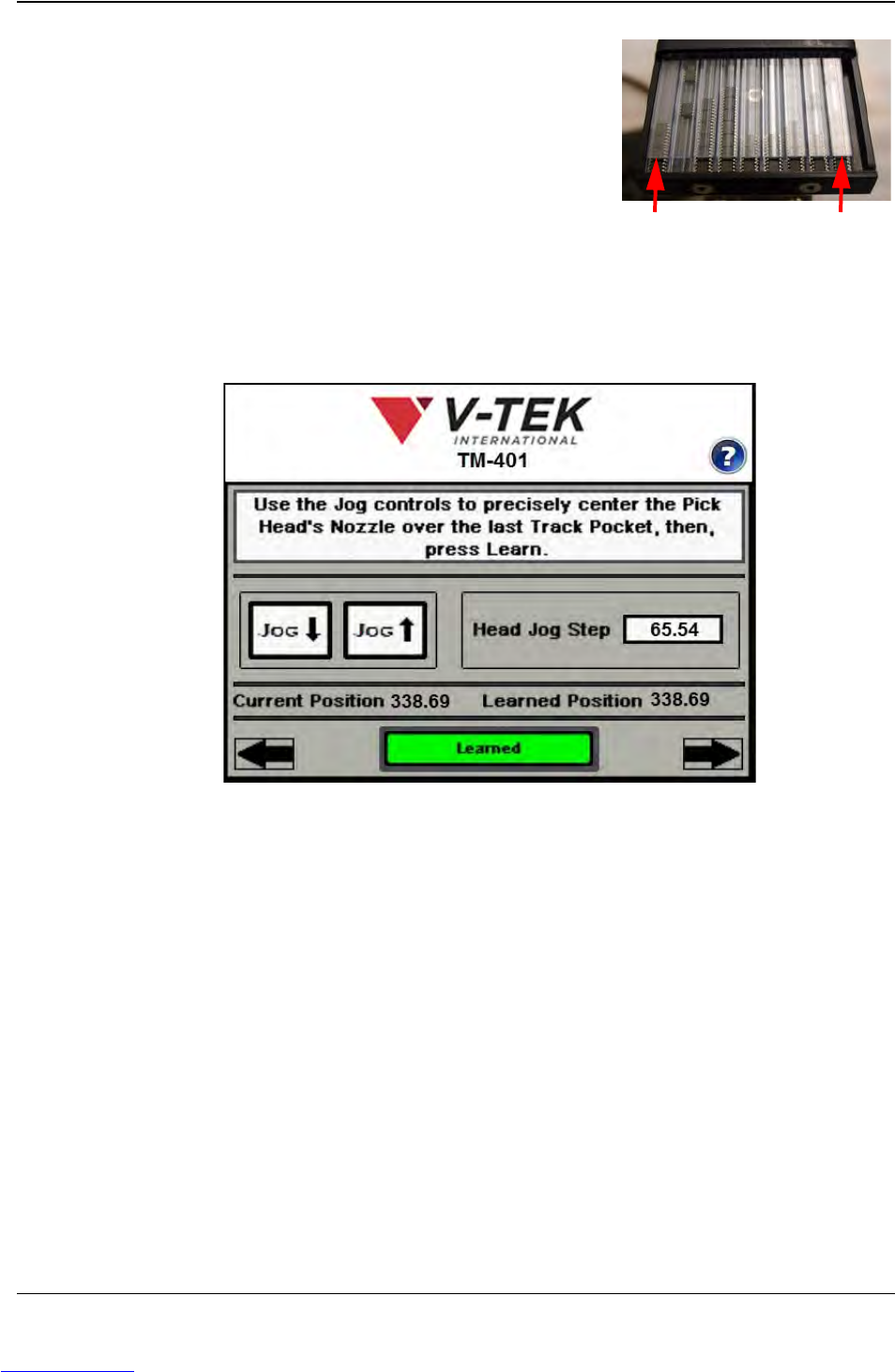
c. Use the Jog controls to position the nozzle
over the center of the first tube pocket.
d. Press Learn, then press the right Arrow key
to move to the next screen.
e. Use the Jog controls to position the nozzle over the center of the last Tube
pocket.
Press Learn, then press the right Arrow key to move to the next screen.
1st Pocket Last Pocket
Step 6:
Setup HMI
TUBE
FEEDER
Downloaded from www.Manualslib.com manuals search engine
4-20 TM-401 User’s Guide
Configure HMI Settings D292104.7a.fm
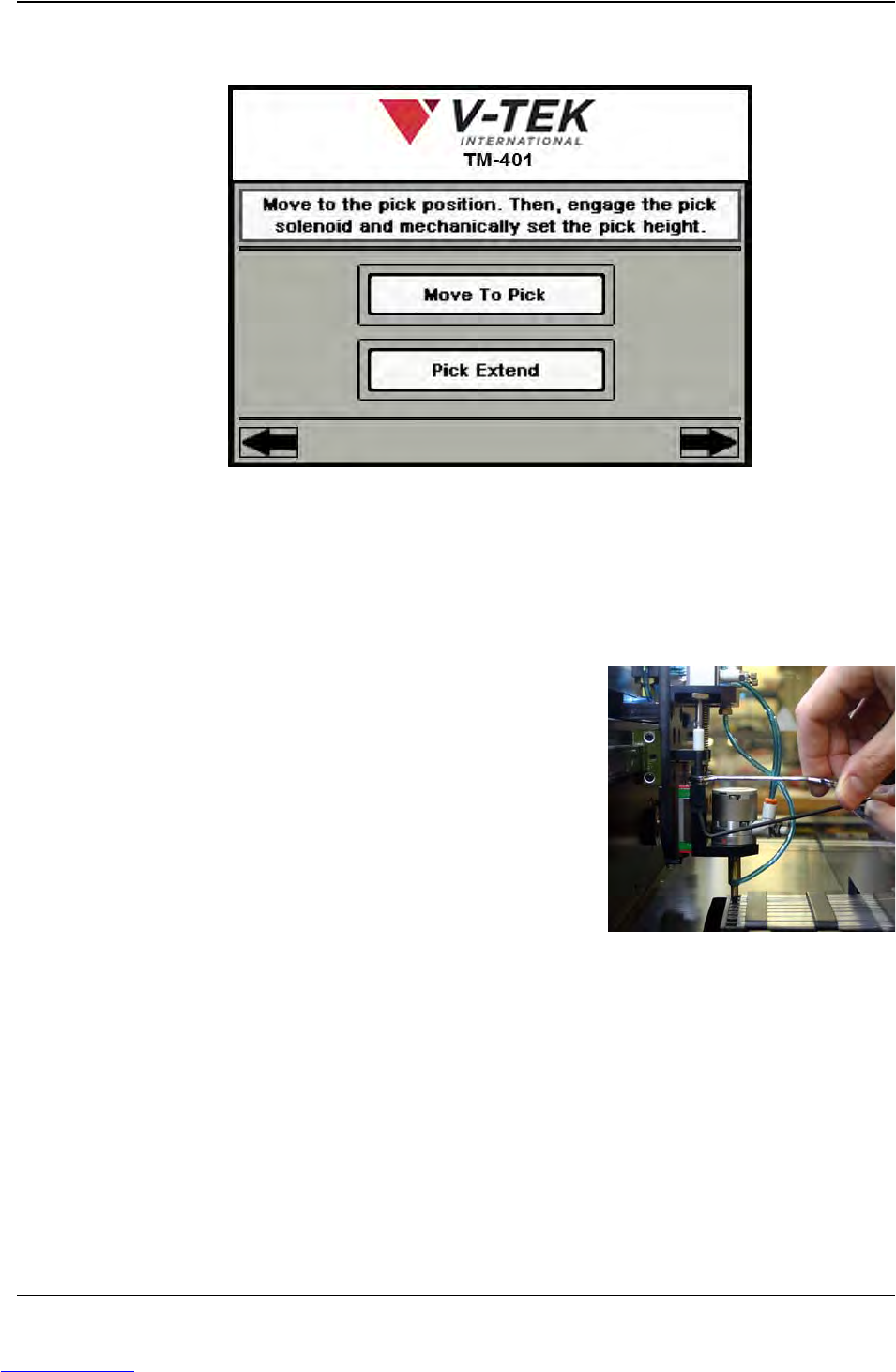
8. Set Pick Nozzle Height The Pick Head’s Z Axis (up/down) position needs to be
set at the Pick position.
a. Place a part in the MTID pick location.
b. Open the TM-401 enclosure doors to access the pick head.
c. Press Move to Pick to move the Pick Head over the MTID tube pocket in the
pick position.
d. Use a 2.5mm hex wrench to hold the
Actuator Adjustment Screw in place from
the bottom, while loosening the Jam Nut
on top of the Actuator Adjustment Screw
with an 8mm open ended wrench. Raise
the Nozzle until it is at a safe height so it
will not collide with the current part when
extended.
e. Tighten the Jam Nut.
f. Press the Pick Extend button.
g. Loosen the Jam Nut on top of the Actuator Adjustment Screw again, then
lower the Nozzle until it is barely touching the part in the Pick Location.
h. Tighten the Jam Nut.
i. Press Pick Retract to retract the Nozzle to a safe height.
Note: For all Nozzle Tips except the Convum Tips, the pick position should be set
just above the surface of the part with a very small clearance between the nozzle
Step 6:
Setup HMI
NOZZLE
Downloaded from www.Manualslib.com manuals search engine
D292104.7a.fm Configure HMI Settings
Chapter 4: Setup 4- 21
and the part. Because the Convum Nozzle Tips are flexible, it is all right if the tip is
programmed to touch the part when picking.
j. Press the right Arrow Key to move to the next Job Wizard screen.
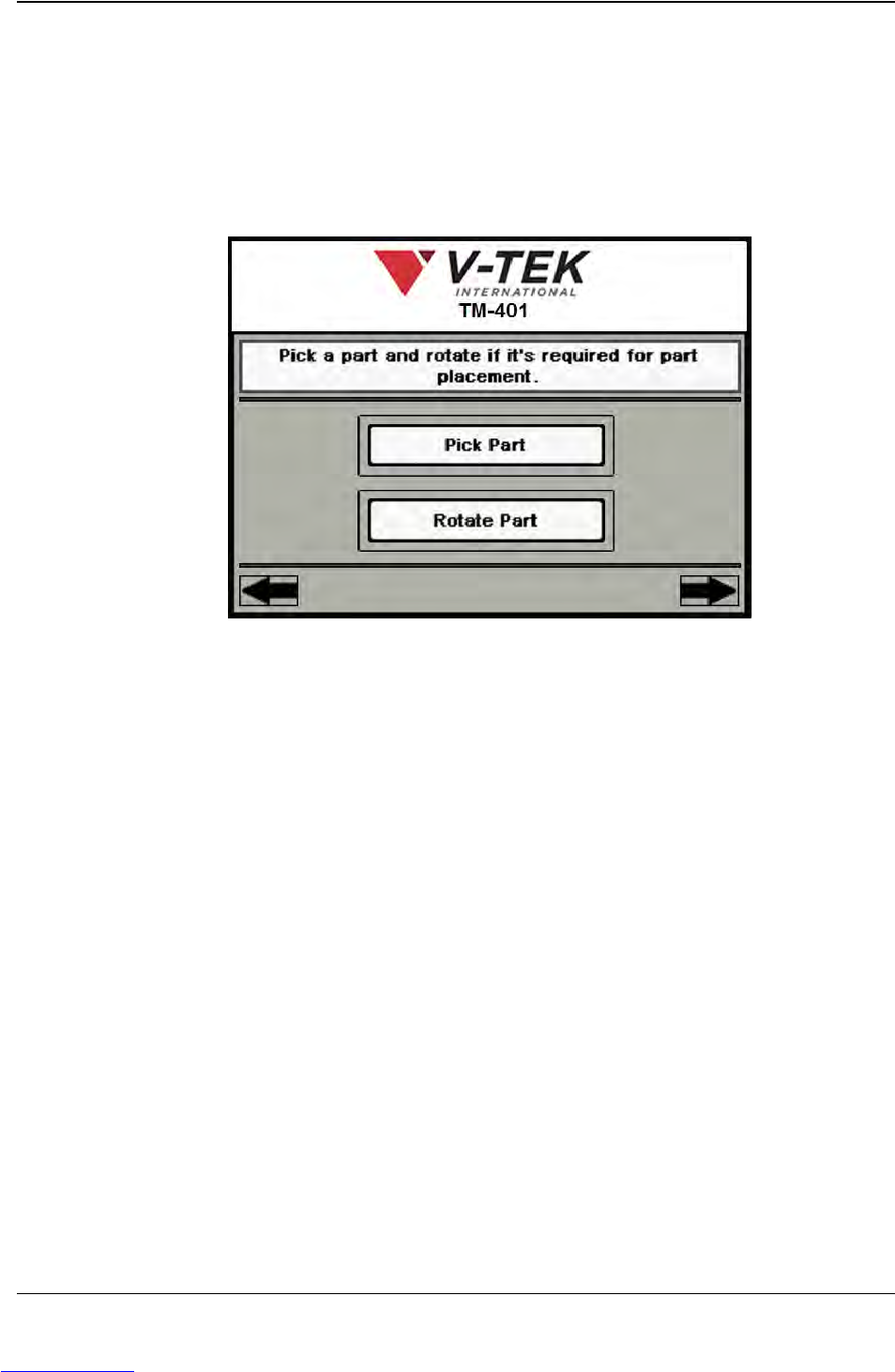
9. Nozzle Setup: Manual Rotation
a. Press Pick Part to activate the Pick Head and pick a part from the Pick
location.
b. If the part needs to be rotated before it is placed in tape, Press Rotate Part.
This will rotate it +90°. If no rotation is required for part placement, skip this
step.
c. Press the right Arrow Key to move to the next Job Wizard screen.
Step 6:
Setup HMI
NOZZLE
Downloaded from www.Manualslib.com manuals search engine