编带机说明书-含图纸tm401.pdf - 第184页
7-26 TM-401 User’s Guide Sensor Adjustments D292104.9a .fm Sensor Adjustments Adjusting the Lo w Co ver Sensor The Low Cover Sensor alerts the operator at the begin - ning of a job if there is not enou gh cover tape load…
D292104.9a.fm Tips on Part Placement
Chapter 7: Troubleshooting 7-25
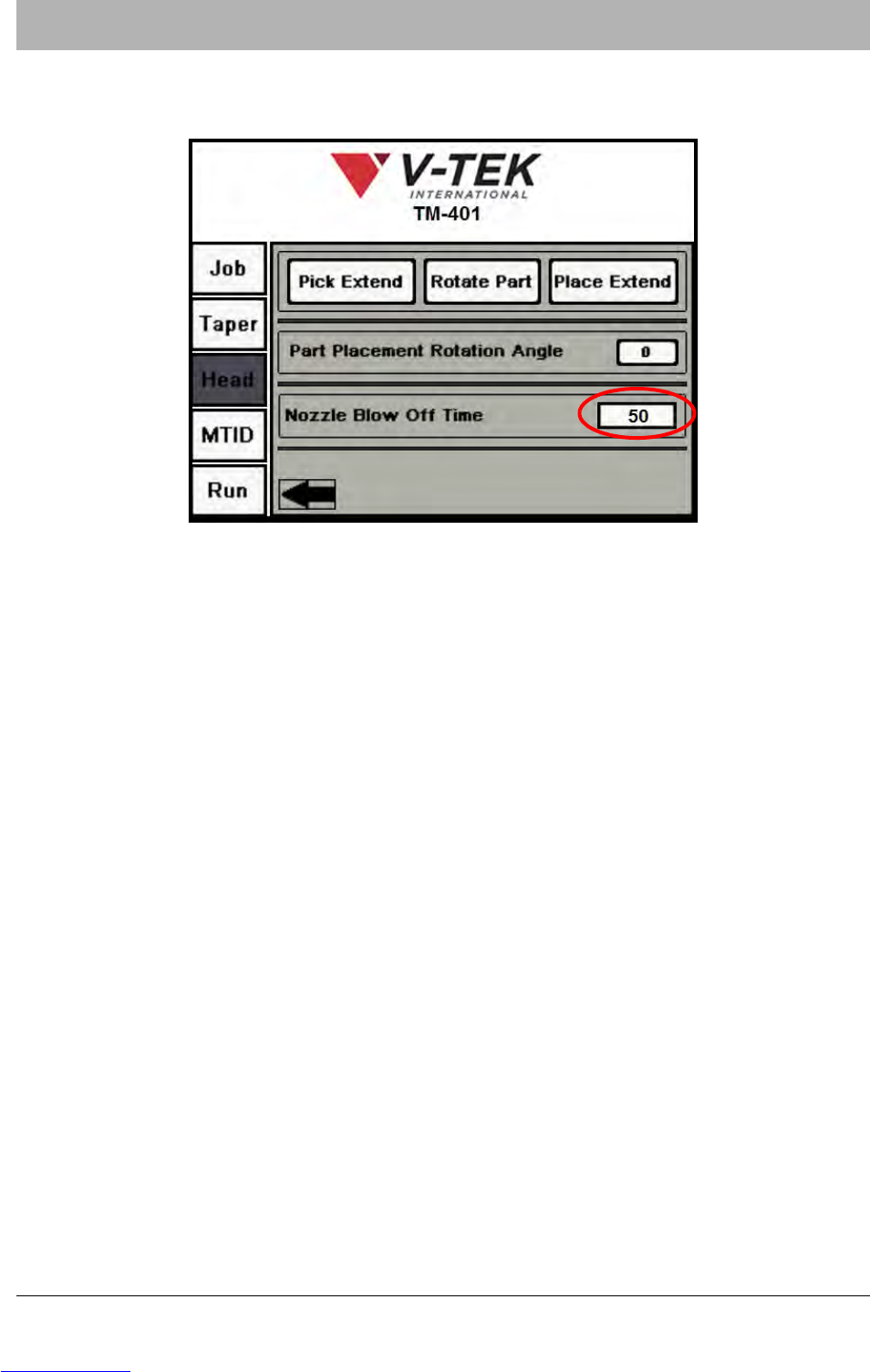
5. Adjust Blow Off Time. Press the right Arrow button on the bottom of the second Head
Tab to move to the last Head Tab screen
6. Adjust the length of Blow Off as needed to drop the part properly.
Note: If Nozzle Blow Off is set too low, the part may remain on the Nozzle Tip or “float”
down, resulting in an incorrectly placed part in the pocket.
If Nozzle Blow Off is set too high, the excess air may cause the part to bounce back out of
the pocket. Adjust the Nozzle Blow Off value until the TM-401 consistently and accurately
places parts in the carrier tape.
Downloaded from www.Manualslib.com manuals search engine
7-26 TM-401 User’s Guide
Sensor Adjustments D292104.9a.fm
Sensor Adjustments
Adjusting the Low Cover Sensor
The Low Cover Sensor alerts the operator at the begin-
ning of a job if there is not enough cover tape loaded on
the Cover Tape Reel to complete the job.
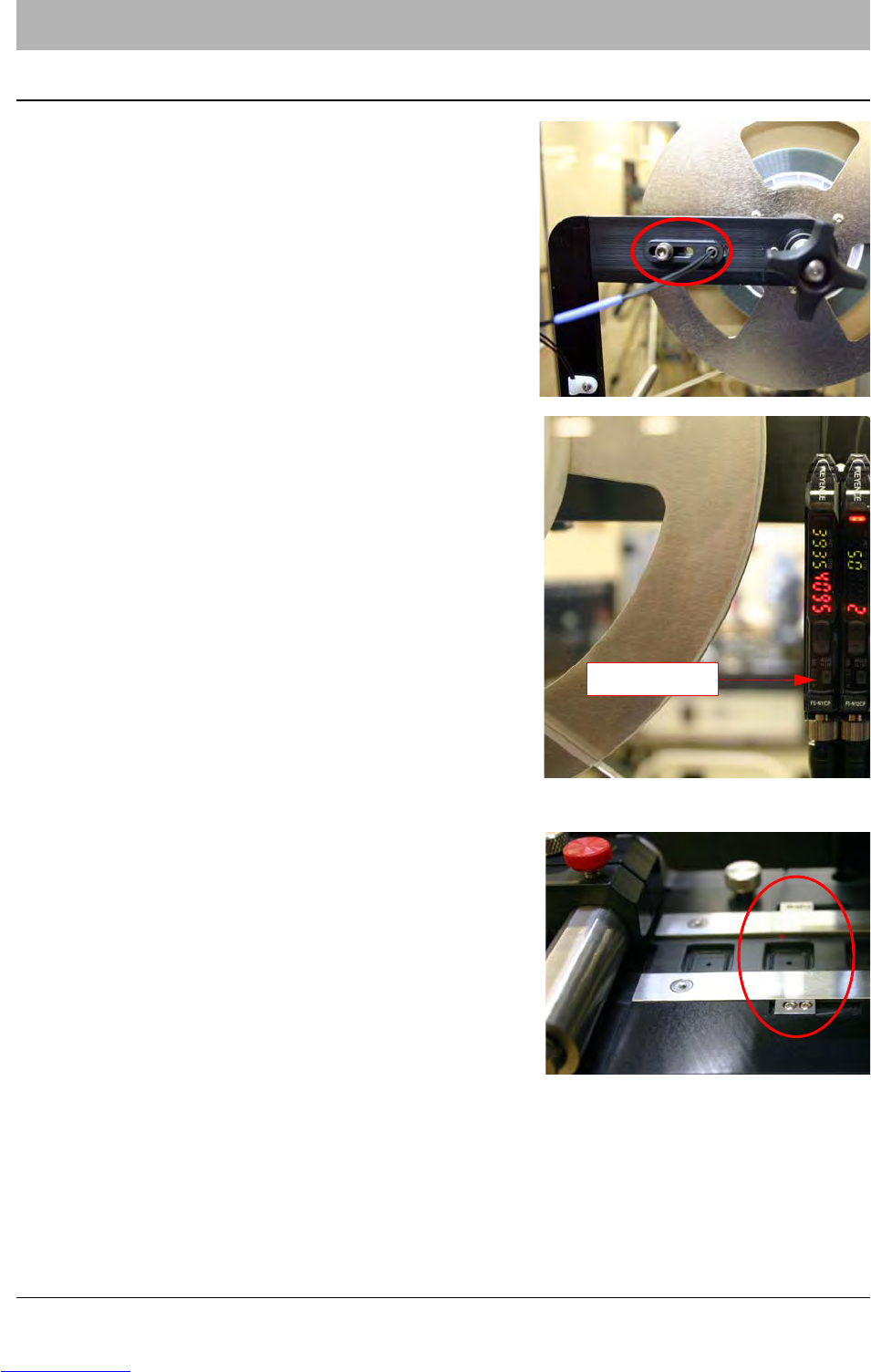
Loosen the screws on the Cover Tape Low Sensor to
adjust it’s position. It should rest so the sensor light is
positioned at the minimum level of cover tape required
to complete a job.
If sensor sensitivity needs to be fine tuned, adjust the
amplifiers at the base of the Cover Tape Arm. For more
information on the sensor/amplifier, refer to Appendix
A: Sensors
No further setup is required. The Low Cover Sensor is
ready to operate.
Adjusting the Tape Jam Sensor
The Tape Jam Sensor is located on the Taper track
just before the Sealer. It detects if parts are doubled up
or incorrectly placed in a carrier tape pocket so that
the part protrudes above the level of the track and
would interfere with cover tape placement.
If sensor sensitivity needs to be fine tuned, adjust the
amplifiers at the base of the Cover Tape Arm. For
more information on the sensor/amplifier, refer to
Appendix A: Sensors.
No further setup is required. The Jam In Tape Sensor
is ready to operate.
Amplifiers
Downloaded from www.Manualslib.com manuals search engine
D292104.9a.fm Adjusting Heat Seal Quality
Chapter 7: Troubleshooting 7-27
Adjusting Heat Seal Quality
If a Peel Force Test determines the Heat Sealer is not generating a satisfactory seal, try one of
the adjustments below to improve seal strength.
Heat Seal Shoe Temperature
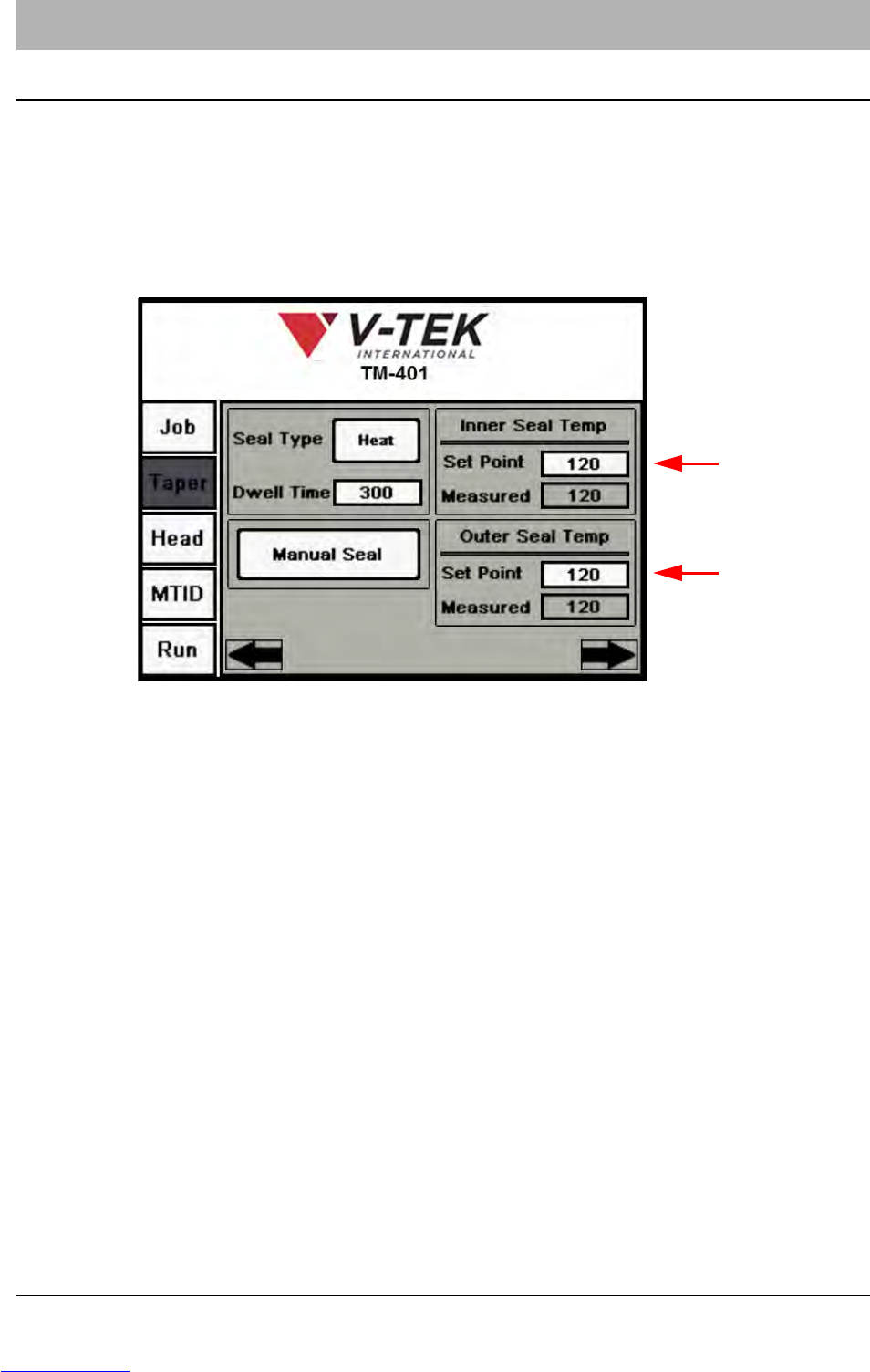
Open the HMI Taper Tab. Press the right Arrow button twice to advance to the third Taper
screen.
Increase or decrease the temperature of the sealer shoes. The inside and outside seals have
independent temperature controllers. Increase or decrease the Set Point for each sealer as
needed. Under normal conditions and materials, changing the temperatures should suffice.
Note: Generally it is best practice to adjust the temperature to achieve the desired peel
force.
The TM-401 accommodates a wide range of carrier tapes and cover tapes. Settings may
vary from one tape product to another. The suggested starting point is 90 degrees Cel-
sius. The maximum recommended operating temperature is 160° C. The temperature for
each seal shoe should be increased or decreased as needed after running a peel force
test.
Downloaded from www.Manualslib.com manuals search engine