编带机说明书-含图纸tm401.pdf - 第67页
D292104.6.fm Head Tab Chapter 3: Human Machine Interface 3-25 • If rotatio n is set at 0 , the part will be placed in the same orientation as it was picked. • If rotation is set at -90 , the p art will be rotated 90 degr…
3-24 TM-401 User’s Guide
Head Tab D292104.6.fm
the pick head is homed, the current position will be 0.00. This distance is measured in mil-
limeters.
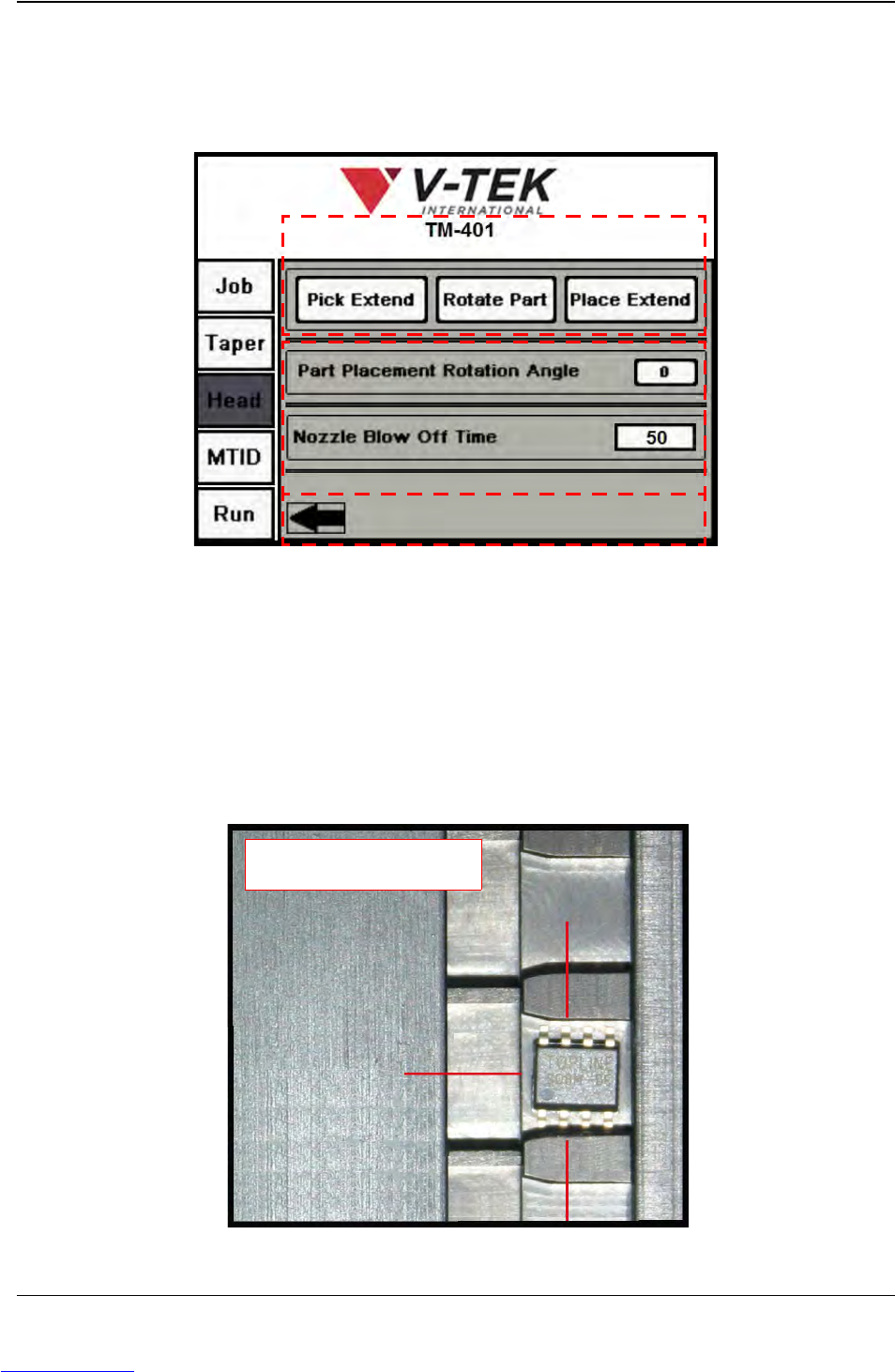
Press the right Arrow button to open the second Head Setup screen (shown below).
A. The Pick Extend/Pick Retract button actuates the pick solenoid to enable the
operator to set the pick height.
The Rotate Part button rotates the pick head to the preset rotation angle.
The Place Extend/Place Retract button actuates the place solenoid to enable the
operator to set the place height.
B. The Part Placement Rotation Angle is manually set during machine setup. The
options are 0, -90 and +90.
Head Screen 3
A
C
B
-90
0
+90
Rotation Options
Downloaded from www.Manualslib.com manuals search engine

D292104.6.fm Head Tab
Chapter 3: Human Machine Interface 3-25
• If rotation is set at 0, the part will be placed in the same orientation as it was
picked.
• If rotation is set at -90, the part will be rotated 90 degrees clockwise prior to
placement.
• If rotation is set at +90, the part will be rotated 90 degrees counter-clockwise
prior to placement.
Nozzle Blow Off Time is the amount of time in milliseconds that the nozzle will
activate the blow-off pressure to place a part in the Taper.
C. Press the left Arrow button to return to the second Head Setup screen or press a
button on the Tab Menu to move to a new tab.
Note: The TM-401 will use these settings for the current job. To save Head Settings for
future jobs, go to the Job Tab, select a job name and Save.
Downloaded from www.Manualslib.com manuals search engine
3-26 TM-401 User’s Guide
MTID Tab D292104.6.fm
MTID Tab
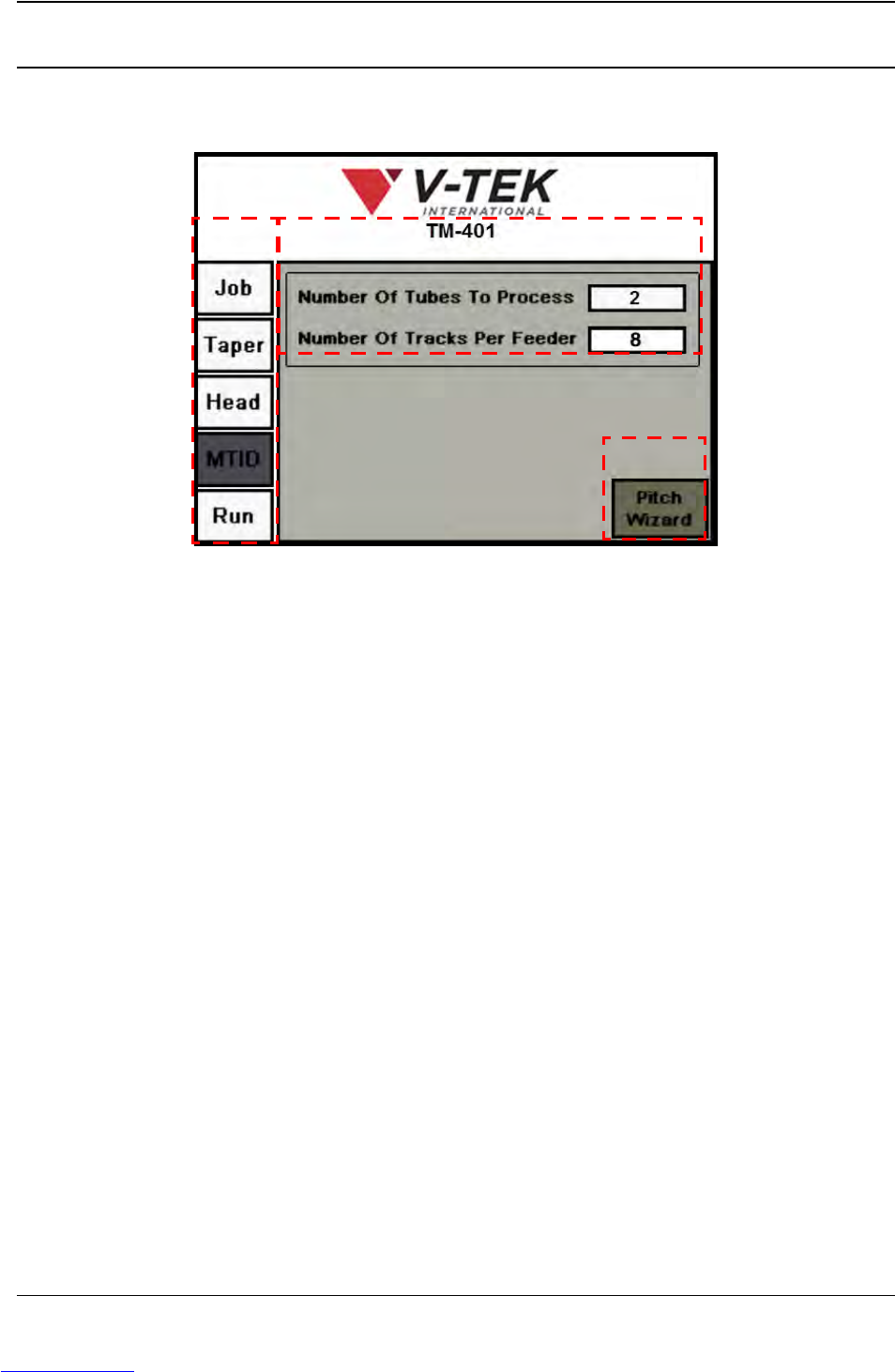
The Manual Tube Input Device (MTID) Setup Tab allows the user to set the number of tubes and
utilize the Pitch Wizard to calculate pick position..
A. Tab Menu
B. Number of Tubes Fields
C. Pitch Wizard button
A. Press any tab in the Tab Menu to open that tab window.
B. Number Of Tubes To Process is the number of tubes that have been loaded into
the tube feeder.
Number Of Tracks Per Feeder is the total number of tubes that can be pro-
cessed by a single tube feeder. For example, if the system has two Tube Feeders
that are equipped with eight track tooling, the Total Number Of Tubes would be
eight. However, the Number Of Tubes To Process could be as high as 16.
Note: The MTID does not need to be fully loaded to operate. However, if If only one tube
is loaded, enter a 2 for the number of tubes. If there are consecutive miss-picks, the TM-
401 will always attempt to pick a second tube and then return to the original tube allowing
Tube 1 to feed properly.
AB
C
Downloaded from www.Manualslib.com manuals search engine