编带机说明书-含图纸tm401.pdf - 第14页
Safety Features D292104.2.fm x To w e r L i g h t The tower light feature allows t aping machine operators a nd production supervisors in determining the operati onal st ate of the ta ping machine at a glance. Color Code…
Safety Features D292104.2.fm ix
Open Doors Stop Operation
All automated motion stops and the machine is unable to enter Run Mode when an enclosure
door is opened. An error message will display at the bottom of the HMI Run screen and a chirp-
ing alarm sound will alert the user that the TM-401 door(s) are open.
The enclosure doors may be left open during basic set-up procedures such as positioning the
pick head at place or pick locations. If the enclosure doors are left open during setup the TM-401
automatically reduces the speed of the pick head to a fraction of its normal operating speed to
prevent operator injury due to collision, etc.
System Alarm
The system alarm will sound and halt the Run Mode process of the machine at any time a Sys-
tem Alarm occurs. A description of the System Alarm and suggestions for resolving it will appear
on the HMI Main Screen.
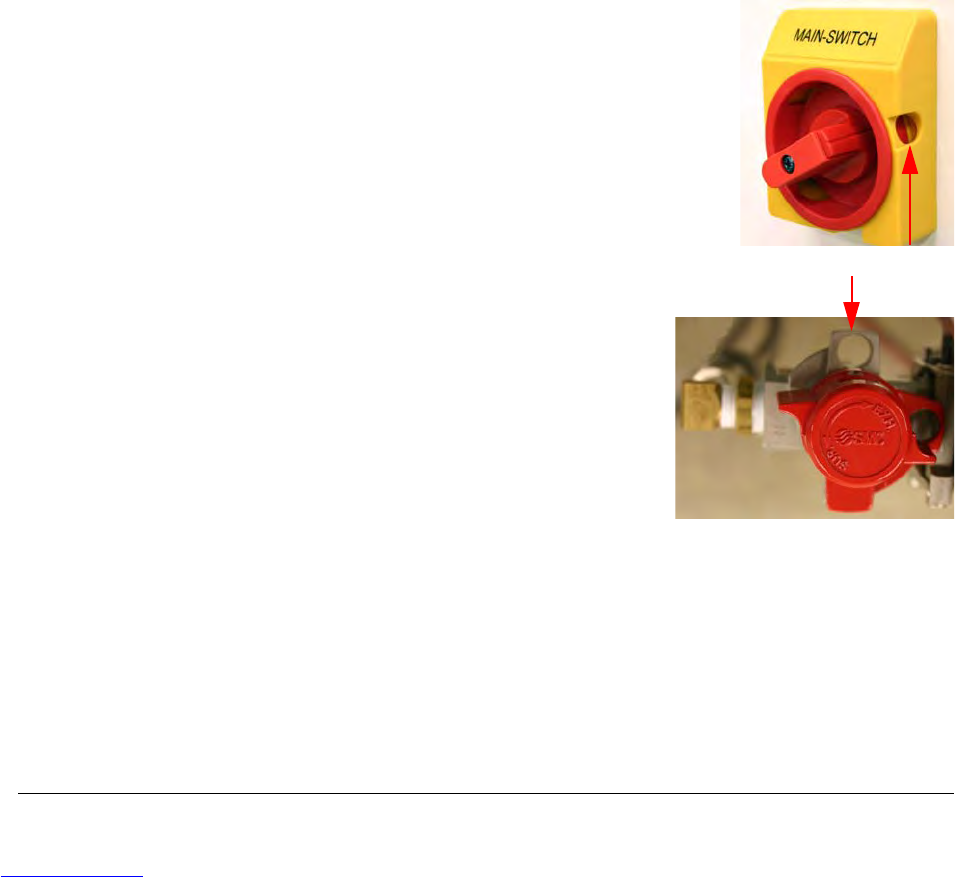
Lockout/Tagout
The Main Switch can be turned ON and OFF by turning the
red knob back and forth. When the red knob is placed in the
OFF position, the lockout/tagout hole is exposed. The Main
Switch can then be locked out by placing a lock through the
hole.
The Air Regulator can be turned ON and OFF by turning
the top red cap back and forth. When the red cap is
placed in the OFF position, the lockout/tagout hole will be
exposed. The Air Regulator can then be locked out by
placing a lock through the hole.
Be sure to follow your company guidelines regarding
lockout/tagout procedures.
lockout/tagout hole
Downloaded from www.Manualslib.com manuals search engine
Safety Features D292104.2.fm x
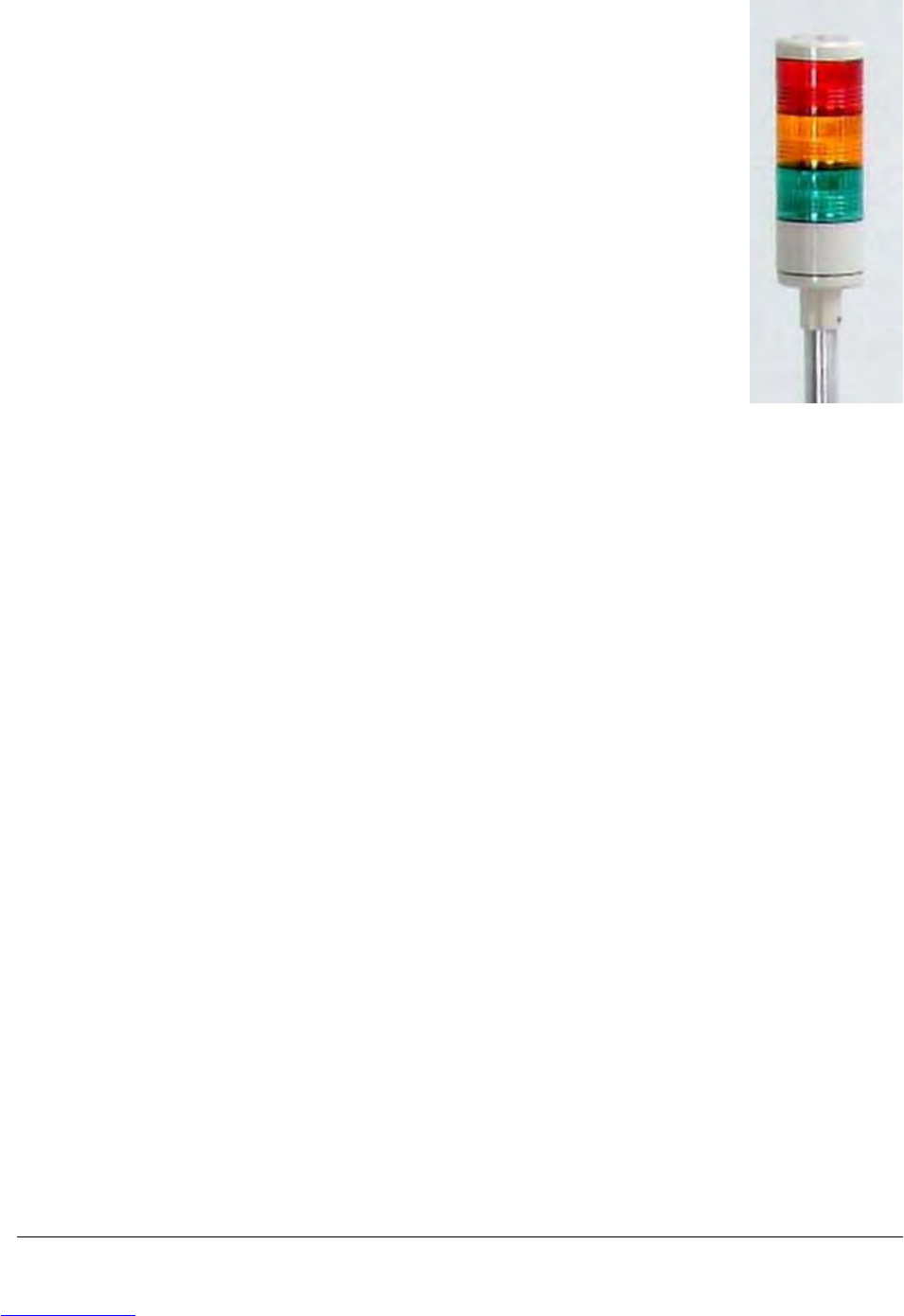
To w e r L i g h t
The tower light feature allows taping machine operators and production
supervisors in determining the operational state of the taping machine at a
glance.
Color Codes
Green
A solid green light indicates the machine is running a job.
Red
A flashing red light indicates that the machine is on but not running.
Green + Amber
The combination of a solid green light and a solid amber light indicate the
machine is at the end of a job and is in the process of creating a leader.
Red + Amber
The combination of a blinking red light and a blinking amber light indicates
the machine is at the end of a job and attempting to create a leader, how-
ever something has interfered with the process, stopping the machine.
A blinking red light and a solid amber light indicates the machine is at the end of a job, the leader
creation sequence is complete and the TM-401 is ready for the next process.
Downloaded from www.Manualslib.com manuals search engine
Safety Warning Labels D292104.2.fm xi
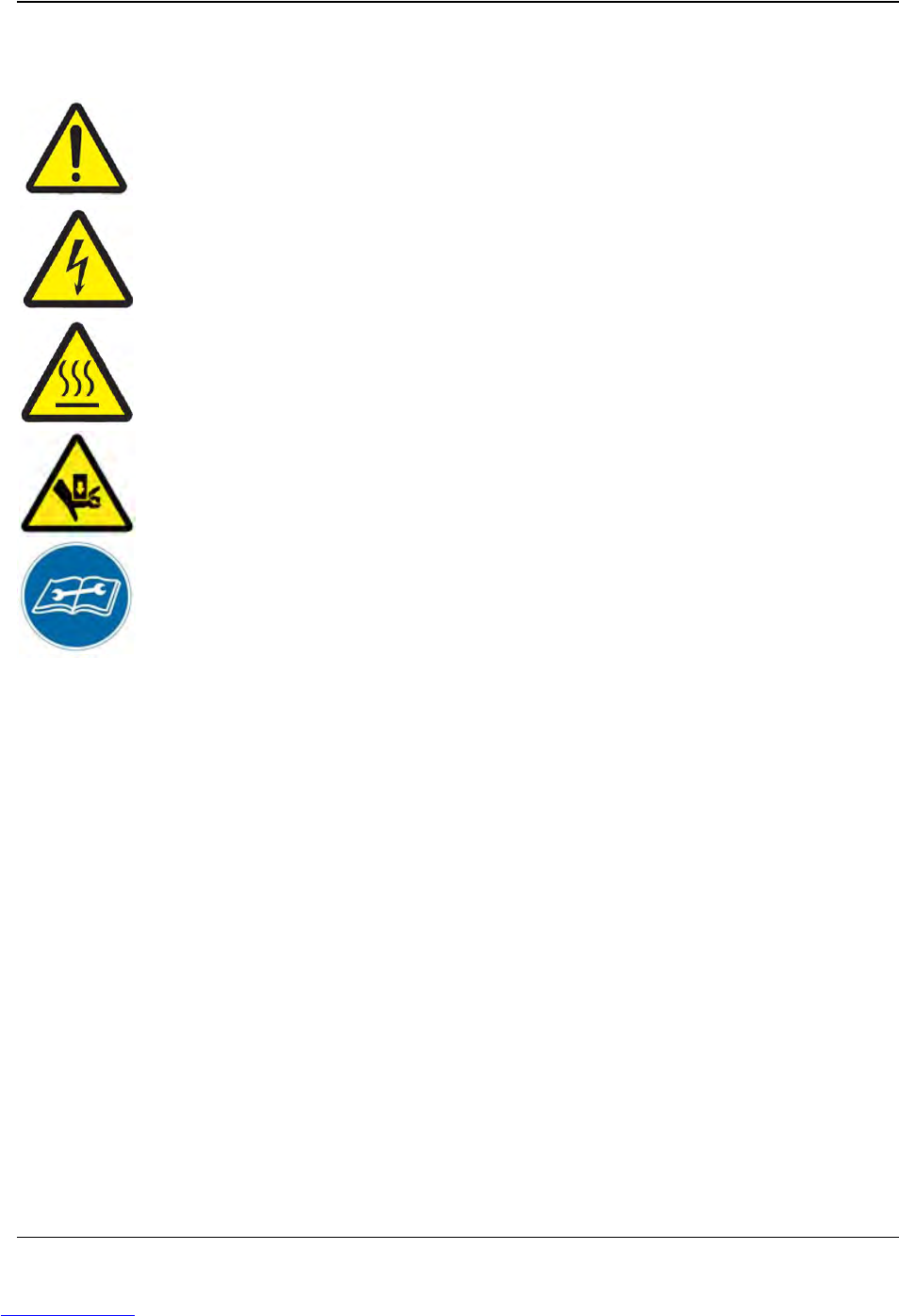
Safety Warning Labels
The following warning labels have been placed in various places on the machine to bring safety
issues to the attention of operators and technicians working with or near the machine.
Attention
Indicates an adjustment or danger zone requiring attention.
Electrical Hazards
Indicates that hazardous voltage levels are present. Always disconnect power to
the machine before removing panels or enclosures with this warning label.
Te m p e r a t u r e H a z a r d s
Indicates a hot surface. Use care when working near these surfaces and allow
them to cool before performing maintenance.
Pinch Hazard
Indicates areas where moving parts or doors can pinch fingers if safety precau-
tions are not observed.
Consult Manual
Consult User’s Guide for proper procedure.
Disconnect power and air supplies and refer to Chapter 8: Maintenance of this
manual before performing maintenance on the TM-401.
Note: Do not remove or obstruct any of the warning or instruction labels on the
TM-401.
Downloaded from www.Manualslib.com manuals search engine