编带机说明书-含图纸tm401.pdf - 第140页
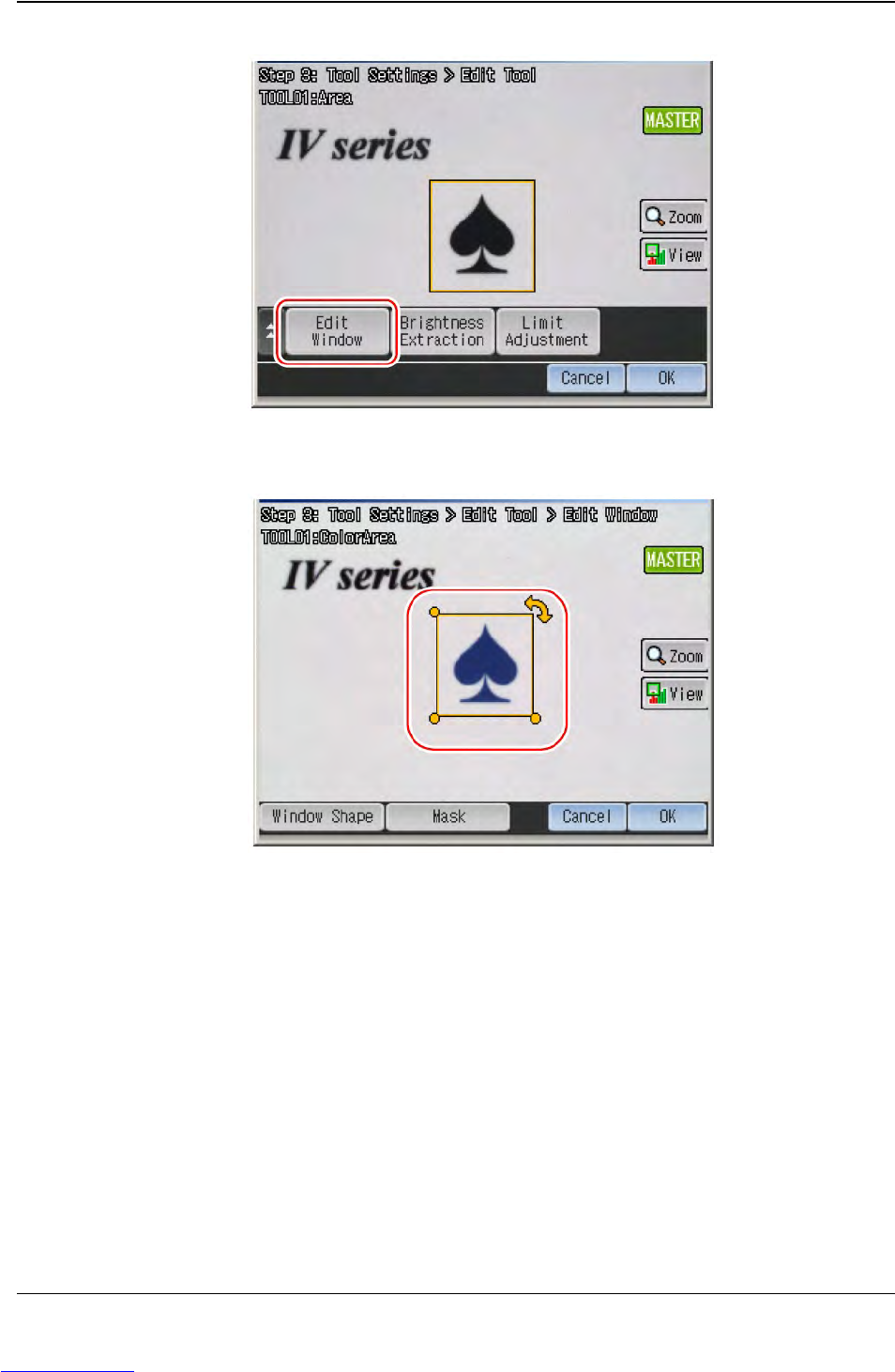
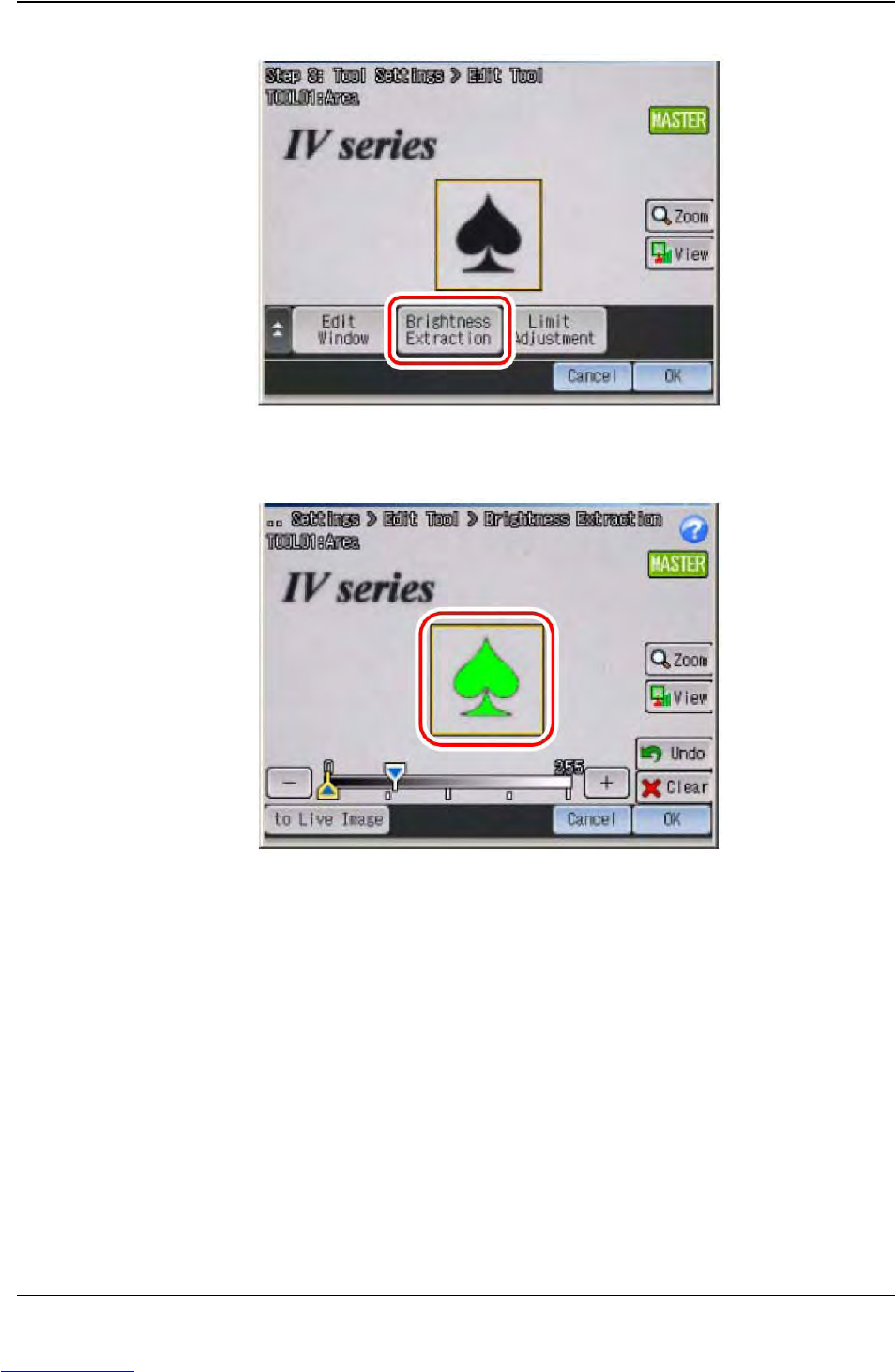
5-38 TM-403 User’s Guide Configure Inspection D292104.16.fm 5. T ouch the Brightness Extraction button. 6. T ouch the brightness area to be the reference of judgment for the Area tool, then touch OK . Step 2: Vision Setu…
D292104.16.fm Configure Inspection
Chapter 5: Setup 5- 39
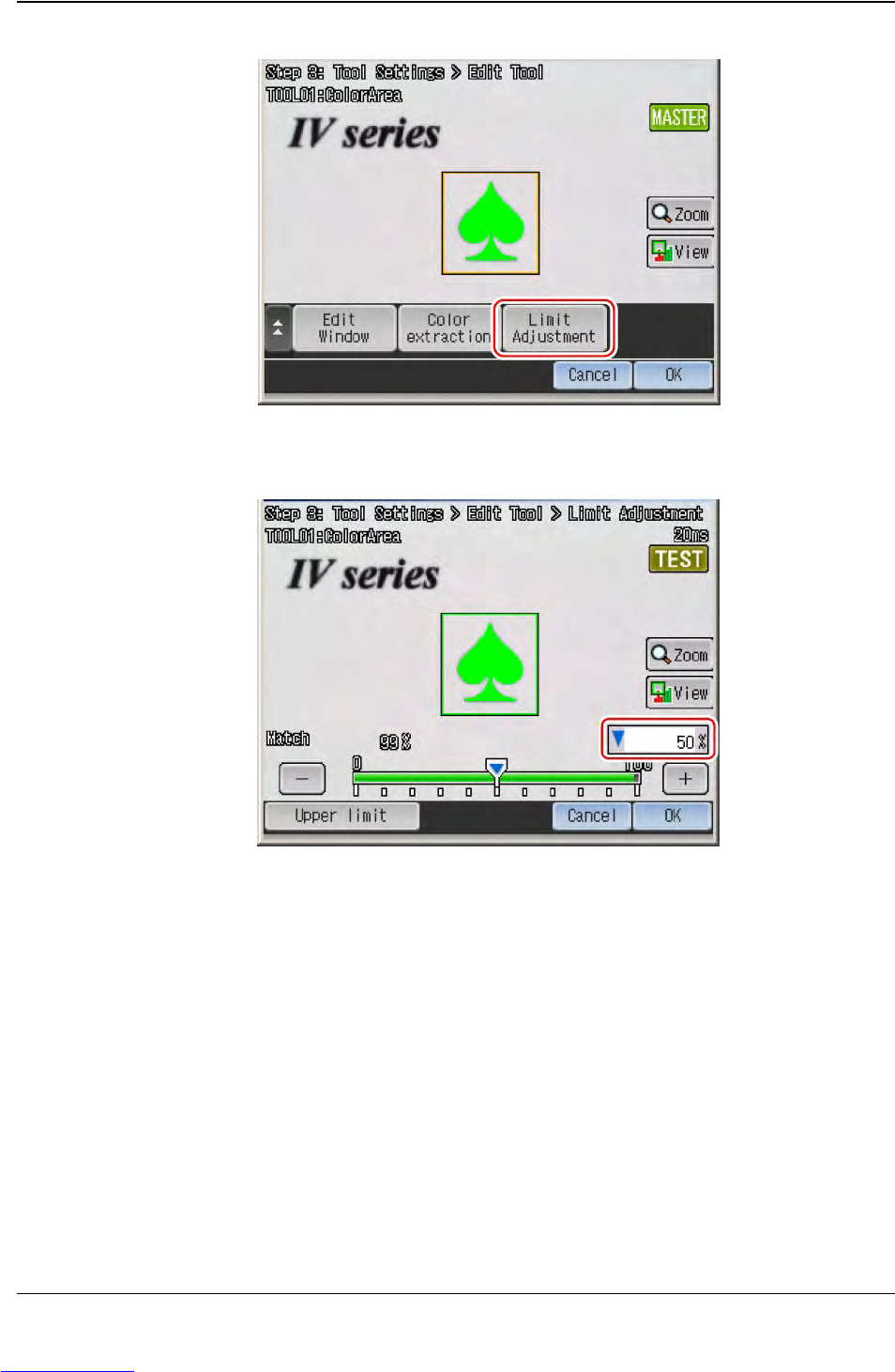
7. Touch the Limit Adjustment button.
8. Set the threshold to judge OK and NG, then touch OK. The display will return to the
main screen for the Color Area/Area tool.
9. Touch OK, then touch Next to proceed to “STEP4”.
Step 2:
Vision
Setup
CONFIGURE
MONITOR
Downloaded from www.Manualslib.com manuals search engine