编带机说明书-含图纸tm401.pdf - 第167页
D292104.9a.fm System Alarm Messages Chapter 7: Troubleshooting 7-9 No P ar t T o Place System Alarm If the user atte mpts to place a part in t ape when there is no p art on the Nozzle, the No Part T o Place System Alarm …
7-8 TM-401 User’s Guide
System Alarm Messages D292104.9a.fm
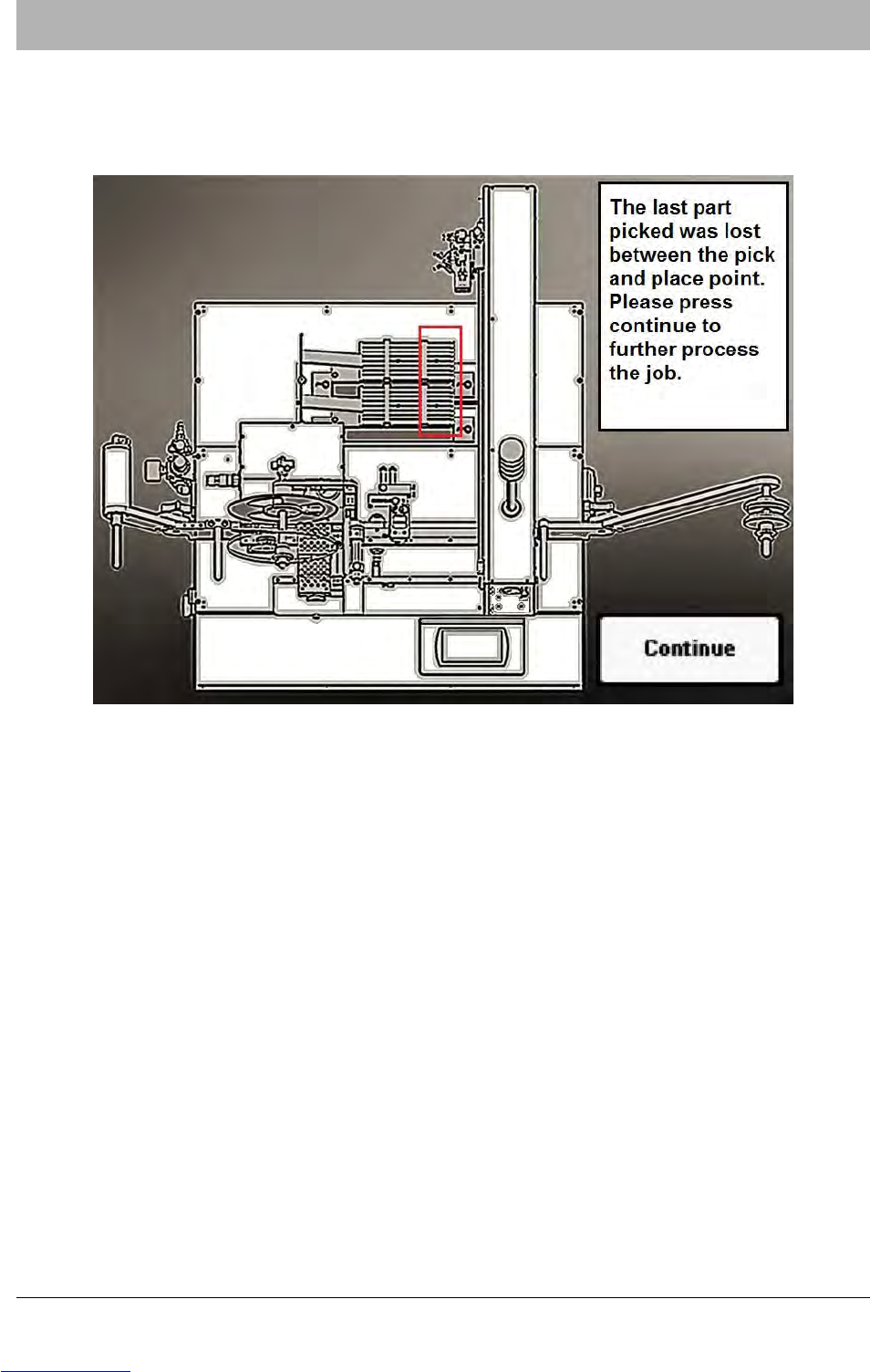
Part Lost System Alarm
If a part falls off the nozzle and is lost during the Pick process, the Part Lost system alarm will be
activated. When this happens, operation stops, a beep sounds, and a warning appears on the
HMI.
To clear the Part Lost System Alarm, check the Vacuum Sensor to ensure it is set correctly. Next,
ensure the correct Nozzle Tip for the part that is being picked is installed. Finally, check the Pick
Position to ensure it is centered correctly. Adjust as necessary.
When the Tube Feeder is ready for operation, press CONTINUE to clear the alarm and resume
operation.
Downloaded from www.Manualslib.com manuals search engine
D292104.9a.fm System Alarm Messages
Chapter 7: Troubleshooting 7-9
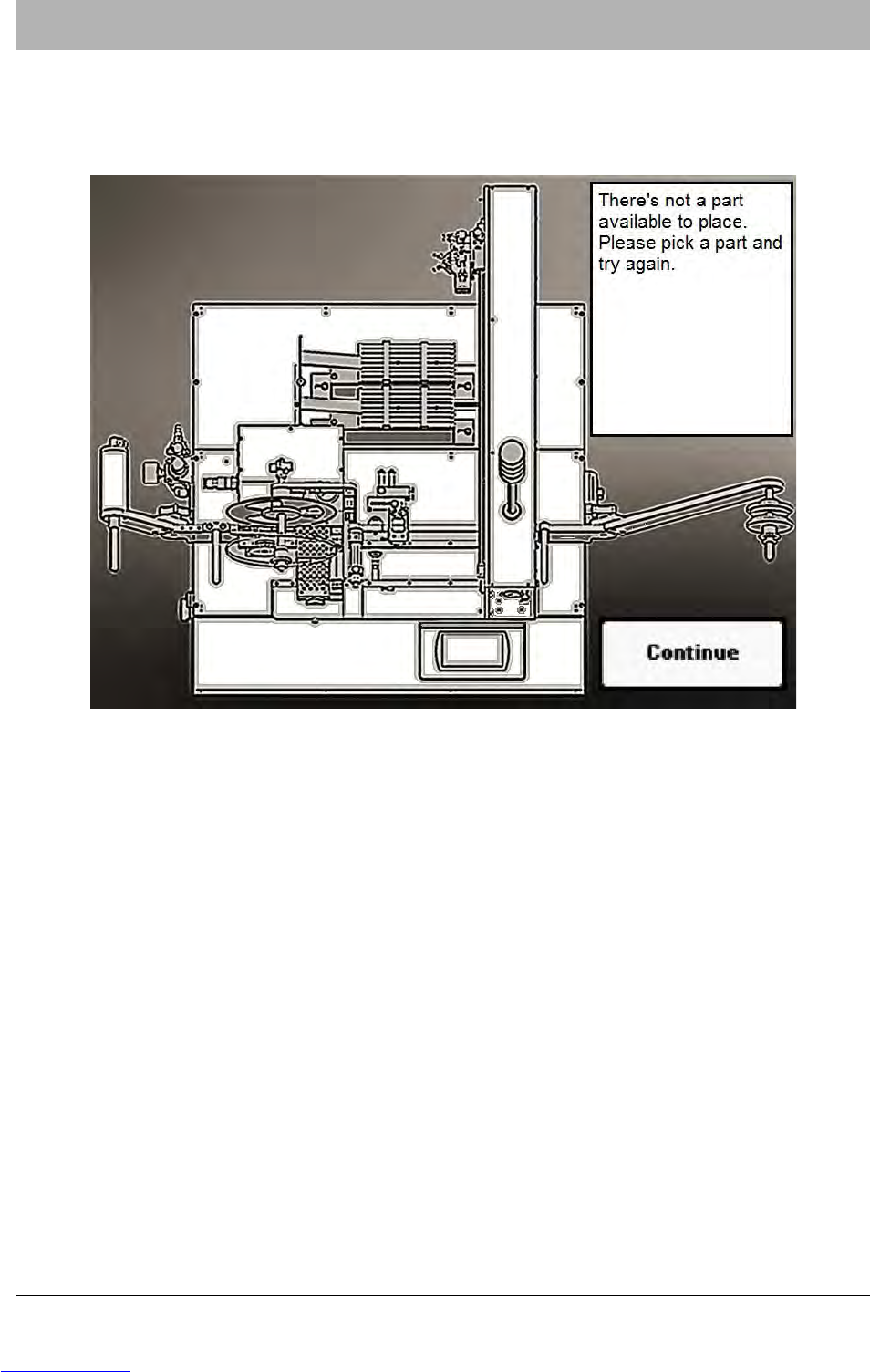
No Part To Place System Alarm
If the user attempts to place a part in tape when there is no part on the Nozzle, the No Part To
Place System Alarm will be activated. When this happens, operation stops, a beep sounds, and
a warning appears on the HMI.
To clear the No Part To Place System Alarm, pick a part then press CONTINUE to clear the
alarm and resume part placement.
Downloaded from www.Manualslib.com manuals search engine
7-10 TM-401 User’s Guide
System Alarm Messages D292104.9a.fm
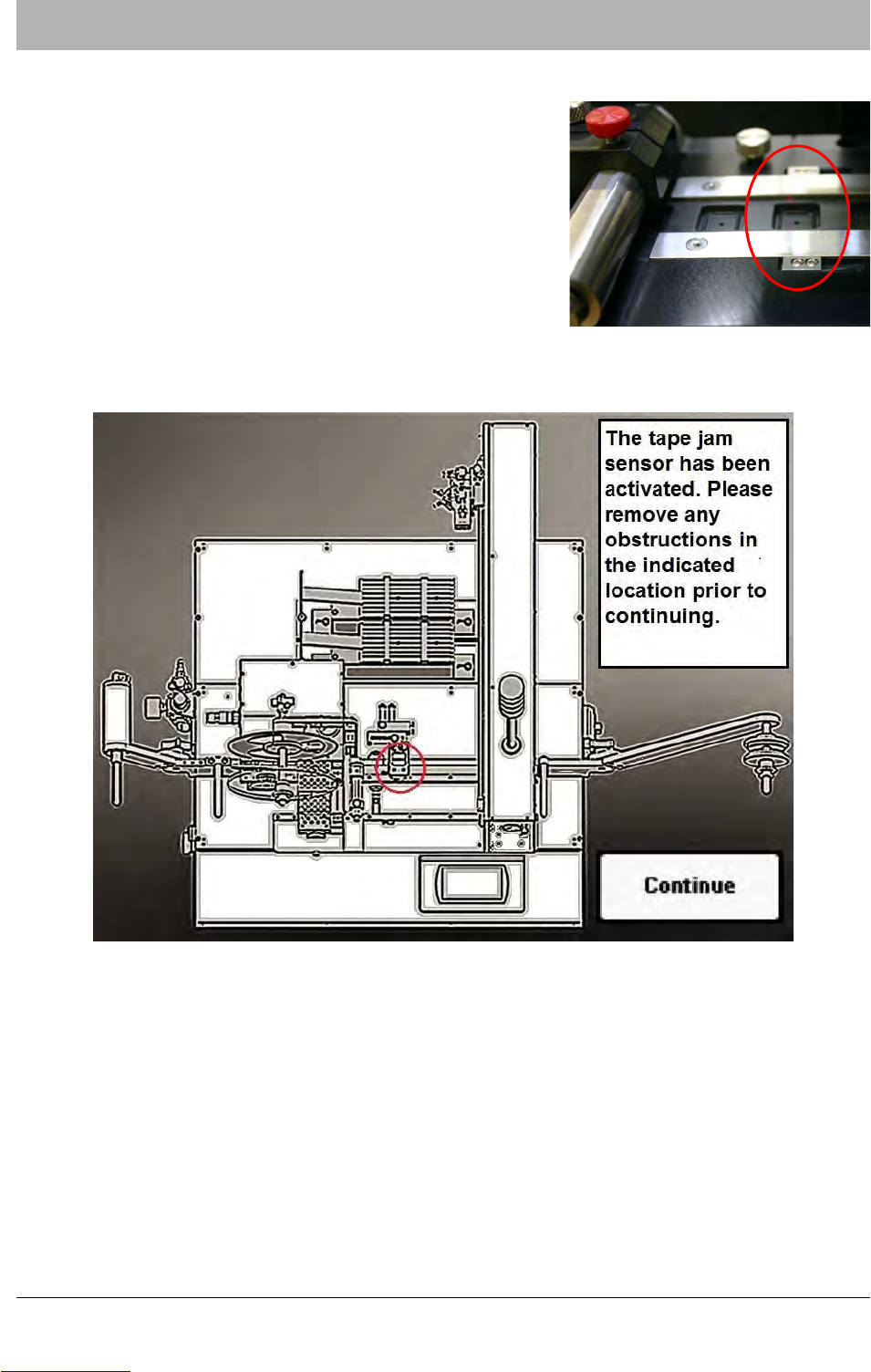
Tape Jam Sensor System Alarm
The Tape Jam Sensor is located on the Taper Track just
before the Sealer. It detects when parts are protruding
above the top of the pocket due to a misplaced part or
tape jam.
When the Tape Jam sensor is enabled and a jam occurs, operation stops, a beep sounds and a
warning appears on the HMI
Clear the tape jam and then press CONTINUE to clear the error message and continue opera-
tion.
Downloaded from www.Manualslib.com manuals search engine