编带机说明书-含图纸tm401.pdf - 第109页
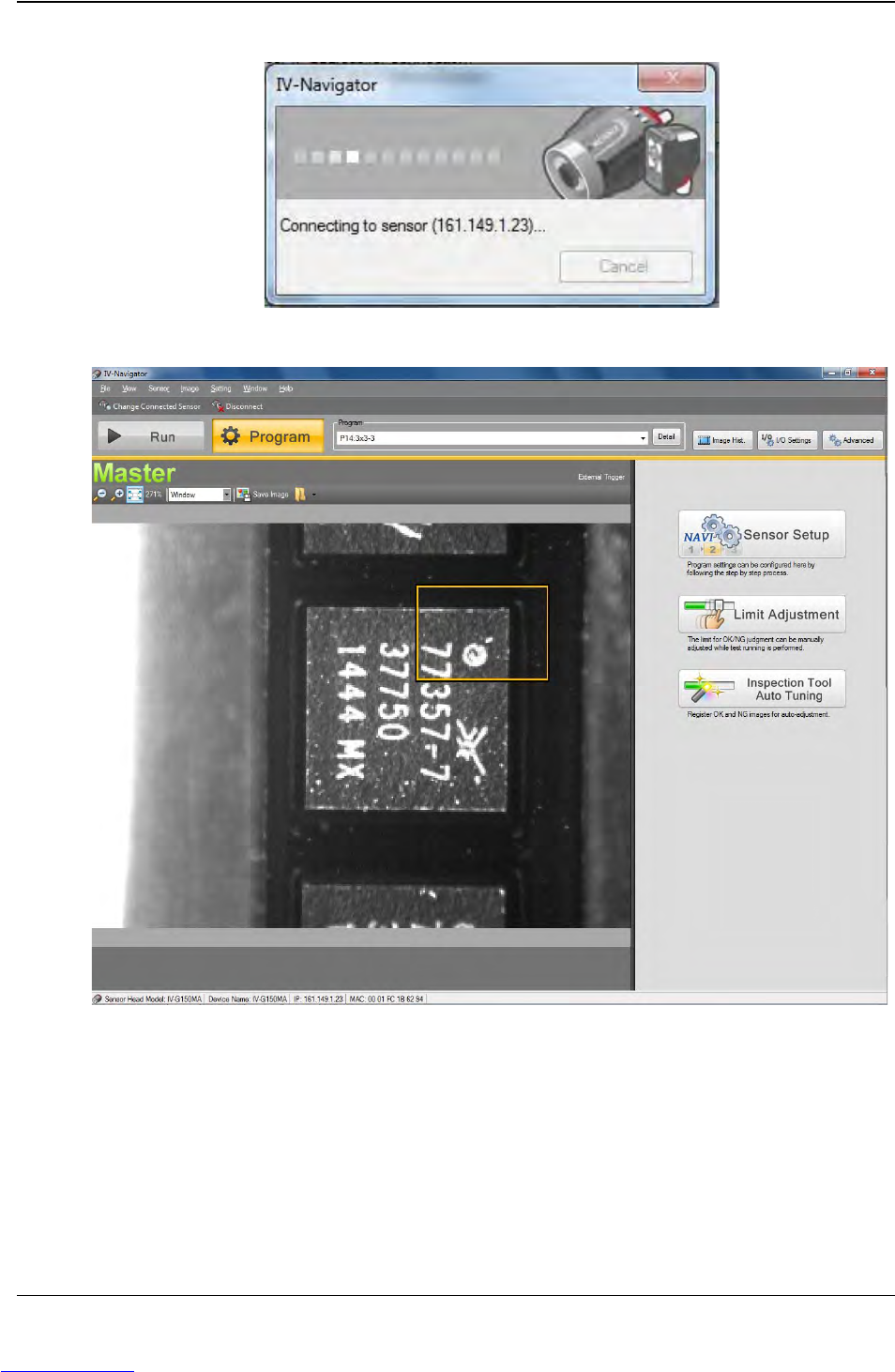
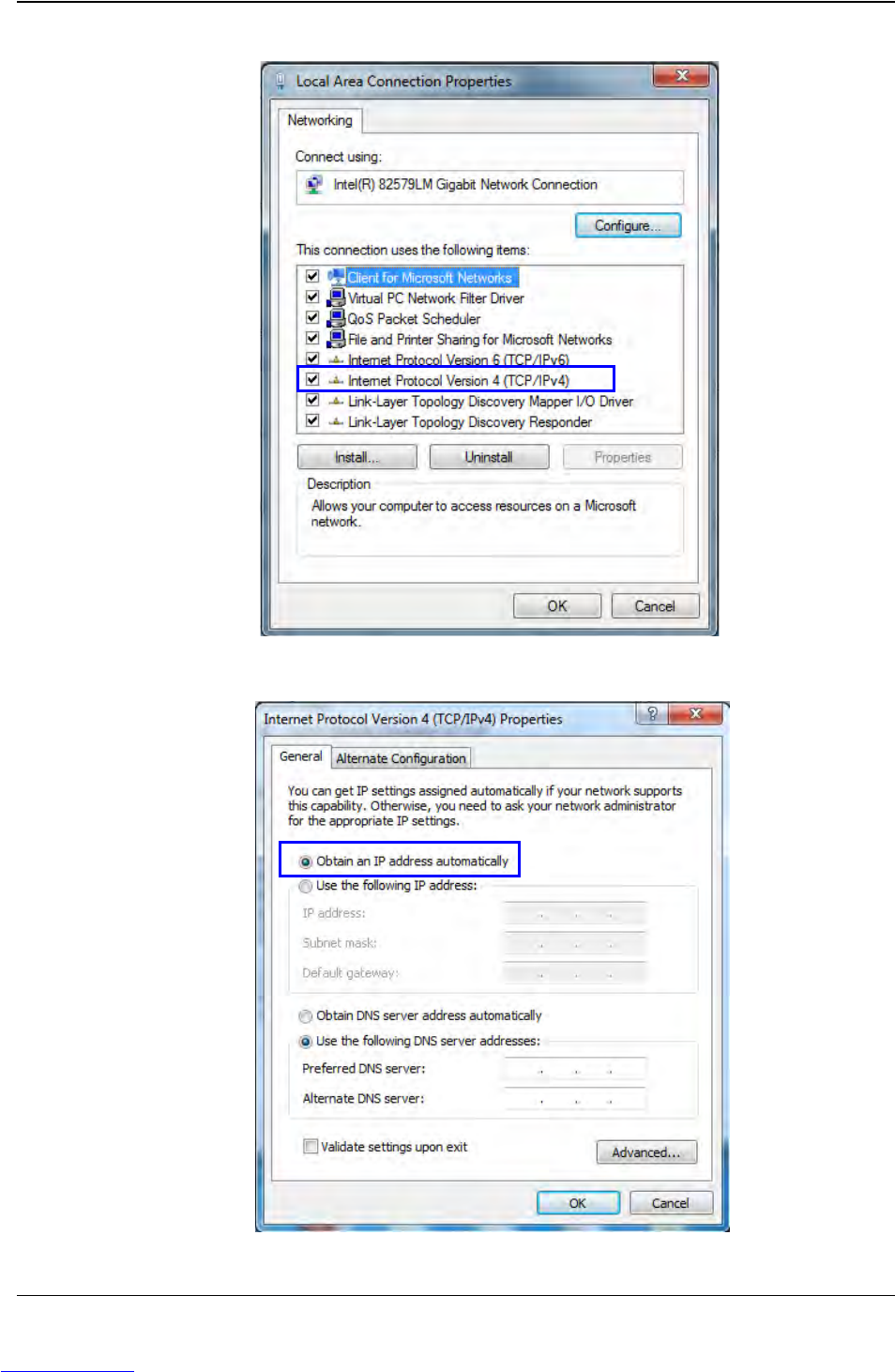
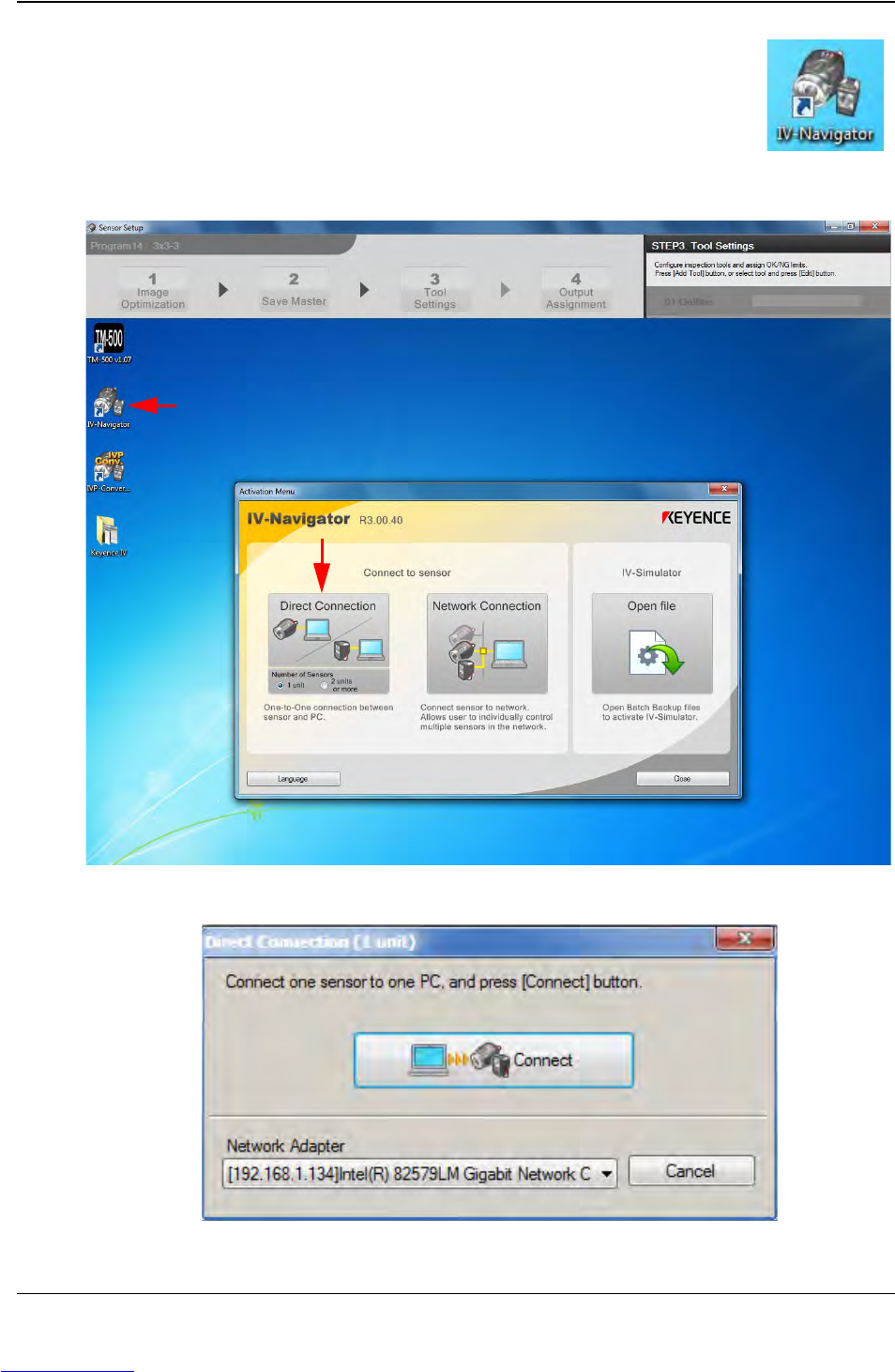
D292104.16.fm Connect Vision Chapter 5: Setup 5- 7 5. T o select a stored inspection or configure a new inspect ion, open the Keyence Inspection System software b y double-clicking on the IV Navigator icon on the desktop…
D292104.16.fm Connect Vision
Chapter 5: Setup 5- 7
5. To select a stored inspection or configure a new inspection, open
the Keyence Inspection System software by double-clicking on
the IV Navigator icon on the desktop.
6. Select Direct Connection.
7. The following pop-up will appear. Press Connect.
Step 1:
Vision
Setup
CONNECT
LAPTOP
Downloaded from www.Manualslib.com manuals search engine