编带机说明书-含图纸tm401.pdf - 第59页
D292104.6.fm Job Tab Chapter 3: Human Machine Interface 3-17 Note: The Save function will overwrite the information stored for the currently selected job. Therefore, it is important to select the desired job prior to pre…
3-16 TM-401 User’s Guide
Job Tab D292104.6.fm
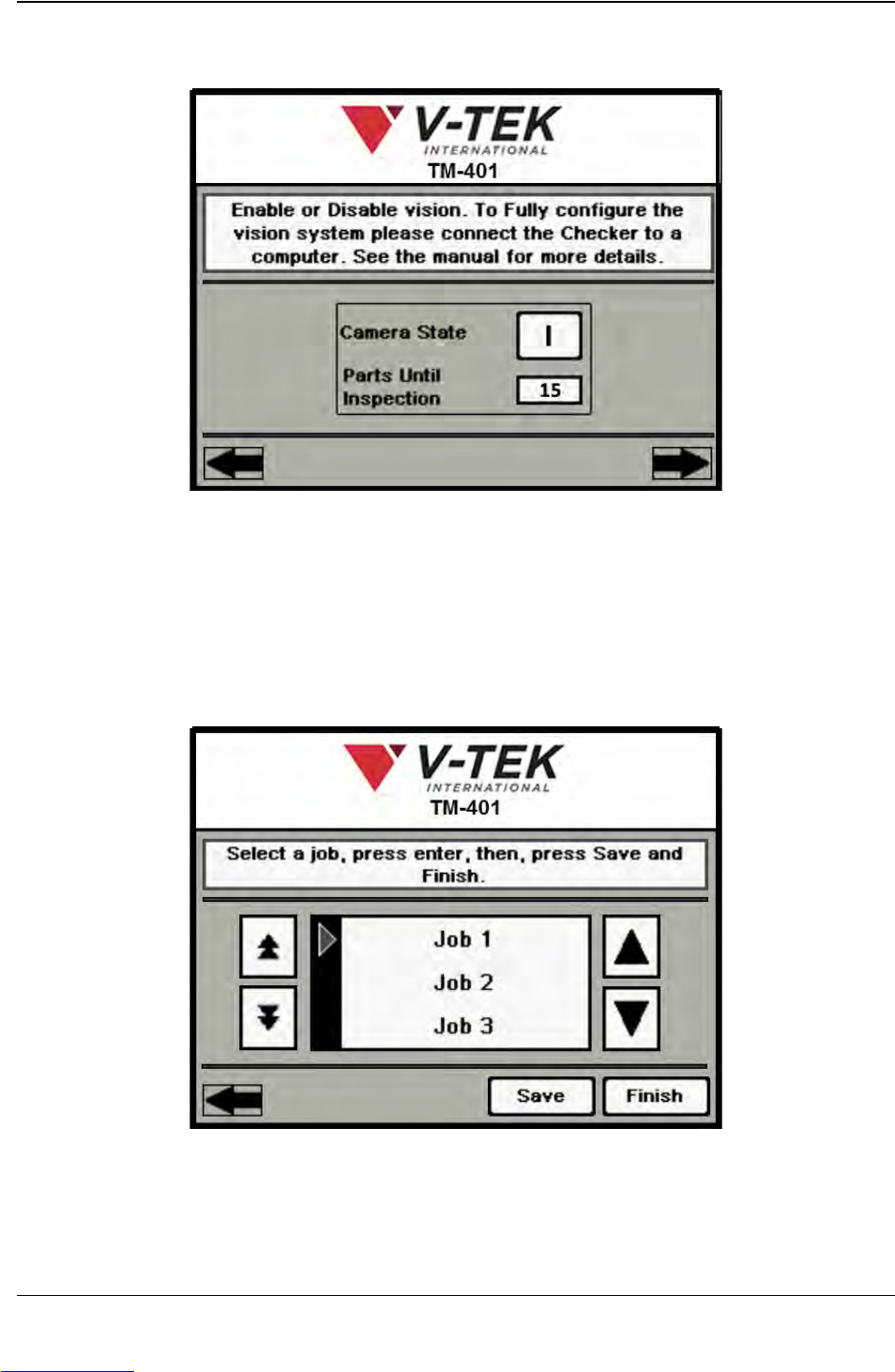
Press the right Arrow Key to move to the next Job Wizard screen.
A. Select the Camera State to ON ( I ) or OFF (O) as desired.
B. If the camera is ON, enter the number of pockets between the Place point and the
Inspection point in the Parts Until Inspection field. Begin the count with the Place
position as 0 so the Place pocket is not included in the count.
Press the right Arrow Key to move to the final Job Wizard screen.
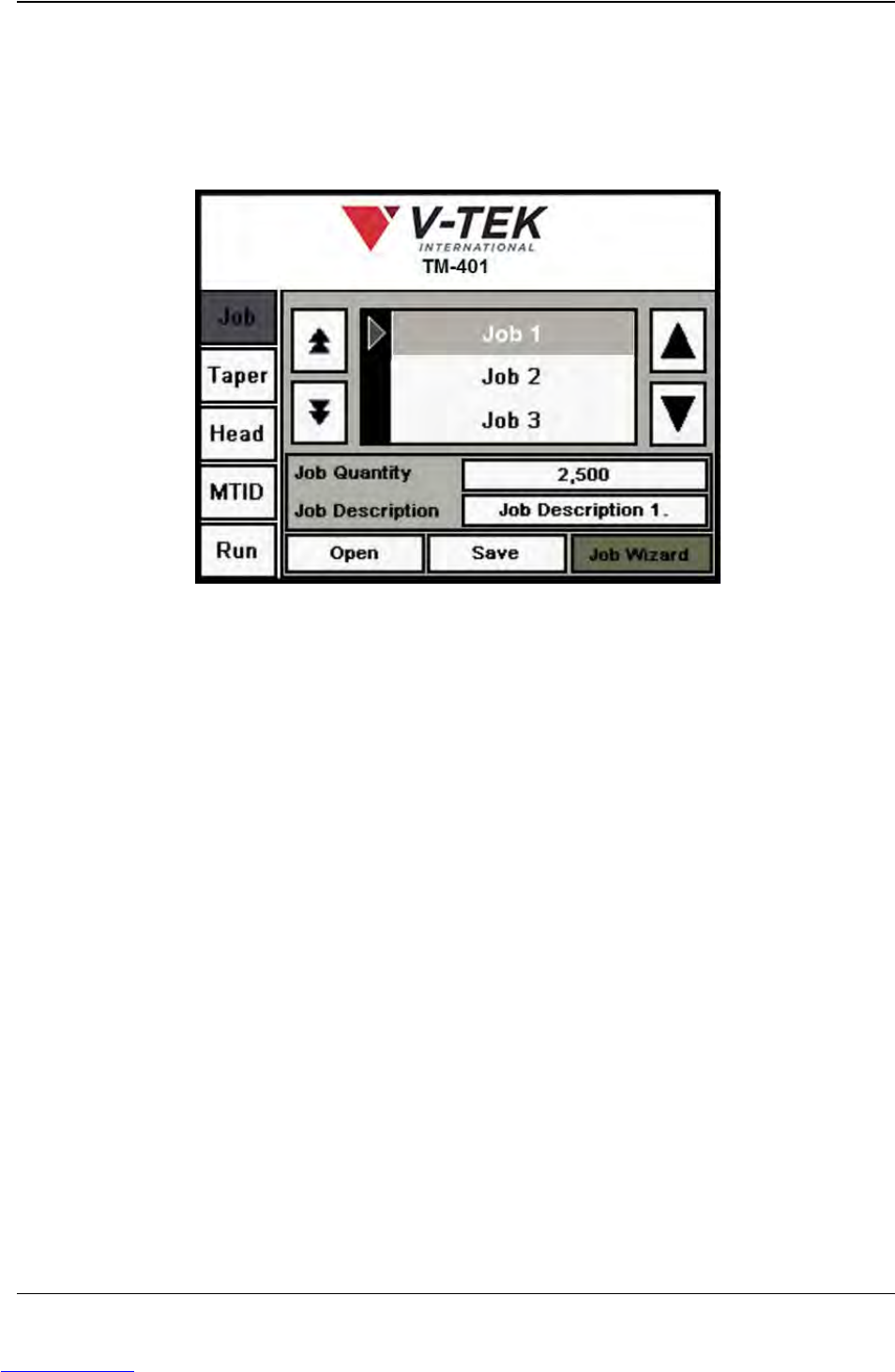
A. Browse through the Job Library using the Up/Down Arrow keys to move up or
down through the list. To select a Job Name from the list, press the Enter key.
A
B
Job Wizard Step 14
A
B
C
Job Wizard Step 15
Downloaded from www.Manualslib.com manuals search engine
D292104.6.fm Job Tab
Chapter 3: Human Machine Interface 3-17
Note: The Save function will overwrite the information stored for the currently selected
job. Therefore, it is important to select the desired job prior to pressing the Save button.
B. Press the Save button to save job settings to the selected job name.
C. Press Finish to close the Job Wizard and return to the Job Tab.
Downloaded from www.Manualslib.com manuals search engine
3-18 TM-401 User’s Guide
Taper Tab D292104.6.fm
Ta p e r Ta b
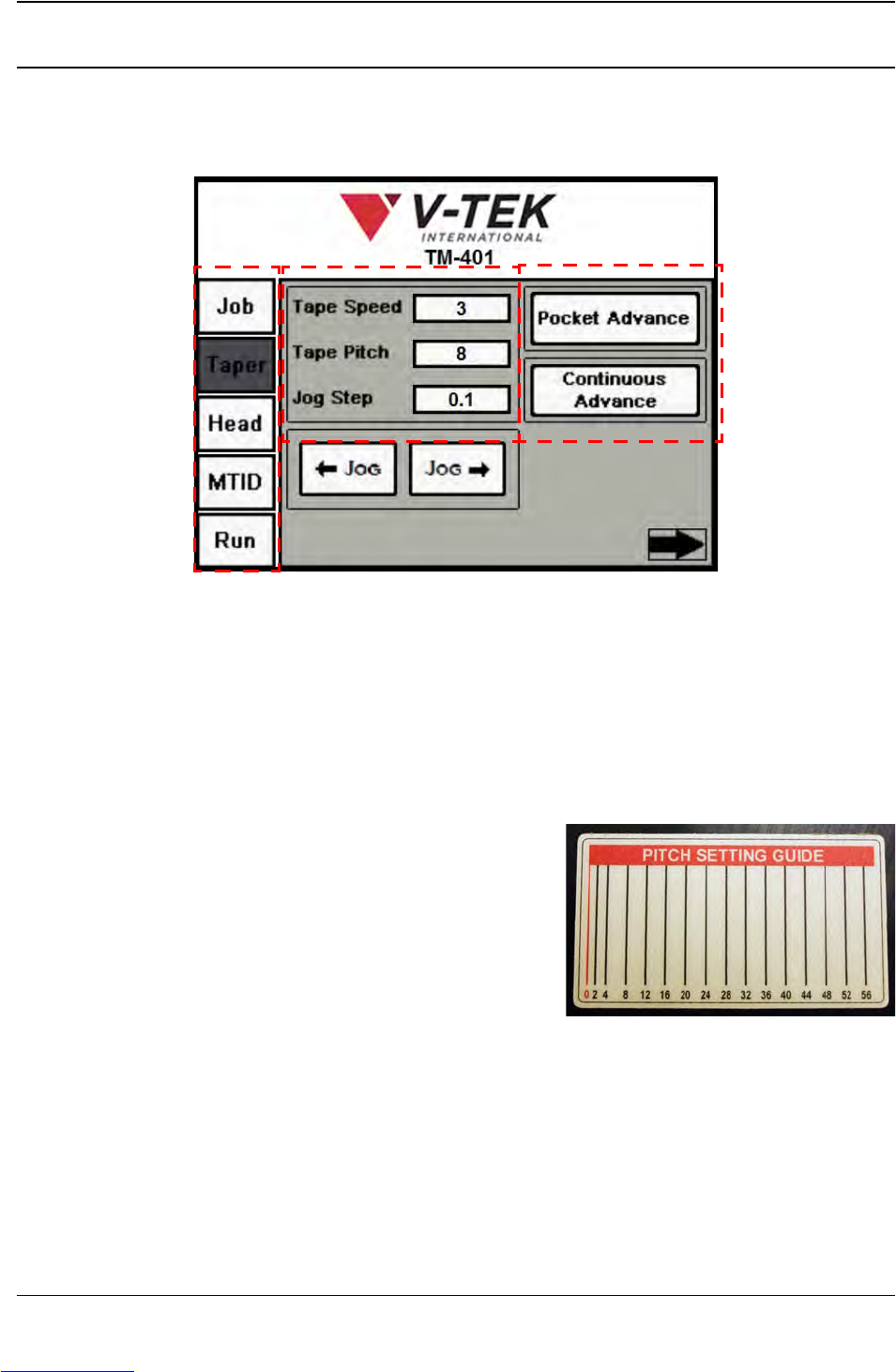
The Taper Tab allows the user to adjust taper settings by leading them through four Taper Setup
screens. The first screen of the Taper Tab is shown below.
A. Tab Menu
B. Tape Settings
C. Taper Control Buttons
A. Press any tab in the Tab Menu to open that tab window.
B. Tape Speed is a percentage of the maximum velocity the carrier tape can be
advanced at. It can be set between 1-10.
Tape Pitch is determined by the carrier
tape selected. Use the Pitch Setting Guide
on the taper to determine the correct pitch.
Jog Step sets the distance in millimeters
the carrier tape will move forward or back-
ward each time a Jog button is pressed.
Note: The Jog Step field requires the value to be
entered in the following format: XX.XX. (i.e. 60.00).
C. The Jog buttons in the Index Settings section jog the tape forward or backward
along the Taper Track.
The Pocket Advance button advances the tape one pocket at a time. The speed
at which the tape advances is set in the Tape Speed field.
A
B
C
Taper Screen 1
Downloaded from www.Manualslib.com manuals search engine