编带机说明书-含图纸tm401.pdf - 第107页
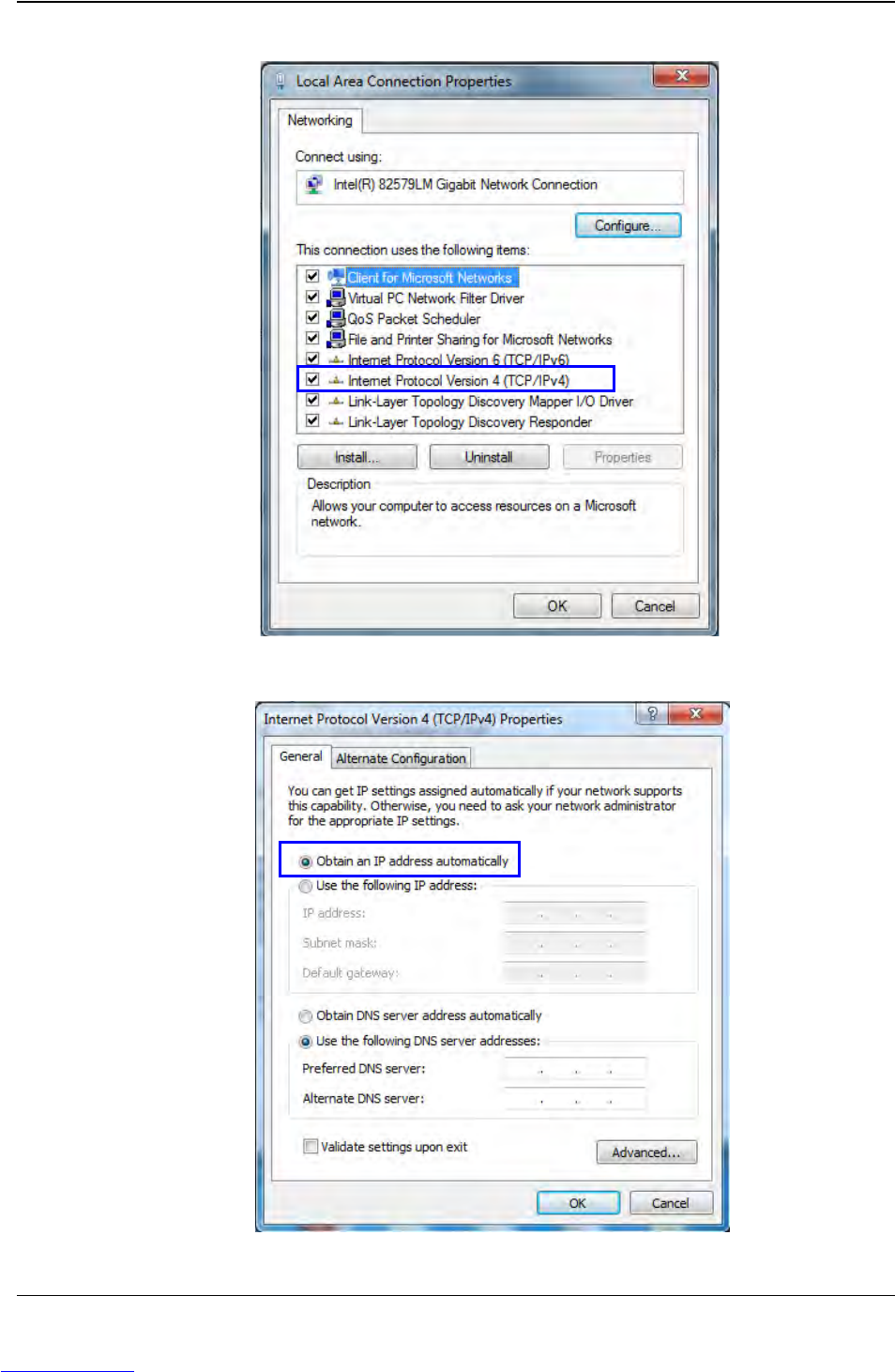
D292104.16.fm Connect Vision Chapter 5: Setup 5- 5 Connect Computer Follow the steps below to connect the Keyence IV -G Camera to the vision computer . (Proceed to the next section if using the Keye nce Monitor instead o…
5-4 TM-403 User’s Guide
Connect Vision D292104.16.fm
If the optional laptop was purchased for vision configuration V-
TEK, Inc. recommends users create a computer Recovery
Disk prior to operation and conduct periodic back-ups as
needed. Visit the computer manufacturer’s website for instruc-
tions on creating a recovery disk.
V-TEK, Inc. does not create or maintain recovery information for
this laptop. Creating a recovery disk is solely the users’
responsibility.
3. Turn the computer on, then insert the Keyence IV-G software CD. When the
software installation screen appears, follow the prompts to install the Keyence
software.
Note: Keyence IV-G Software is automatically installed if using the optional V-TEK
laptop or Keyence IV-G Monitor. If using one of these options, skip this step and
proceed to Configure Inspection.
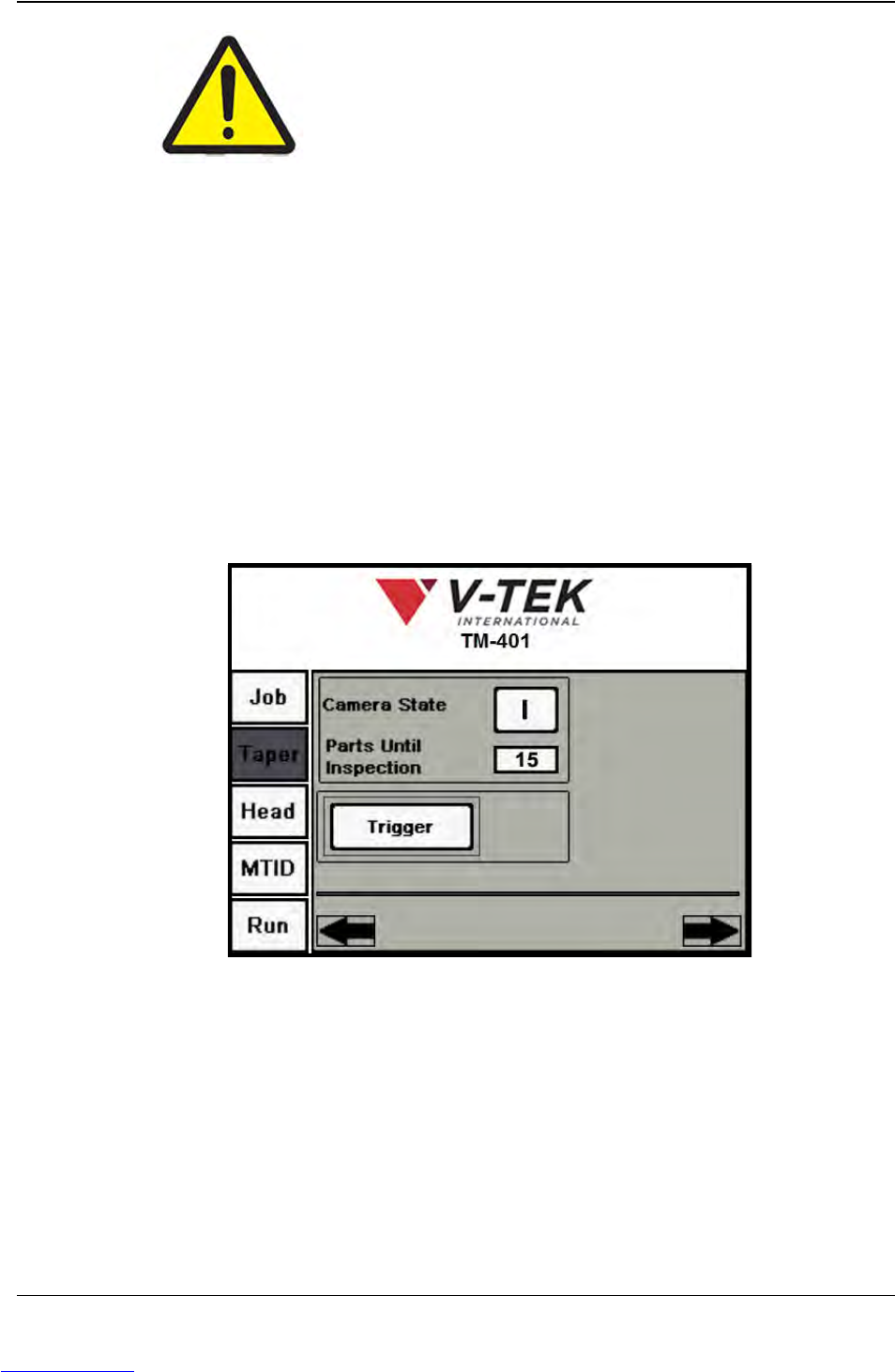
4. On the TM-401 HMI, select the Taper Tab, then press the Right Arrow key to
advance to the second Taper screen.
5. Ensure the Camera State is ON ( I ). Ensure the Parts Until Inspection field is
correct.
Note: The Parts Until Inspection value is the number of pockets between the
Place point and the Inspection point. Begin the count at the Place position at zero,
so the Place position is not included.
Step 1:
Vision
Setup
CONNECT
Taper Screen 2
Downloaded from www.Manualslib.com manuals search engine
D292104.16.fm Connect Vision
Chapter 5: Setup 5- 5
Connect Computer
Follow the steps below to connect the Keyence IV-G Camera to the vision computer.
(Proceed to the next section if using the Keyence Monitor instead of a computer.)
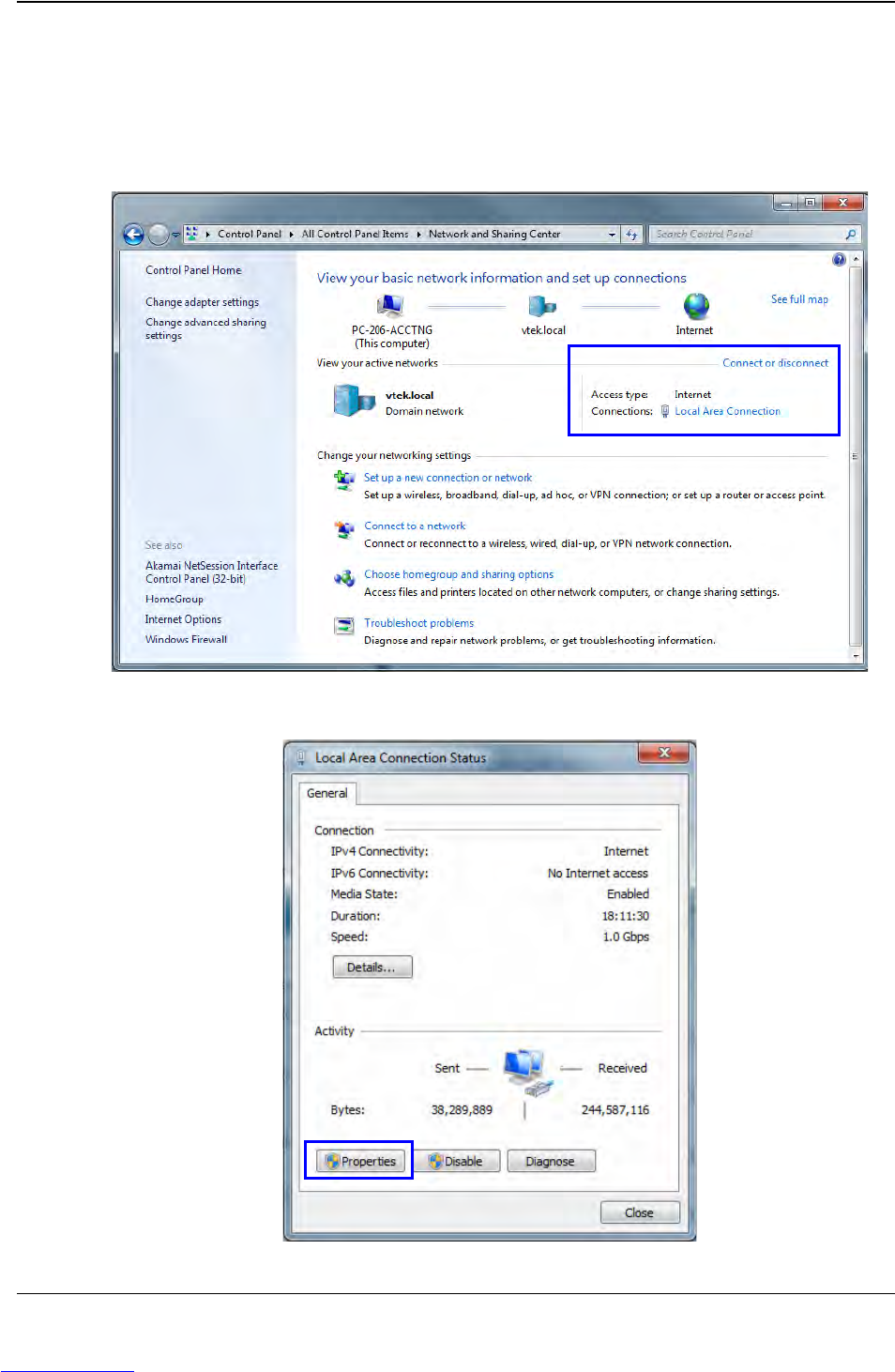
1. Open the Control Panel, then select Network and Sharing Center. In the Connect
or Disconnect section, click Local Area Connection.
2. The Local Area Connection Status window will open. Click Properties.
Step 1:
Vision
Setup
CONNECT
LAPTOP
Downloaded from www.Manualslib.com manuals search engine