4OM-1625-004_w.pdf - 第336页
4OM-1603 5-5 2. T roubleshooting on Pickup Errors : Chap.5 2.2 Symptom-Based T roubleshooting (1) FrequentPickupErrorsonSpecicV acuumNozzle Dirty Vacuum Nozzle Frequent Pick-U p Errors on Specific Nozzle Operatio…
4OM-1603
5-4
2. Troubleshooting on Pickup Errors : Chap.5
(2) Machine-Based Factors
When a component has no problem, check the main body of the machine.
A failure can be tracked by checking if it occurs on a specic vacuum nozzle
or feeder slot No. (lane).
(2-1) Whenthevacuumnozzlehas
beenspecied:
Check the following items for the specied vacuum nozzle.
•
Check if the vacuum nozzle is abnormal.
•
Check if the vacuum line is abnormal.
•
Check if the vacuum ON/OFF valve is abnormal.
•
Check if the linear measure sensor is abnormal.
When a factory is dusty or a lot of components packaged in paper tapes are
used, the vacuum nozzles and their lters get dirty easily.
Therefore, it becomes important to clean the vacuum nozzles and lters
periodically.
Reference
Refer to "2.2 (1) Frequent Pickup Errors on Specic Vacuum Nozzle" in
"Chapter 5" for the troubleshooting.
(2-2) WhenthefeederslotNo.hasbeenspecied:
Check the following items for the specied feeder slot No. (tape feeder).
•
Check if the tape feeder is loaded correctly with components.
•
Check if the top cover tape is peeled off normally.
•
Check if the data related to the component picks is norma
l.
Reference
Refer to "2.2 (2) Frequent Pickup Errors on Specic Feeder Slot No." in
"Chapter 5" for the troubleshooting.
1012-005
4OM-1603
5-5
2. Troubleshooting on Pickup Errors : Chap.5
2.2 Symptom-Based Troubleshooting
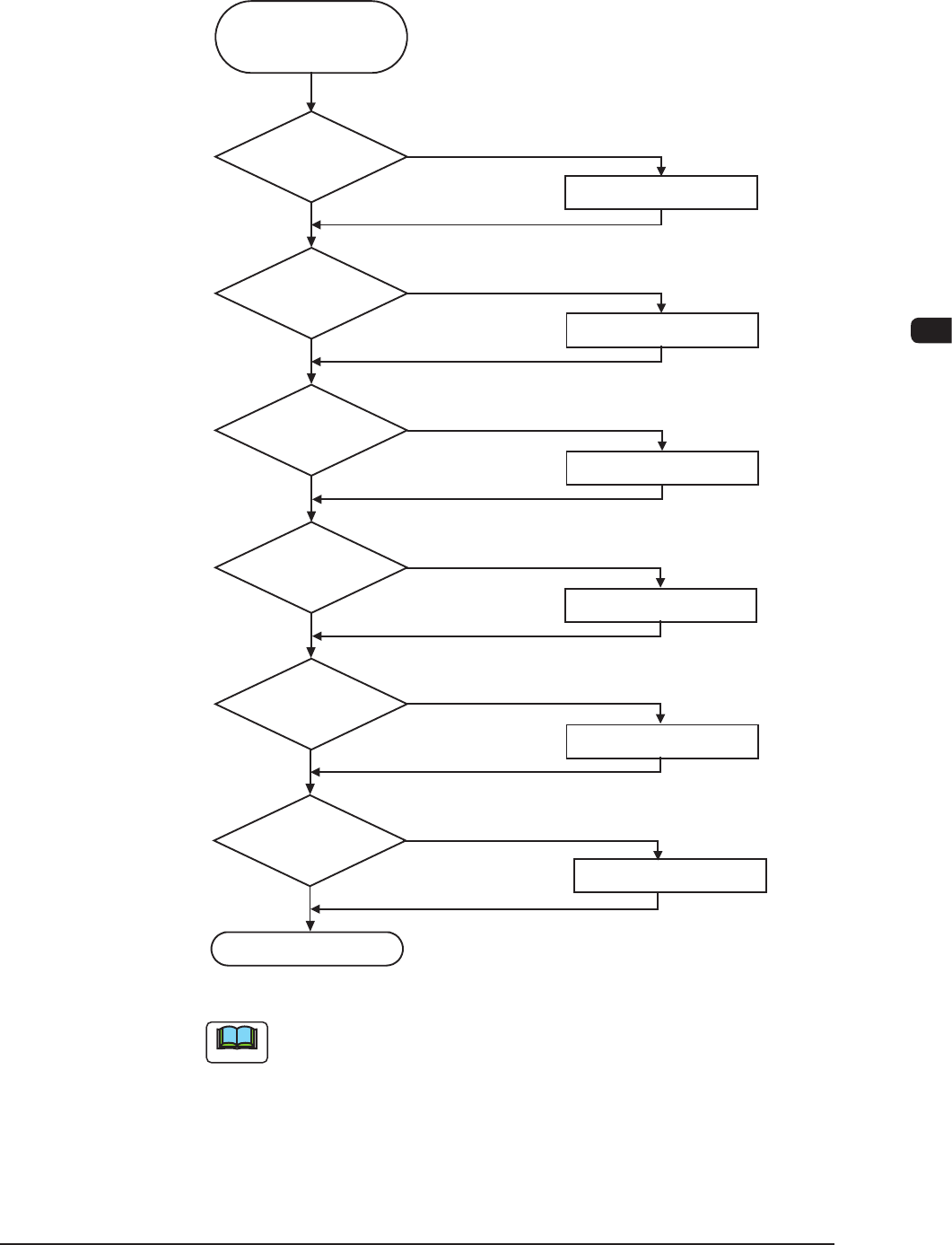
(1) FrequentPickupErrorsonSpecicVacuumNozzle
Dirty Vacuum
Nozzle
Frequent Pick-Up Errors
on Specific Nozzle
Operation Check
Cleaning
NG
Cleaning
Replacement
Cleaning
OK
NG
NG
NG
NG
OK
OK
OK
OK
Clogged Hole of
Vacuum Nozzle
NG
Nicks on Linear Measure
Sensor
Replacement
Dirty Linear Measure
Sensor
Replacement
Note (b)
Dirty and Clogged
Vacuum Filter
Movement of Vacuum
ON/OFF Valve
OK
F4E3
Note
(a) Refer to "Chapter 1 Maintenance" for the cleaning and replacement
procedures.
(b) Check the vacuum ON/OFF switching in the [OutP Chk] button in the
"INP/OUT" window. (Operation Sequence: [MAINT] Button → [DVC
Check] Button → [InP/OutP] button.
1012-005
4OM-1603
5-6
2. Troubleshooting on Pickup Errors : Chap.5
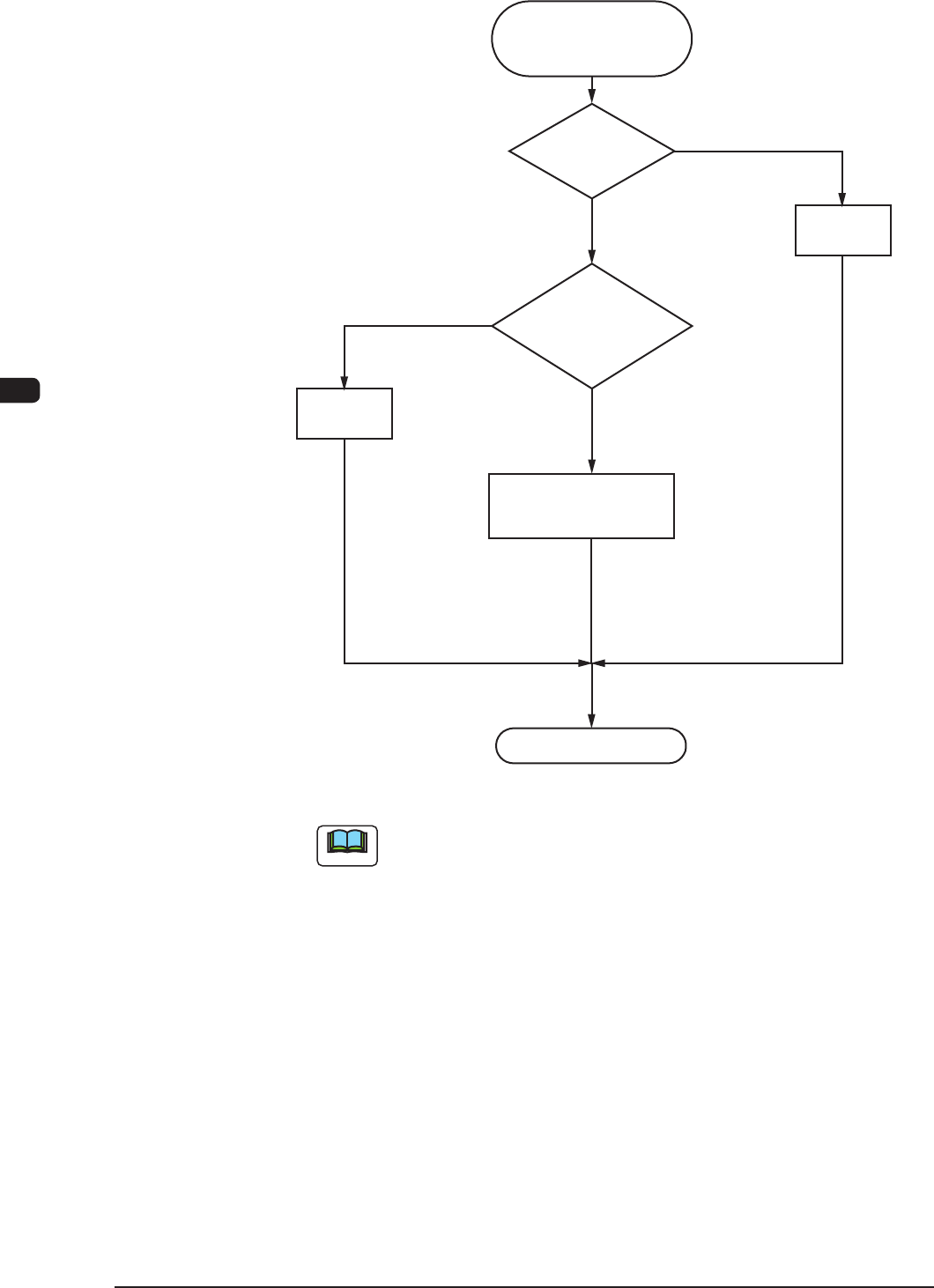
(2) FrequentPickupErrorsonSpecicFeederSlotNo.
Frequent Pick-Up Errors
on Specific Feeder Slot No.
Operation Check
Correction
OK
NG
Note (b)
OK
OK
NG
Note (a)
Feeder Check
Collation
with Component
Library Data
Verification of Feeder (B)
Offset Data
Adjustment
F4E4
Note
(a) See Figs. 4E5 and 4E6 on the next page for the checkpoints on tape
feeders.
(b) When a tape feeder loaded with different components is installed,
the pickup position (data) must be checked and the feeder (B) offset
data must be cleared or modied for the new components after the
program change operation because it is prepared for the previous
components.
1012-005