EN 3.pdf - 第101页
Model DECAN Series Company SAMSUNG TECHWIN Module 3.7 P ARAMETER V ersion 01 Tit le MOTOR LOAD RA TE CHECK Page 3-7-3 Note 6. In the same way , check the load rates at the locations such as 6, 9, 12, 15 and 18. 7. After …
Model
DECAN Series
Company
SAMSUNG TECHWIN
Module
3.7 PARAMETER
Version
01
Title
MOTOR LOAD RATE CHECK
Page
3-7-2
Note
[MOTOR LOAD RATE CHECK]
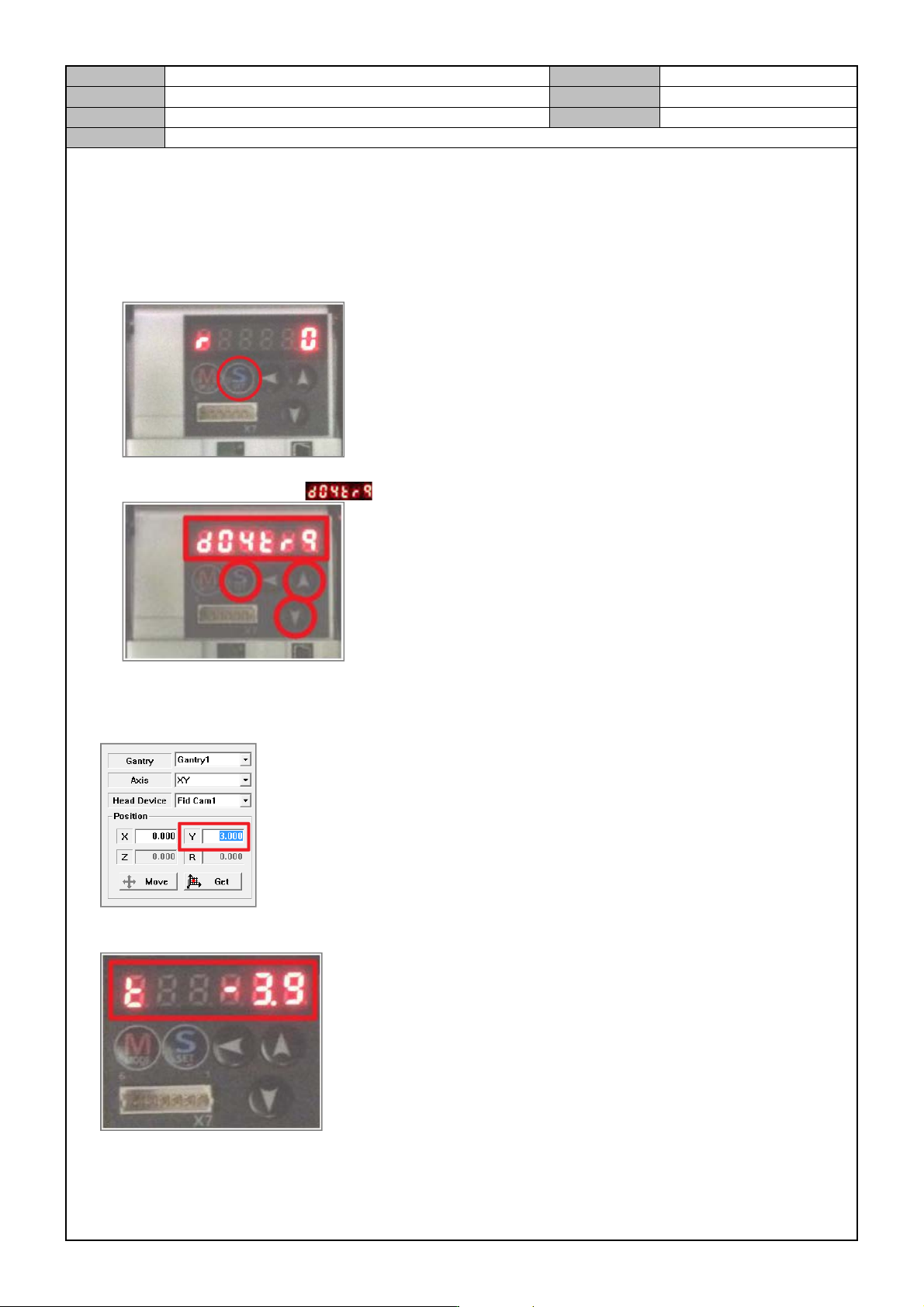
1. In the MMI, perform homing.
2. Motor Driver Setting (Front: FY1, FY2)
- Press [SET].
- Press [△,▽] to select the mode and then press [SET].
3. In the MMI, run the Manual Tool.
4. In the Manual Tool, select the Gantry1, XY axes and enter “3.0” for the Y location and select [MOVE].
5. To check if the load rates of FY1, FY2 are within 0±5, check the Motor Driver setting window.
Model
DECAN Series
Company
SAMSUNG TECHWIN
Module
3.7 PARAMETER
Version
01
Title
MOTOR LOAD RATE CHECK
Page
3-7-3
Note
6. In the same way, check the load rates at the locations such as 6, 9, 12, 15 and 18.
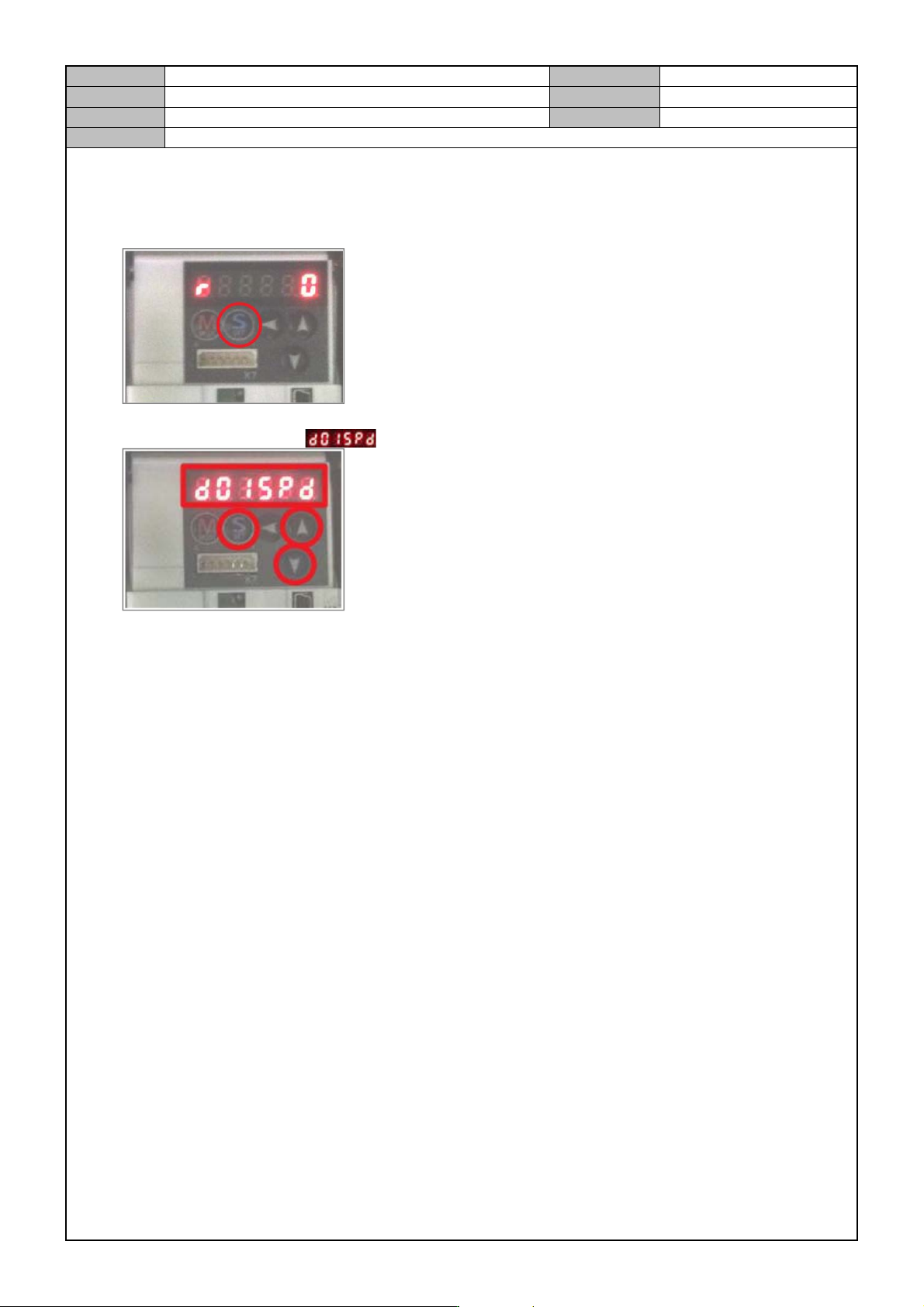
7. After checking the load rates, revert the Motor Driver to the original setting.
- Press [SET].
- Press [△,▽] to select the mode and then press [SET].
8. In the same way, measure the motor load rates for Gantry2(rear: RY1, RY2).
- Measurement location (Y): 966, 963, 960, 957, 954, 951
* Note
If the motor load rate is out of range, then set the home of FY1, FY2 axes and redo the COMMUTATION
OFFSET.
- Motor load rate specs: 0±5
Model
DECAN Series
Company
SAMSUNG TECHWIN
Module
3.7 PARAMETER
Version
01
Title
Motor Driver Parameter download(X, Y, S)
Page
3-7-4
Note
[MOTOR DRIVER PARAMETER DOWNLOAD(X, Y, S)]
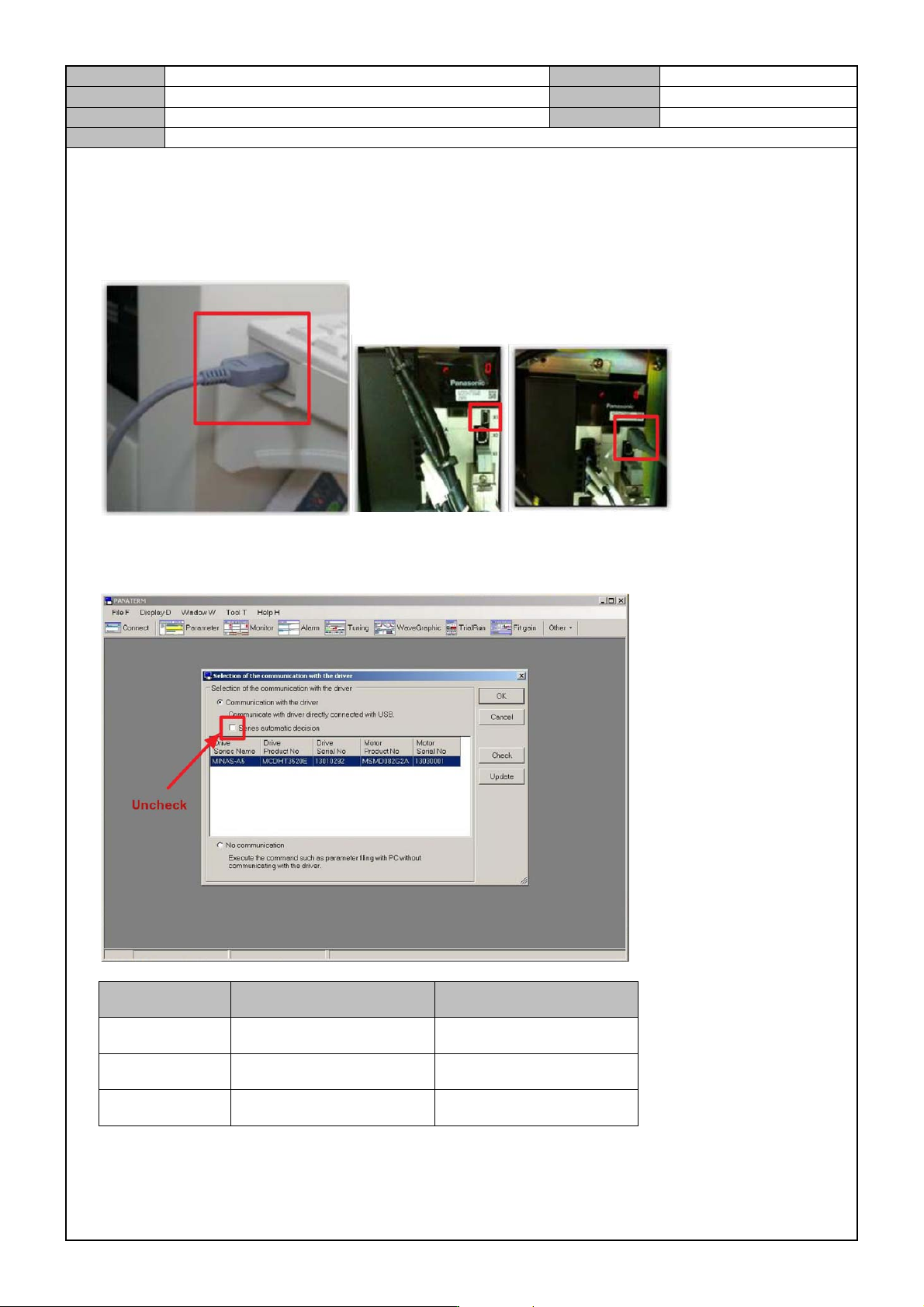
1. Copy the parameter file to the equipment PC.
2. Using the Parameter Cable, connect the Keyboard USB Port to the Y1 Motor Amplifier's X1 terminal.
3. Run the PANATERM Ver.5.0 program.
4. After checking the Driver/Motor information, press [OK].
Classification Driver Product No. Motor Product No.
Y axis MDDHT554LA2 -
X axis MCDKT3520E MHMD082G1A
S axis MADKT1505E MSMD5AZG1A