EN 3.pdf - 第133页
Model DECAN Series Company SAMSUNG TECHWIN Module 3.8 IT , L TS V ersion 01 Tit le IT FUNCTION INST AL LA TION (DEVICE NET DR IVER) Page 3-8-16 Note 5. Press [Finish]. PC will automatically detect the Hardware and instal…
Model
DECAN Series
Company
SAMSUNG TECHWIN
Module
3.8 IT, LTS
Version
01
Title
IT FUNCTION INSTALLATION
(DEVICE NET DRIVER)
Page
3-8-15
Note
[IT FUNCTION INSTALLATION(DEVICE NET DRIVE R)]
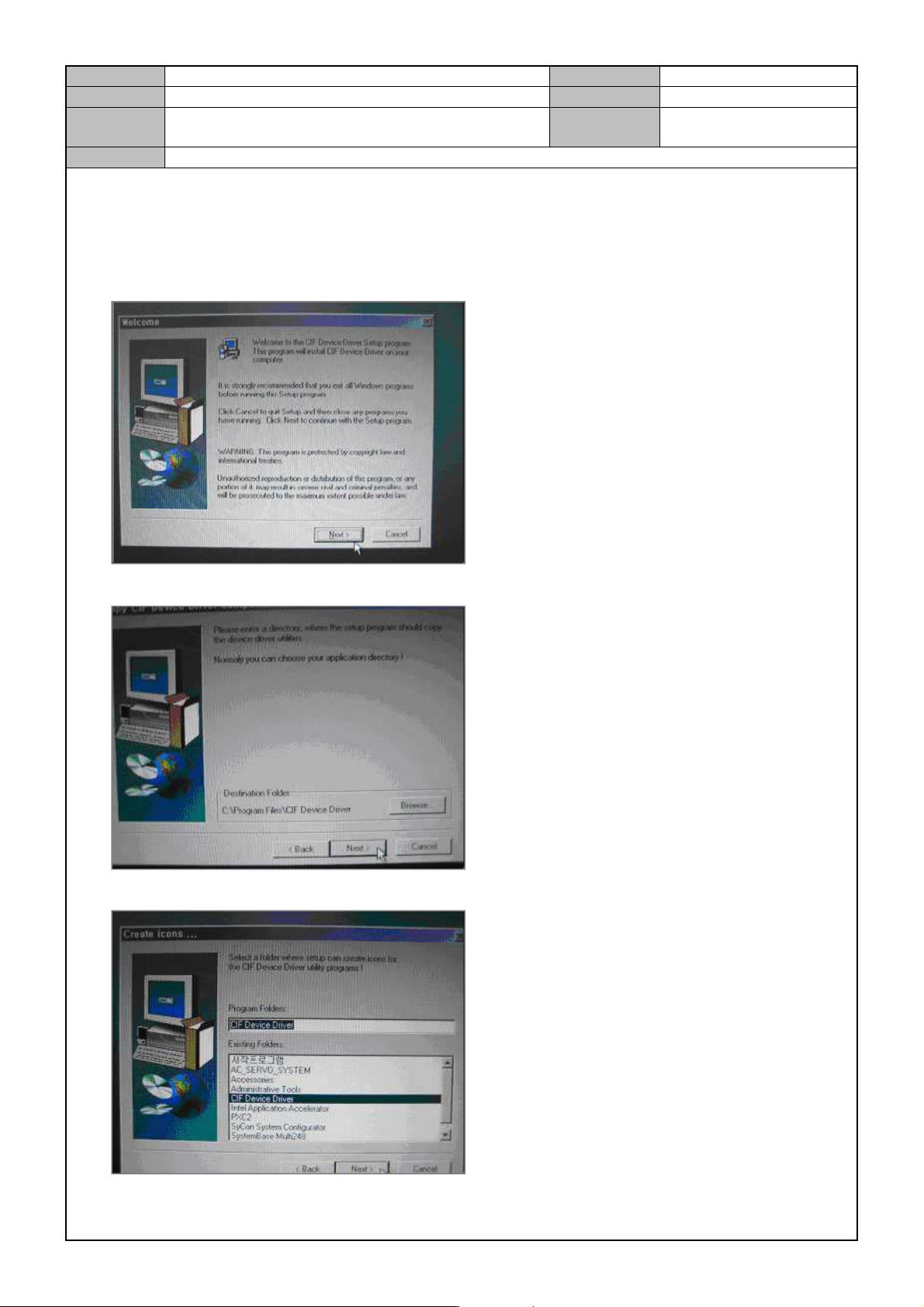
1. Insert the installation CD into the CD-ROM and run the <Setup.exe> program in the Driver folder.
2. Press [Next].
3. Press [Next].
4. Press [Next].
Model
DECAN Series
Company
SAMSUNG TECHWIN
Module
3.8 IT, LTS
Version
01
Title
IT FUNCTION INSTALLATION
(DEVICE NET DRIVER)
Page
3-8-16
Note
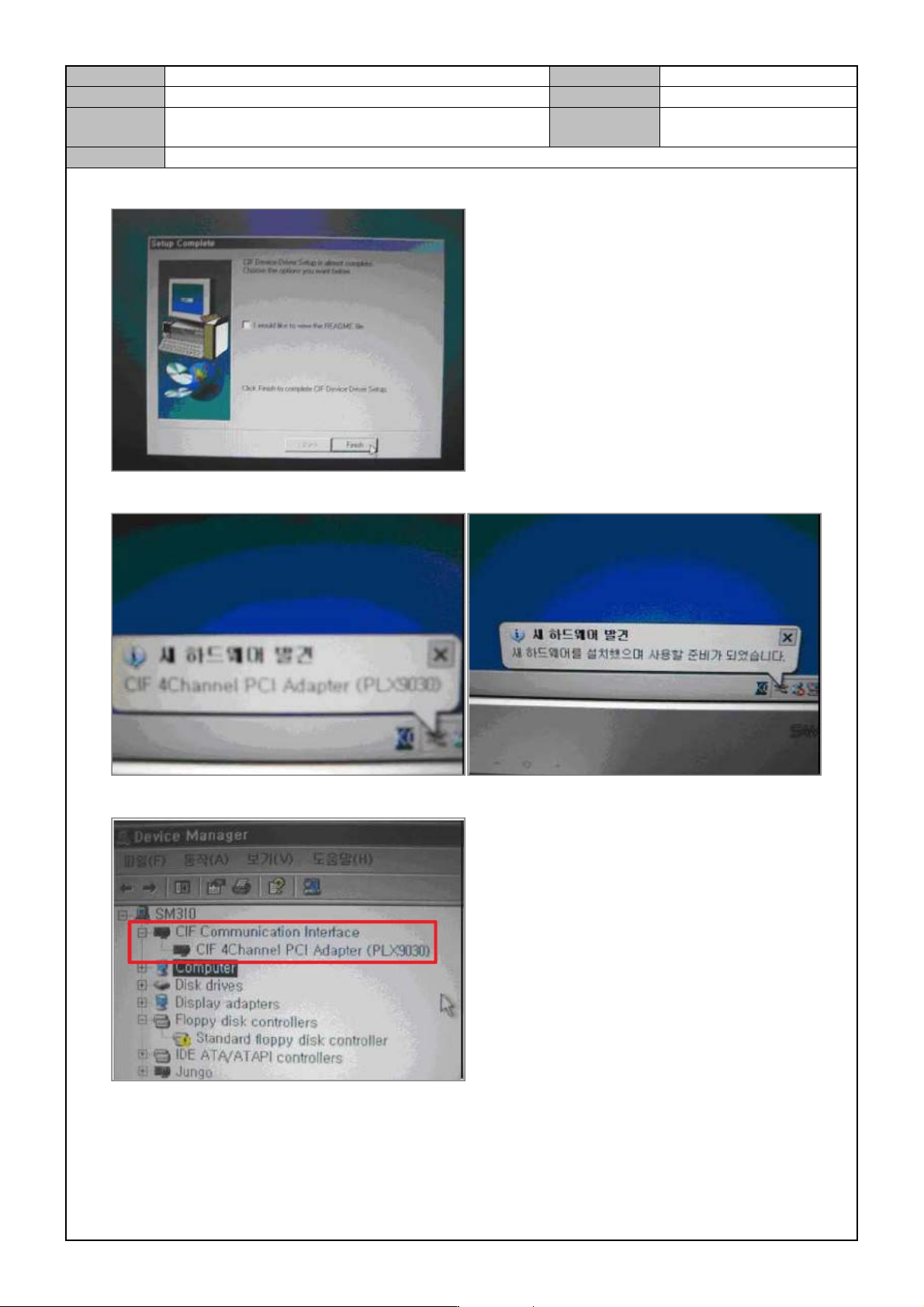
5. Press [Finish].
PC will automatically detect the Hardware and install the driver.
6. In Device Manager, check <CIF Communication Interface - CIF 4Channel PCI Adapter (PLX9030)> .

Model
DECAN Series
Company
SAMSUNG TECHWIN
Module
3.9 DOCKING CART & FEEDER BASE
Total Pages
11
Table of Contents
[DOCKING CART OPERATION CHECK] ............................................................ 2
[FEEDER BASE SLOT SETTING] ....................................................................... 4
[FEEDER BASE SYSTEM OPTION CHANGE] ................................................... 6
[FEEDER CHAGE LOCATION CHANGE] ........................................................... 7
[FEEDER UNLOCK SESNOR SETTING] ............................................................ 8
[FEEDER BASE ASSEMBLY] ........................................................................... 10