EN 3.pdf - 第34页
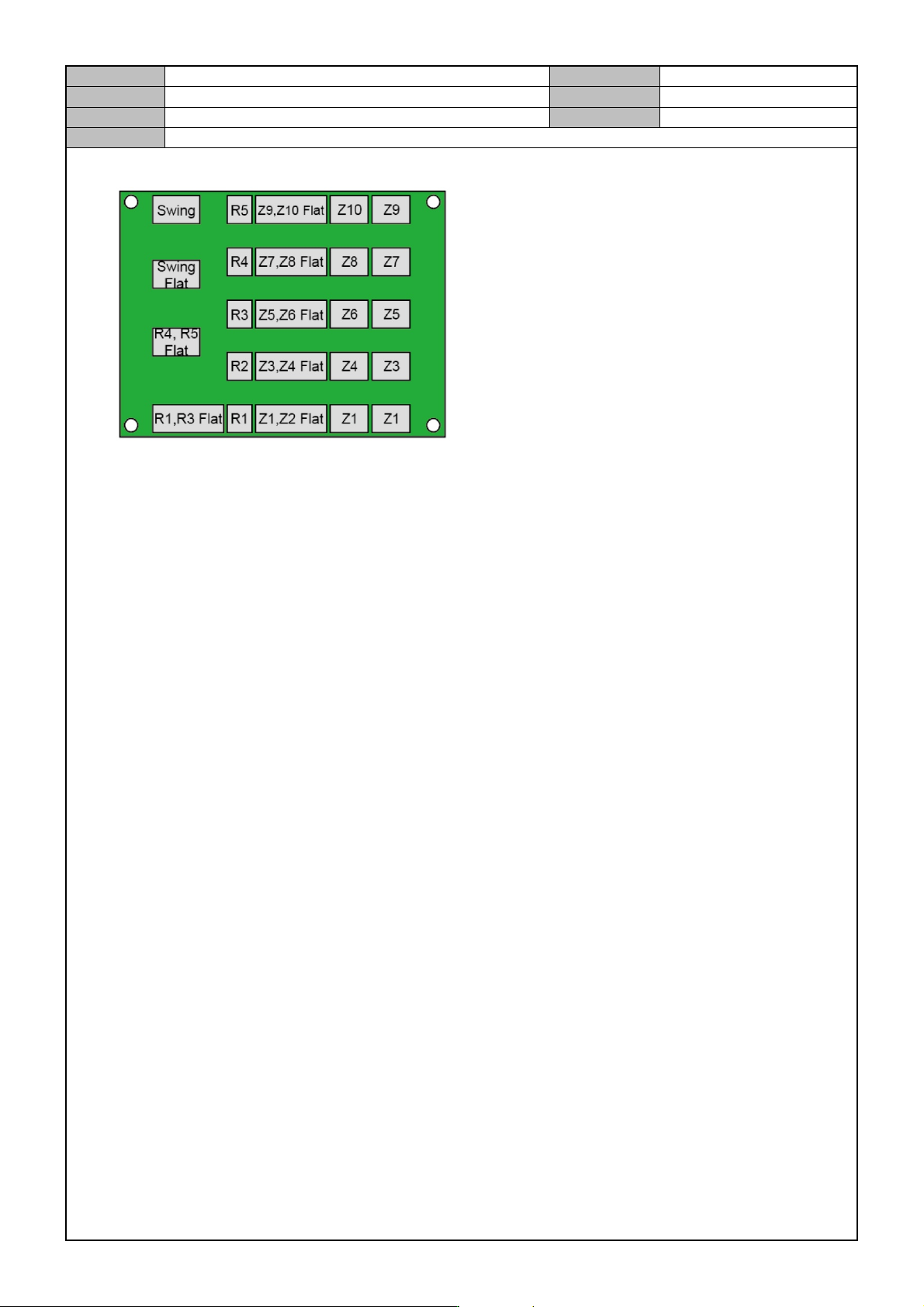
Model DECAN Series Company SAMSUNG TECHWIN Module 3.2 BOARD V ersion 01 Tit le HEAD MOTOR IF BOARD REPLACEMENT Page 3-2-21 Note 4. Connect the board cable while referring to the diagram below .
Model
DECAN Series
Company
SAMSUNG TECHWIN
Module
3.2 BOARD
Version
01
Title
HEAD MOTOR IF BOARD REPLACEMENT
Page
3-2-20
Note
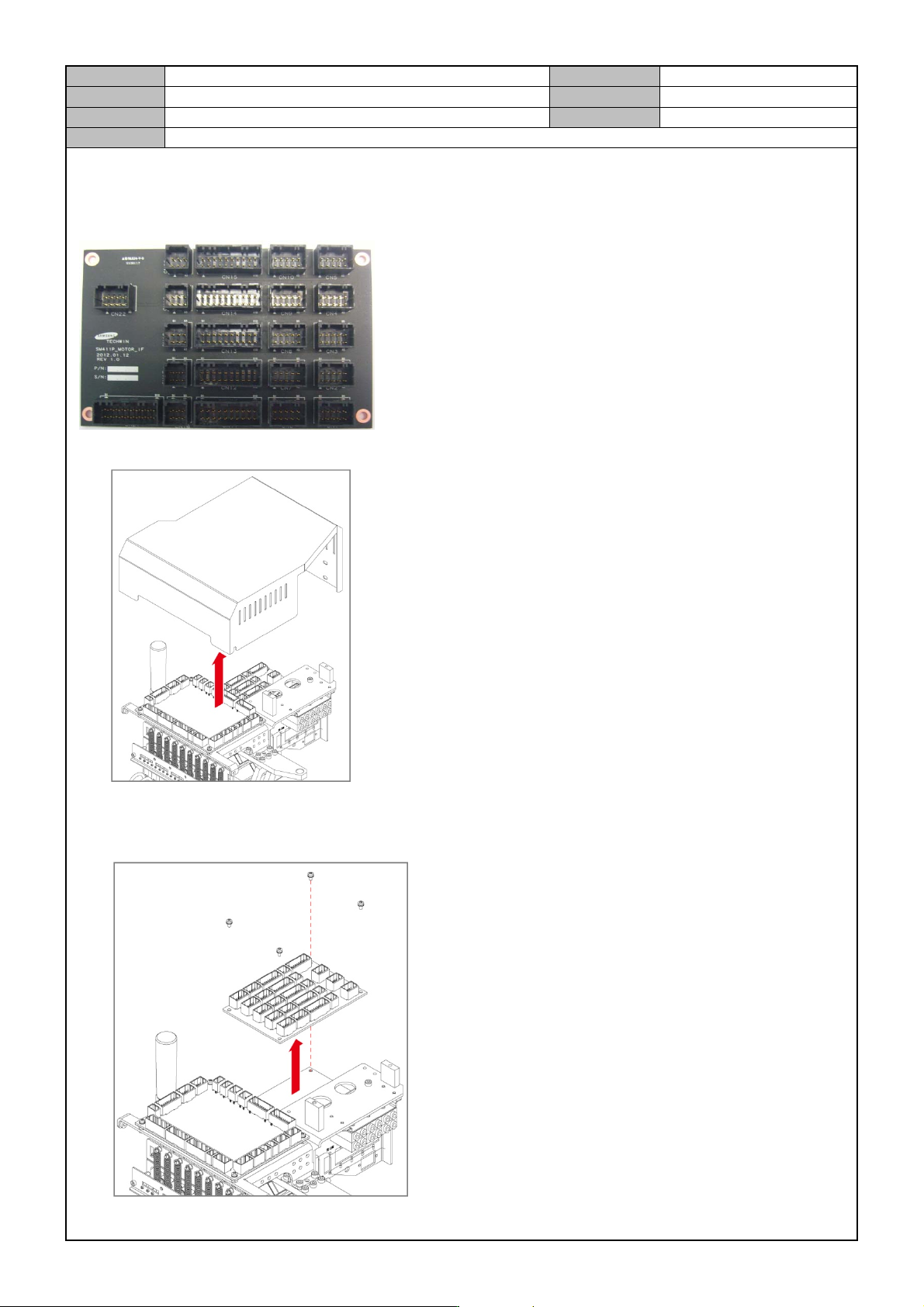
[HEAD MOTOR IF BOARD REPLACEMENT]
Head Motor IF Board controls the Head's Z-axis Motor/Encoder and the R-axis Motor.
1. Release the fixing bolts for the Head Top Cover and separate the Cover.
2. Separate the cable connected to the board.
3. Remove the fixing bolts for the board and replace it with a new board.
Model
DECAN Series
Company
SAMSUNG TECHWIN
Module
3.2 BOARD
Version
01
Title
HEAD MOTOR IF BOARD REPLACEMENT
Page
3-2-21
Note
4. Connect the board cable while referring to the diagram below.
Model
DECAN Series
Company
SAMSUNG TECHWIN
Module
3.2 BOARD
Version
01
Title
HEAD V ACUUM SENSOR BOARD REPLACEMENT
Page
3-2-22
Note
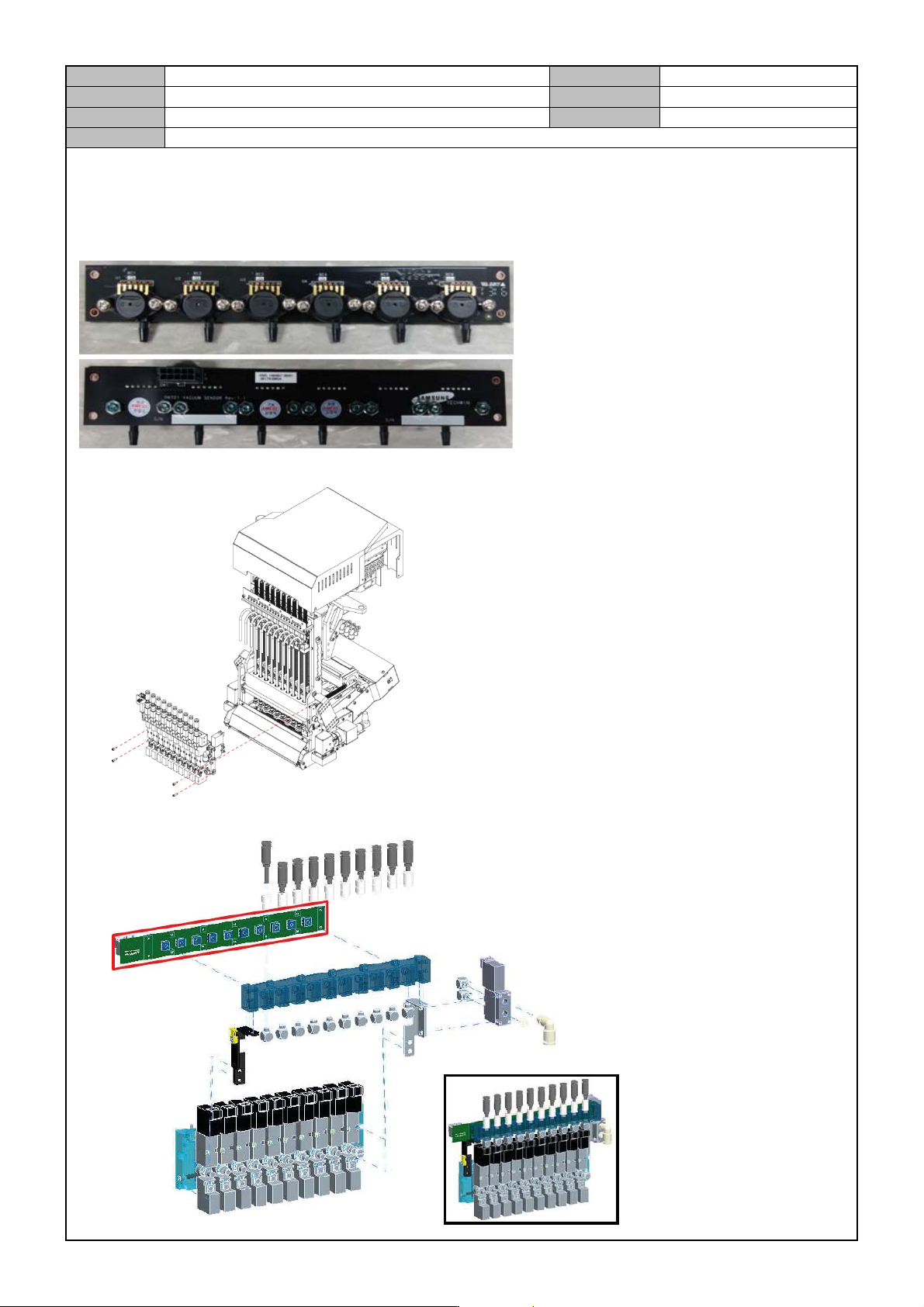
[HEAD VACUUM SENSOR BOARD REPLACEMENT]
Head Vacuum Sensor Board converts the head vacuum status into the analog value and sends them to the
Head IF Board.
1. Release the fixing bolts for the Air Module and separate the Air Module.
2. Remove the fixing bolts for the board and replace it with a new board.