EN 3.pdf - 第170页
Model DECAN Series Company SAMSUNG TECHWIN Module 3.1 1 HEAD V ersion 01 Tit le HEAD BLOW & V ACUUM SETTING (L2) Page 3-1 1-10 Note V alve Check 1. Select Gantry1 and click on <V alve Check>. 2. Enter 50 for …
Model
DECAN Series
Company
SAMSUNG TECHWIN
Module
3.11 HEAD
Version
01
Title
HEAD BLOW & VACUUM SETTING (L2)
Page
3-11-9
Note
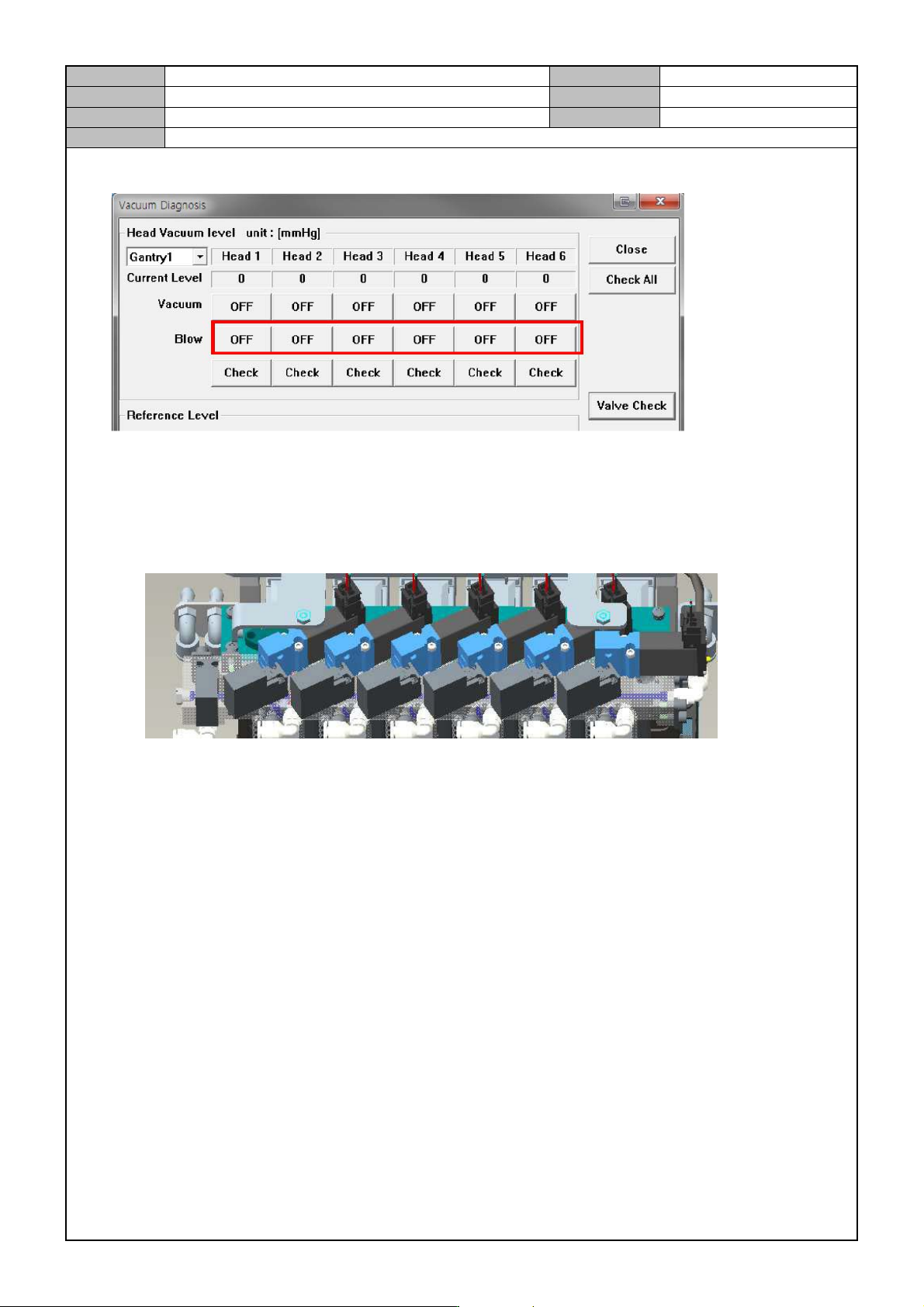
Head Blow operation check and setting
1. Turn the vacuum on one by one.
2. Adjust the speed control, so that the current blow reading is within -70~-90 mmHg.
After the adjustment, fix the nuts securely.
When the Vacuum is On/Off, check if the Sol Valve's Vacuum LED is lit.
Model
DECAN Series
Company
SAMSUNG TECHWIN
Module
3.11 HEAD
Version
01
Title
HEAD BLOW & VACUUM SETTING (L2)
Page
3-11-10
Note
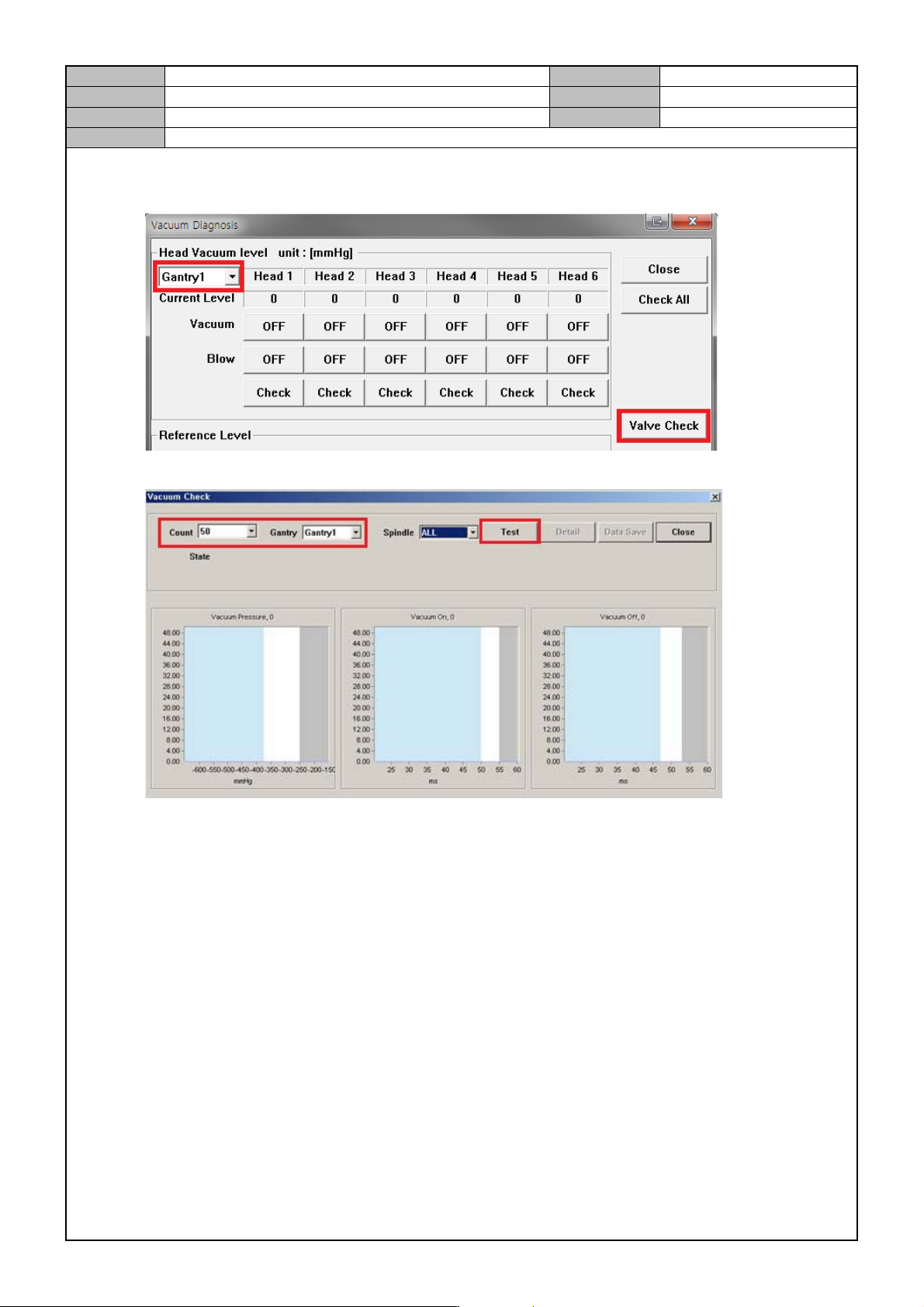
Valve Check
1. Select Gantry1 and click on <Valve Check>.
2. Enter 50 for <Count> and when <Gantry1 Spindle All> is on, click on <Test> to check.
3. Take necessary actions depending on the test result as follows.
Green: normal / Yellow: observe / Red: abnormal, replace.
A head with yellow/red lights should be checked 100 more times.
4. Remove the nozzle from Head1~10.
5. Check the same thing for Gantry2's Head 7~12.
Model
DECAN Series
Company
SAMSUNG TECHWIN
Module
3.11 HEAD
Version
01
Title
HEAD BLOW & VACUUM SETTING (L2)
Page
3-11-11
Note
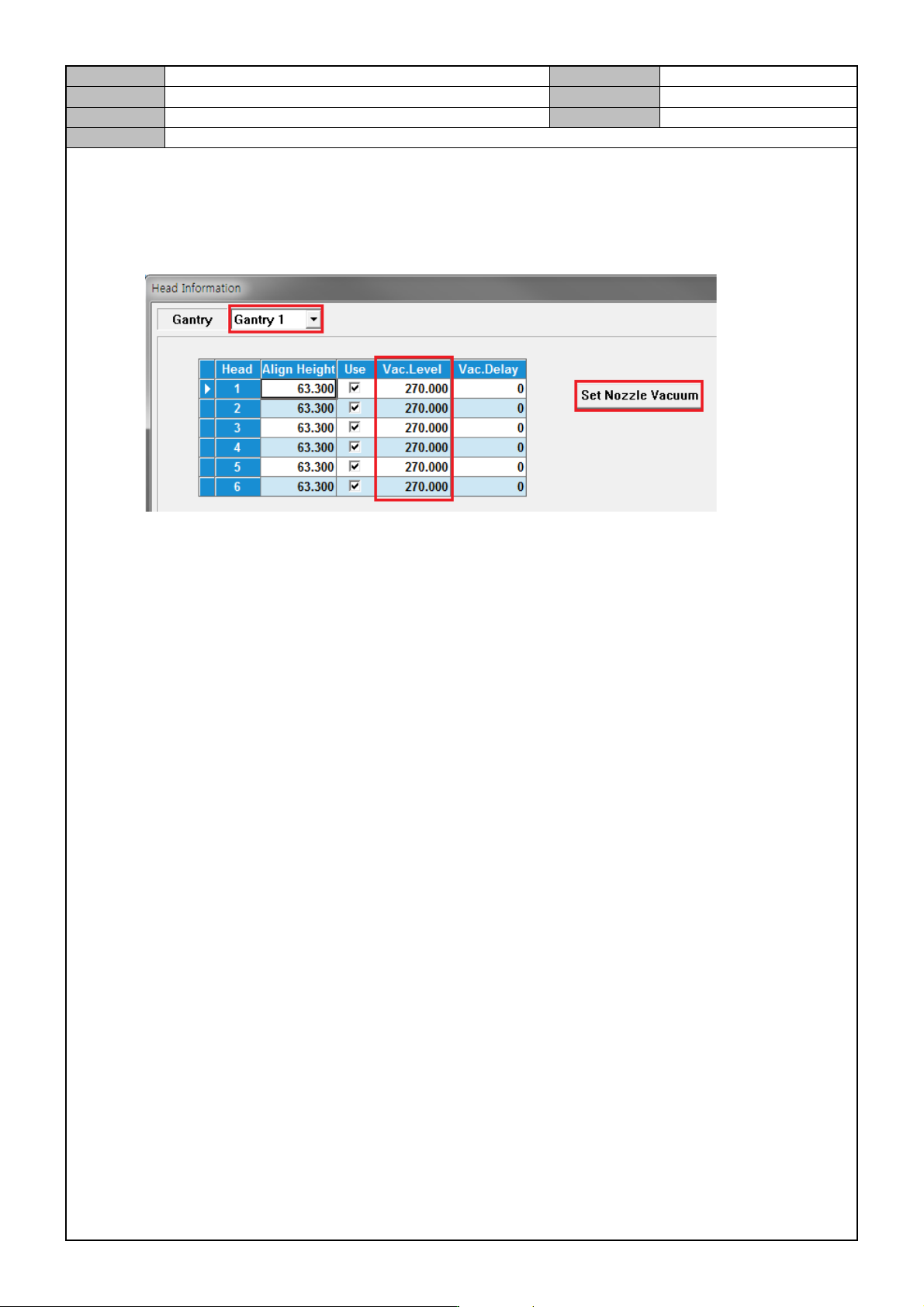
Vacuum setting while the nozzle is not mounted.
1. Select <Sys. Setup> → <Head Information>→ <Head> → <Gantry1>.
2. Click on <Set Nozzle Vacuum>. When the head does not have a nozzle, set the air pressure l evel and
click on Update.
*Vacuum Level should be 60mmHg ~ 120mmHg.
3. Select <Gantry2> and set the air pressure level for Head 7~12.