EN 3.pdf - 第53页
Model DECAN Series Company SAMSUNG TECHWIN Module 3.4 CAMERA V ersion 01 Tit le CAMERA LI GHTING CHECK Page 3-4-2 Note [CAMERA LIGHTING CHECK] In the MMI's “Diagnosis > Light” menu, check the LED lighting conditi…

Model
DECAN Series
Company
SAMSUNG TECHWIN
Module
3.4 CAMERA
Total Pages
12
Table of Contents
[CAMERA LIGHTING CHECK] ............................................................................ 2
[FIDUCIAL CAMERA OPTION SETTING] ........................................................... 5
[STAGE CAMERA ENABLE] ............................................................................... 6
[FIDUCIAL CAMERA REPLACEMENT] .............................................................. 8
[FIDUCIAL CAMERA OUTER LIGHTING LED REPLACEMENT] ..................... 10
[STAGE CAMERA MOUNTING OPTION (L2)] .................................................. 12
Model
DECAN Series
Company
SAMSUNG TECHWIN
Module
3.4 CAMERA
Version
01
Title
CAMERA LIGHTING CHECK
Page
3-4-2
Note
[CAMERA LIGHTING CHECK]
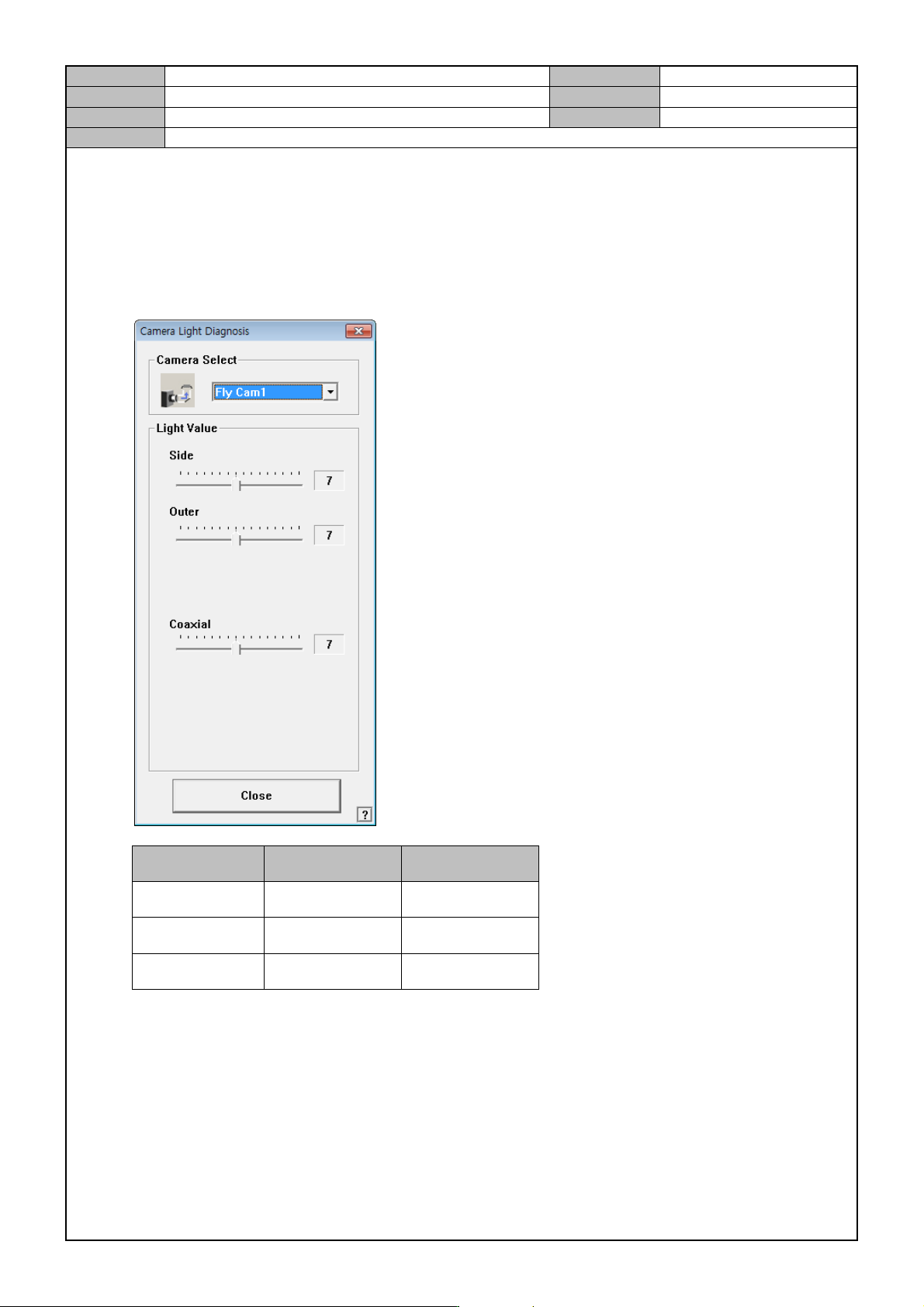
In the MMI's “Diagnosis > Light” menu, check the LED lighting condition.
Fly Camera
- Select Fly Cam 1 and adjust the Light Value to see if the LED starts emitting lights with low intensity to
higher intensity.
Light LED initial on LED all on
Side 4 6
Outer 3 5
Coaxial 6 8
* Initial on criteria: Camera no. 1 (left from seen from the rear)
- Fly Cam1~5 LED on check
- Using the same method, select Fly Cam6 and check if the LED of Fly Cam6~10 are on as well.
Model
DECAN Series
Company
SAMSUNG TECHWIN
Module
3.4 CAMERA
Version
01
Title
CAMERA LIGHTING CHECK
Page
3-4-3
Note
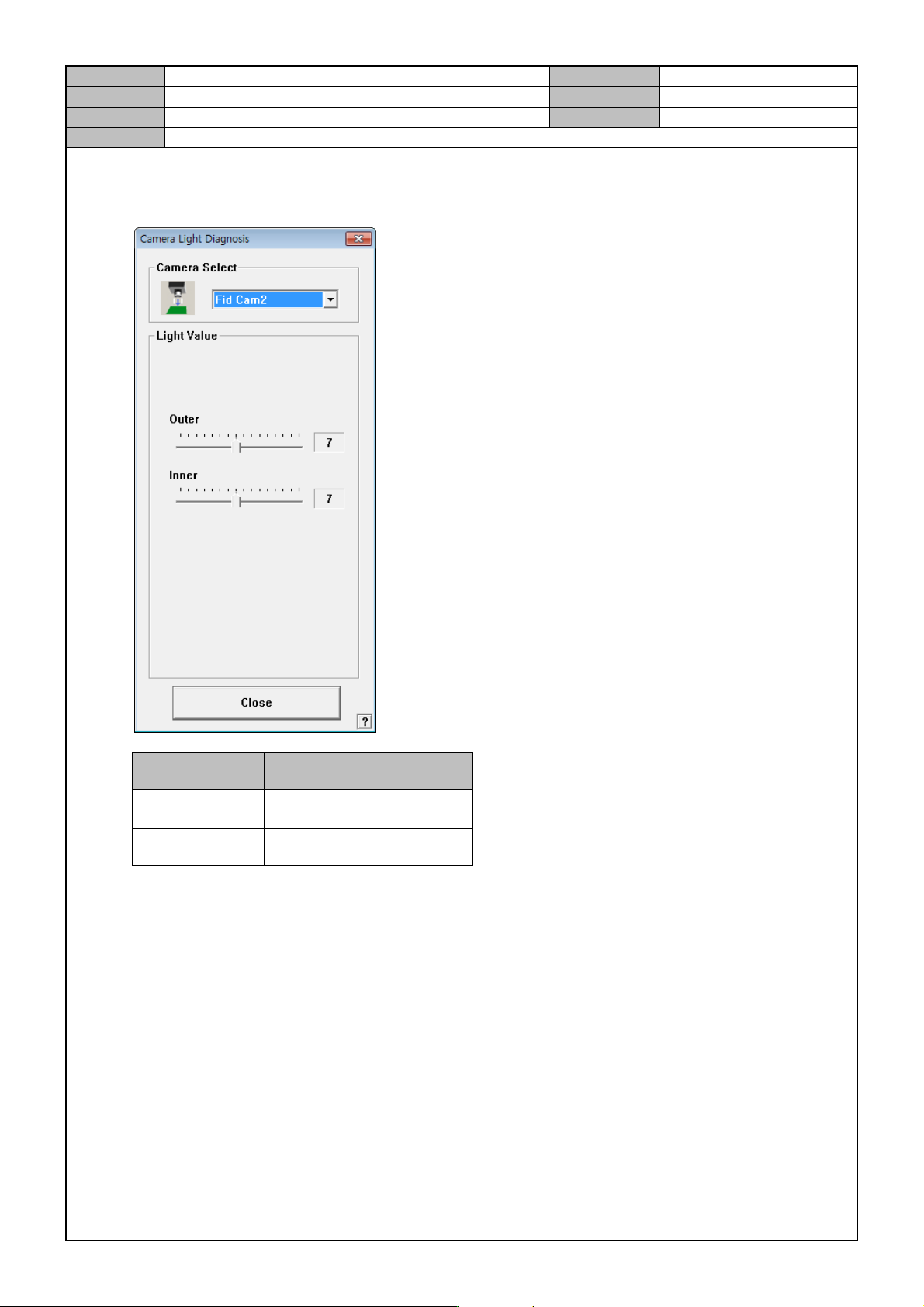
Fiducial Camera
- Select Fid Cam 2 and adjust the Light Value to check if the LED is on.
Light Light Value
Outer
Number one is turned on
first.
Inner 1 ~ 6 on.
* Fiducial camera's inner lighting is a sub lighting. So, any level from 1 to 6 on is ok.
- Check if the Fid Cam4 LED is on.
- Proceed in the same way on Fid Cam1, 3 if the option is used.