EN 3.pdf - 第158页
Model DECAN Series Company SAMSUNG TECHWIN Module 3.10 FEEDER V ersion 01 Tit le SPLICING MOTOR REPLACEMENT Page 3-10-14 Note 7. T urn the Motor gear CCW and CW to ch eck if the same force is applied to the motor and the…
Model
DECAN Series
Company
SAMSUNG TECHWIN
Module
3.10 FEEDER
Version
01
Title
SPLICING MOTOR REPLACEMENT
Page
3-10-13
Note
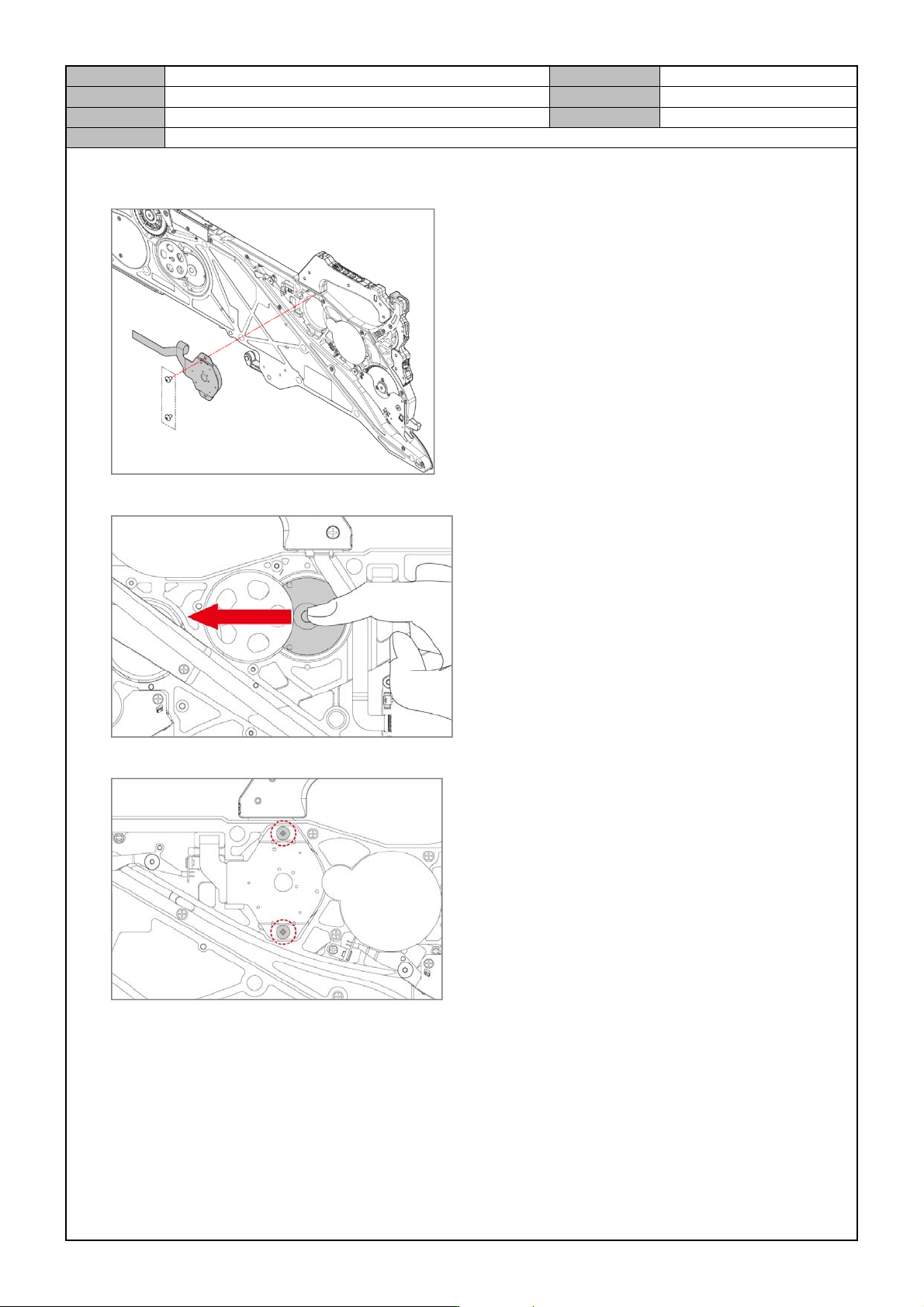
4. After removing the fixing bolts for the splicing motor(2-M3X0.5) , separate the splicing motor from the
Feeder.
5. After replacing it with a new motor, as shown in the figure, firmly attach it to the Motor Gear.
6. Temporarily assemble the splicing motor.
Model
DECAN Series
Company
SAMSUNG TECHWIN
Module
3.10 FEEDER
Version
01
Title
SPLICING MOTOR REPLACEMENT
Page
3-10-14
Note
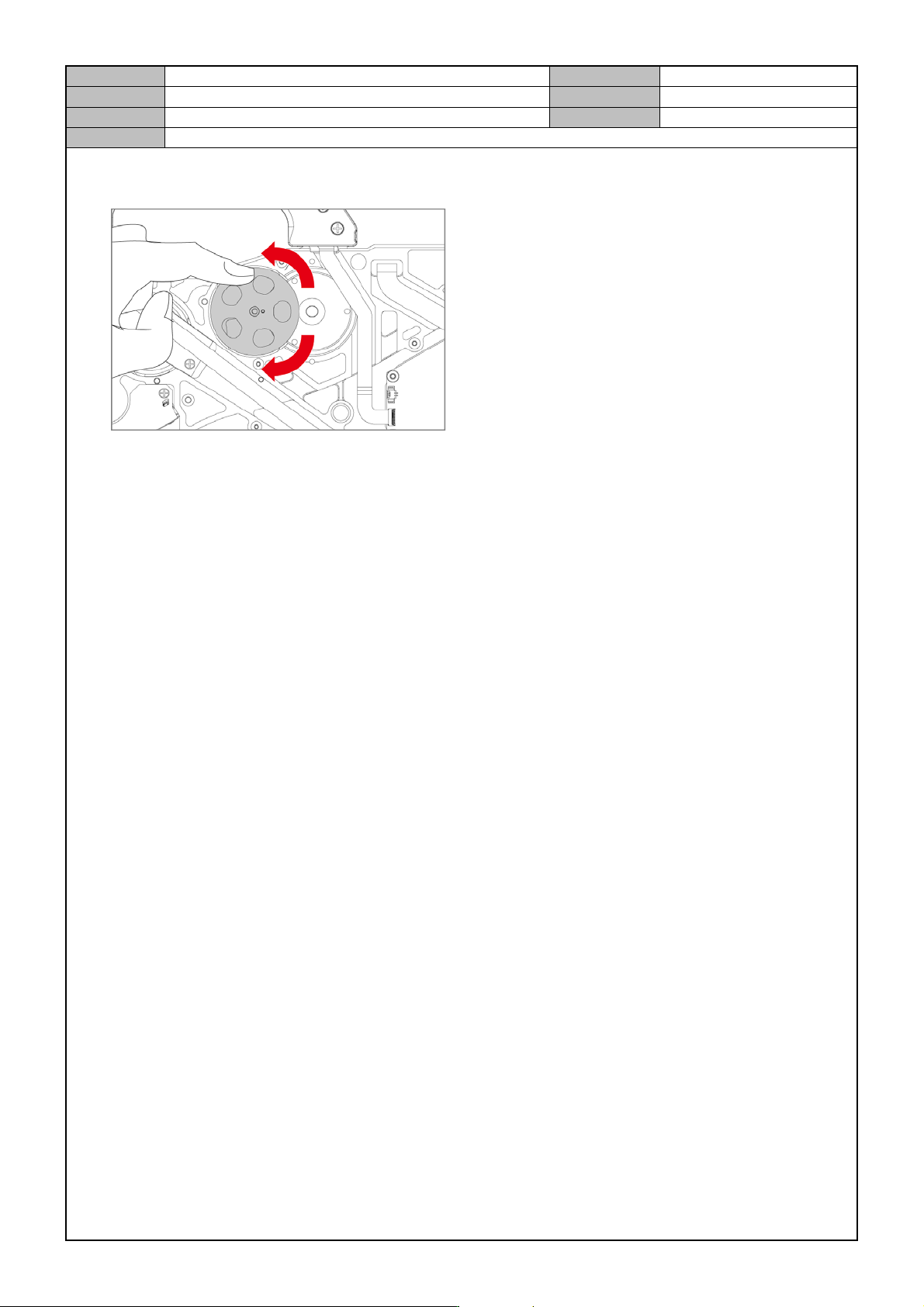
7. Turn the Motor gear CCW and CW to check if the same force is applied to the motor and then completely fix
the screws.
8. Connect the Motor Cable to the Main Board and assemble the cover.
9. Set it after finishing replacement.
- Home setting, Sensor initialization, Mapping
Model
DECAN Series
Company
SAMSUNG TECHWIN
Module
3.10 FEEDER
Version
01
Title
CONTROL BOARD REPLACEMENT
Page
3-10-15
Note
[CONTROL BOARD REPLACEMENT]
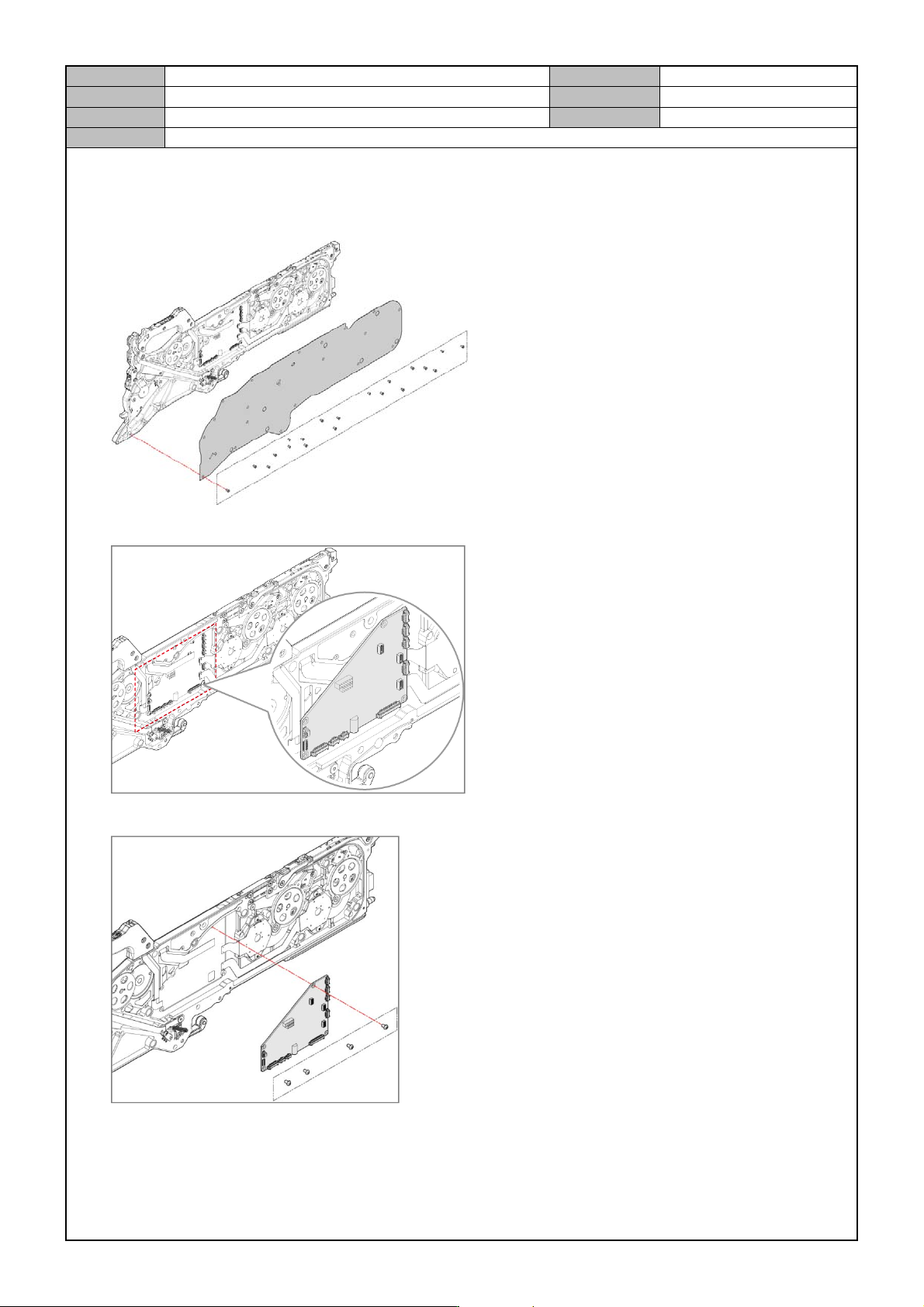
1. After removing the fixing bolts for the right cover(19-M2.5*0.45), separate the right cover from the Feeder.
2. Disconnect the connector from the main board.
3. After removing the fixing bolts for the main board(4-M3X0.5) , separate the main board from the Feeder.
4. Replace with a new main board.