EN 3.pdf - 第98页
Model DECAN Series Company SAMSUNG TECHWIN Module 3.6 COVER V ersion 01 Tit le MONITOR INST ALL A TION Page 3-6-4 Note [MONIT OR INST ALLA TION] 1. Slightly bend the middle part of the m onitor bracket and attach it with…
Model
DECAN Series
Company
SAMSUNG TECHWIN
Module
3.6 COVER
Version
01
Title
SAFETY SENSOR OPERATION CHECK(MMI)
Page
3-6-3
Note
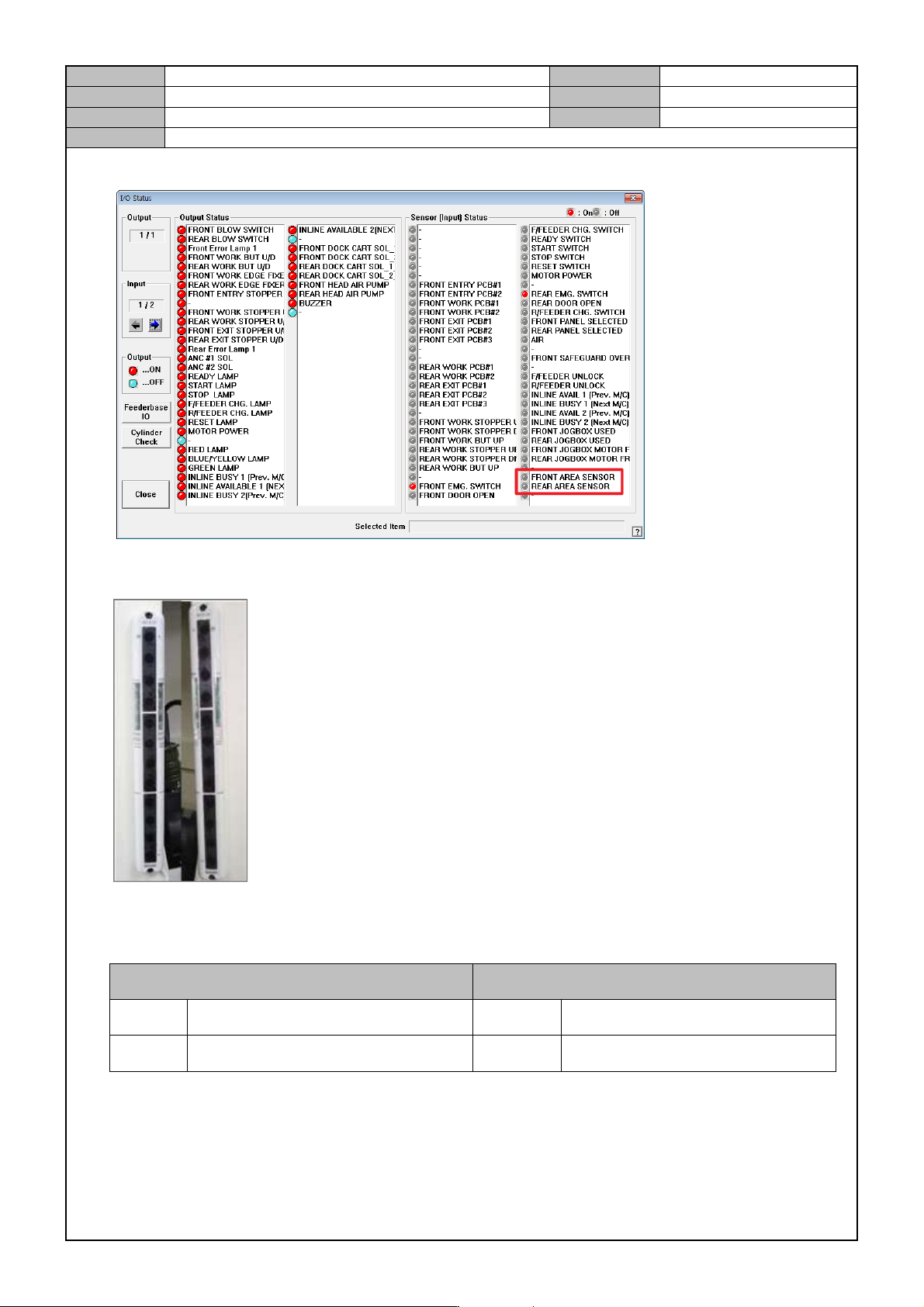
3. In the <Diagnosis → I/O → I/O Status>menu, check sensor operation.
4. While the equipment is operating, if the safety sensor detects an object, check whether the equipment stops
and an error occurs.
* Checkpoint
- Check the location of safety sensor
Front Rear
Left Light emission(EMITTER) Left Light emission(EMITTER)
Right Light receiving(RECEIVER) Right Light receiving(RECEIVER)
- When the equipment operates, if the safety sensor detects an object, the ready lamp will be turned off and
the error message will say " Safety sensor detection".
- Scratches, dents, wirings.
Model
DECAN Series
Company
SAMSUNG TECHWIN
Module
3.6 COVER
Version
01
Title
MONITOR INSTALLATION
Page
3-6-4
Note
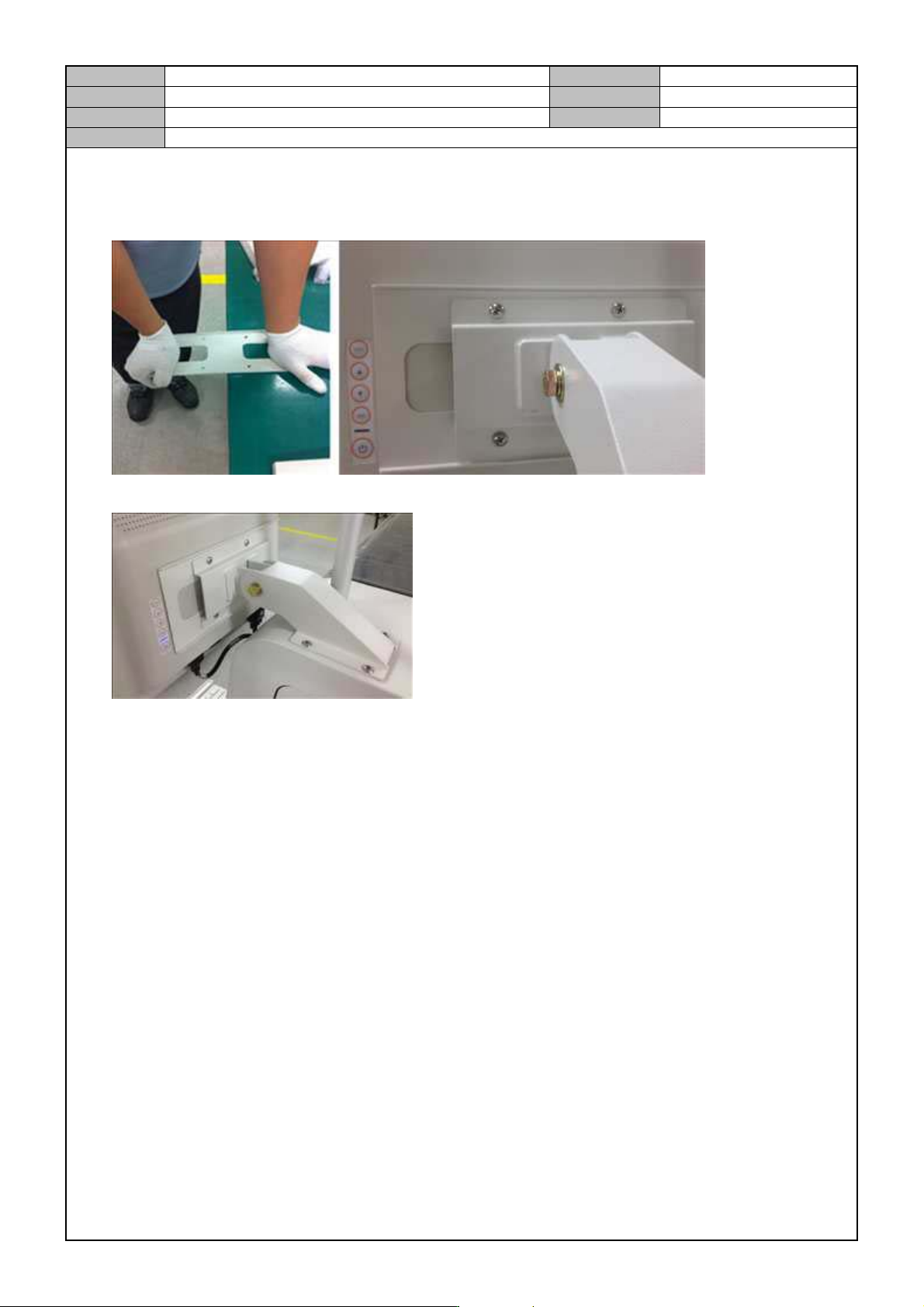
[MONITOR INSTALLATION]
1. Slightly bend the middle part of the monitor bracket and attach it with the bracket arm to the monitor.
2. After attaching the monitor to the equipment, connect the signal and power cables.
Model
DECAN Series
Company
SAMSUNG TECHWIN
Module
3.7 PARAMETER
Total Pages
19
Table of Contents
[MOTOR LOAD RATE CHECK] ........................................................................... 2
[MOTOR DRIVER PARAMETER DOWNLOAD(X, Y, S)] .................................... 4
[MOTOR DRIVER PARAMETER DOWNLOAD(Z)] ............................................. 9
[STEP MOTOR DRIVER DIP SWITCH SETTING] ............................................ 12
[PARAMETER CHECK(Y1, Y2)] ........................................................................ 13
[COMMUTATION OFFSET MEASUREMENT] .................................................. 16